Blank Invoice Template: Free Printable and Editable Options
When a printable blank invoice still makes sense, how to fill one in by hand correctly with a worked example, A4 and Letter print settings, fillable PDF pitfalls and record-keeping rules.
- Written by
- Monjur Hossain
- Published
- Last updated
- Reading time
- 18 min read

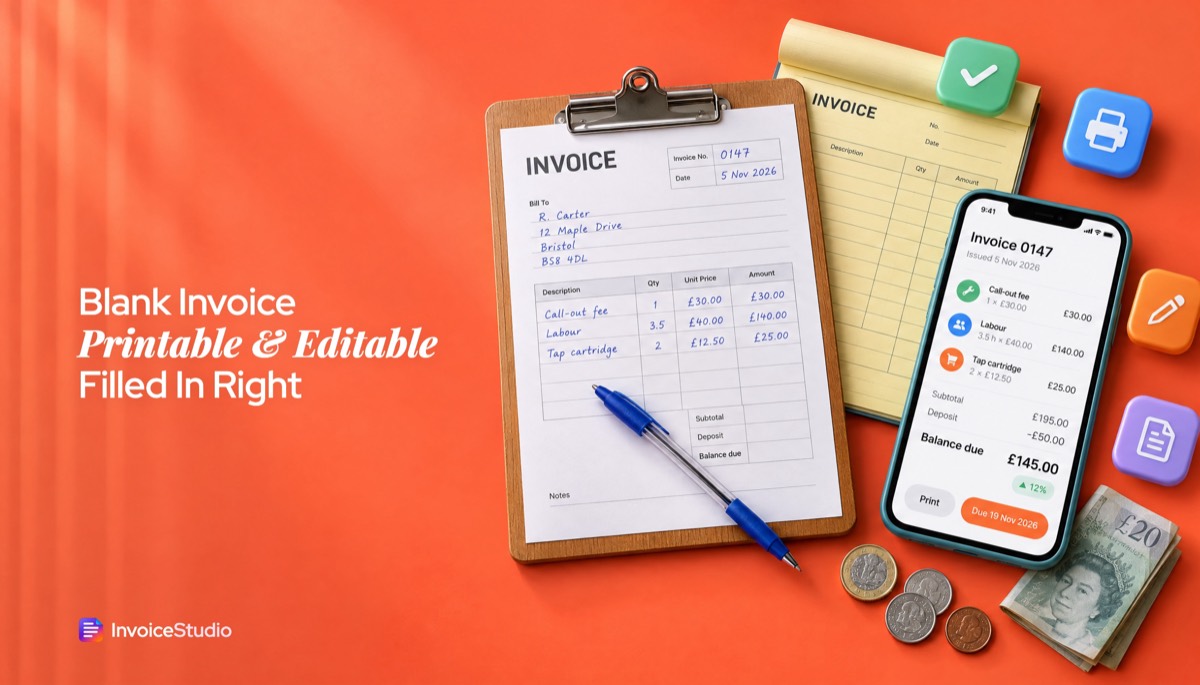
A blank invoice template is an invoice layout with every field printed but empty. Print it at 100% scale and fill in the invoice number, date, your and the client's details, line items, subtotal, tax, balance due, due date and how to pay. A handwritten invoice is valid if it is complete and you keep a copy.
On this page 11 sections
- What is a blank invoice template?
- When should you use a blank or printable invoice?
- How to fill out a blank invoice by hand (step by step)
- Blank invoice template printable on A4 or Letter: which print settings?
- Editable and fillable PDF invoice templates: what works?
- Simple invoice template vs professional invoice template
- Which invoice design gets paid faster?
- Can you handwrite an invoice and is it legal?
- How to keep copies and numbering straight with paper invoices
- Blank invoice vs invoice generator: which is faster?
- FAQs
A blank invoice template is an invoice layout with every field printed but left empty. You fill it in by hand, on a computer or in a fillable PDF, then give or send it to the client. It is the quickest way to bill someone when you have no laptop, no signal or no time to set up software, and it is perfectly valid if you fill in the right details.
I have written invoices on clipboards in clients' kitchens, on a folding table at a craft market and on the bonnet of a car outside a site with one bar of signal. Most of those were fine. A few came back to bite me, usually because I forgot the date, did the maths wrong or lost my own copy. This guide covers what galleries of free printable invoice templates skip: when paper still makes sense, how to fill one in correctly with a worked example, A4 and Letter print settings, the fillable PDF traps, and how to keep your records straight afterwards.
What is a blank invoice template?
A blank invoice template is a pre-formatted invoice with labelled spaces for your details, the client's details, an invoice number, dates, line items, totals and payment instructions, but no content filled in. You can print it and write on it, type into it as an editable invoice template, or use it as a fillable invoice PDF.
People use "blank invoice" for three slightly different things, and it helps to know which one you need:
- Printable invoice template. A PDF or image you print and fill in with a pen. No maths is done for you. This is what most people mean by a free printable invoice template.
- Editable invoice template. A Word, Excel, Google Docs or Sheets file you type into. Some calculate totals and some do not. I cover these in depth in the invoice template Word and Excel guide.
- Fillable invoice PDF. A PDF with form fields you click and type into, sometimes with calculated total fields. Good in theory, patchy in practice, as you will see below.
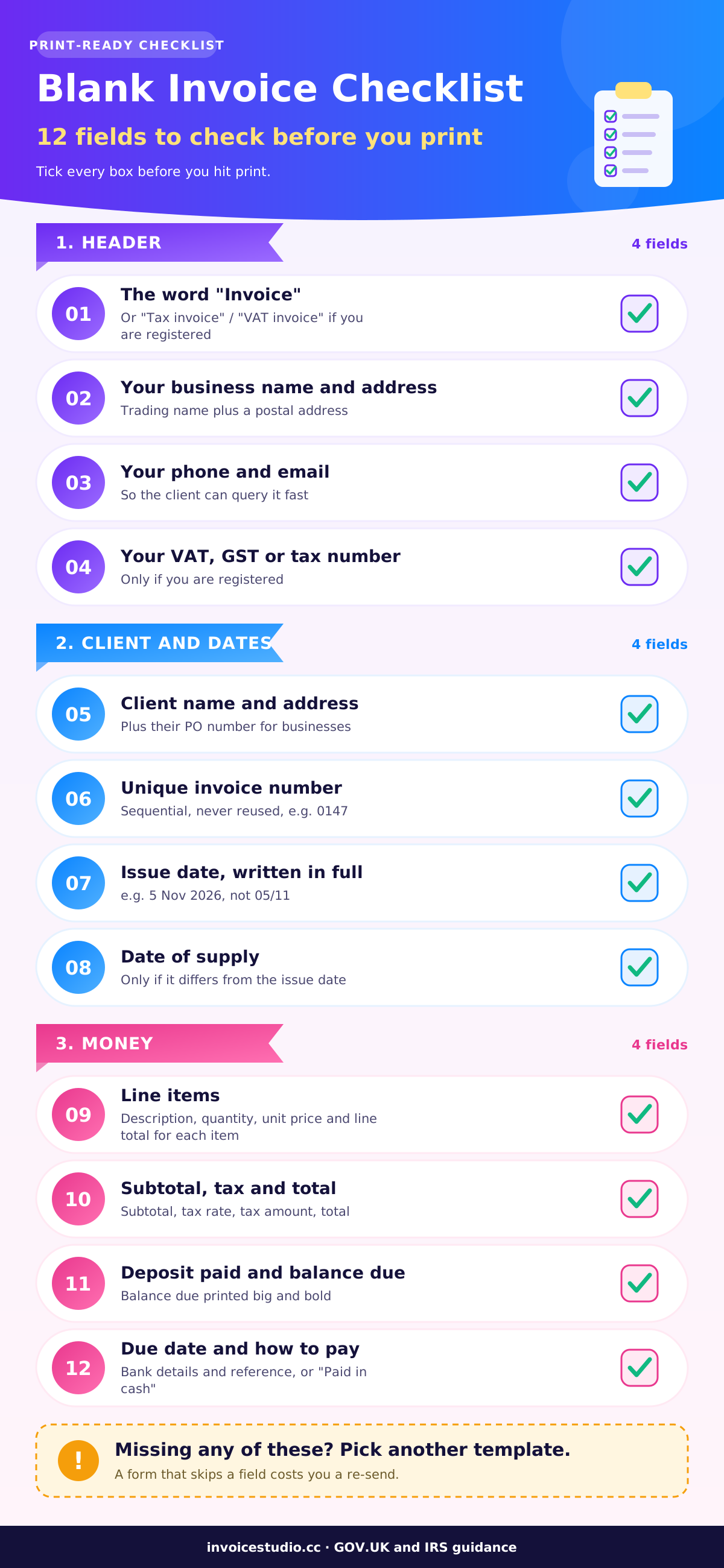
A blank invoice is only a layout until you add a number, a date, who is billing whom and how much is owed (more on that in what an invoice is). If a template you downloaded is missing any field below, find another one.
When should you use a blank or printable invoice?
Use a blank or printable invoice when you need to bill on the spot and a device is not practical: cash jobs, market stalls, home visits, rural sites with no signal, or clients who want a paper copy in hand before they pay. For regular clients you bill by email, a digital invoice is faster and easier to track.
Paper still makes sense more often than software companies admit:
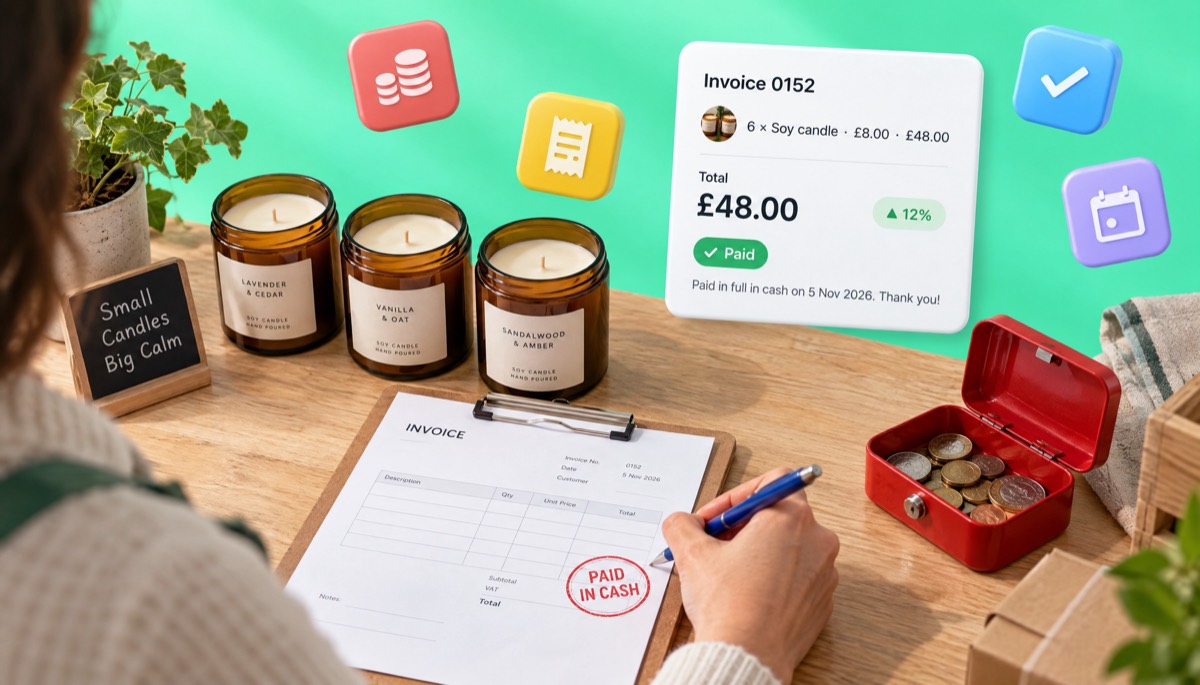
- Cash and cheque jobs. A plumber fixing a tap for a homeowner, a mobile mechanic, a dog groomer. The client pays before you leave and wants something to file. A handwritten invoice marked "Paid in cash" does the job.
- Markets, fairs and pop-ups. A café owner buys six candles and wants an invoice for their accountant.
- Site visits with no signal. Farms, rural builds, basements and plant rooms.
- Back-up when tech fails. I keep a pad of printed blank invoices in the van for a flat phone.
When paper does not make sense: recurring monthly work, anything with more than about six line items, clients with accounts payable departments that want a PDF by email, and any situation where you need to chase the invoice later. Paper is easy to issue and hard to follow up.
How to fill out a blank invoice by hand (step by step)
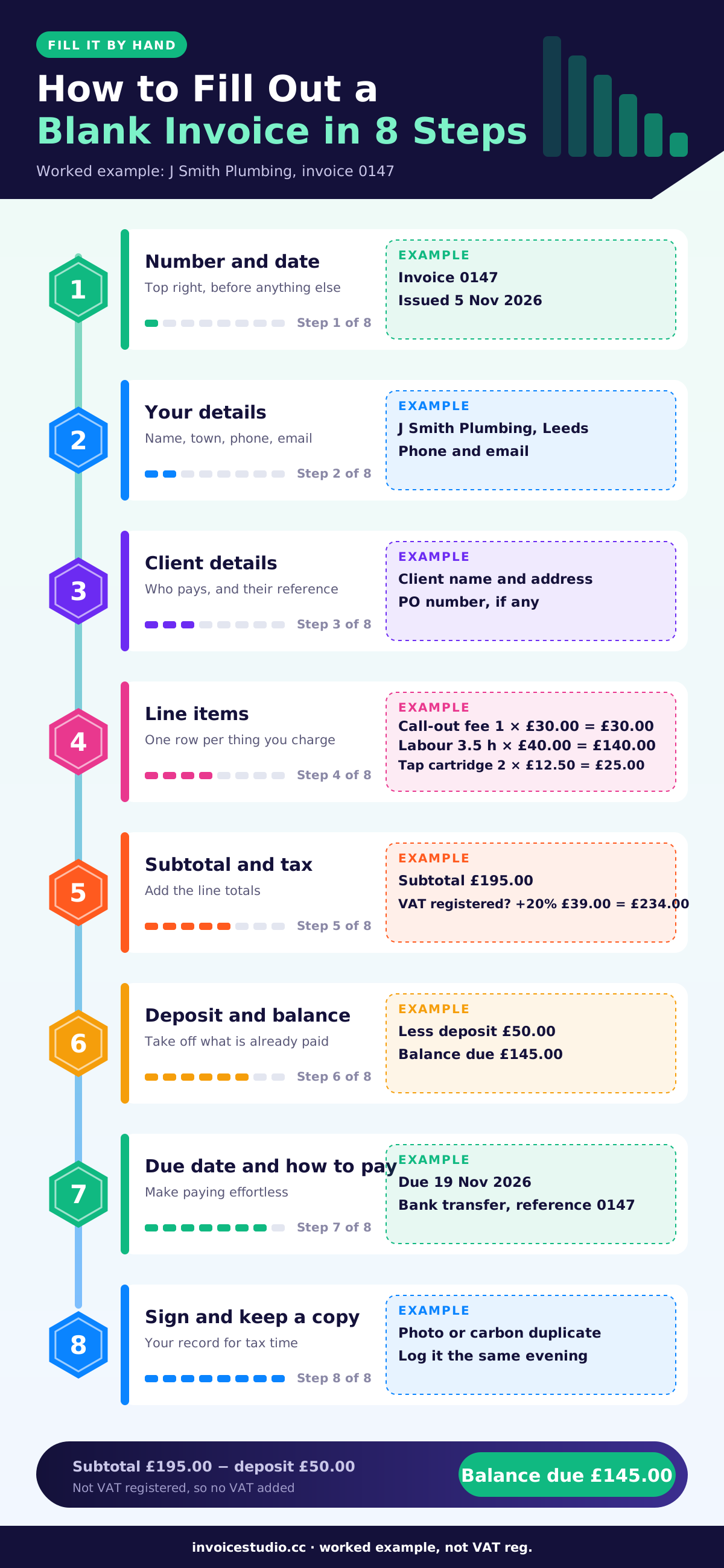
To fill out a blank invoice by hand, write the invoice number and date first, then your details and the client's details, then each line item with quantity, unit price and line total. Add up the subtotal, add any tax, subtract any deposit, write the balance due and the due date, and finish with how to pay. Keep a copy before you hand it over.
Order matters. Start with the line items and you will forget the number and date at the top. This is the order I use.
- Invoice number. Write the next number in your sequence, for example 0147. Never skip or reuse a number. If you spoil one, write VOID across it and keep it.
- Issue date. Write the date in full, such as 5 Nov 2026, not 05/11/26. Day and month order differs between the US and almost everywhere else, so spell the month out.
- Date of supply. If the work was done on a different day, write that too. In the UK and the EU the supply date matters for VAT.
- Your details. Business name (or your own name if you are a sole trader), address, phone and email. Add your VAT, GST or tax number if you are registered. A rubber stamp saves time here.
- Client details. Their name or company name and address. For business clients, ask for any purchase order number and write it in.
- Line items. One line per item or task: description, quantity, unit price, line total. Be specific: "Replace kitchen mixer tap cartridge" is better than "Plumbing".
- Subtotal, tax and total. Add the line totals, then calculate tax on the taxable amount, then the total. Do the sum twice. I use the phone calculator even when it has no signal.
- Payments received. Subtract any deposit or cash paid today, and write the balance due.
- Payment terms and due date. Write a real date, such as "Due 19 Nov 2026", rather than only "14 days".
- How to pay. Bank details, the reference to use, or "Paid in cash, thank you" if it is settled.
- Sign it and copy it. Sign if you want to, take a photo of the finished invoice, then hand it over.
If you want a clean layout to print and fill in, pick one of the designs below, add your own details and print it with the rest left empty.
Worked example: a handwritten invoice for a cash job
Say you are a sole trader plumber in Leeds, not VAT registered. You fix a leaking kitchen tap and replace a toilet fill valve for a homeowner on 5 November 2026. The client paid a £50 deposit by bank transfer when they booked, and will transfer the rest. Here is what goes on the blank invoice.
| Description | Qty | Unit price | Amount |
|---|---|---|---|
| Call-out fee, 5 Nov 2026 | 1 | £30.00 | £30.00 |
| Labour, tap repair and fill valve (hours) | 3.5 | £40.00 | £140.00 |
| Tap cartridge, 35 mm ceramic | 2 | £12.50 | £25.00 |
| Subtotal | £195.00 | ||
| Less deposit paid 28 Oct 2026 | -£50.00 | ||
| Balance due | £145.00 |
At the top: Invoice 0147, issued 5 Nov 2026, your name and trading name, address and phone, and the client's name and address. At the bottom: "Payment due by 19 Nov 2026. Bank transfer to J Smith Plumbing, sort code 00-00-00, account 00000000, reference 0147." Use your own details, of course.
The same invoice template with tax
If you are VAT registered, the blank invoice needs a VAT line and your VAT number, and HMRC wants the VAT shown separately. Using the same job at 20% VAT:
- Subtotal (net): £195.00
- VAT at 20%: £39.00
- Total: £234.00
- Less deposit paid: -£50.00
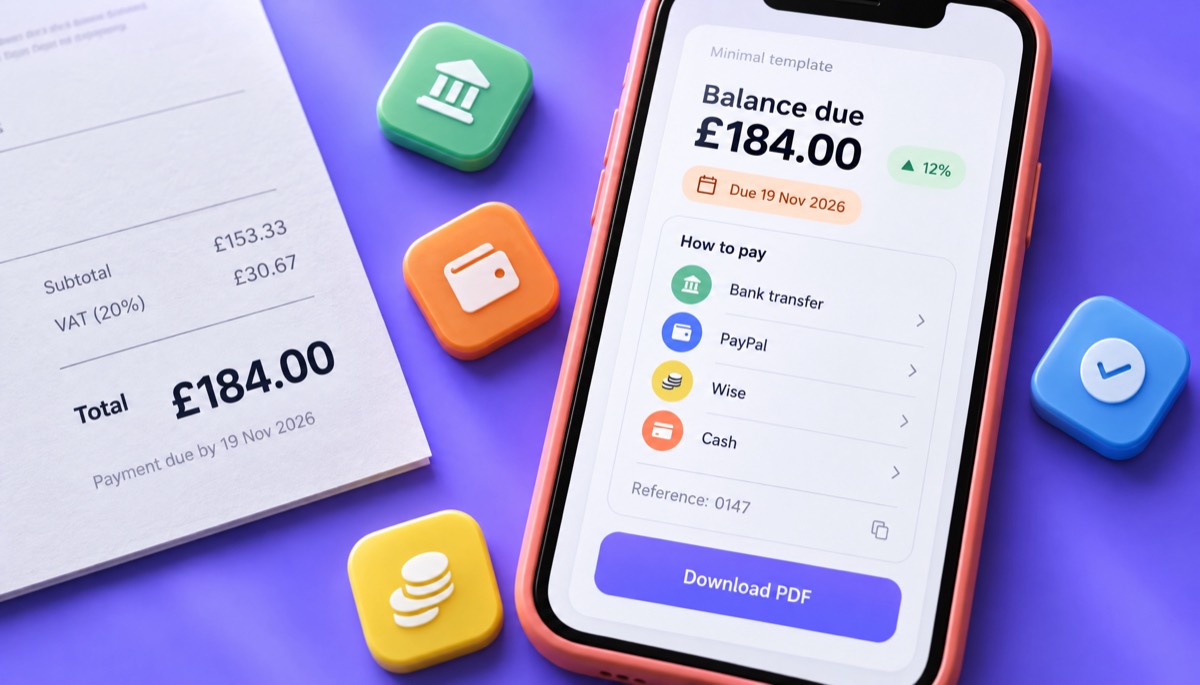
- Balance due: £184.00
So an invoice template with tax needs separate rows for the tax rate and tax amount. In the US that row is sales tax, set by your state, and often applies to parts but not labour. In Australia and India it is GST, in Canada GST or HST. Never charge VAT or GST before you are registered. For the full UK rules, see VAT invoice requirements in the UK.
Copy-paste wording for the bottom of a blank invoice
These are the lines I write or stamp most often. Copy whichever fits.
Payment due within 14 days, by [date]. Please use invoice number [0147] as your payment reference.
Paid in full in cash on [5 Nov 2026]. Thank you for your business.
Deposit of [£50.00] received on [28 Oct 2026]. Balance of [£145.00] due by [19 Nov 2026].
Payment terms: net 30. Late payments may be charged interest as allowed by law.
An invoice template with payment terms should have a dedicated "Terms" line so you are never squeezing this into a corner. If you are unsure what net 30 or net 15 means in practice, the net 30 payment terms guide walks through the dates.
Mistakes I see on handwritten invoices
- No invoice number. Without one you cannot match a payment to a job, and your accountant will ask.
- Totals that do not add up. On paper there is no formula to save you. A single carried digit can cost you or your client money and trust.
- Vague descriptions. "Work done, £300" invites a phone call.
- No copy kept. If you only have the client's copy, you have no record. Duplicate books or a phone photo fix this.
- Illegible amounts. Write clear block figures.
Blank invoice template printable on A4 or Letter: which print settings?
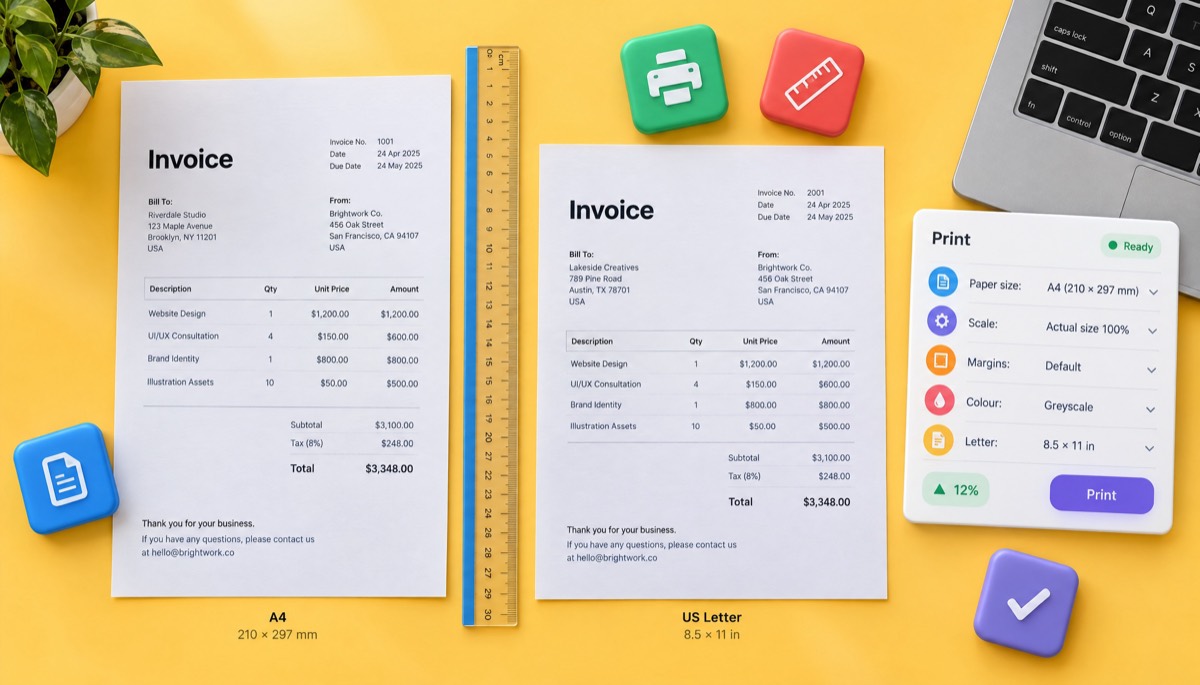
Print your invoice on A4 (210 × 297 mm) if you are in the UK, Europe, Australia, India, Bangladesh or most of the world, and on US Letter (8.5 × 11 inches) if you are in the US or Canada. Set the print scale to 100% or "Actual size", not "Fit to page", so the layout and margins stay as designed.
Paper size sounds like a detail until you print a Letter template on A4 and the bottom 18 mm is cut off, along with your bank details. The two sizes are close but not the same.
| A4 | US Letter | |
|---|---|---|
| Size | 210 × 297 mm (8.27 × 11.69 in) | 215.9 × 279.4 mm (8.5 × 11 in) |
| Shape | Narrower and taller | Wider and shorter |
| Used in | UK, EU, Australia, New Zealand, India, Bangladesh and most other countries | US, Canada and a few others such as Mexico and the Philippines |
| What goes wrong | A Letter template prints with a gap at the bottom and may clip the right edge | An A4 template loses the last 18 mm at the bottom, often the payment details |
| Envelope | Folds into a DL envelope (thirds) | Folds into a #10 envelope (thirds) |
Print settings checklist
- Paper size: match the template (A4 or Letter) in the print dialog and the printer tray.
- Scale: 100%, "Actual size" or "None". "Fit to page" or "Shrink oversized pages" will make the text smaller and change the box sizes.
- Margins: leave the template's margins alone. Most home printers cannot print the last 4 to 6 mm of the page, so a design with text right to the edge will lose it.
- Colour and paper: greyscale on standard 80 gsm (about 20 lb bond) is fine for handwriting pads.
- Test print: print one, check each field has room for real handwriting, then print the batch.
If you write a lot of invoices on paper, a printer shop can turn your design into numbered carbonless duplicate books (NCR pads). The client gets the top copy and you keep the one underneath, numbered in sequence. It is the cheapest record-keeping system there is.
In Invoice Studio you choose A4 or Letter per invoice, so one design works for clients in Manchester and Chicago.
Editable and fillable PDF invoice templates: what works?
Editable invoice templates in Word, Excel or Google Sheets work well if you check the totals, and spreadsheets are the safest because they calculate for you. Fillable invoice PDFs are convenient for filling in blanks, but their calculated fields often do not work in browser or phone PDF viewers, so always check the total before you send it.
I used a fillable PDF for about a year. These are the problems I hit.
Fillable invoice PDF pitfalls
- Totals that do not calculate. Automatic total fields rely on scripts built into the form. Desktop Adobe Acrobat Reader runs them, but many browser viewers and phone apps fill in the boxes and ignore the maths. You type the quantities and the total stays at 0.00.
- Filled data that disappears. Some viewers only let you fill the form, not save it. You close the file and the fields are blank again. Always "Save as" a new file with the invoice number in the name.
- Clients who can edit your invoice. If you send a fillable PDF, the client can change the amount. Flatten it first by printing to PDF (Microsoft Print to PDF on Windows, or File, Export as PDF on a Mac), which turns the fields into fixed text.
- Text that overflows. Long descriptions get cut off or shrunk. Split them over two lines.
- No numbering. A fillable PDF does not know what your last invoice number was. You still need a log.
My honest view: a fillable PDF is good for one job, which is letting someone else fill in a fixed form, such as a subcontractor billing you. For your own invoices, a spreadsheet or a PDF invoice generator that numbers and totals each invoice is better. The Word, Excel and Google Docs template guide includes the exact formulas if you want to build your own editable invoice template that does the maths.
| Format | Fill by hand | Type into it | Calculates totals | Hard for client to edit | Best use |
|---|---|---|---|---|---|
| Printable blank invoice (PDF) | Yes | No | No | Yes, once printed | Cash jobs, markets, site visits |
| Fillable invoice PDF | Yes | Yes | Sometimes, depends on the viewer | Only if flattened | Fixed forms other people fill in |
| Word or Google Docs | Yes, if printed | Yes | Word only, with table formulas | Only if sent as PDF | Simple single-line invoices |
| Excel or Google Sheets | Yes, if printed | Yes | Yes | Only if sent as PDF | Itemised and hourly work |
| Invoice generator | Yes, print it with fields left empty | Yes | Yes, with tax and discounts | Yes, sent as PDF | Anything you need to track and chase |
Simple invoice template vs professional invoice template
A simple invoice template has only the essential fields and plenty of white space, which makes it easy to fill in by hand and quick to read. A professional invoice template adds your logo, brand colour, payment methods, tax lines and terms. Both are professional if the details are complete. Pick simple for paper and one-off jobs, and branded for repeat business clients.
"Simple" and "professional" are not opposites. Some of the most professional invoices I have received were one page with ten lines and a clear balance due. Some of the least professional had a beautiful header and no due date. A simple invoice is black text, one font and a clear table. A minimalist invoice template adds thin lines and one accent colour, and is my default for freelancers. A modern invoice template uses a colour block or gradient header and your logo.
Invoice Studio has 44 designs: Classic, Minimal, Corporate, Creative, Modern and Elegant, plus 10 gradient designs. If you are printing a blank invoice to fill in by hand, I would use Minimal or Classic and print in greyscale. If you are sending a typed PDF, Modern or one of the gradient designs with your brand colour looks great on screen. Even a free modern invoice template should have every field from the checklist above. Design is the wrapper, not the content.
| Situation | Template style | Why |
|---|---|---|
| Handwritten at a market or on site | Simple or Minimal, greyscale | Room to write, cheap to print, easy to read |
| Freelance design or writing work | Minimal or Modern | Clean, branded, looks good as a PDF |
| Agency or creative studio | Creative or a gradient design | The invoice shows your style |
| Large company client with a PO | Corporate or Classic | Clear PO, tax and terms boxes for their AP team |
| Trades and contractors | Classic | Room for labour and materials lines |
| Weddings, events, premium services | Elegant | Matches a high-end brand |
For trades in particular, the contractor invoice template guide covers labour, materials and retention lines in more depth.
Which invoice design gets paid faster?
The invoice design that gets paid faster is the one that makes three things impossible to miss: how much is owed, when it is due and how to pay. Colour and logos help recognition, but a clear balance due, a real due date and payment details on the invoice itself matter more than any visual style.
I have not seen a trustworthy study proving one colour or layout gets paid faster. What I have seen is what triggers "quick question about your invoice" emails, which are what really delay payment:
- A balance due that is hard to find. Put it bottom right, in bold, larger than everything else. If there was a deposit, show the deposit and the balance as separate lines.
- A due date without a date. "Due on receipt" and "30 days" leave room for interpretation. "Due 5 Dec 2026" does not.
- Missing payment details. If the client has to email you for your bank details, you have added a few days. List every way you accept payment.
- No PO number for business clients. Many accounts payable teams cannot pay an invoice without one. Ask for it before you invoice.
Can you handwrite an invoice and is it legal?
Yes, you can handwrite an invoice, and in most countries it is just as valid as a typed one if it contains all the required information and is legible. The US, UK, Canada and Australia accept paper invoices. The exceptions are growing e-invoicing mandates for some business-to-business sales in parts of the EU and India, and you must still keep a copy.
Tax authorities care about content, not handwriting. GOV.UK's guidance on what an invoice must include lists a unique number, your business name and address, the customer's name and address, a description, the date of supply, the date of the invoice, the amount and the total owed. A handwritten invoice that has all of that is a real invoice. For the full set of fields, see the invoice format guide with samples.
Country notes, as of 2026. Rules change, so check with your local tax authority before you rely on paper for a large client.
- United States. No federal rule on invoice format, and handwritten invoices are fine. Keep them as records, as described in the IRS recordkeeping guidance. If a business receives more than $10,000 in cash in one transaction or related transactions, it must file Form 8300, which matters for big cash jobs.
- United Kingdom. Paper invoices are accepted. If you are VAT registered, a VAT invoice needs your VAT number, the VAT rate and the VAT amount shown separately. Retailers can issue a simplified VAT invoice for sales up to £250 including VAT.
- European Union. The VAT Directive treats paper and electronic invoices the same, but several countries now require structured e-invoices for some B2B sales. Germany requires businesses to be able to receive e-invoices from 2025, and Belgium made B2B e-invoicing mandatory from January 2026. The European Commission's VAT invoicing rules is the place to start.
- Canada. Paper is fine. If you charge GST/HST, the details required rise at the $100 and $500 sale thresholds.
- Australia. Paper tax invoices are fine. If you are registered for GST, you must give a tax invoice when the customer asks for one on a sale over $82.50 including GST.
- India. Handwritten GST invoices are still used by small businesses, but GST e-invoicing is compulsory for businesses above the turnover threshold set by the government, currently ₹5 crore. See the GST invoice format guide.
- Bangladesh. VAT-registered businesses issue the Mushak-6.3 tax invoice. Small unregistered traders often use handwritten cash memos. Check the current rules with the NBR.
A handwritten invoice is not a receipt. If the client pays on the spot, either write "Paid in full on [date] by [cash/card/transfer]" on the invoice, or give a separate receipt. That way both of you have proof of payment.
How to keep copies and numbering straight with paper invoices
To keep paper invoices organised, number every invoice in one unbroken sequence, keep a copy of each one (carbon duplicate, photo or scan), log it the same day, and file copies by number or by month. Keep them for as long as your tax authority requires: at least 3 years in the US, and 5 to 6 years in the UK, Canada and Australia.
Writing paper invoices is easy. Finding invoice 0112 six months later and knowing whether it was paid is not. This system worked for me.
- Use one sequence. 0001, 0002, 0003, or a year prefix such as 2026-001. Do not start a new sequence for each pad. The invoice number format guide has examples for every situation.
- Pre-number your blank invoices. Write the numbers on the whole pad in advance, or buy numbered duplicate books. That way gaps are obvious.
- Never throw away a spoiled invoice. Write VOID across it and file it. A missing number looks like a hidden sale to an auditor.
- Photograph every invoice before handing it over. One photo takes five seconds and covers you if you lose the duplicate.
- Log it the same evening. A simple spreadsheet with number, date, client, amount, due date and paid date. That log is your accounts receivable list.
- Mark payments on the copy. When the money arrives, write the date and method on your copy and in the log.
How long to keep invoices
| Country | General minimum | Source or note |
|---|---|---|
| United States | 3 years from filing, 6 years if income was under-reported by more than 25%, 7 years for bad debt claims | IRS: how long to keep records |
| United Kingdom (self-employed) | At least 5 years after the 31 January filing deadline | GOV.UK: self-employed records |
| United Kingdom (VAT) | Generally at least 6 years | HMRC VAT Notice 700/21 |
| Canada | Generally 6 years from the end of the tax year they relate to | CRA record-keeping rules |
| Australia | Generally 5 years | ATO record-keeping rules |
| EU countries | Varies, often 5 to 10 years | Check your national tax authority |
| India (GST) | 72 months from the due date of the annual return | CGST rules |
Scanned copies are usually acceptable if they are complete and legible, but rules on keeping originals vary. In the UK, HMRC says most records can be kept in any format, though some, such as import VAT certificates, must stay in their original form. If you are unsure, keep both.
Blank invoice vs invoice generator: which is faster?
A blank paper invoice is faster for a single on-the-spot job, at around three to five minutes. An invoice generator is faster for everything after that, because it remembers your details and clients, numbers invoices, does the maths and tracks payment. Most people end up using both: paper for the moment, a generator for the record.
My own rough timing, from months running both side by side:
| Task | Blank paper invoice | Invoice generator |
|---|---|---|
| Writing one 3-line invoice | About 4 minutes | About 2 minutes once your details are saved |
| Doing the maths and tax | By hand, check twice | Automatic, including discounts and tax rows |
| Numbering | Manual, easy to skip or repeat | Automatic |
| Keeping a copy | Duplicate book or photo | Saved automatically |
| Sending | Hand over in person | Email with the PDF attached |
| Knowing who has not paid | Check your log by hand | Overdue status and a dashboard |
| Chasing late payers | Phone call or a new letter | Reminders |
| Works with no signal | Yes | Needs a connection |
The hybrid I settled on: write the paper invoice on site, photograph it, then type it into the generator that evening so it is numbered, saved and tracked. With voice invoicing you can even say the invoice out loud in the van ("Invoice for Sarah Patel, call-out fee thirty pounds, three and a half hours labour at forty...") and it is built for you. If you would rather skip paper altogether, the step-by-step guide to making an invoice and the guide to sending invoices cover the digital route.
Invoice Studio is a free invoice generator with 44 designs, A4 or Letter paper, 14 currencies, per-line tax and payment methods from bank transfer to bKash and cash under "How to pay". When you need paper, pick one of the 28 printable invoice templates, add your business details, leave the rest empty and print a stack to fill in by hand.
So, should you use a blank invoice template? Yes, when paper is the fastest way to bill on the spot. Pick a simple design with every field on the checklist, print it at 100%, fill it in in order, and keep a copy of every one. Just do not let the pad become your only record.
Frequently asked questions
Can I handwrite an invoice?
Is there a free blank invoice template I can print?
How do I fill out a blank invoice?
Do I need a logo on my invoice?
What should an invoice look like?
How long should I keep invoices?
Monjur builds Invoice Studio and incorporated MotionTrust Digital in September 2022, where he leads Amazon strategy across the client base. Eight years in e-commerce and marketplace marketing taught him how much time invoices and late payments eat, so every guide here is tested against the real product and current tax rules before it goes live.
More guides by Monjur