A real PDF in one click
Press Download PDF and the file lands on your device. No email gate and no watermark in the corner.
This free invoice generator PDF tool adds up your client, line items and terms as you type, then downloads a clean PDF for A4 or US Letter. InvoiceStudio: create invoices by voice, automate billing, and get paid faster.
Edit any field on the left. The preview on the right is exactly what your PDF will look like.
Press Download PDF and the file lands on your device. No email gate and no watermark in the corner.
Each design is laid out for both paper sizes, so the totals never spill onto a second page. Print it or attach it, it looks the same.
Quantity times rate, discounts, tax and the balance due are worked out as you type. One wrong cell in a spreadsheet can't cost you $200.
Go from black-ink Minimal to a gradient Wave header without retyping a thing. Pick the brand colour that matches your logo.
Invoice in USD, GBP, EUR, AUD, INR, BDT and more. Add VAT, GST or sales tax per line, or leave tax off for exempt work.
With a free account you can add bank, PayPal, Wise, Stripe, bKash or Nagad details under How to pay. Clients see exactly where the money goes.
Add your business and your client, then one line per service or product with a quantity and rate. Set the currency, tax and due date.
The preview updates as you type. Choose one of 28 designs and a brand colour, and confirm the total due before you export.
Press Download PDF to save the file and attach it to your email. Save it to a free account to keep the client and track payment, or upgrade to Starter ($3 a month) to email it from the app.
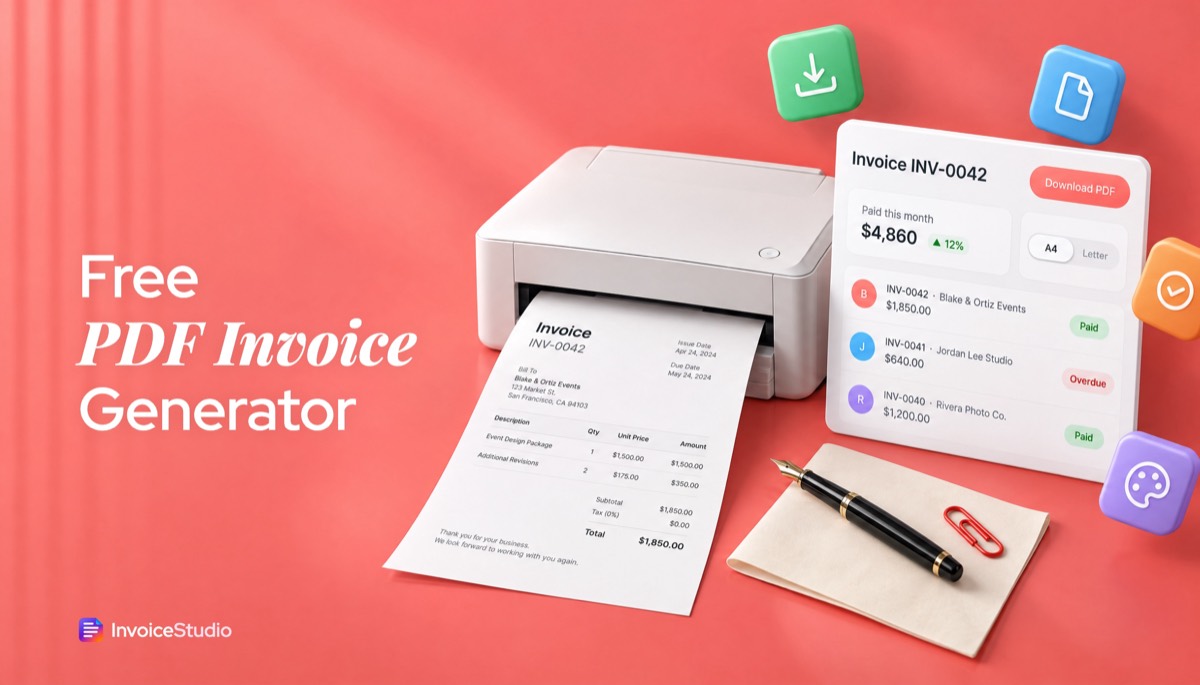
Pick one to load it into the tool above, then change anything.
Six hours at $225, 40 retouched images at $10 and $100 travel. Minimal design, Letter paper, PayPal and ACH under How to pay.
£650 monthly bookkeeping plus £900 year-end accounts, with £310 VAT. Elegant serif design on A4 with the VAT number in the header.
4,200 words at €0.12 plus three hours of proofreading, billed from Spain to a Dutch company with both VAT numbers and the reverse-charge note.
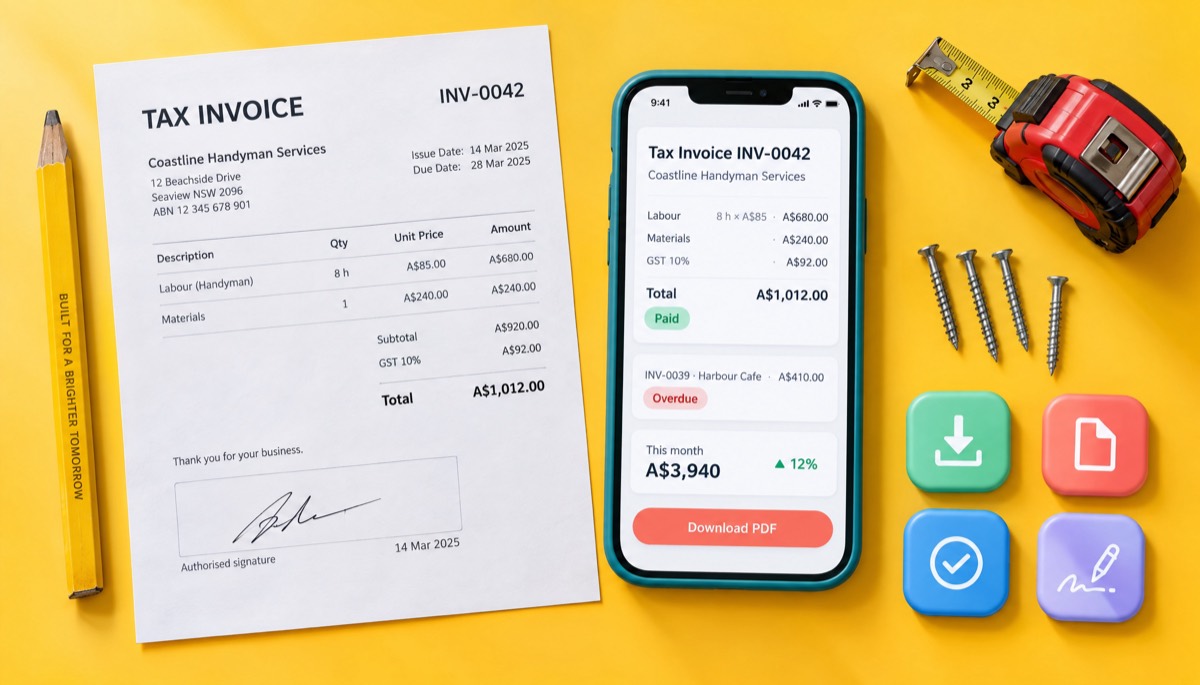
Eight hours of labour at A$85 and A$240 of materials, plus 10% GST. Space for the client's signature when the job is done.
A Tk 45,000 build plus hosting at 10% off, in BDT, with bKash and bank details printed so the client can pay the deposit today.
Plain answers, worked examples and the rules that apply, all checked against the live product.
A free invoice generator PDF tool lets you fill in an online form and download a finished invoice as a PDF. In InvoiceStudio you add your client, line items, tax and due date, pick one of 28 designs, choose A4 or US Letter, and download a print-ready PDF with no watermark and no account needed.
A free invoice generator PDF tool, sometimes called an invoice PDF generator, is a web form that turns your client, line items, tax and payment terms into a finished invoice you download as a PDF. You type, it does the maths and the layout, and you get a file that looks the same on your client's laptop, phone and printer.
That last part is the whole point. I've sent invoices as Word files, as Google Docs links, as Excel sheets and as plain emails, and the PDF is the only format that has never come back with "the total looks odd on my screen". A PDF locks the layout and the numbers. Nobody can nudge a cell by accident, and the font you chose is the font they see.
The generator above does the job in one pass. Fill in the form, check the live preview, pick one of 28 designs and press Download PDF. It's an invoice maker without watermark stamps or "made with" footers, and you don't need an account to get the file. If you want the longer route, with every field explained, our guide on how to make an invoice walks through it line by line.
You create a PDF invoice by entering your details, your client's details and one line per item, then exporting. The whole thing takes about five minutes the first time and under two once you've done it.
Here's the exact order I use, with a real example: a photographer billing an Austin events company for a six-hour shoot.
Load the "US photographer" example above and you'll see this exact invoice in the tool, ready to change.
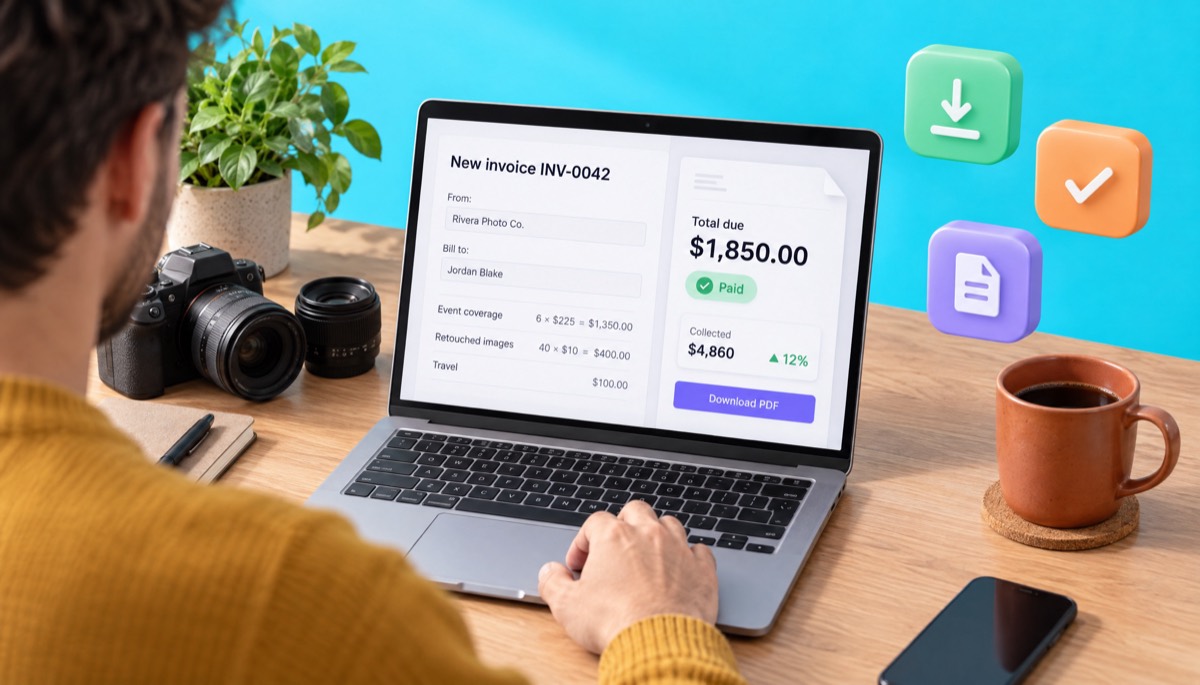
Check the total on the preview before you download. If it's not the number you quoted the client, fix it now. It's far easier than explaining a second invoice.
Use US Letter for clients in the United States and Canada, and A4 for clients almost everywhere else. The size only matters when someone needs to print an invoice, so match the paper your client's office uses.
The two sizes are close, which is why people ignore the setting. That's a mistake. A Letter invoice printed on A4 gets a strip of white at the bottom. An A4 invoice printed on Letter can lose the last line, and on an invoice the last line is usually the total or the bank details.
| Paper size | Dimensions | Where it's standard | Pick it when |
|---|---|---|---|
| US Letter | 8.5 × 11 in (216 × 279 mm) | US, Canada, Mexico, Philippines | Your client is in North America |
| A4 | 210 × 297 mm (8.27 × 11.69 in) | UK, EU, Australia, India, Bangladesh, most of the world | Your client is anywhere else |
Every design in InvoiceStudio is laid out for both sizes, with the totals block kept together so it never breaks across two pages. If you invoice one US client and one German client, set the paper per invoice. It takes a second.
A few print details the other generators skip:
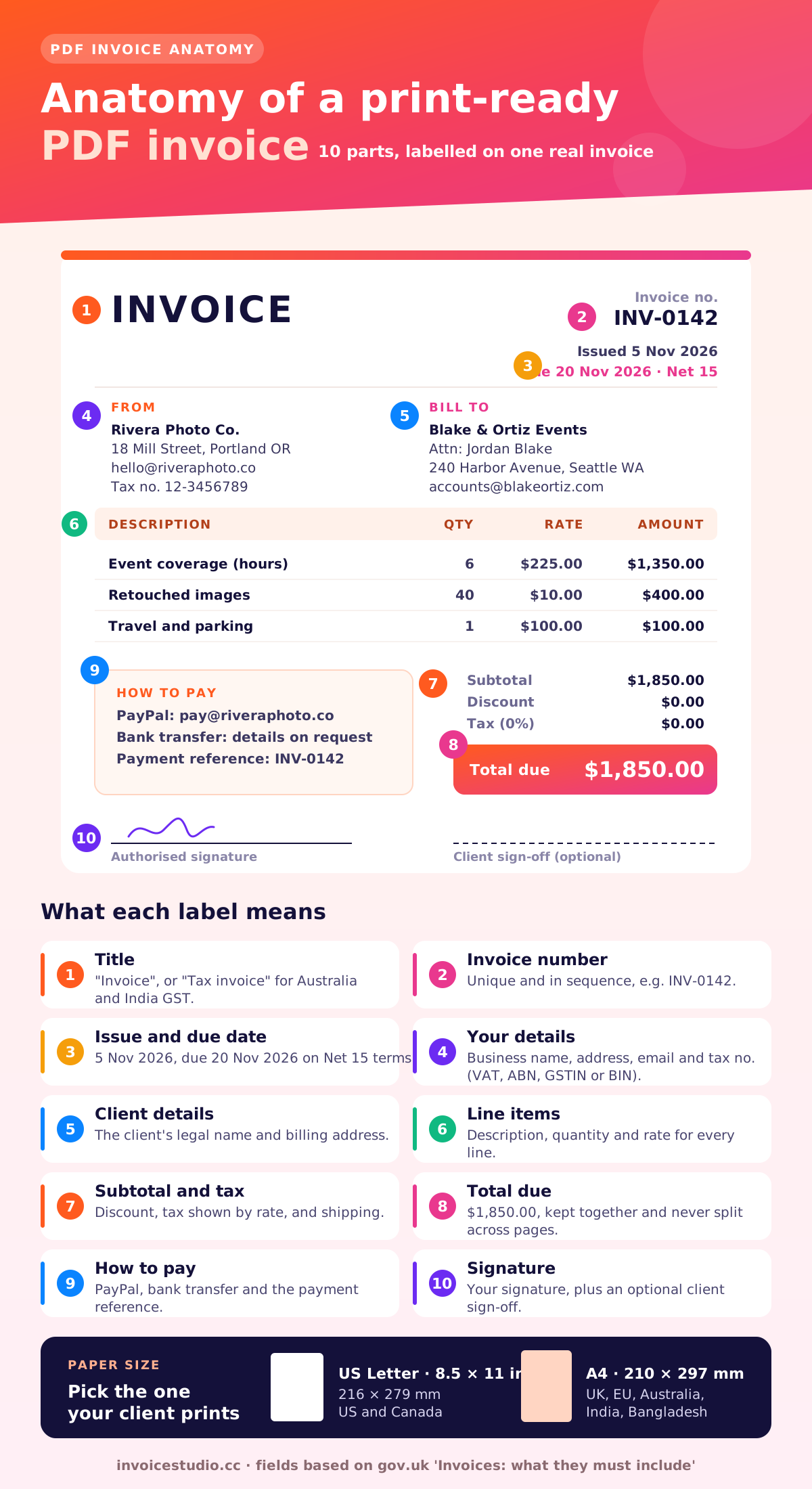
A PDF invoice must include the word "Invoice", a unique number, the issue date, your details, your client's details, a description of what you supplied, the amounts and the total due. If you're registered for VAT, GST or sales tax, add your tax number and the tax shown separately.
That list comes almost word for word from the UK government's page on what an invoice must include, and it's a good baseline for every country. Here's the full checklist I run before I send anything:
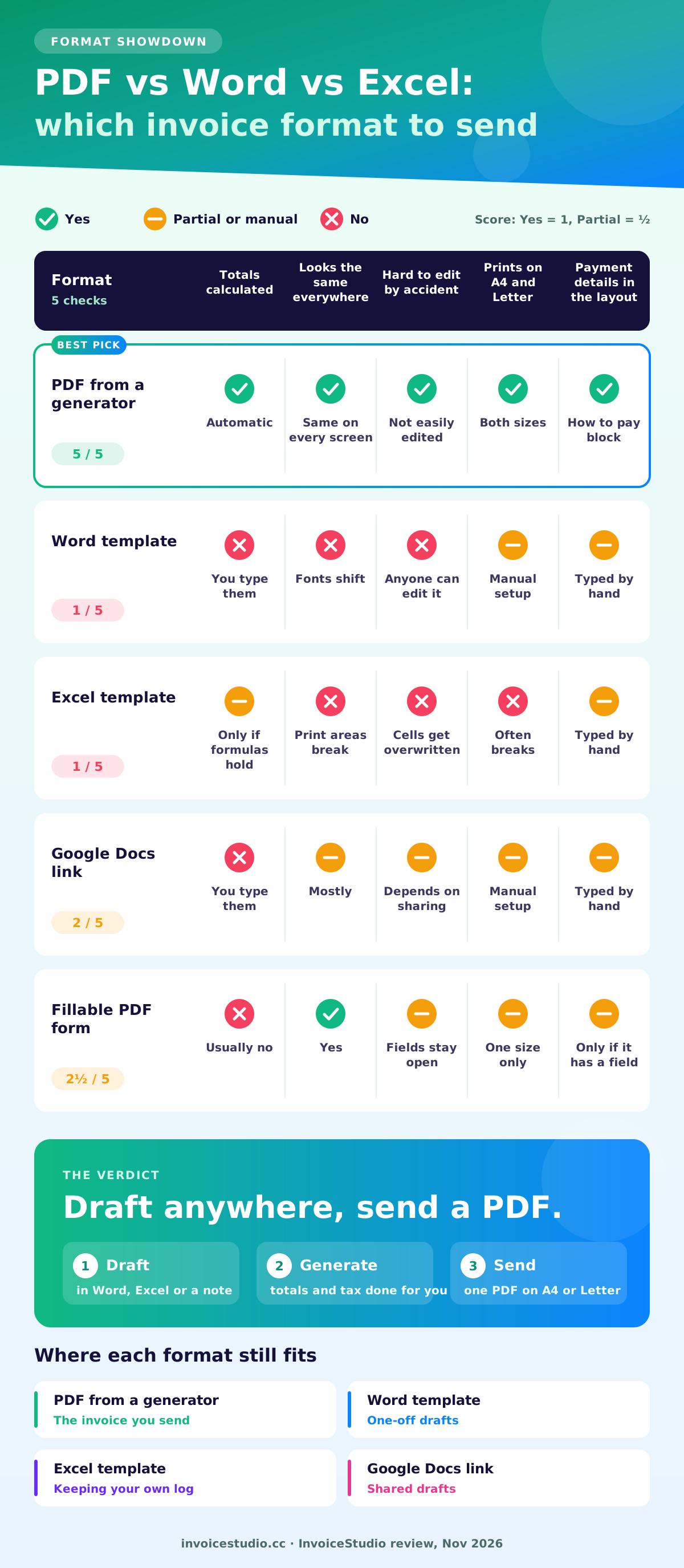
PDF is the best format for sending an invoice, because it can't be edited by accident and it looks identical everywhere. Word and Excel are fine for drafting, but they're risky as the file you actually send.
I used an Excel template for my first year of freelancing. Twice a formula broke when I inserted a row, and once I sent an invoice where the total didn't match the lines. The client noticed before I did. A generator removes that whole class of mistake, because the maths isn't sitting in cells you can overwrite.
| Format | Totals calculated | Looks the same everywhere | Client can change it | Best use |
|---|---|---|---|---|
| PDF from a generator | Yes | Yes | Not easily | The invoice you send |
| Word template | No, you type them | No, fonts and spacing shift | Yes | One-off drafts |
| Excel template | Yes, if formulas hold | No, print areas break | Yes | Keeping your own log |
| Google Docs link | No | Mostly | Depends on sharing | Shared drafts |
| Email body only | No | No | Not applicable | Tiny amounts between friends |
If you still prefer a document you can open in Word, our invoice template guide for Word and Excel covers both honestly. If you'd rather print a blank invoice PDF and fill it in by hand, see the blank invoice template post. Either way, convert an invoice to PDF before it goes out.
What about a "fillable invoice PDF", the kind with form fields you click into? It works, but your total is only as good as your calculator, and most free fillable PDFs don't add tax for you. A generator gives you the same final PDF with the maths done, and it works as an editable invoice template PDF too: change any field and download again.
The fastest way to get an invoice right is to copy one that already is. Here are three real-world layouts with every number shown, and each one is loadable in the tool above.
Hartley Bookkeeping in York bills a bakery for October's bookkeeping and the year-end accounts.
Because the firm is VAT-registered, the VAT number goes in the header and the VAT is shown separately. HMRC's rules are covered in detail in our UK VAT invoice requirements post.
Lucía, a translator in Barcelona, invoices a media company in Amsterdam. Both are VAT-registered businesses, so no Spanish VAT is charged and the buyer accounts for it.
The two things people forget here are the client's VAT number and the reverse-charge wording. Both are on the example. The EU's own page on VAT invoicing rules lists what a cross-border invoice needs.
Coastline Handyman repairs a deck in Dee Why and wants the client to sign off on the finished job.
It's titled "Tax invoice", shows the ABN, and has a client signature line at the bottom. The signature isn't a legal requirement, but it settles "the job wasn't finished" arguments before they start. For more trade layouts, the contractor invoice generator has deposit and materials examples.
Attach the PDF to a short email that repeats the invoice number, amount and due date in the subject line. The client's accounts team should be able to file it without opening anything else.
Three habits make the biggest difference in my experience:
Here's wording you can paste straight into your email:
Subject: Invoice INV-0142 for $1,850.00, due 20 November 2026
Hi Jordan,
Please find attached invoice INV-0142 for the Blake & Ortiz launch event on 1 November. The total is $1,850.00, due by 20 November 2026.
You can pay by PayPal to hello@riveraphoto.co or by bank transfer using the details on the invoice. Please use INV-0142 as the reference.
Thanks again, it was a great event.
Ana Rivera
On the Starter plan ($3 a month) and above you can send that email from the app with the PDF attached, then see the invoice move to paid or overdue. When a due date slips, you send a one-click reminder with the same PDF. The invoice reminder tool writes polite and firm versions for you, and how to send an invoice covers PayPal and WhatsApp too.
Yes, in most countries a PDF invoice is as valid as a paper one, as long as it carries the details your tax authority requires. The exception is a growing group of EU countries that require structured e-invoices for business-to-business sales.
Rules change, so treat these notes as a starting point and confirm with your tax authority or accountant.
How long should you keep invoice PDFs? In the US, the IRS says generally three years from filing, longer in some cases. In the UK, limited companies keep records for at least six years. Save every PDF in one folder named by year.
For long-term archives, some accountants ask for PDF/A, a version of PDF designed for preservation. The Library of Congress has a good explainer on PDF/A if your client asks for it. For normal invoicing, a standard PDF is what everyone expects.
Yes. In the free InvoiceStudio editor you can upload a logo, set a brand colour and font, and add your signature and a line for the client's signature. All of it is printed into the PDF, so it travels with the file.
The quick generator on this page handles the content, the design and the colour. When you create a free account, the full editor adds:
Is a signature needed? Rarely, by law. But on invoices over a few thousand dollars, or where a client might later dispute the work, a signed delivery note or an invoice with signature lines for both parties has saved me more than one awkward call.
The most common mistakes are wrong totals, missing due dates, reused invoice numbers and editing a PDF after it has been sent. Each one delays payment, and each one is easy to avoid.
Good invoice notes say when to pay, how to pay and what happens if you don't. Paste any of these into the notes field and change the details.
When a client still pays late, our guide on how to ask for payment politely has emails for day 1, day 7 and day 30.
Move to invoicing software when you send more than a handful of invoices a month, bill the same clients repeatedly, or lose track of who has paid. A PDF generator is perfect for one-off invoices. It doesn't remember anything.
That's where an InvoiceStudio account comes in. The PDFs look the same, but now the app keeps your clients, numbers your invoices in order, records partial and full payments, flags overdue invoices and shows a dashboard of money received. The free plan covers 10 documents a month and up to 10 saved clients. Starter at $3 a month removes those caps and lets you email invoices with the PDF attached.
Pro at $7 a month adds recurring invoices for retainers and subscriptions, reports, CSV export for your accountant and AI voice invoicing. With voice you say "Invoice Maya 500 dollars for logo design, due in 14 days" and the invoice is built. The voice invoice generator lets you try the built-in parser in English and Bangla in your browser, and accounts on AI plans get 20 languages. Billing clients abroad? The international invoice generator covers currencies and cross-border tax.
Not sure yet? Keep using the PDF generator above for single invoices, open the full free invoice generator when you want more fields, pick any of the 28 invoice templates, and compare plans on the pricing page when you're ready. More guides are on the InvoiceStudio blog.

Monjur builds Invoice Studio and incorporated MotionTrust Digital in September 2022, where he leads Amazon strategy across the client base. Eight years in e-commerce and marketplace marketing taught him how much time invoices and late payments eat, so every guide here is tested against the real product and current tax rules before it goes live.
Fill in the form, pick a design and download a print-ready PDF in about two minutes. InvoiceStudio: create invoices by voice, automate billing, and get paid faster.