Retainers on autopilot
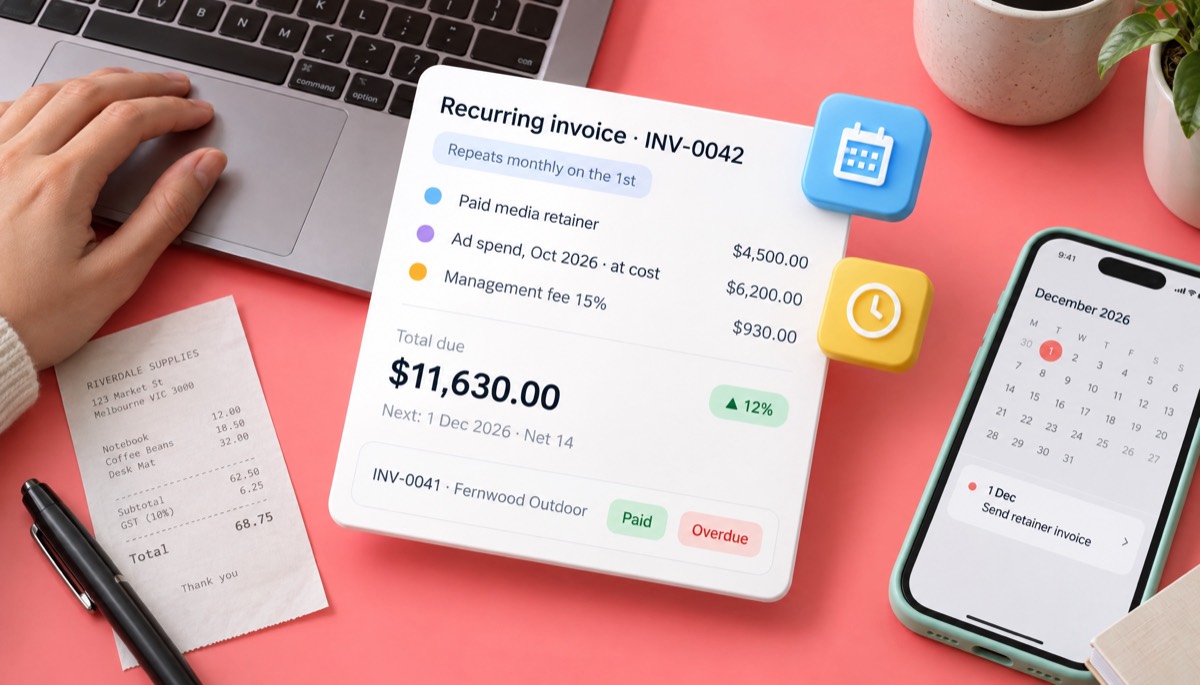
Set each retainer up once as a recurring invoice dated the 1st of the month. It repeats on your schedule, so nobody rebuilds it by hand.
Invoice software for agencies that bills a monthly retainer, last month's ad spend at cost and a project milestone on one branded invoice finance can approve on first read. InvoiceStudio: create invoices by voice, automate billing, and get paid faster.
Start with a real agency invoice below, change the client and the numbers, then download the PDF.
Set each retainer up once as a recurring invoice dated the 1st of the month. It repeats on your schedule, so nobody rebuilds it by hand.
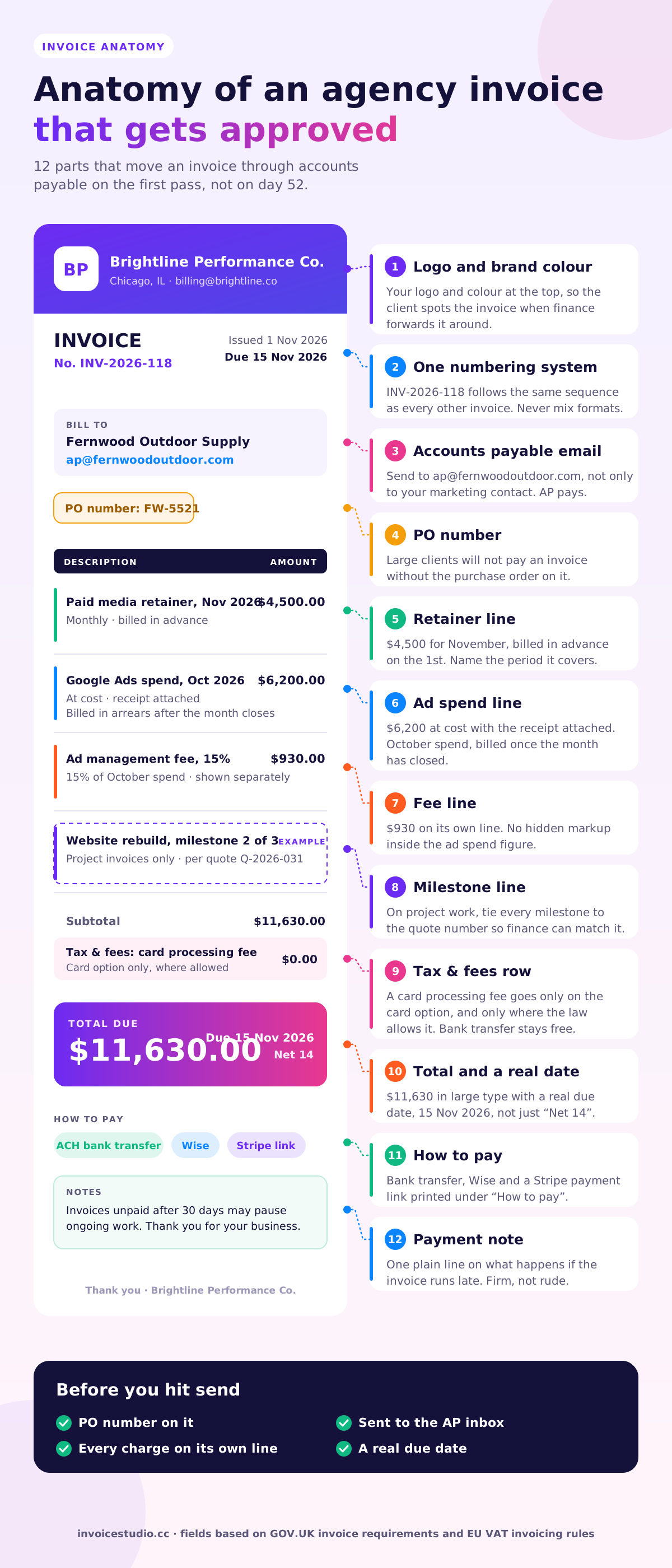
Put media at cost, your management fee and any processing fee on separate lines. Finance teams approve invoices they can audit in ten seconds.
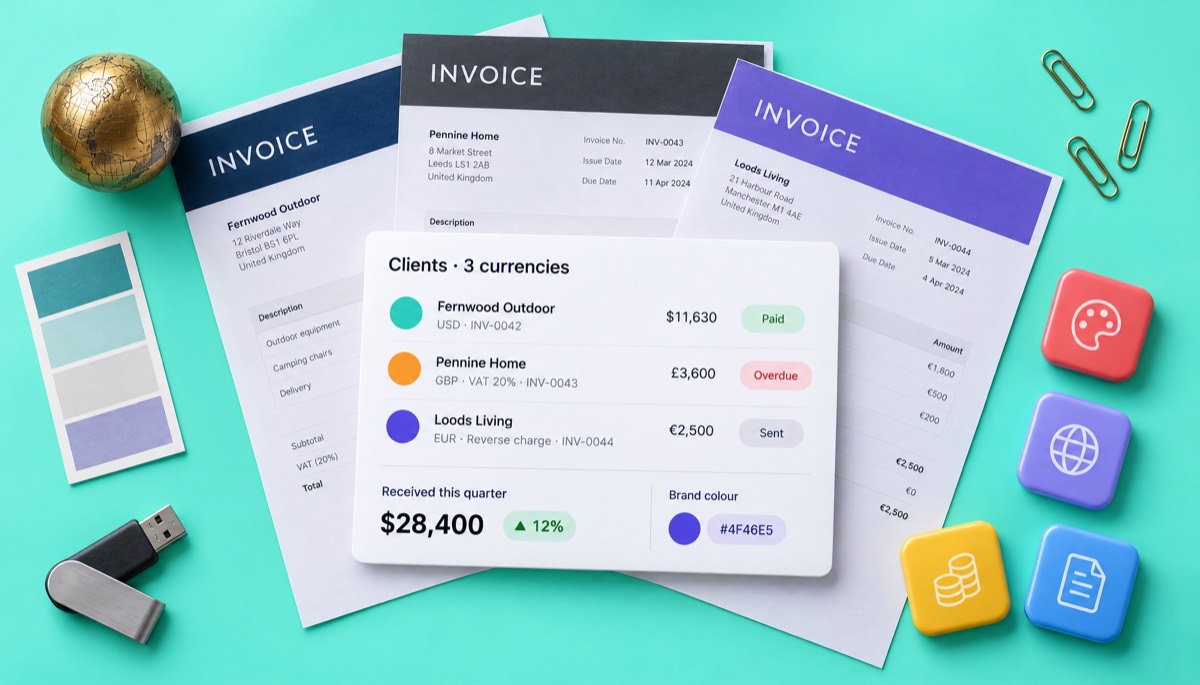
Your logo, brand colour and font on 28 templates, in A4 or Letter. A recognisable invoice gets forwarded to the right person faster.
Bill in 14 currencies or add your own, with VAT, GST or reverse-charge wording. Print Wise, Payoneer, bank or PayPal details under How to pay.
Record partial and full payments, spot overdue invoices and check money received on the dashboard. Export a CSV for your accountant at month end.
Email the invoice with the PDF attached and send a reminder in one click. Paid plans add voice invoicing in 20 languages for when you are away from the desk.
Use the legal company name, the accounts payable email and the purchase order number. Pick the client's currency.
Retainer for the coming month, last month's ad spend at cost, your fee, and any milestone tied to its quote number.
Choose a template, add your logo and colour, and send the PDF on the 1st or the day the milestone lands. Save retainers as recurring.
Pick one to load it into the tool above, then change anything.
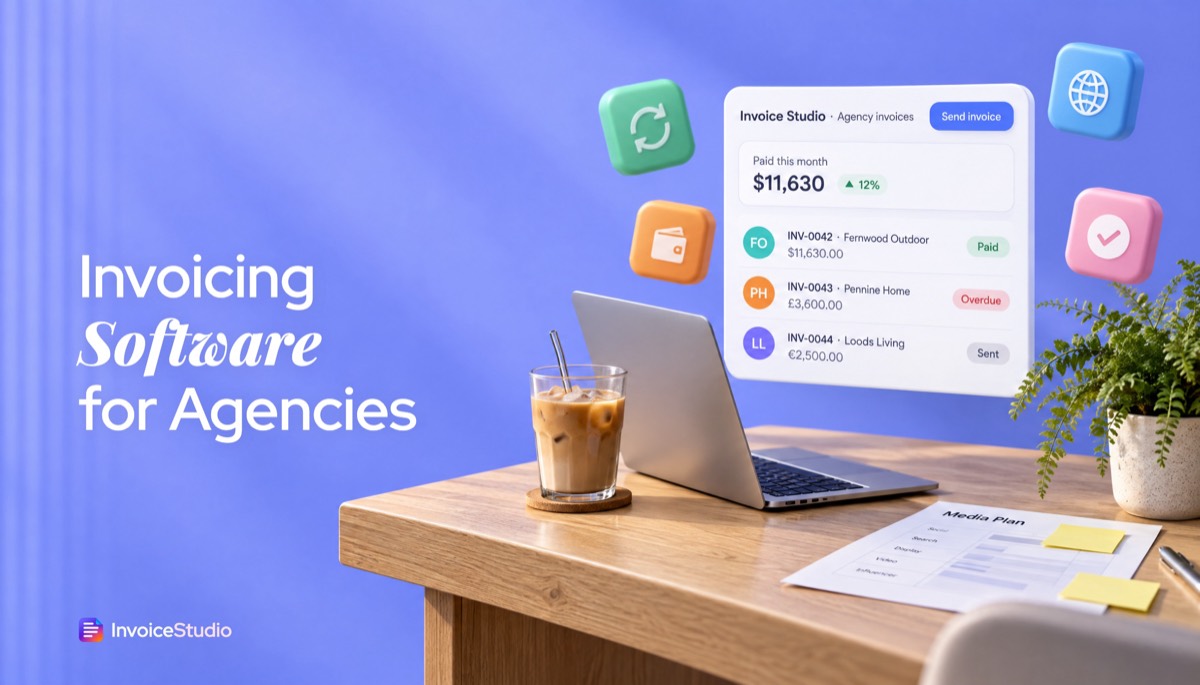
A $4,500 November retainer, $6,200 of October Google Ads spend at cost and a 15% management fee, each on its own line with the client's PO.
Milestone 2 of 3 on a £15,000 rebuild plus eight extra pages of copy under a change request, with 20% VAT and billed-to-date wording.
A €2,800 SEO retainer and a €1,200 audit for a Dutch client, with both VAT numbers, 0% VAT and the reverse-charge note.
Two shoot days at CA$1,800 and 14 editing hours at CA$95, with 13% Ontario HST and the GST/HST number.
80 development hours at $35 and 20 QA hours at $25, billed in USD and paid to Payoneer or Wise.
Plain answers, worked examples and the rules that apply, all checked against the live product.
Invoice software for agencies creates branded invoices for monthly retainers, project milestones and pass-through costs such as ad spend, then tracks payments. InvoiceStudio does this with recurring invoices, separate fee rows, 28 templates with your logo, 14 currencies and a payments dashboard. The generator is free, and paid plans start at $3 a month.
Invoice software for agencies is a tool that turns retainers, project milestones and pass-through costs such as ad spend into clear, branded invoices, then tracks which ones have been paid. The generator above does the invoice part for free, with no signup. This guide covers the rest: how to bill a retainer, how to put $6,200 of Google Ads spend on an invoice without a fight, how milestone billing works, and the wording I paste into almost every agency invoice I send.
I have billed for small studios and for clients with 40-person finance teams. The pattern is always the same. The work is rarely the problem. The invoice is. A vague line, a missing PO number or a surprise fee is what turns Net 14 into day 52.
Agency invoicing software is client invoicing software built around the way agencies charge: monthly retainers, staged project fees, media and production costs passed through at cost, and clients in more than one country. A freelancer can get by with a single line that says "Design work". An agency invoice usually has four kinds of charge on one page, and each one needs to read clearly to someone in accounts payable who was never in your meetings.
So the software has to do more than add up numbers. It has to keep each client's details and billing rhythm, produce a PDF that looks like your brand, handle tax and currency correctly, and show you at a glance who owes what. Plenty of tools stop at the first step. If you only invoice a couple of clients a month, the free invoice generator for freelancers might be all you need. Once you have five or more retainer clients, you want the full set.
Good agency invoicing software should handle recurring retainers, pass-through costs, milestone billing, several currencies, branded PDFs per client, payment tracking and reminders. Those seven jobs cover nearly everything a small agency bills. Here is what each one means in practice:
What it does not need, for most agencies under 15 people, is a full accounting ledger. Your accountant already has one. Export a CSV at month end and let them reconcile it. I would rather have invoicing that is fast and clear than a tool that tries to be everything and makes me click nine times to bill a retainer.
You write an agency retainer invoice by billing the same agreed fee at the start of each period, describing the period and the scope it covers, and setting a short due date. Bill in advance, not in arrears. If the retainer covers November, the invoice goes out on 1 November and is due by 15 November at the latest.
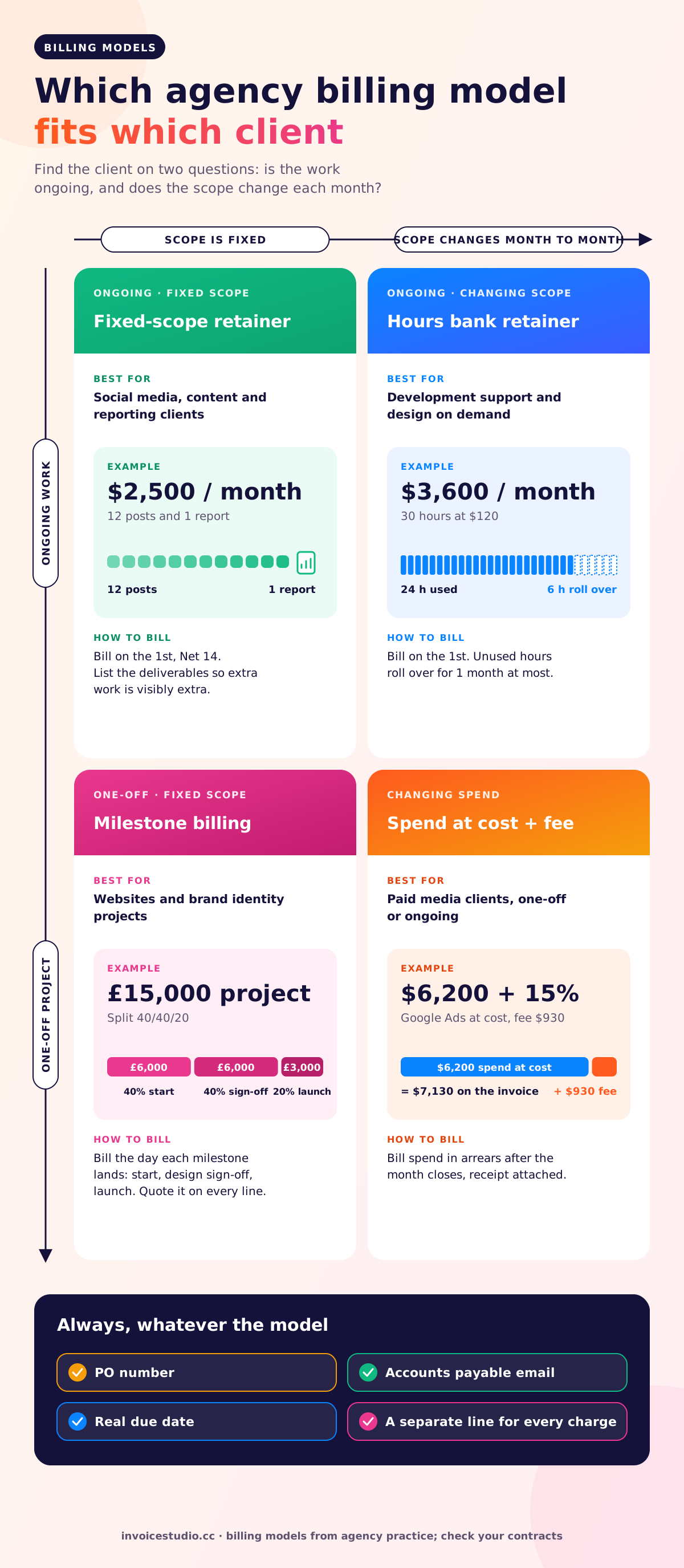
There are three common retainer models, and they invoice differently:
| Retainer type | What the client buys | How the invoice reads | Watch out for |
|---|---|---|---|
| Fixed scope | A defined set of deliverables each month, e.g. 12 social posts and one report | "Social media retainer, November 2026: 12 posts, 1 monthly report" at a flat fee | Scope creep. List the deliverables so extra work is visibly extra. |
| Hours bank | A block of hours, e.g. 30 hours at $120 | "Development retainer, 30 hours, November 2026" at $3,600 | Decide in writing whether unused hours roll over. I cap rollover at one month. |
| Access or advisory | Availability of a senior person, not output | "Strategy advisory retainer, November 2026" at a flat fee | Clients question value. Add a one-line summary of what happened last month in the notes. |
Worked example. A performance marketing agency charges a $4,500 monthly retainer for campaign management, creative refreshes and a monthly report. On 1 November 2026 the invoice shows one line, "Paid media retainer, November 2026", quantity 1, rate $4,500, due 15 November. Recurring invoices for agencies take the hassle out of this: in Invoice Studio you set it up once with the monthly retainer invoicing software, and it repeats on the schedule you choose.
Never let a retainer drift into billing in arrears "just this once". Bill November's work on 30 November and you have lent the client a month of your team for free.
To put ad spend on an invoice, bill it as a separate line marked "at cost", attach the platform receipt or a screenshot of the spend, and show your management fee as its own line. Clients approve invoices faster when they can see exactly what went to Google or Meta and what went to you.
There are two honest ways to charge for media. Pick one per client and put it in the contract:
The one thing I would avoid is a hidden markup, where a $6,200 spend appears as $7,130 with no explanation. Clients who check the ad account will find it, and you lose the account over the trust, not the money.
Worked example: retainer plus ad spend. Same agency, same client, November 2026.
| Line | Qty | Rate | Amount |
|---|---|---|---|
| Paid media retainer, November 2026 | 1 | $4,500.00 | $4,500.00 |
| Google Ads spend, October 2026 (at cost, receipt attached) | 1 | $6,200.00 | $6,200.00 |
| Ad management fee, 15% of October spend | 1 | $930.00 | $930.00 |
| Total due by 15 November 2026 | $11,630.00 | ||
Notice the dates. The retainer is billed in advance for November, while the spend is billed in arrears for October, because you only know the real figure once the month closes. Saying both periods on the lines stops the "why are there two months on this invoice?" email.
For large budgets, have the client pay the ad platform directly on their own card. Fronting $20,000 a month of media is a risk small agencies should not take.
You can add a processing fee row, but only where the law allows it and only if the client agreed in advance. Stripe lists its standard rates on its pricing page; check them for your country before you set a percentage. Surcharges on consumer cards are banned in the UK and restricted in the EU and some US states, while business-to-business rules are looser. In Invoice Studio, a "Tax & fees" row lets you show a processing fee as a separate, labelled line rather than hiding it in a rate. My own rule: offer bank transfer free, and put the fee only on the card option.
You invoice milestones by splitting the quoted project fee into stages, billing each stage when its trigger is met, and showing on every invoice how much of the total has been billed so far. A common agency split is 40% to start, 40% at design sign-off and 20% at launch.
Worked example: UK design agency, VAT registered. A Manchester studio quotes £15,000 plus VAT for a website rebuild, split 40/40/20. Milestone 2 lands on 5 November 2026 when the client signs off the designs. The client also asks for eight pages of copy, outside the original quote, at £180 a page.
| Line | Qty | Rate | VAT | Amount |
|---|---|---|---|---|
| Website rebuild, milestone 2 of 3 (design sign-off), per quote Q-2026-031 | 1 | £6,000.00 | 20% | £6,000.00 |
| Additional copywriting, 8 pages (change request CR-04) | 8 | £180.00 | 20% | £1,440.00 |
| Subtotal | £7,440.00 | |||
| VAT at 20% | £1,488.00 | |||
| Total due | £8,928.00 | |||
Two details make this invoice easy to approve. First, it names the quote number, so the client's finance team can match it to the purchase order. Second, the extra copy is on its own line with a change request reference. Never fold out-of-scope work into a milestone fee. Put it where the client can see it and say yes to it.
Before the first milestone, send a quote or estimate from Invoice Studio, then reuse its line items and quote number on each stage invoice so the numbers never drift. Turning quotes to invoices this way also gives finance a paper trail they can match to the purchase order. If you sell to UK clients, the VAT invoice requirements guide lists every field HMRC expects, and HMRC's own VAT Notice 700 is the source.
The right choice depends on how many clients you bill and whether you need time tracking and a client portal. Spreadsheets work for two or three clients. Dedicated invoice management software for agencies covers most teams with 3 to 30 retainers. Full agency suites make sense when you need timesheets, project management and a portal in one place, and you are willing to pay per seat for it.
| What you need | Spreadsheet + email | InvoiceStudio | Full agency suite |
|---|---|---|---|
| Recurring retainer invoices | Copy and edit by hand | Yes, recurring invoices | Yes |
| Ad spend and fee rows | Manual formulas | Line items plus "Tax & fees" rows | Usually yes |
| Branded PDF with logo and colour | Depends on your template skills | 28 templates, logo, colour, font | Yes |
| Currencies | Type the symbol yourself | 14 built in, plus custom currencies | Varies by vendor |
| Payment tracking and overdue status | A colour-coded column | Partial and full payments, dashboard | Yes |
| Time tracking | No | No | Usually yes |
| Client portal | No | Not yet (early access list) | Often |
| Online card checkout | No | No; print a Stripe or PayPal link on the invoice | Often |
| Price | Free | Free; paid plans $3 to $29 a month | Typically priced per seat; check each vendor |
Where suites such as Harvest, FreshBooks or Bonsai are genuinely stronger: if your billing is mostly hourly and five people log time against each client, a suite that turns timesheets into invoices saves real hours. Invoice Studio does not track time. You would enter hours as quantity on a line. Where Invoice Studio wins is speed, price and honesty about scope. A three-person studio does not need to pay for nine seats to send twelve retainer invoices a month.
If you want the wider picture of free and cheap options, I compared them in the free invoice app guide. And if a portal matters to you, join the client portal early access list rather than assuming it is there today.
Invoice international clients in the currency in your contract, show the exchange basis if you quote in one currency and bill in another, and apply the tax rule for cross-border services, which is often zero-rated or reverse charge. Then give the client a cheap way to pay, such as a local bank account through Wise or Payoneer.
Worked example: EU agency, reverse charge. A Berlin SEO agency bills a Dutch e-commerce company €2,800 for the November SEO retainer and €1,200 for a technical audit. Both businesses are VAT registered, so under the EU reverse charge the agency charges 0% VAT, shows both VAT numbers, and writes "Reverse charge" on the invoice. Total: €4,000. The European Commission's VAT invoicing rules spell out the mandatory fields.
Worked example: offshore development team. A Dhaka development agency bills a US startup $2,800 for 80 hours of sprint development at $35 and $500 for 20 hours of QA at $25. Total: $3,300, invoiced in USD, paid to a Payoneer or Wise USD account. For a deeper look at billing across borders, see the international invoice generator and the multi-currency invoicing page.
Tax rules change and vary by situation, so check with your local tax authority or accountant before you rely on any rate here.
Agency invoices need four pieces of wording: a clear scope line for each charge, a note on pass-through costs, a payment terms line with a real date, and a short late-payment clause. Here is the text I paste, edited per client. Copy it straight into the notes field.
Retainer note:
This invoice covers the November 2026 retainer as set out in our agreement dated 3 March 2026. Work outside that scope is quoted separately before it starts. Payment is due by 15 November 2026.
Ad spend note:
Media spend is billed at cost with no markup. Platform receipts for October 2026 are attached. Our management fee is shown on a separate line at 15% of spend, as agreed.
Milestone note:
Milestone 2 of 3 for quote Q-2026-031. Billed to date: £12,000 of £15,000 plus VAT. The final 20% is due at launch.
Payment and late-payment line:
Please pay by bank transfer quoting the invoice number. Invoices unpaid after 30 days may pause ongoing work until the account is brought up to date.
That last line matters more than any interest clause. "We will pause work" is the sentence agencies are afraid to write, and it is the one that gets paid. Use it calmly and only once it is in your contract.
First reminder email, three days after the due date:
Subject: Invoice INV-2026-118, $11,630, due 15 November
Hi Maya, a quick note that invoice INV-2026-118 for the November retainer and October ad spend was due on 15 November. I have attached it again in case it went astray. Could you let me know when it is scheduled? Thanks, Sam
In Invoice Studio you can send that reminder with the PDF attached in one click from the invoice. Automatic reminder schedules are not live yet; the invoice reminders page explains what works today. For a full ladder of follow-ups, my guide on how to ask for payment politely has five emails from friendly to final.
The most common agency invoicing mistakes are vague line items, billing retainers in arrears, mixing ad spend into fees, and sending invoices to the wrong person. Every one of them costs days, sometimes weeks, of cash flow. In rough order of how often I see them:
You can set up agency invoicing in about 20 minutes: add your branding, add each client, create one recurring invoice per retainer, and record payments as they arrive. Here is the order I would do it in.
Being straight about the limits: Invoice Studio has no time tracking, no client portal, no white-label client logins, no card checkout and no accounting ledger. Clients pay you directly through the methods on the invoice. If you want invoices created from your own project tool, the invoice API early access list is open too. If white-label matters, the white-label invoicing early access list is the place to say so. For marketing teams that just want a ready layout, the marketing agency invoice template loads one with retainer and media lines already in place.
Agency invoicing software ranges from free to well over $50 a month, and the biggest driver is whether you pay per user. Invoice Studio's generator is free. Paid plans are Starter at $3 a month, Pro at $7, Business at $10 and Enterprise at $29, with yearly and lifetime options. See the full breakdown on the pricing page.
A three-person agency with ten retainers sends roughly 10 recurring invoices, 3 or 4 milestone invoices and a few one-off bills each month. That is under 20 invoices. You do not need enterprise software for that volume. You need recurring invoices, clean branding, multi-currency, payment tracking and a reminder button. Start with the free invoice generator to check the PDF looks right for your clients, then move retainers onto a paid plan when you are ready to stop rebuilding them each month.
If you are still building your process, read how to send an invoice next, or browse every guide on the Invoice Studio blog. Consultants who bill day rates rather than retainers may prefer the consulting invoice template.

Monjur builds Invoice Studio and incorporated MotionTrust Digital in September 2022, where he leads Amazon strategy across the client base. Eight years in e-commerce and marketplace marketing taught him how much time invoices and late payments eat, so every guide here is tested against the real product and current tax rules before it goes live.
InvoiceStudio: create invoices by voice, automate billing, and get paid faster. Load the retainer example, swap in your client and download the PDF, then save your retainers as recurring invoices when you are ready.