One sentence, full draft
Say who to bill, what for and how much, and the client, line items, due date and payment method are filled in. Most invoices take under a minute.
Describe the job in one sentence and our AI invoice generator drafts it, totals included, ready to check and download as a PDF. InvoiceStudio: create invoices by voice, automate billing, and get paid faster.
Write who to bill, what for, how much and how they pay. The AI drafts it; you check and download.
Say who to bill, what for and how much, and the client, line items, due date and payment method are filled in. Most invoices take under a minute.
The AI reads your words, but the subtotal, tax and total are calculated by code. Nothing is predicted, so the maths is always right.
Every field lands in a normal form you can change. Nothing is sent or saved until you decide.
Download a clean PDF in one of 28 designs in your brand colour, with no account and no email gate. Save to a free account to add your logo and signature.
The free parser reads both in your browser. Plans with AI add Claude plus ElevenLabs in 20 languages.
Write £, €, ৳ or a currency code and it is set. PayPal, Stripe, Wise, bank, bKash and more print under How to pay.
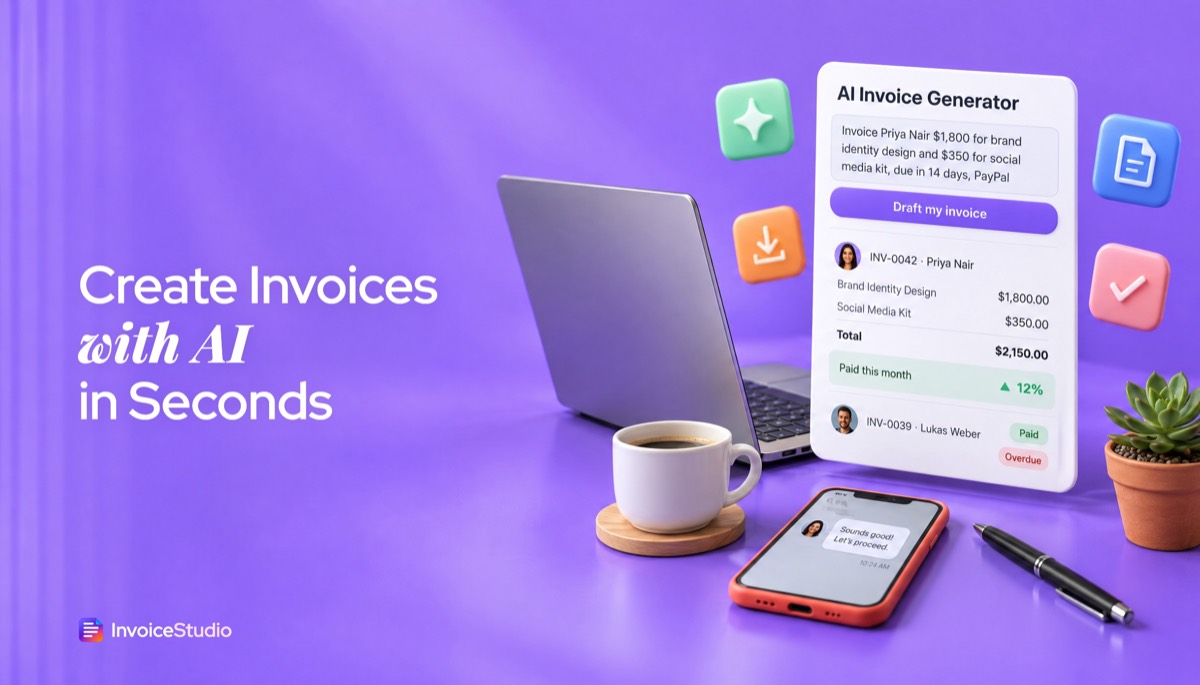
Type one sentence: the client, each amount followed by "for" and the work, the due date and how they pay. Example: "Invoice Priya Nair $1,800 for brand identity design, due in 14 days, PayPal".
Look at the editable preview. Confirm the client name, quantity, currency and due date, add your tax rate, put your payment details in the notes if you didn't say them, and pick a design.
Click Download PDF to get a clean invoice with no watermark. Create a free account if you want to save it, number it and track payment.
Pick one to load it into the tool above, then change anything.
A brand identity and a social media kit for a US client, paid by PayPal within 14 days. One sentence builds both lines.
An SEO retainer plus ad management, net 30 by bank transfer, with VAT at 20% added in the preview.
Twelve hours at €95 for a German client, paid by Wise, with a reverse-charge note for EU B2B work.
A monthly maintenance invoice typed in Bangla, paid by bKash within 10 days. The free parser reads it in your browser.
A tap replacement and a call-out visit, due on receipt. Type it from your phone before you leave the driveway.
Plain answers, worked examples and the rules that apply, all checked against the live product.
An AI invoice generator turns a plain description, such as "Invoice Priya Nair $1,800 for brand design, due in 14 days, PayPal", into a structured invoice with the client, line items, totals, due date and payment method. You check the editable preview, fix anything misread, and download a PDF. Invoice Studio does this free, with no signup.
An AI invoice generator is a tool that reads a natural language description of a job, such as "Invoice Priya Nair $1,800 for brand identity design, due in 14 days, PayPal", and turns it into a structured invoice with a client, line items, totals, a due date and payment details. You check the draft, fix anything it misread, and download a PDF.
That last step matters more than the AI part. A good AI invoice maker never sends anything on its own. It does the boring typing, and you stay the person who signs off on the numbers. After sending hundreds of invoices, I can tell you the typing was never the hard bit. The hard bit was remembering the due date, the currency, the payment link and the client's exact company name at 11pm. An AI draft covers all four in one sentence.
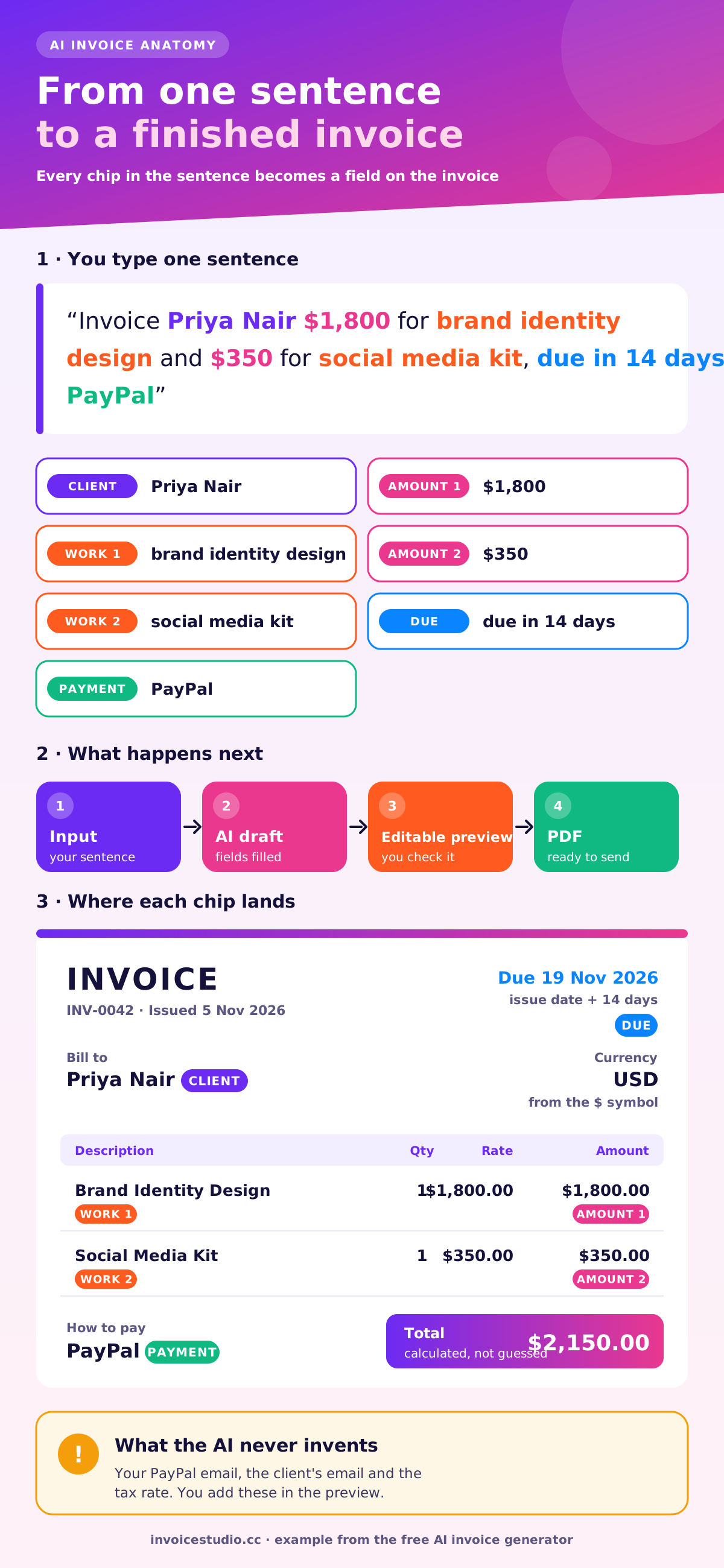
The flow on this page has four stages:
Most "invoice AI" pages in search results stop at stage two, or send you off to paste a prompt into a chatbot. Here the whole chain runs on one page, and you can see the totals before anything leaves your hands.
To build an invoice from a sentence, the AI looks for six kinds of information: who is paying, what the work was, how much it costs, how many units, when it is due and how the client should pay. Anything it finds goes into the matching field. If it can't find a client name or an amount, it tells you so and leaves that part for you, so you never get a guessed figure.
Here is a real example. Type this into the box above:
Invoice Priya Nair $1,800 for brand identity design and $350 for social media kit, due in 14 days, PayPal
This is what the draft contains:
| Part of the sentence | Field it fills | Value on the invoice |
|---|---|---|
| "Invoice Priya Nair" | Bill to | Priya Nair |
| "$1,800 for brand identity design" | Line item 1 | Brand Identity Design, qty 1, $1,800.00 |
| "$350 for social media kit" | Line item 2 | Social Media Kit, qty 1, $350.00 |
| "$" symbol | Currency | USD |
| "due in 14 days" | Due date | Issue date + 14 days |
| "PayPal" | How to pay | PayPal (add your PayPal email to the sentence or the notes) |
| Calculated | Total | $2,150.00 |
Notice what the AI did not invent: your PayPal address, the client's email and any tax. Those are facts only you know. A tool that fills them in for you is guessing, and a guessed tax rate on a real invoice is worse than a blank one.
Put the client first, then each amount followed by "for" and the work, then the due date, then the payment method. That order matches how the parser reads, and it is also how you would say it out loud to a bookkeeper.
Copy any of these patterns and swap in your own details:
Write the amount as a number with a symbol ("$650") rather than in words ("six hundred and fifty dollars"). Digits are read every time; spelled-out numbers are where most misreads start.
Three habits save most corrections:
Each example below loads into the tool from the use-case cards further down the page, so you can open it, edit it and download the PDF. The totals are worked out so you can check the maths yourself.
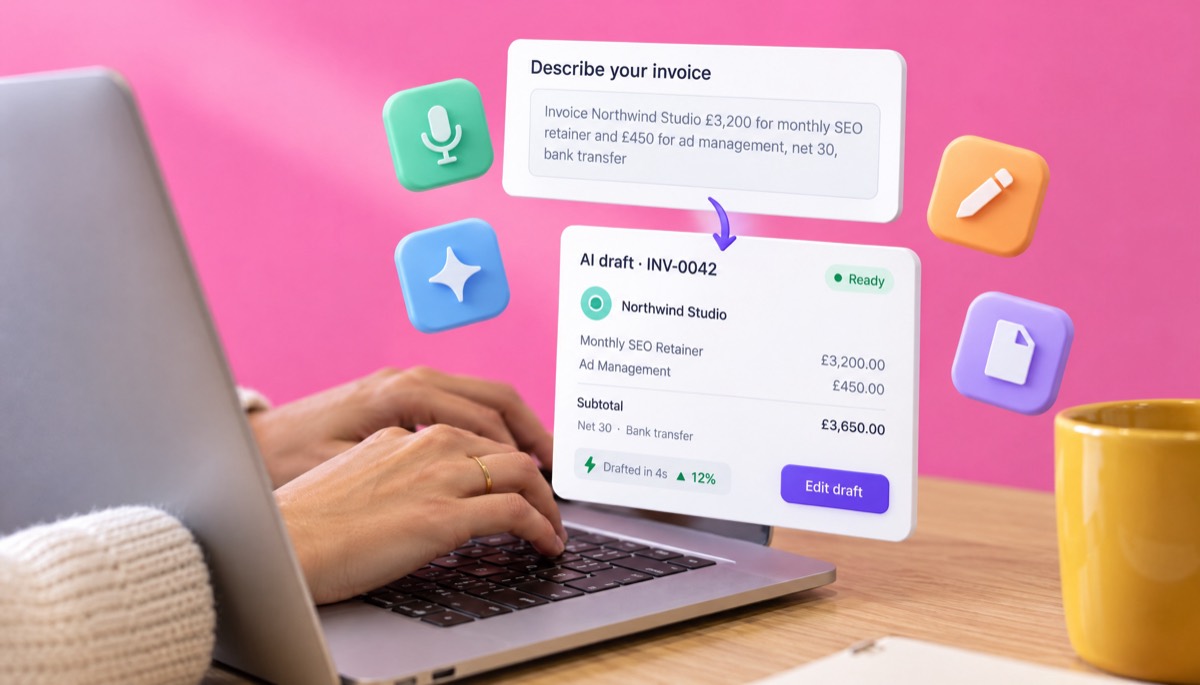
Invoice Northwind Studio £3,200 for monthly SEO retainer and £450 for ad management, net 30, bank transfer
The draft gives two lines in GBP, due 30 days from today, with "Bank transfer" printed under "How to pay". The agency is VAT-registered, so you type 20 in the "Tax %" field:
| Line | Amount |
|---|---|
| Monthly SEO retainer | £3,200.00 |
| Ad management | £450.00 |
| Subtotal | £3,650.00 |
| VAT 20% | £730.00 |
| Total due | £4,380.00 |
If the client asked you to pass through ad spend at cost, add it as a third line with a note such as "Google Ads spend, October, at cost, receipts attached". Recharged costs usually carry VAT in the UK unless they are true disbursements, so check that line with your accountant. Agencies that bill a retainer every month should look at recurring invoices so the draft repeats itself.
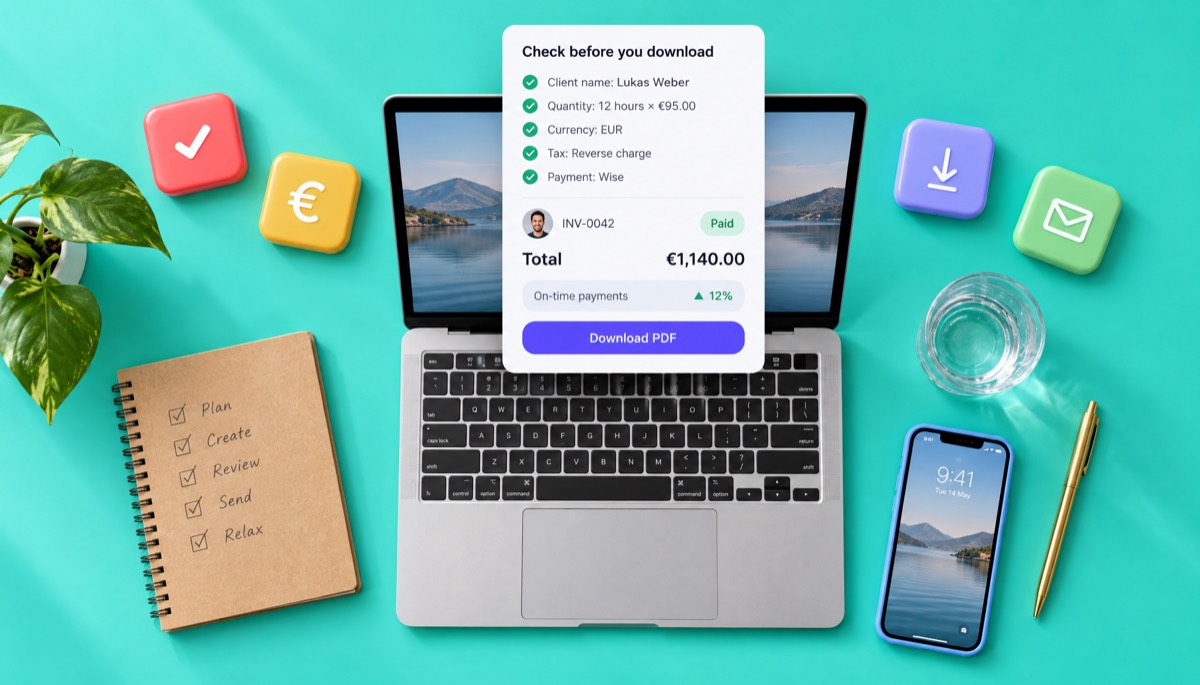
Invoice Lukas Weber 12 hours at €95 for strategy consulting, due in 7 days, Wise
This one shows why the quantity matters. The parser reads "12 hours" as the quantity and "€95" as the rate, so the line becomes Strategy Consulting, 12 × €95.00 = €1,140.00. If you wrote "€95 for 12 hours of strategy consulting" instead, you would get one line at €95, which is wrong by €1,045. Always glance at the quantity column on hourly work.
For a cross-border B2B service inside the EU, the client usually accounts for the VAT under the reverse charge. In that case you leave the VAT rate at zero, add both VAT numbers, and write "Reverse charge: VAT to be accounted for by the recipient" in the notes. The consulting invoice template has a layout built for this.
রহিম ট্রেডার্সকে ইনভয়েস করো, ওয়েবসাইট মেইনটেন্যান্সের জন্য ২৫০০০ টাকা, ১০ দিনের মধ্যে, বিকাশ
The free parser reads Bangla in the browser. The draft has the client রহিম ট্রেডার্স, one line for ওয়েবসাইট মেইনটেন্যান্স at ৳25,000.00 in BDT, a due date 10 days out and bKash under "How to pay". Put your 11-digit bKash number straight after the word বিকাশ in the sentence and it is printed under bKash automatically, or add it to the notes.
Invoice Sarah Lopez $650 for kitchen tap replacement and $120 for the call-out visit, due on receipt, cash
Two lines, $770.00 in total, due the same day. Trades often need parts and labour on separate lines for warranty reasons, so split "kitchen tap replacement" into "Tap (parts)" and "Labour, 2 hours" in the preview, especially if your state taxes parts and labour differently. The contractor invoice generator is set up for that kind of job.
Use an AI invoice generator when you want speed and correct maths in one place. Use ChatGPT when you need help with wording, not numbers. Use a template when you send the same invoice every month and nothing changes. "Can ChatGPT make an invoice?" Yes, it can write one as text or a table, but it does not keep invoice numbers, does not produce a branded PDF and can get arithmetic wrong on long lists.
| What you need | AI invoice generator (this page) | ChatGPT or another chatbot | Word or Excel template |
|---|---|---|---|
| Draft from one sentence | Yes | Yes | No, you type every field |
| Totals worked out by code | Yes, calculated, not predicted | Predicted by the model; check it | Only if the formulas are right |
| Real PDF in a chosen design | Yes, 28 designs | No; you copy the text somewhere else | Yes, after exporting |
| Invoice numbering | Yes, sequential when saved | No memory between chats | Manual |
| Payment methods printed | PayPal, Stripe, Wise, bank, bKash and more | Only if you type them | Only if you type them |
| Tracking paid and overdue | Yes, with a free account | No | No |
| Voice input | Yes, on the voice page | On some apps | No |
| Cost | Free tool; Claude AI from the Pro plan at $7 a month | Free tier or paid plan | Free |
My honest view: I'd use a chatbot to draft a polite payment-chase email, and never to produce the invoice itself. The moment money is involved, you want totals that come from a calculator, not from a language model's best guess. If you already like a fixed layout, our free invoice templates load straight into the same editor.
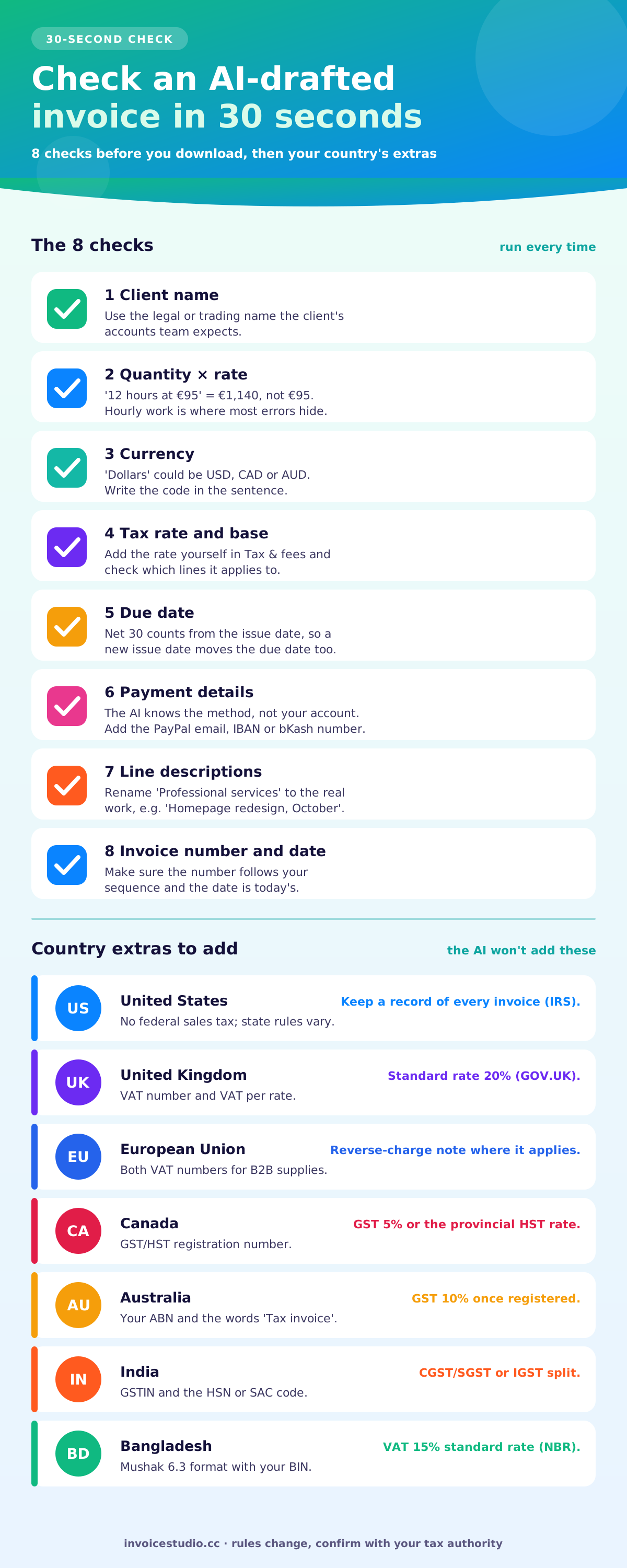
AI drafting mistakes fall into a short, predictable list: quantities, currencies, client names, descriptions and missing details. A 30-second check of the preview catches all of them. Guidance on AI risk, such as the NIST AI Risk Management Framework, makes a similar point in general terms: people should review AI output where mistakes carry real cost.
Run this check before every download:
The AI fills the commercial details, but legal requirements depend on where you and your client are. In most countries a valid invoice needs your name and address, the client's name, a unique invoice number, the date, a description of what was supplied, the amount and any tax. Here is what to add on top, country by country. Rules change, so confirm with your tax authority.
For UK specifics, including when a simplified invoice is allowed, read the VAT invoice requirements guide.
It is safe when you know where the text goes and you keep the sentence to what the invoice needs. On this page, the free parser reads your sentence inside your browser; nothing is sent to an AI provider. When you click Download, the invoice data is sent once to our server to build the PDF.
On signed-in plans with AI, your sentence (or recording) is sent to Claude for understanding and to ElevenLabs for speech recognition, which is how it handles 20 languages. That is normal for any AI feature, and it is why the rules below matter:
The AI writes the lines; the notes and terms are still yours. These are the wordings I reuse most, and they work in the "Notes" and "Payment terms" fields of any template.
Standard note (fixed fee):
Thank you for the project. Payment is due within 14 days of the invoice date. Bank and PayPal details are under "How to pay". Please quote the invoice number with your payment.
Retainer note (agencies):
Monthly retainer for November 2026, covering the scope agreed on 2 September 2026. Hours above the retainer are billed at £85 per hour on next month's invoice.
Hourly note (consultants):
Hours are logged in 15-minute blocks; a time report is attached. Payment by Wise to the account shown, within 7 days.
Deposit note (50% upfront):
This invoice is the 50% deposit for the website project ($2,400 total). Work starts once it is paid. The balance of $1,200 is invoiced on launch.
Late fee clause:
Invoices unpaid 30 days after the due date may incur a late fee of 1.5% per month, where permitted by law.
If a client still goes quiet, the invoice reminders page writes a ready-to-copy email for five stages, from a heads-up before the due date to a final notice, and our guide on how to ask for payment politely has more scripts.
The free tool on this page uses Invoice Studio's built-in parser. It works in the browser in English and Bangla, needs no account and handles the patterns shown above. Signed-in accounts on plans with AI use Claude plus ElevenLabs, which understand looser, natural language phrasing and work in 20 languages.
| Feature | Free tool (no signup) | Signed-in plans with AI |
|---|---|---|
| Type a sentence, get a draft | Yes, English and Bangla | Yes, 20 languages |
| Speak instead of typing | Yes, on the voice invoice generator page in Chrome, Edge or Safari | Yes, ElevenLabs speech recognition |
| Understands loose phrasing | Best with the patterns above | Yes, Claude reads natural speech |
| 28 designs and brand colour | Yes | Yes |
| Logo and signature on the PDF | Yes, after you save to a free account | Yes |
| PDF download, no watermark | Yes | Yes |
| Saved clients, numbering, payment tracking | With a free account | Yes |
| Email the PDF and send reminders | From Starter at $3 a month | Yes |
Plans run from Free to Starter at $3 a month, Pro at $7, Business at $10 and Enterprise at $29, with yearly and lifetime options. Claude AI and ElevenLabs voice come with Pro and above; the pricing page has the full comparison. If you mostly invoice while you are out on a job, the voice invoice generator is the same engine with the microphone up front.
The best AI invoice generator, free or paid, should give you a real, editable invoice and a PDF without an account, an email gate or a watermark. If any of those is missing, it is a demo, not a tool. Before you trust one with client work, check it against this list:
This free AI invoice generator ticks all six. Where it stops is storage: saving clients, numbering invoices and tracking payments need a free account.
An invoice generator using AI pays off most for people who send many small invoices, invoice from a phone or work in more than one currency or language. In my experience that covers three groups.
If you are new to invoicing altogether, start with how to make an invoice, then come back here. For a wider look at the tools available, our free invoice app guide compares the options, and our test of whether ChatGPT can make an invoice puts voice and chatbots side by side. More guides live on the Invoice Studio blog.
Try the sentence for your next invoice now. It takes less time than reading this paragraph did.

Monjur builds Invoice Studio and incorporated MotionTrust Digital in September 2022, where he leads Amazon strategy across the client base. Eight years in e-commerce and marketplace marketing taught him how much time invoices and late payments eat, so every guide here is tested against the real product and current tax rules before it goes live.
Type one sentence, check the preview and download the PDF in under a minute. InvoiceStudio: create invoices by voice, automate billing, and get paid faster.