Totals that are always right
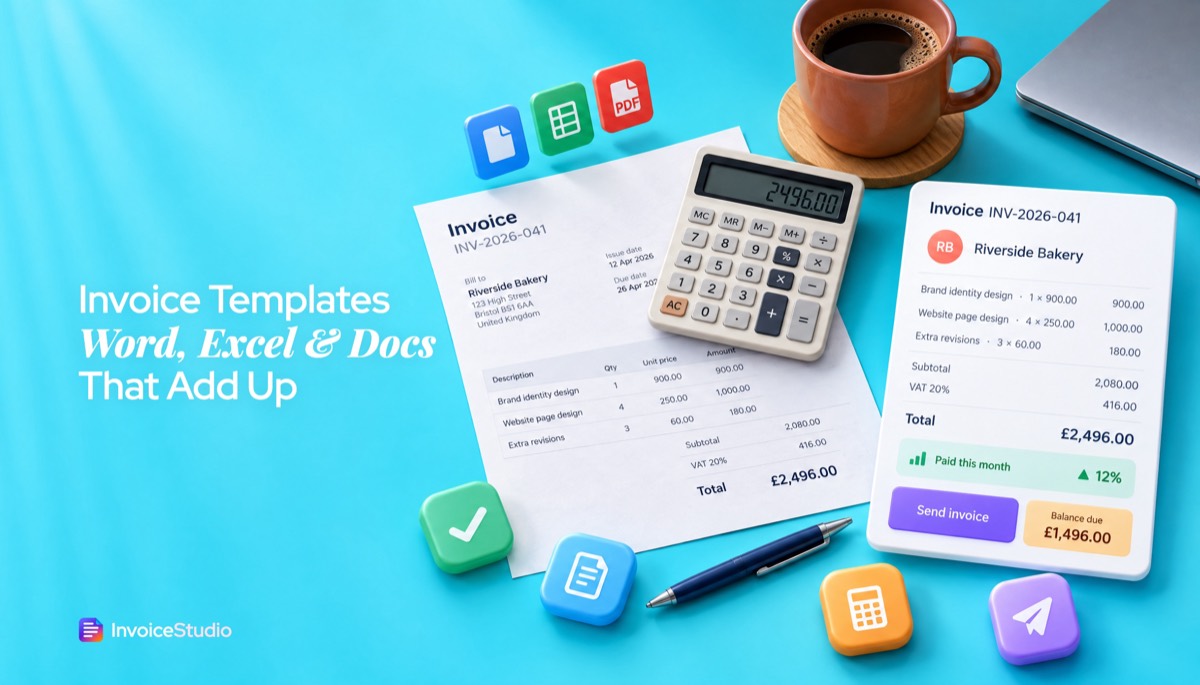
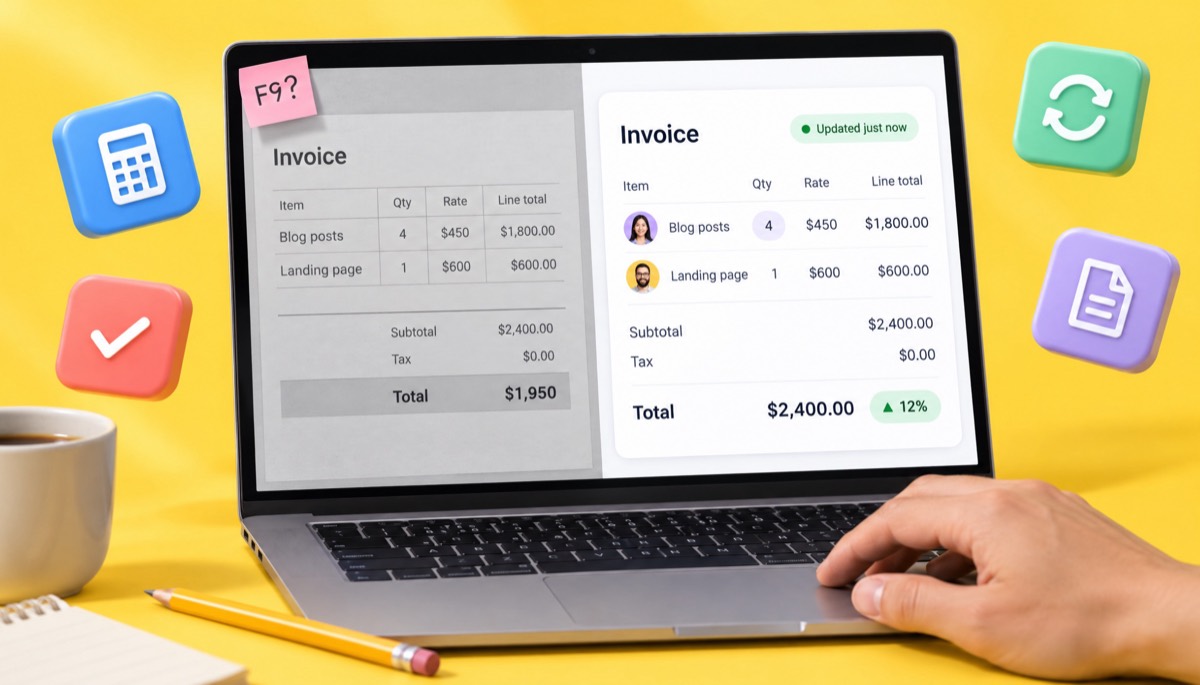
Line totals, discounts, tax and the grand total update the moment you change a number. No F9, no calculator, no stale cell.
Keep the familiar look, lose the manual maths. See where Word still wins, then build an invoice that totals, numbers and tracks itself.
Read the table, then load an example, change a quantity and watch every total update.
| What you get | InvoiceStudio | Word or Google Docs template |
|---|---|---|
| Price | Free; paid from $3/month | Free in Google Docs and Word for the web |
| Works offline | Yes, desktop Word | |
| Totals and tax calculated as you type | By hand, or Word fields refreshed with F9 | |
| Next invoice number set automatically | ||
| Free-form layout, edit anything on the page | 28 designs with your branding | |
| Logo, brand colour and font | ||
| Switch design without retyping | ||
| PDF download | ||
| Saved client list | ||
| Paid, partial and overdue status | ||
| Email with PDF attached | Starter ($3) and up | Attach by hand |
| Payment reminders | One-click emails | Write each one |
| Recurring invoices | Pro plan ($7) and up | Duplicate the file |
| Quotes, credit notes, POs, delivery notes | Pro plan ($7) and up | Separate template each |
| Live co-editing with a partner | One login per account | Yes, Docs and Word for the web |
Word and Google Docs behaviour checked against Microsoft Support and Google Docs on 2026-11-05 (Word table formulas update with F9; Google Docs tables have no formulas). InvoiceStudio limits are its current plan defaults. Verify on the vendors' pages before you decide.
Line totals, discounts, tax and the grand total update the moment you change a number. No F9, no calculator, no stale cell.
Each new invoice gets the next number, with a separate series for quotes, credit notes and other documents. No more two invoices called INV-0041.
Set your logo, colour, font and payment methods once. Switch between 28 designs without retyping a single line.
Record full or partial payments and see overdue invoices on the dashboard. The separate tracking spreadsheet can go.
Email the invoice with the PDF attached from your own mailbox on Starter and up, then send a reminder in one click when it's late.
The free plan covers 10 documents a month with PDF download and no watermark. Starter is $3 a month for unlimited invoices.
Open your last sent invoice or tracking sheet. If it was INV-0041, your first new invoice is INV-0042. Never restart at 001.
Add your logo, brand colour, font, paper size and payment methods, then save your five or ten regular clients.
Let clients pay the Word invoices they already have. Create every new invoice in InvoiceStudio and keep the old PDFs for your records.
Pick one to load it into the tool above, then change anything.
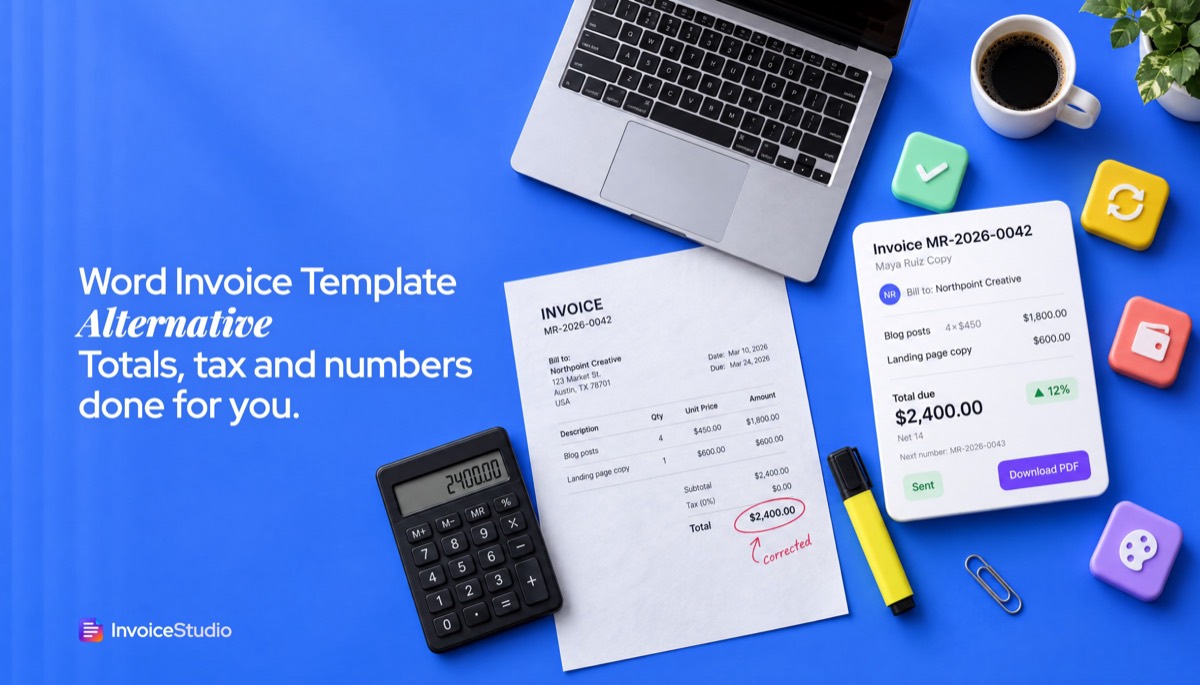
4 blog posts at $450 plus a $600 landing page. Change the quantity and the total moves with it, no stale Word field.
4 days at £450 plus 20% VAT of £360, VAT number in the header and a unique invoice number.
C$1,200 shoot plus 10 retouched images at C$25, Ontario HST 13% of C$188.50, Net 15.
12,000 words at ৳3 plus ৳4,000 proofreading, due on receipt by bKash or Nagad.
Plain answers, worked examples and the rules that apply, all checked against the live product.
The best Word invoice template alternative is invoice software that calculates totals and tax, numbers each invoice and tracks payments. Word and Google Docs are familiar, free and work offline, but every number is manual. InvoiceStudio builds branded PDF invoices in 28 designs, free to start, with paid plans from $3 a month.
A Word invoice template alternative makes sense once you notice where your time goes: typing totals, re-checking tax, remembering the last invoice number and hunting for which file was sent. Word and Google Docs are familiar, free or already paid for, and work offline. InvoiceStudio does the maths, numbers each invoice, keeps your clients and tracks who has paid. It builds a branded PDF in 28 designs, with paid plans from $3 a month. This page compares the two honestly, including where Word is the better choice.
I sent invoices from a Word file for years. It worked until it didn't: one month I changed a quantity from 3 to 4, forgot to update the total, and a client paid the wrong amount. Nobody noticed for six weeks. This guide is everything I'd tell someone in that position: what a document template does well, where it breaks, three worked examples with real numbers, the clean way to switch, and notes for the US, UK, EU, Canada, Australia, India and Bangladesh.
A Word or Google Docs invoice template is good enough if you send a handful of simple invoices a month, with no tax and one or two lines each. Once you add tax, discounts, several clients or need to know who has paid, a template turns into manual bookkeeping, and that is where mistakes start.
A Word invoice template is a document with an invoice layout already drawn: a header, a table for line items and a box for the total. You fill in the blanks, save a copy and send it. That's its strength and its limit. The file knows how the invoice should look. It doesn't know what the numbers mean.
Here's a quick test. Answer yes or no:
If you said yes to two or more, the template is costing you more time than it saves. If you said no to all five, keep your template. I mean that. There's no prize for using software you don't need.
Word and Google Docs templates are familiar, flexible, cheap and work without an internet connection. For a lot of people that's a real advantage, and it's worth saying before the comparison.
If those points describe exactly what you need, our guide to invoice templates for Word and Excel shows how to set one up properly, and the blank printable invoice template guide covers paper invoices.
The main difference is that a Word or Docs template is a page you fill in, while invoice software keeps records behind the page. Totals, tax, numbering, the client list and payment status all live in one place, so the PDF is the output, not the record.
| Task | InvoiceStudio | Word or Google Docs template |
|---|---|---|
| Price | Free (10 documents and 10 saved clients a month); paid plans $3, $7, $10 or $29 a month | Free in Google Docs and Word for the web; desktop Word comes with Microsoft 365 |
| Works offline | No, needs a connection | Yes, desktop Word |
| Line totals, discounts and tax | Calculated as you type, per line and per invoice | Typed by hand, or Word table formulas that you refresh with F9 |
| Invoice numbers | Next number set automatically, separate series per document type | Typed by hand from memory or a list |
| Layout freedom | 28 designs with your logo, colour and font | Anything you can draw on a page |
| Change design without retyping | Yes, one click | Copy and paste into a new file |
| One-click download, A4 or Letter | Export or download as PDF | |
| Saved clients | Yes, picked from a list | Retype or copy from an old invoice |
| Paid, partial and overdue status | Yes, on a dashboard | A separate spreadsheet, or memory |
| Email the invoice with the PDF attached | From your own mailbox, on Starter ($3) and up | Attach the file by hand |
| Payment reminders | One-click reminder emails | Write each email yourself |
| Recurring invoices | Weekly to yearly, on Pro ($7) and up | Duplicate last month's file |
| Quotes, credit notes, purchase orders, delivery notes | Yes, on Pro, and a quote turns into an invoice in one click | A separate template for each |
| Reports and CSV export | On Pro and up | No |
| Voice | Say the invoice and it builds the lines (20 languages on Pro; English and Bangla free in the browser) | Dictation types words, it doesn't fill fields |
| Live co-editing | One login per account | Yes, in Google Docs and Word for the web |
Read the table by row, not by tick count. Word and Docs win on offline use, free-form layout and shared editing. InvoiceStudio wins on everything that involves numbers or memory: totals, tax, numbering, clients and payment status. Which rows matter depends on how you bill.
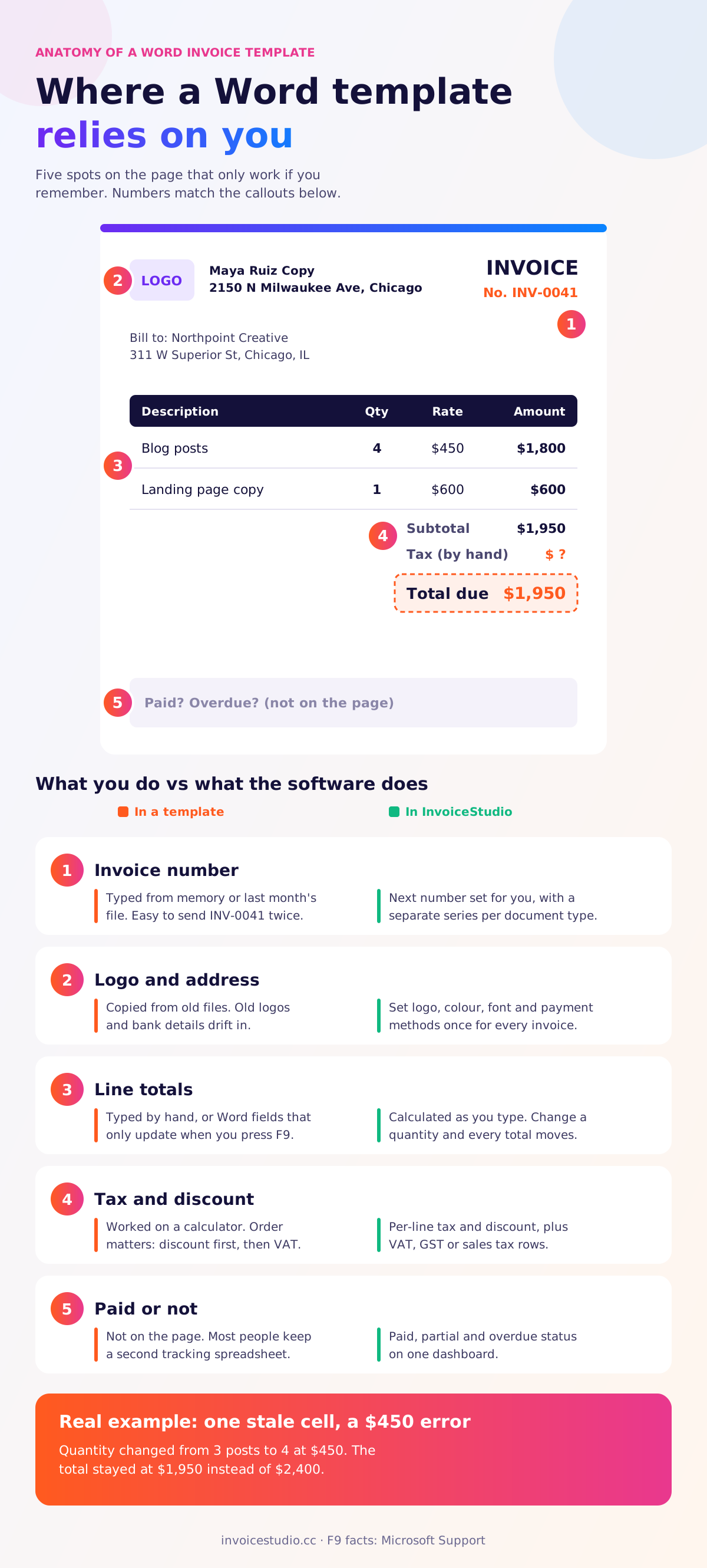
Word invoice templates go wrong in five predictable places: totals that don't update, tax worked out in the wrong order, duplicate or skipped invoice numbers, inconsistent branding across files, and no record of who has paid. None of these is Word's fault. A document simply isn't built to remember.
Most invoice templates in Word are a plain table, so you type the line total and the grand total yourself. Word can do sums: Microsoft's guide to using a formula in a Word table shows =SUM(ABOVE) and similar fields. The catch is that those fields don't recalculate as you type. You select the table and press F9, as explained in Microsoft's page on updating fields. Google Docs tables have no formulas at all, which is why many people paste in a total from a calculator.
Here's how it went wrong for me. A copywriting invoice had 3 blog posts at $450 and a landing page at $600, total $1,950. The client asked for a fourth post. I changed the quantity to 4 and the line to $1,800, and forgot the grand total. The invoice went out at $1,950 instead of $2,400. That's a $450 mistake caused by one cell.
Tax is where hand-built invoices really break. Take a UK web developer billing 4 days at £450 with a 10% discount on one line and VAT at 20%. The order matters: discount first, then VAT on the discounted amount. Mix lines with and without VAT, or a line with a different rate, and you're doing a small spreadsheet in your head every time. GOV.UK's invoicing guidance also expects the VAT amount shown, not just a VAT-inclusive total.
In InvoiceStudio each line has its own tax and discount, and you can add invoice-level rows such as VAT, GST, sales tax or a processing fee. The subtotal, tax and total update together, so the numbers on the PDF always agree with each other.
Invoice numbers must be unique, and in the EU and UK they're expected to follow a sequence. The EU VAT invoicing rules ask for a sequential number that uniquely identifies the invoice. With a template, the number lives in your head. Open last month's file, save as, forget to change INV-0041, and now two clients have INV-0041. Our invoice number format guide explains the formats that work and how to fix a duplicate.
Templates start consistent and slowly drift. One copy has the old logo, another has last year's address, a third has the bank details you changed in March. Each file is its own little island. In invoice software you set the logo, brand colour, font and payment methods once, and every new invoice uses them.
The biggest gap isn't on the page at all. A .docx doesn't know if it has been paid. So people keep a second file: a spreadsheet with invoice number, client, amount, due date and paid date. That's two places to update, and they disagree within a month. InvoiceStudio records full or partial payments and marks an invoice overdue after the due date, and the dashboard shows what you've been paid over the last 7, 15 or 30 days.
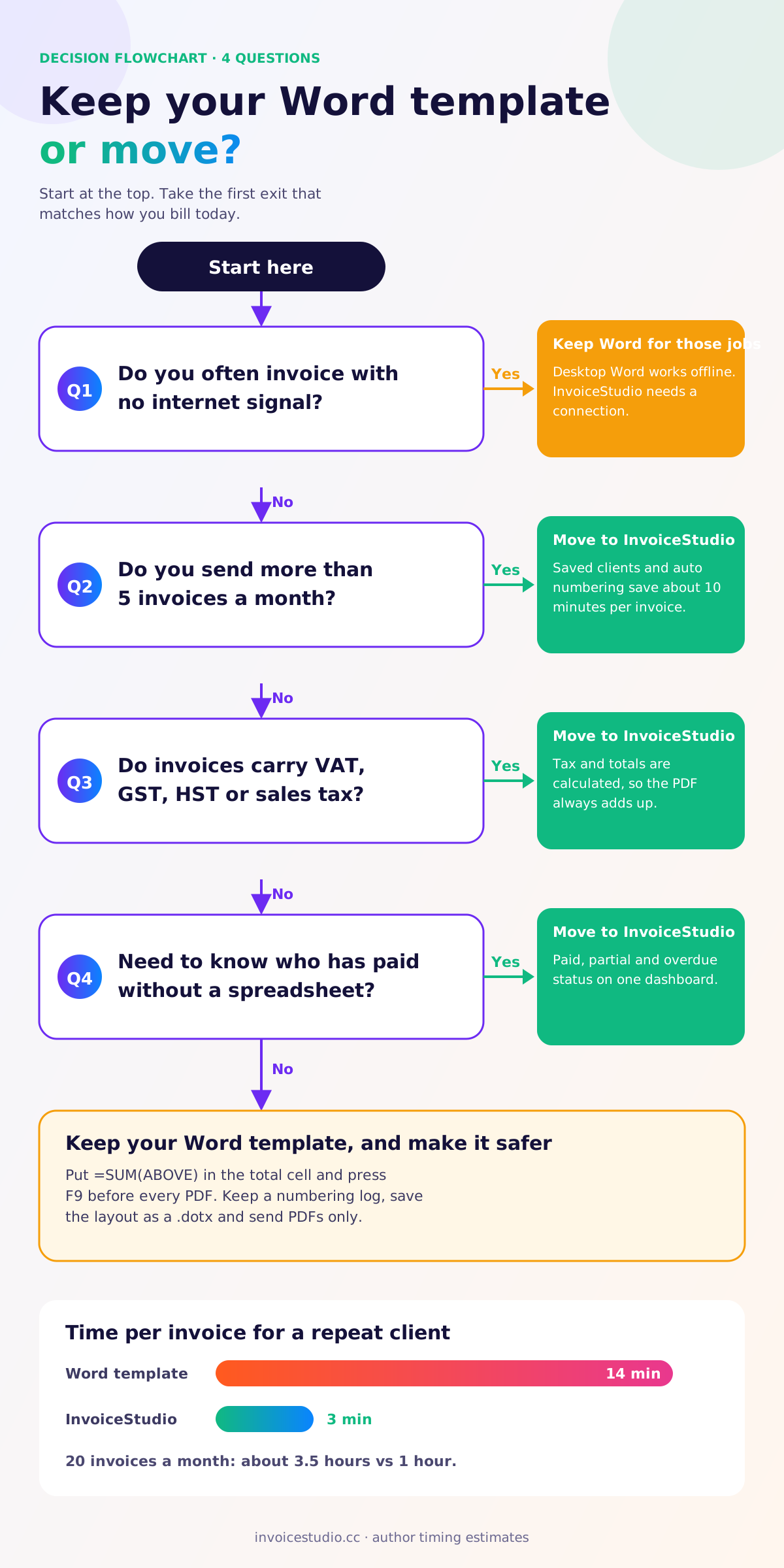
A simple template invoice takes 10 to 15 minutes once you count finding the last file, retyping the client, checking the maths, exporting the PDF, writing the email and updating your tracking sheet. Invoice software cuts that to two or three minutes for a repeat client, because the client, numbering and payment details are already there.
Here's a rough breakdown from my own invoicing, timed over a month. Your numbers will differ, so time yourself on the next three invoices.
| Step | Word or Docs template | InvoiceStudio |
|---|---|---|
| Find last invoice and next number | 2 min | 0 min (automatic) |
| Client name, address, tax ID | 2 min | 10 sec (pick from list) |
| Line items | 3 min | 2 min |
| Totals and tax check | 3 min | 0 min (calculated) |
| Export PDF and write email | 3 min | 30 sec |
| Update tracking sheet | 1 min | 0 min (status updates) |
| Total | about 14 min | about 3 min |
At 20 invoices a month that's roughly 3.5 hours with a template against 1 hour with software. If your time is worth $50 an hour, the template is costing about $125 a month in hidden admin. A $3 Starter plan pays for itself on the first invoice. At 3 invoices a month, the saving is about 30 minutes, and you might reasonably stay put.
These are the kinds of invoices that push people off templates. You can load each one into the tool at the top of this page and change it to your own details.
Maya writes for three agencies in Chicago. A typical invoice: 4 blog posts at $450 and a landing page at $600, for $2,400. No sales tax, because Illinois doesn't generally tax this kind of service, but she checks each year. Her Word file had the formula problem above. In InvoiceStudio the total updates when she changes the quantity, the client's accounts email is saved, and the invoice goes out Net 14 with her PayPal and bank details under "How to pay".
Tom is VAT-registered in Bristol. He bills 4 days of development at £450 for £1,800, then VAT at 20%, which is £360, for a total of £2,160. His invoice has to show his VAT number, the VAT amount and a unique number. With his old Google Doc he worked the VAT on a calculator and typed it in. Now the VAT row is part of the invoice, and our UK VAT invoice requirements guide is his checklist for the fields.
Aisha shoots product photos. One job: a half-day shoot at C$1,200 plus 10 retouched images at C$25, for C$1,450. Ontario HST is 13%, so C$188.50, and the total is C$1,638.50. That's exactly the sort of figure people round wrongly when they type it by hand. Her GST/HST number goes in the header once and appears on every invoice.
Test any template before you trust it. Change one quantity, one price and one tax rate, then check whether every total moved. If you had to fix anything by hand, that template will eventually send a wrong invoice.
Yes, and if you're staying with Word you should. You can reduce errors with formulas, a numbering log and a fixed folder structure. It won't give you tracking or reminders, but it will stop the worst mistakes.
If those six steps feel like a lot of process for one invoice, that's the honest signal. You're building invoice software by hand.
You switch in four steps: find your last invoice number, set up your business details once, add your regular clients, and send new invoices from InvoiceStudio while old ones get paid as normal. Plan on about 30 minutes.
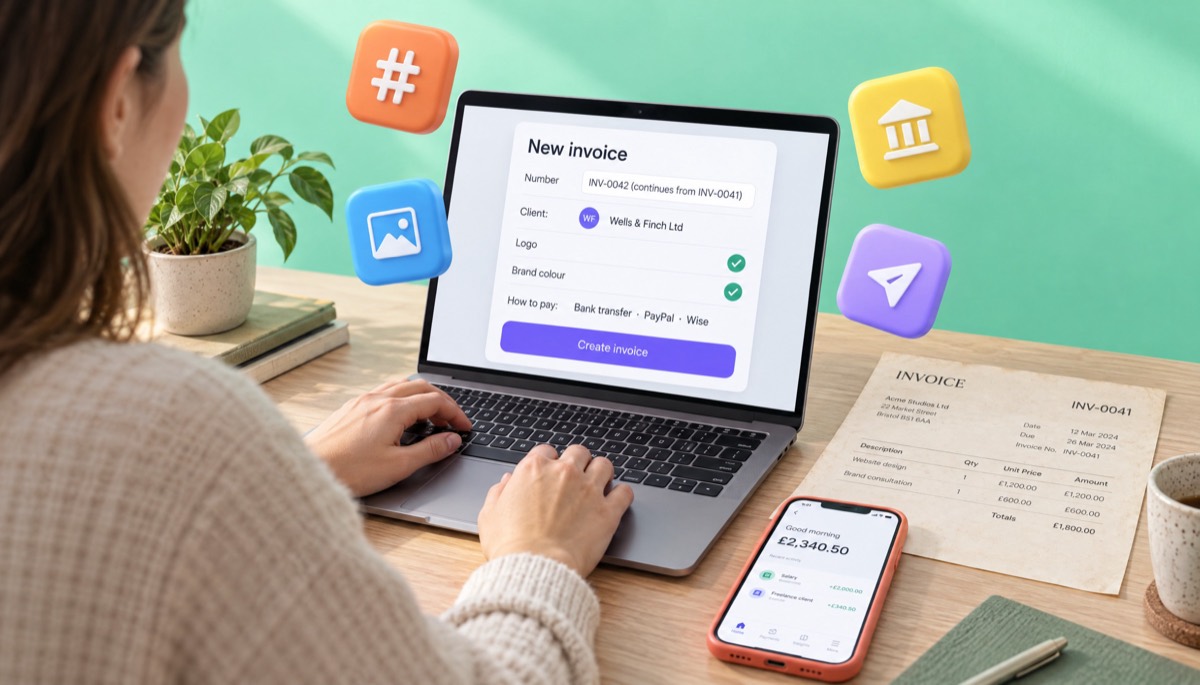
Tell regular clients that the invoice looks different, that your bank details are the same, and that the number continues. One line in the notes field is usually enough, and it stops an accounts team from flagging the new layout.
New invoice format, same business and same bank details. Invoice numbers continue from INV-0041. Please quote INV-0042 as your payment reference. Payment due within 14 days.
If your bank details have changed, say so plainly and ask the client to confirm by phone. Changed bank details on a new-looking invoice are a classic fraud pattern, and a careful client will check. For the email itself, our guide on how to send an invoice has subject lines and wording that get opened.
Switching tools doesn't change the rules. Whatever you use, your invoice must carry the fields your tax authority expects, and you must keep copies for the required period.
Rules change and depend on your situation, so check with your accountant or the local tax authority. Our step-by-step guide to how to make an invoice lists the fields in order.
The common mistakes are restarting the invoice number, re-sending old invoices from the new tool, and switching halfway through a month. Each is easy to avoid.
Use Word or Google Docs for occasional, simple invoices where layout freedom or offline editing matters most. Use Excel or Google Sheets if you want formulas but can live without client records. Use invoice software once you need correct tax, automatic numbering and to know who has paid.
If you're somewhere in the middle, try one real invoice in each and see which you'd rather do 20 times. If late payers are your real problem, read how to ask for payment politely too, because no template or app fixes that on its own.
You can try it without giving anything up. Build one invoice in the generator on this page, download the PDF and put it next to your last Word invoice. It takes about two minutes and needs no signup.
Start with the free invoice generator, load one of the examples above, change a quantity and watch the total move. Switch between designs without retyping a line. If you like it, a free account keeps your clients and numbering, and the pricing page shows what each paid plan adds, from email sending on Starter to recurring invoices and voice invoicing in 20 languages on Pro.
And if your template still suits you better because you work offline or like the freedom of a blank page, keep it. A good invoice sent on time from Word beats a fancy one sent late.

Monjur builds Invoice Studio and incorporated MotionTrust Digital in September 2022, where he leads Amazon strategy across the client base. Eight years in e-commerce and marketplace marketing taught him how much time invoices and late payments eat, so every guide here is tested against the real product and current tax rules before it goes live.
InvoiceStudio: create invoices by voice, automate billing, and get paid faster. Build one real invoice free, put it next to your last Word invoice, and switch only if it's better for you.