Set it once
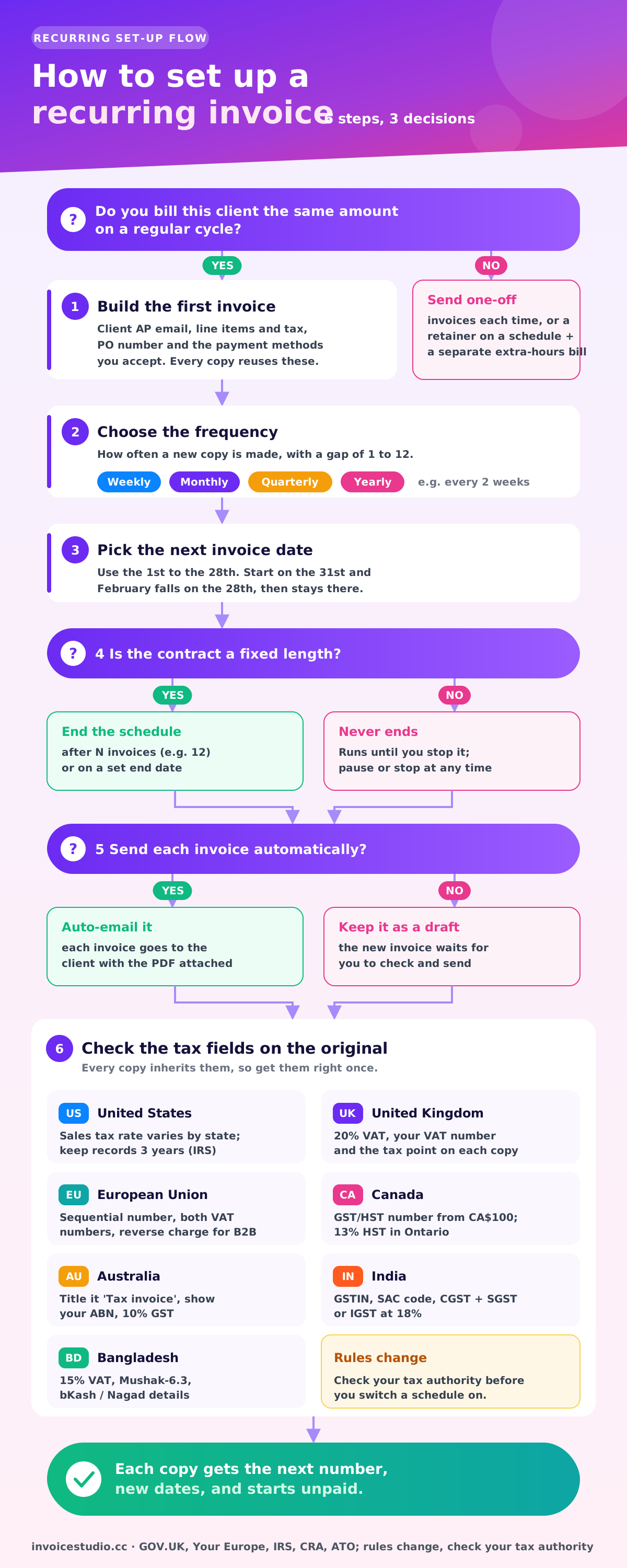
Build the invoice one time and choose weekly, monthly, quarterly or yearly. You can also repeat every 2 weeks, every 2 months or any gap up to 12.
Recurring invoice software for retainers and service plans: build the invoice once, pick how often it repeats and when it stops. Each new invoice gets the next number, fresh dates and, if you want, goes to the client with the PDF attached. InvoiceStudio: create invoices by voice, automate billing, and get paid faster.
Enter the amount, how often it repeats and your payment terms. The table shows each invoice number, send date, due date and the total you will bill.
Build the invoice one time and choose weekly, monthly, quarterly or yearly. You can also repeat every 2 weeks, every 2 months or any gap up to 12.
Turn on auto-email and each new invoice goes to the client with the PDF attached. Leave it off and it waits as a draft for you to check.
Every invoice the schedule creates takes the next number in your sequence. No duplicates, no gaps, no INV-0041 sent twice.
The issue date moves on and the due date keeps the same gap as your first invoice, so Net 7 stays Net 7. Short months are handled, so 31 January becomes 28 February.
Stop after 6 or 12 invoices, stop on a date, or run until you end it. Pause during a client's quiet month and resume later.
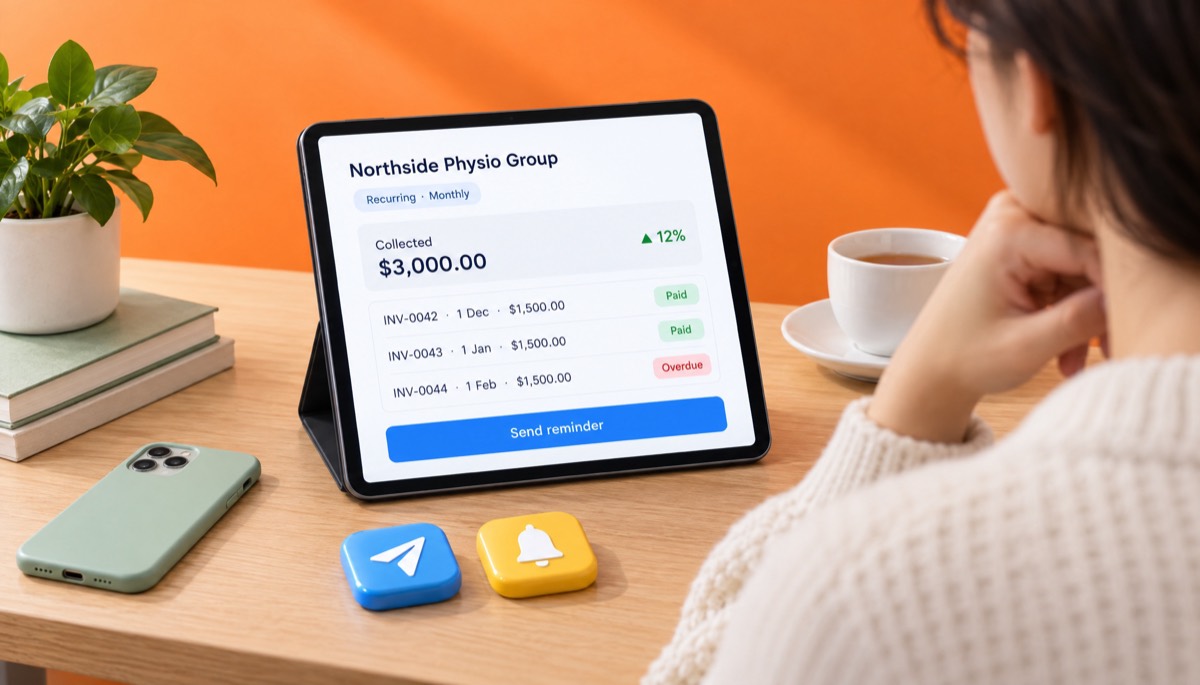
Each invoice the schedule creates has its own status, partial payments and overdue flag on the dashboard. You chase the one that is late, not the whole client.
Add the client, the line items, tax and your payment methods, exactly as you want every copy to look. Pick a design and your brand colour.
Pick weekly, monthly, quarterly or yearly, the date of the next invoice, and when to stop: never, after a number of invoices, or on a date.
Switch on auto-email to send each invoice with the PDF attached, or leave it off to review drafts first. Pause, edit or stop the schedule whenever you like.
Pick one to load it into the tool above, then change anything.
A 20-hour content and SEO retainer billed on the 1st of each month. Twelve invoices add up to $18,000 a year without retyping one.
£350 for bookkeeping and payroll plus £70 VAT, with the VAT number on every invoice and a 14-day bank transfer.
Three hours at A$80 plus 10% GST, billed every Monday and set to stop after 12 weeks when the trial contract ends.
A CA$1,200 maintenance plan for a law office, billed on 1 January, April, July and October with Ontario HST and net 30.
Hosting and maintenance at ₹24,000 plus CGST and SGST at 9% each, with GSTIN, SAC code and place of supply.
Twelve HSC sessions a month, billed on the 1st with bKash and Nagad numbers printed under How to pay.
Plain answers, worked examples and the rules that apply, all checked against the live product.
Recurring invoice software creates the same invoice for a client on a fixed schedule, such as every week, month, quarter or year, so you never rebuild it. In Invoice Studio you build the invoice once, choose the frequency and an end point, and each copy gets a new number and dates and can be emailed with the PDF.
Recurring invoice software builds the same invoice for a client on a fixed schedule, so a monthly retainer, a weekly cleaning contract or a yearly hosting renewal goes out on time without you rebuilding it. You set up the invoice once, choose how often it repeats and when it stops, and each new copy gets the next invoice number and fresh dates. The schedule preview above shows every send date and due date before you commit.
I moved my own retainers onto a schedule after sending a client last month's invoice, with last month's date, for the third time. Below: how it works, worked examples, what stays fixed, wording to paste and country tax notes.
A recurring invoice is an invoice that is created again and again on a set schedule for the same client and the same charges. Each copy is its own invoice, with its own number, issue date, due date and payment status, so you can see that March is paid and April is late.
A recurring invoice is not an automatic card charge. The client still receives an invoice and pays it by bank transfer, PayPal, Wise, a Stripe payment link or whatever method you print on it. The software makes and, if you want, sends the invoice.
People use a few names for the same thing:
All four work the same way. Only the end point differs: retainers run until cancelled, installments stop after a known count.
You create one invoice, attach a repeating schedule to it, and Invoice Studio creates a fresh copy on each scheduled date. That is how you automate invoicing without holding a client's card. Here is exactly what you choose and what happens.
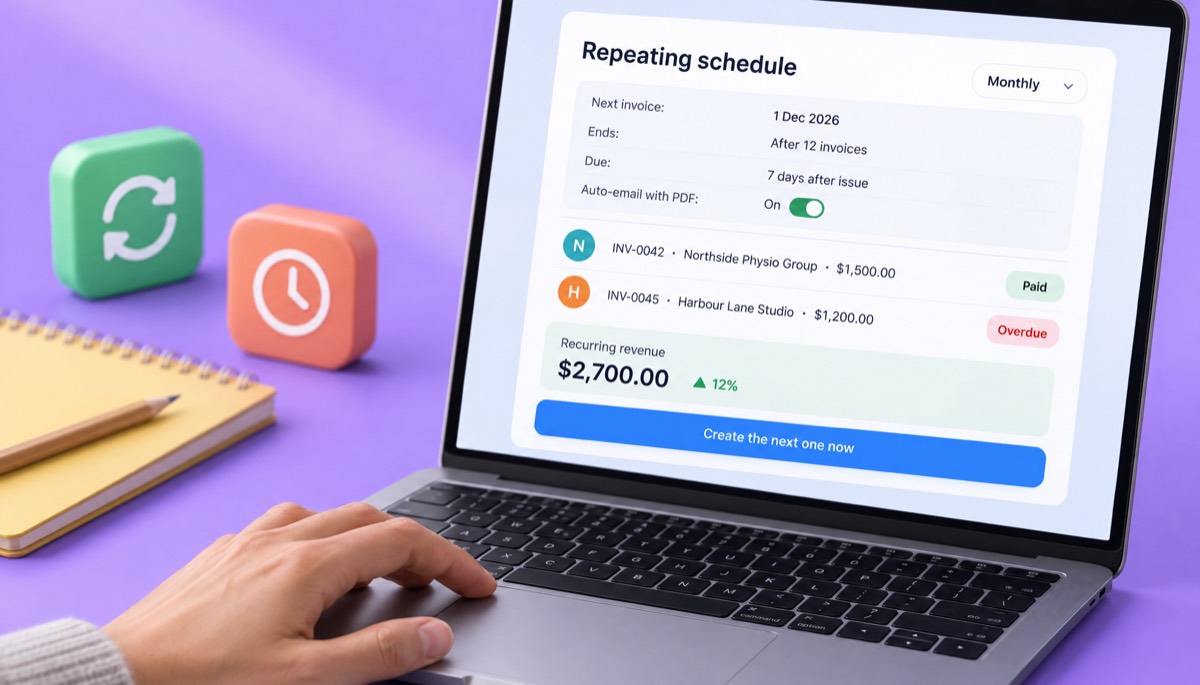
Every copy takes the next number in your invoice sequence, gets the scheduled issue date, and gets a due date with the same gap as your first invoice. If your first invoice was dated 1 December and due 8 December, every copy is due 7 days after its issue date. You can pause the schedule, restart it, stop it for good, or press "create the next one now" if a client asks for an early invoice.
Recurring invoices are part of the Pro plan at $7 a month, and Business and Enterprise include them too. If you are still comparing tools, my free invoice app guide compares what each plan level usually includes. If you want invoice software with recurring billing, quotes and payment tracking in one place, see invoicing software for small business.
Use recurring invoices whenever you bill the same client the same amount on a predictable cycle. If you have typed the same invoice three times, it should be on a schedule.
Good fits:
Where I'd skip it: purely hourly work where the hours change every month. A schedule can still create the invoice for you, but you will edit the quantity every time, and that edit is the bit people forget. For variable hourly billing, a fresh invoice from the invoice generator for freelancers each month is often cleaner. A middle path that works well is a fixed retainer on a schedule plus a separate invoice for any overage hours.
Here are four schedules worked through in full. Each one loads in the tool above from the examples section.
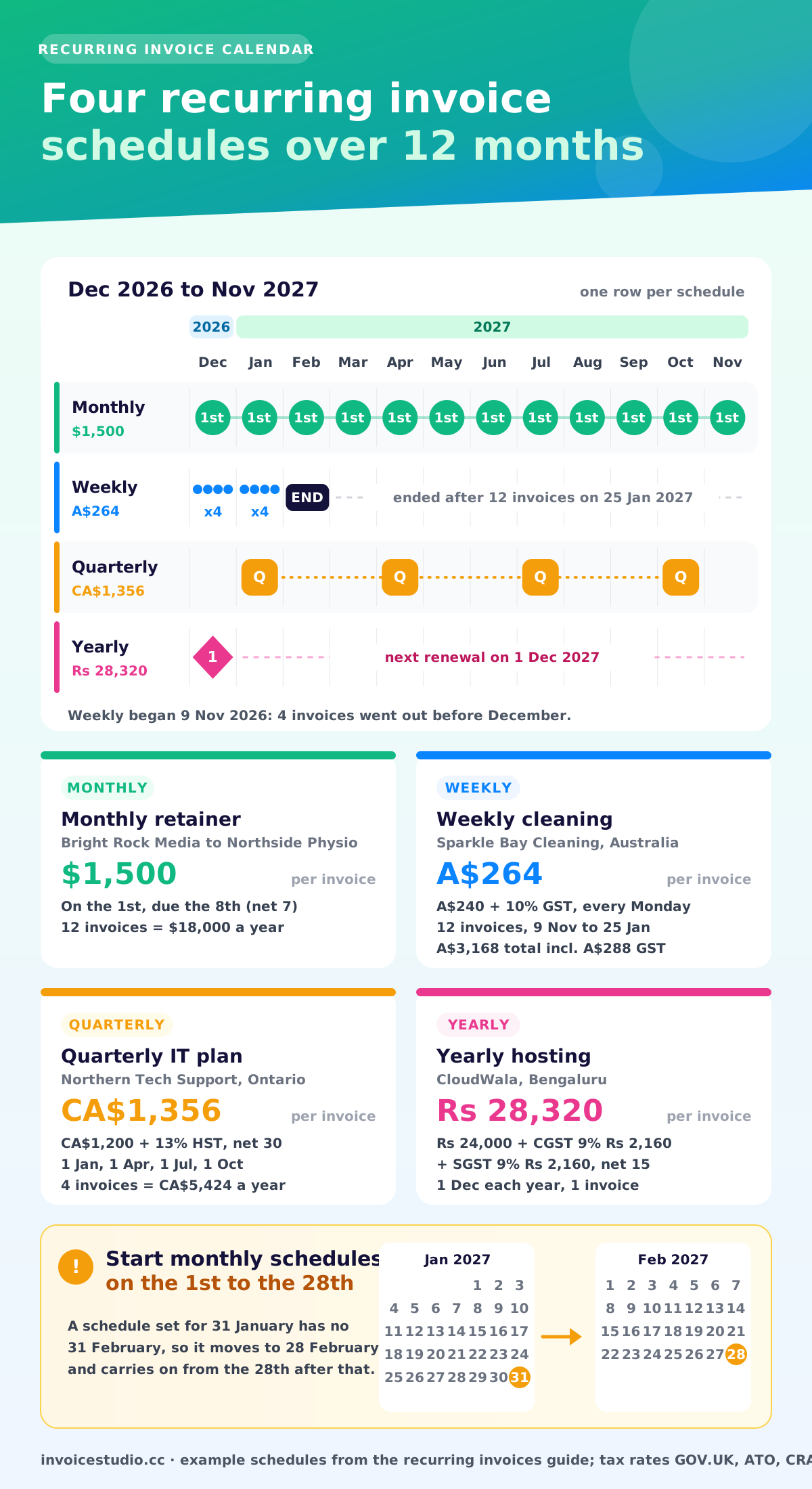
Bright Rock Media bills Northside Physio $1,500 a month for content, local SEO and a monthly report, capped at 20 hours. The agreement starts 1 December 2026 and runs for 12 months. Illinois generally does not charge sales tax on services like these, so the tax line is 0%. One-off invoices sent in between share the same counter.
| Invoice | Issue date | Due date (net 7) | Amount |
|---|---|---|---|
| BRT-2026-012 | 1 Dec 2026 | 8 Dec 2026 | $1,500.00 |
| BRT-2026-013 | 1 Jan 2027 | 8 Jan 2027 | $1,500.00 |
| BRT-2026-014 | 1 Feb 2027 | 8 Feb 2027 | $1,500.00 |
| BRT-2026-015 | 1 Mar 2027 | 8 Mar 2027 | $1,500.00 |
| BRT-2026-016 | 1 Apr 2027 | 8 Apr 2027 | $1,500.00 |
| BRT-2026-017 | 1 May 2027 | 8 May 2027 | $1,500.00 |
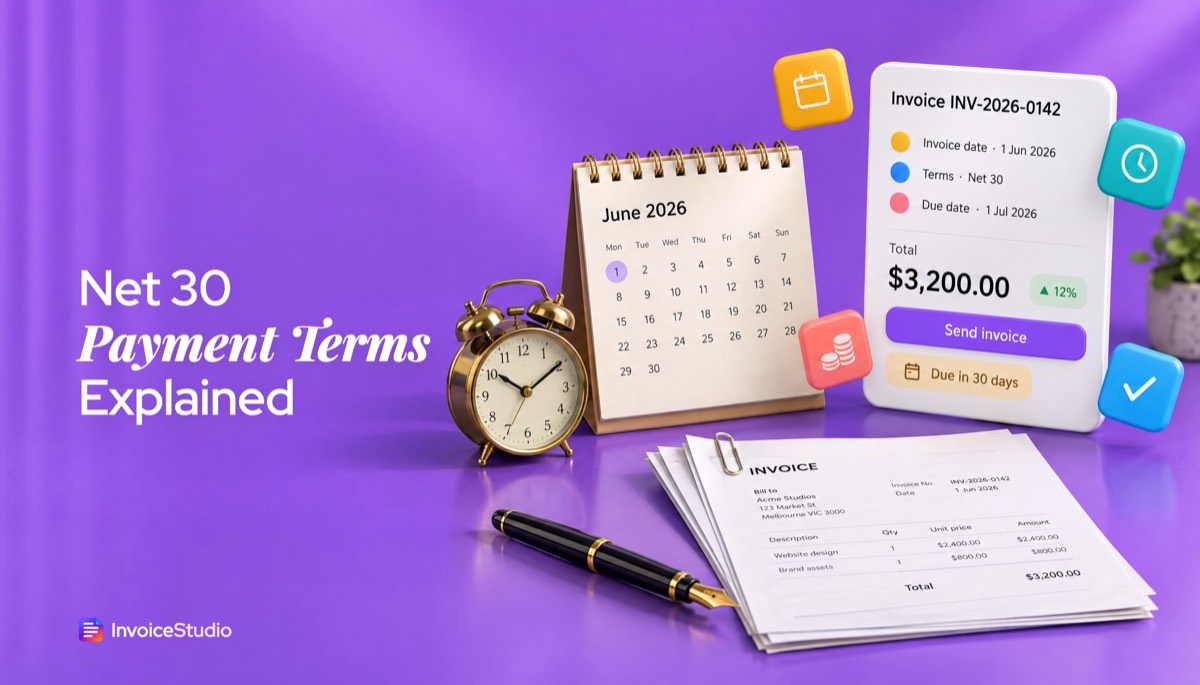
Six invoices total $9,000, and the full year is $18,000. The setting that does the work: monthly, next invoice 1 December, end after 12 invoices, auto-email on. Why net 7 and not net 30? A retainer pays for work you are about to do, so a short term keeps you from being a month ahead of the client's money. My net 30 payment terms guide covers the date maths for every common term.
Sparkle Bay Cleaning cleans a dental clinic every Monday evening: 3 hours at A$80 is A$240, plus 10% GST of A$24, so each tax invoice is A$264. The clinic signed a 12-week trial starting Monday 9 November 2026.
Set it to weekly, next invoice 9 November, end after 12 invoices. The schedule creates invoices on 9, 16, 23 and 30 November, 7, 14, 21 and 28 December, and 4, 11, 18 and 25 January 2027, then stops by itself. Total billed: 12 x A$264 = A$3,168, of which A$288 is GST. If the clinic renews, you extend the end count.
Northern Tech Support looks after 12 laptops for a Toronto law office. The plan is CA$1,200 a quarter plus 13% Ontario HST (CA$156), so each invoice is CA$1,356, billed on 1 January, 1 April, 1 July and 1 October on net 30. That is CA$5,424 a year. Quarterly invoices are the ones people forget most. Set "quarterly, next invoice 1 January 2027, never ends" and it simply keeps going.
CloudWala bills a Bengaluru client ₹24,000 a year for hosting and maintenance. Both are in Karnataka, so GST is split into CGST 9% (₹2,160) and SGST 9% (₹2,160), for a total of ₹28,320. The invoice shows the GSTIN, the SAC code 998315 and the place of supply. A yearly schedule dated 1 December means the renewal invoice appears on time in 2027, 2028 and beyond, even if the person who set it up has left. If the client were in another state, you would charge IGST at 18% instead; the GST invoice format guide walks through both layouts.
Recurring billing software comes in two kinds. Recurring invoicing sends the client a new invoice on a schedule and the client pays it. Subscription billing, from tools such as Stripe Billing or Chargebee, charges a saved card or bank mandate automatically and handles proration when a plan changes mid-cycle. Manual invoicing means you copy last month's invoice by hand. Here is how they compare in practice.
| What you care about | Recurring invoices | Subscription billing (auto-charge) | Manual copy each month |
|---|---|---|---|
| Who starts the payment | The client, using the methods on the invoice | The software charges the card or mandate | The client |
| Works with bank transfer, Wise, bKash | Yes | Usually card or direct debit only | Yes |
| Client has to agree to store a card | No | Yes | No |
| B2B clients with purchase orders | Good fit, the AP team gets a normal invoice | Often awkward for finance teams | Good fit |
| Risk of a wrong date or duplicate number | Low, the dates and number are set for you | Low | High |
| Time per invoice | Close to zero after setup | Close to zero after setup | 5 to 10 minutes |
| Typical cost | Invoice Studio Pro, $7 a month | Platform fees plus a card fee per charge | Free, plus your time |
My take: for service businesses billing other businesses, recurring invoices are the better default. Accounts payable teams want an invoice they can match to a PO, and plenty of good clients will never give a supplier a card. Auto-charge suits low-value consumer subscriptions; for B2B work, auto invoicing with a normal PDF is the better habit. Invoice Studio does recurring invoices and deliberately does not store or charge cards.
Think of the schedule as an automatic invoice generator: each copy keeps the content of your original invoice and gets new identity and dates. Knowing which is which saves you from the two classic mistakes: a duplicate number and a stale date.
| Field | On each new copy | What to watch |
|---|---|---|
| Invoice number | Changes: the next number in your sequence | Never type numbers by hand on scheduled invoices |
| Issue date | Changes: the scheduled date | Pick a day from the 1st to the 28th for monthly billing |
| Due date | Changes: same gap as the original, such as 7 or 30 days | Change the original's due date to change the term |
| Client, address and email | Stays the same | Update the original when the client's AP email changes |
| Line items, rate and quantity | Stays the same | Edit the original for a price rise; old invoices keep old prices |
| Tax rate and "Tax & fees" rows | Stays the same | Update the original if the rate or your registration changes |
| Design, logo and payment methods | Stays the same | Check bank details are current once a year |
| Amount paid and status | Resets: each copy starts unpaid | Record payments against the right month's invoice |
One detail on dates that competitors don't mention: if you start a monthly schedule on the 31st, the February invoice falls on the 28th (or 29th), because there is no 31 February. After that, the schedule continues from the 28th. That is why I always start monthly schedules on the 1st. It never moves.
On numbering, a schedule simply takes the next number in the same series as your other invoices. Invoice Studio keeps one prefix and one counter for your account, so scheduled and one-off invoices share a single series. Choose a prefix you can live with before you start, and read the invoice number format guide for schemes that stay tidy over years.
Edit the original invoice to change future copies, pause the schedule to skip a period, and stop it to end the arrangement. None of these touch invoices that already exist.
Before you switch auto-email on, let the schedule create one invoice as a draft and open it. Check the number, dates, tax and client email. Then turn auto-email on for the rest.
Good recurring billing is mostly good communication up front. Here is the wording I use. Change the names and numbers.
Monthly retainer for [month], billed on the 1st under our agreement dated [date]. Covers up to [20] hours of [content, SEO and reporting]. Unused hours do not roll over. Payment is due within [7] days by the methods below. Please quote the invoice number as your reference.
Hi [name], from [1 December] your retainer invoice will arrive automatically on the 1st of each month from [billing@yourbusiness.com], with the PDF attached. Each one is due within [7] days. If invoices should go to a different person or inbox, or you need a PO number on them, just reply and I'll update it before the first one goes out. Thanks, [your name]
Hi [name], here is invoice [number] for [month]: [amount], due [date]. Payment details are on the PDF. Thank you, [your name]
Hi [name], a quick note that from [1 March] the monthly retainer will move from [$1,500] to [$1,650], the first change since we started in [month year]. The scope stays the same. Invoices up to and including February stay at the current rate. Happy to talk it through if you'd like.
For chasing a scheduled invoice that hasn't been paid, the invoice reminder page has a short email writer, and how to ask for payment politely has firmer follow-ups. In Invoice Studio you send a reminder in one click from any overdue invoice. Automatic reminder schedules are not live yet, so a reminder only goes out when you send it.
Each recurring invoice is a full invoice in the eyes of the tax office, so every copy must carry everything a one-off invoice would. The rules below are the ones that matter most for repeating bills. Rules change, so check with your tax authority before relying on them.
There is no federal VAT. Sales tax is set by each state, and many states tax some services and software subscriptions but not others, so check your state before adding a tax row. Keep every invoice the schedule creates: the IRS says to keep records that support income, and its guide on how long to keep records sets 3 years as the usual period, longer in some cases.
Once you are VAT registered, every invoice needs a unique sequential number, your VAT number, the tax point, the rate and the VAT amount. The standard rate is 20%, per GOV.UK's VAT rates. GOV.UK lists what a VAT invoice must include, and non-registered sellers should follow the basic invoice requirements. For B2B clients who pay late, the law lets you claim interest at 8% plus the Bank of England base rate and a fixed sum of £40, £70 or £100 depending on the debt; see late commercial payments. The UK VAT invoice guide has a full checklist.
EU VAT invoices need a sequential number, the date, both parties' VAT numbers where relevant, the rate and the VAT amount. For cross-border B2B services, the invoice usually carries no VAT and the words "Reverse charge". The European Commission VAT invoicing rules set out the required fields. If you bill EU clients in euros from outside the eurozone, the multi-currency invoicing page shows how to set the currency per client.
If you are registered for GST/HST, show your GST/HST number on invoices of CA$100 or more, and add the client's name, the terms and a description on invoices of CA$500 or more. Rates depend on the province: 5% GST in Alberta, 13% HST in Ontario, 15% HST in New Brunswick, Newfoundland and Labrador and PEI, 14% HST in Nova Scotia, and GST plus a provincial tax such as QST elsewhere.
GST is 10%. If you are registered, title each invoice "Tax invoice" and show your ABN. Clients can ask for a tax invoice for any sale over A$82.50 including GST, and sales of A$1,000 or more must also show the buyer's identity or ABN. Weekly schedules make this painless, because every copy carries the same fields.
GST invoices need your GSTIN, a serial number unique within the financial year of no more than 16 characters, the HSN or SAC code, the place of supply and the CGST/SGST or IGST split. Most professional and IT services are taxed at 18%. If you use a format such as CW/2026-27/088, change the prefix and starting number in your settings on 1 April so the series restarts for the new financial year.
The standard VAT rate is 15%, and VAT-registered sellers issue the Mushak-6.3 tax invoice. Many freelancers and tutors are not VAT registered and issue simple invoices instead. Local clients usually pay by bKash, Nagad or bank transfer, so print those numbers under "How to pay" on the original and every copy carries them.
The most common mistakes are forgetting to update the original when something changes, and letting schedules run past the end of a contract. Here are the ones I see most.
In Invoice Studio, recurring invoices come with the Pro plan at $7 a month, which also includes emailing invoices, all document types, reports, CSV export and voice invoicing in 20 languages. Business is $10 and Enterprise $29, and yearly and lifetime options are available. The free plan and Starter ($3) can create invoices but cannot set a repeating schedule.
Many tools keep recurring billing for higher tiers, and prices change often, so compare current pricing pages. The maths that matters: 6 minutes saved per invoice across 10 monthly clients is an hour a month.
Not ready for a schedule yet? Make a one-off invoice with the free invoice generator, browse the free invoice templates, or read more on getting paid on the Invoice Studio blog, starting with how to make an invoice. Consultants billing a monthly fee may also like the consulting invoice template. When you're ready, check pricing and set up your first schedule.

Monjur builds Invoice Studio and incorporated MotionTrust Digital in September 2022, where he leads Amazon strategy across the client base. Eight years in e-commerce and marketplace marketing taught him how much time invoices and late payments eat, so every guide here is tested against the real product and current tax rules before it goes live.
InvoiceStudio: create invoices by voice, automate billing, and get paid faster. Build the invoice once, choose the schedule and let the next one arrive on time, every time.