Real PDF, no strings
Download a clean PDF without creating an account or handing over your email. There is no watermark on the free version, or on any other.
Use this free invoice generator to fill in a form, pick one of 28 designs and download a clean PDF invoice in about two minutes. InvoiceStudio: create invoices by voice, automate billing, and get paid faster.
Type your details on the left and watch the invoice build on the right. Download the PDF when it looks right.
Download a clean PDF without creating an account or handing over your email. There is no watermark on the free version, or on any other.
Choose from 6 classics such as Minimal and Corporate, 10 gradient styles and 12 newer designs like Ledger and Ticket. Set your brand colour and every design follows it.
Quantity times rate, discount, tax and the total are calculated as you type. No broken spreadsheet formulas and no rounding surprises.
Bill in USD, GBP, EUR, CAD, AUD, INR, BDT and more, with the right symbol. The Pro plan lets you add any custom currency.
Put bank, PayPal, Wise or bKash details right on the invoice so the client knows exactly how to pay. Clear payment details remove the most common excuse for paying late.
Save the draft to a free account to keep clients and track payments. Starter adds emailing from $3 a month, and Pro adds recurring invoices and AI voice invoicing in 20 languages.
Enter your details and your client's, then one line per item with quantity and rate. Add tax or a discount if you need them.
Choose one of 28 designs and set your brand colour. The preview updates as you type, so what you see is what the client gets.
Press Download PDF and attach it to an email the same day you finish the work. Or save it to a free account to keep the client for next time.
Pick one to load it into the tool above, then change anything.
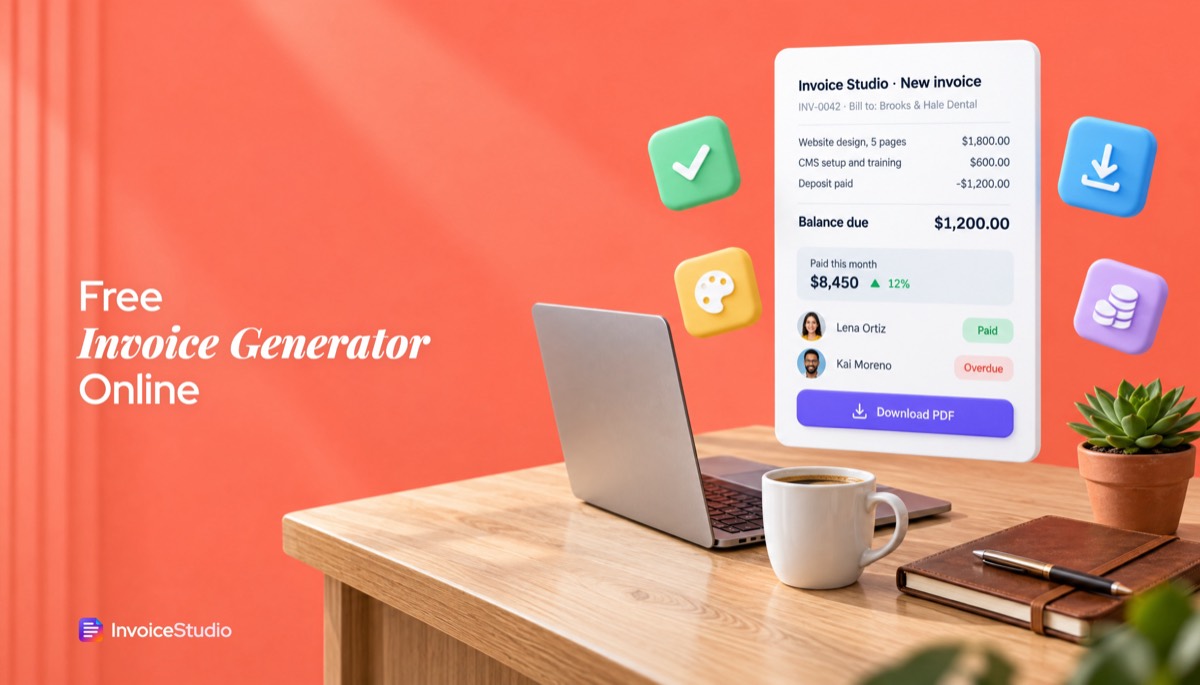
A five-page website billed in two parts. The final invoice shows the full $2,400, the $1,200 deposit already paid and the balance due.
Two workshop days at £650 plus 20% VAT. Shows the VAT number, the client's PO and bank details for a 14-day payment.
Six hours of coverage at A$180 plus A$350 editing, with GST shown separately and the ABN under the business name.
Twelve hours of bug fixes at ৳2,500 an hour for a Dhaka client, with bKash and Nagad numbers printed under How to pay.
Tiling labour and materials on separate lines, with 13% Ontario HST and the GST/HST number on the invoice.
Plain answers, worked examples and the rules that apply, all checked against the live product.
A free invoice generator, or invoice maker, lets you type your business details, your client's details and your line items, then download a finished PDF invoice. Invoice Studio's generator needs no signup, adds no watermark, calculates tax and discounts, supports 14 currencies and offers 28 designs. Most invoices take about two minutes.
A free invoice generator is a browser tool that turns your business details, your client's details and a list of charges into a finished, numbered PDF invoice. The one above is a free invoice maker that needs no account, adds no watermark and gives you 28 designs. Below is the guide I wish I'd had before my first hundred invoices: what to put on the page, worked examples with the maths shown, wording you can paste, and the rules that change from country to country.
Short version: fill in the form, check the total, download the PDF and send it the same day you finish the work. Everything after that is detail, and the detail is what decides whether you get paid in 9 days or 49.
You make an invoice by entering who is billing, who is paying, what was delivered and when payment is due, then downloading the PDF. With the invoice creator on this page that takes about two minutes. Here is the order I fill it in, because it catches most mistakes before they reach the client.
Then pick a design, set your brand colour and press Download PDF. If you want a deeper walk-through of each field, my guide on how to make an invoice goes line by line.
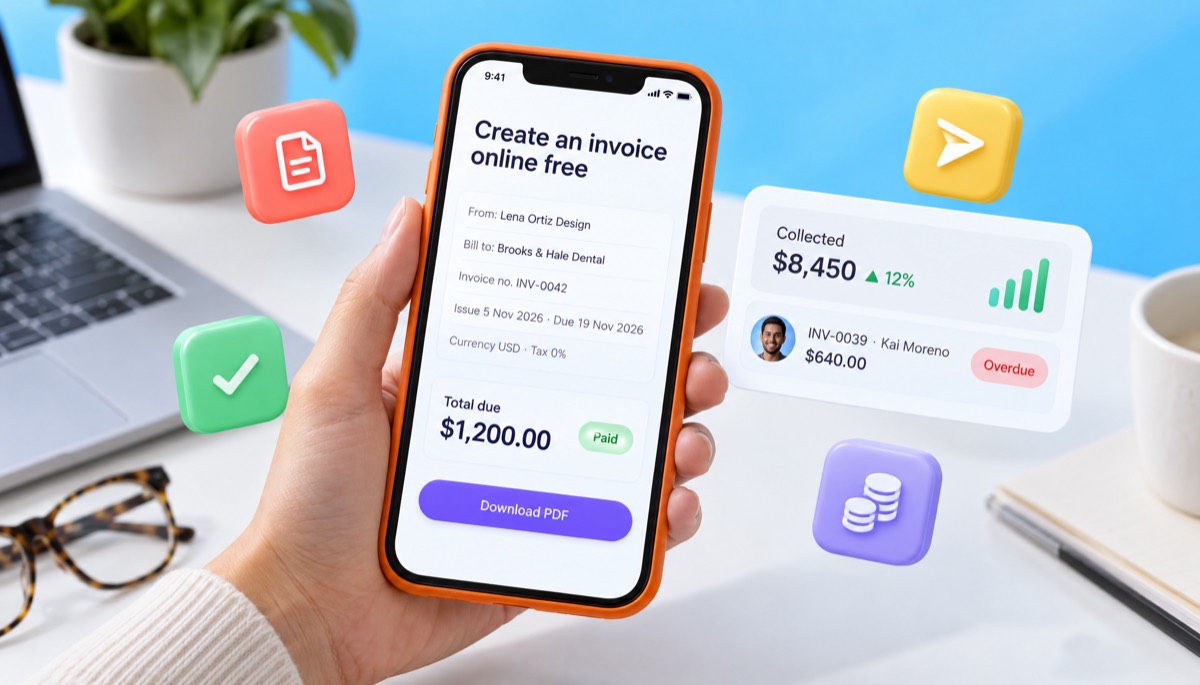
Every invoice should show a unique invoice number, the issue date, your details, the client's details, a description of each item, the amounts, any tax, the total due and how to pay. Miss one of those and you hand the client's accounts team a reason to put it on hold.
The UK government lists the legal minimum on its page about what an invoice must include, and it is a good baseline even if you work elsewhere. Here is the full checklist I use:
If a client sends you a PO number, put it in the notes or next to the invoice number. Many accounts payable teams cannot pay an invoice without matching it to a PO, and they will not always tell you that is the hold-up.
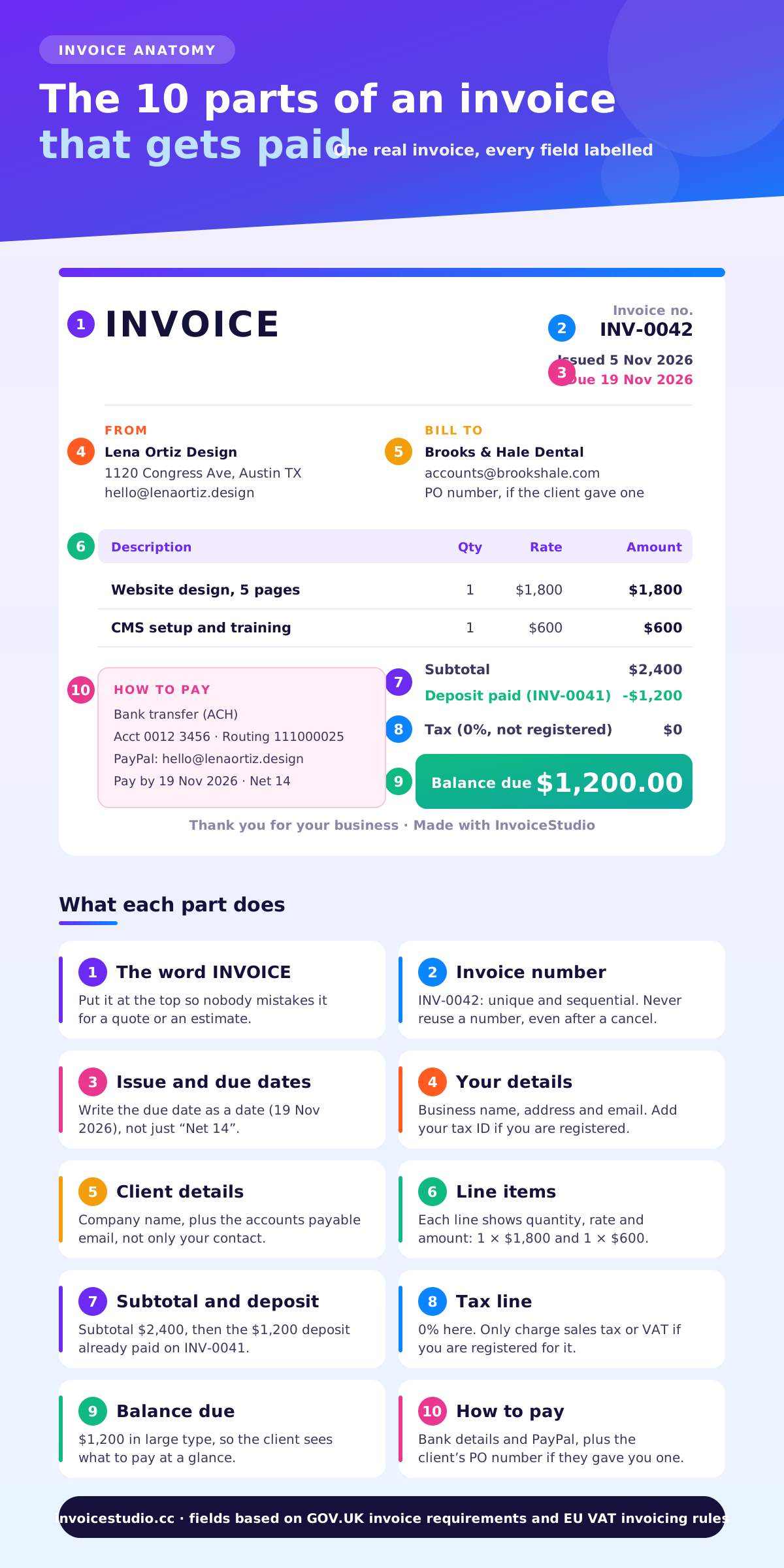
The cleanest way to bill a deposit is two invoices: one for 50% before you start, and a final one for the balance that shows the deposit already paid. Here is how a freelance web designer would bill a $2,400 project.
| Line | Qty | Rate | Amount |
|---|---|---|---|
| Website design, 5 pages | 1 | $1,800 | $1,800 |
| CMS setup and one hour of training | 1 | $600 | $600 |
| Subtotal | $2,400 | ||
| Less deposit paid (INV-0041) | -$1,200 | ||
| Balance due | $1,200 |
Two details matter here. First, the final invoice names the deposit invoice number, so the client's bookkeeper can match both payments. Second, the full project value stays visible. Clients pay faster when they can see the whole picture rather than a mystery $1,200. You can load this exact invoice from the examples above and change the numbers.
A VAT-registered consultant in Manchester bills two strategy workshop days at £650 a day. VAT at the standard 20% rate goes on top.
Because this is a VAT invoice, it also needs the seller's VAT registration number, the VAT rate per line and the VAT amount in pounds. HMRC sets out the rules in VAT Notice 700, and my UK VAT invoice guide turns that into a checklist.
A wedding photographer in Brisbane shoots for 6 hours at A$180 an hour, plus a flat A$350 for editing. GST in Australia is 10%.
If you are GST-registered, title the document "Tax invoice" and show your ABN. If you are not registered, do not charge GST at all, and do not call it a tax invoice.
A free invoice generator is the fastest way to send a correct, good-looking invoice when you bill a few clients a month. A Word or Excel template is fine if you enjoy fixing formulas. Invoicing software for small business earns its keep once you need to track who has paid, send reminders and repeat invoices every month. If all you want is an online invoice maker, free of charge and free of signups, the first column is enough.
| What you need | Free generator (this page) | Word or Excel template | Invoice Studio account |
|---|---|---|---|
| Time to first invoice | About 2 minutes | 10 to 20 minutes | About 3 minutes |
| Totals, tax and discount maths | Automatic | Manual or fragile formulas | Automatic, with per-line tax and discount |
| Designs | 16, with your brand colour | Whatever you build | 16, plus your logo, font and paper size |
| PDF download | Yes, no watermark | Export by hand | Yes, and emailed with the PDF attached on paid plans |
| Saves clients and items | No | Copy and paste | Yes |
| Tracks paid, partial and overdue | No | No | Yes, with a dashboard |
| Recurring invoices | No | No | Yes, from the Pro plan |
| Price | Free | Free | Free plan, paid plans from $3 a month |
My honest take: start with the generator. When you catch yourself retyping the same client address for the third time, or you lose track of which invoice was paid, create the free account. Your draft carries over.
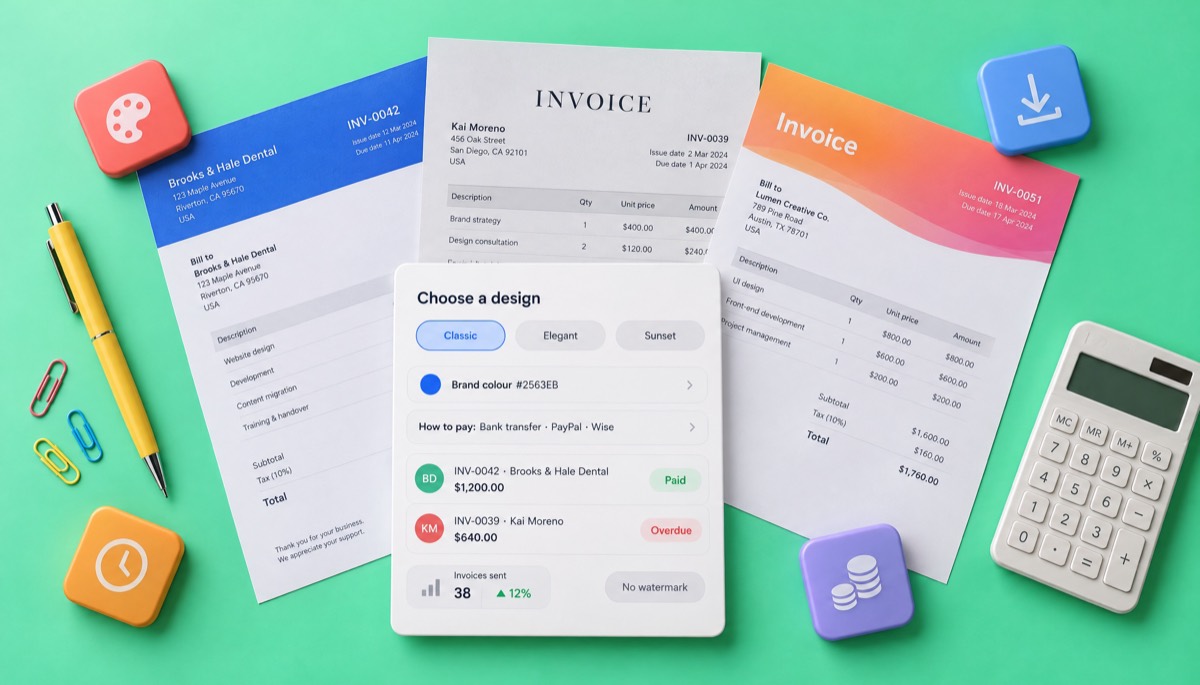
Number invoices in one unbroken sequence, with a short prefix, such as INV-0001, INV-0002, INV-0003. Tax authorities in the UK and the EU expect a unique, sequential number on every invoice, and a clean sequence also makes your own bookkeeping painless.
Three formats that work well:
Pad with zeros so the numbers sort properly, and never skip or reuse one. If you void an invoice, keep the number and issue a credit note rather than deleting it. There is a full breakdown in the invoice number format guide.
For freelancers and small businesses, Net 14 is a sensible default: payment is due 14 days after the invoice date. Use Net 7 or "due on receipt" for small one-off jobs, and accept Net 30 when a larger client insists on it.
| Term | What it means | When I use it |
|---|---|---|
| Due on receipt | Pay as soon as you get it | Small jobs under $300, new clients |
| Net 7 | Due 7 days after the invoice date | Short projects, individual clients |
| Net 14 | Due 14 days after the invoice date | My default for most work |
| Net 30 | Due 30 days after the invoice date | Companies with a monthly payment run |
| 50% upfront, 50% on delivery | Deposit before work, balance at handover | Projects over $1,000 |
Always write the actual due date on the invoice as well as the term. "Net 30" invites the client to count from whenever they opened your email. "Due 5 December 2026" does not. If you want the full detail, read Net 30 payment terms explained.
Late-payment law gives you weight, even if you never use it. In the UK, businesses can claim statutory interest of 8% plus the Bank of England base rate on late business-to-business invoices, plus a fixed sum of £40, £70 or £100 depending on the debt. The rules are on GOV.UK's page about late commercial payments.
Good invoice wording is short, polite and specific about money and dates. Paste these into the notes field or your email and change the details in brackets.
Thank you for your business. Payment is due by [date] by bank transfer or PayPal using the details below. Please quote invoice [number] as the payment reference.
This invoice covers [project] as agreed on [date]. A 50% deposit of [amount] was paid on invoice [number]. The balance of [amount] is due by [date].
Payments received after the due date may be charged interest at [rate] per month, as set out in our agreement.
Subject: Invoice [number] for [project], due [date]
Hi [name], please find invoice [number] for [amount] attached. It covers [one-line summary]. Payment is due by [date], and the payment details are on the invoice. Let me know if your team needs a PO number or anything else on it. Thanks, [your name]
Subject: Quick check on invoice [number]
Hi [name], just checking that invoice [number] for [amount], due on [date], reached the right person. I've attached a copy in case it went astray. Could you let me know when it is scheduled for payment? Thanks, [your name]
For firmer follow-ups at 14 and 30 days, see how to ask for payment politely, or write one in seconds with the invoice reminder tool. From the Starter plan up, you can send a reminder email with the PDF attached in one click from the invoice itself. Reminders are sent when you press the button; they are not scheduled automatically.
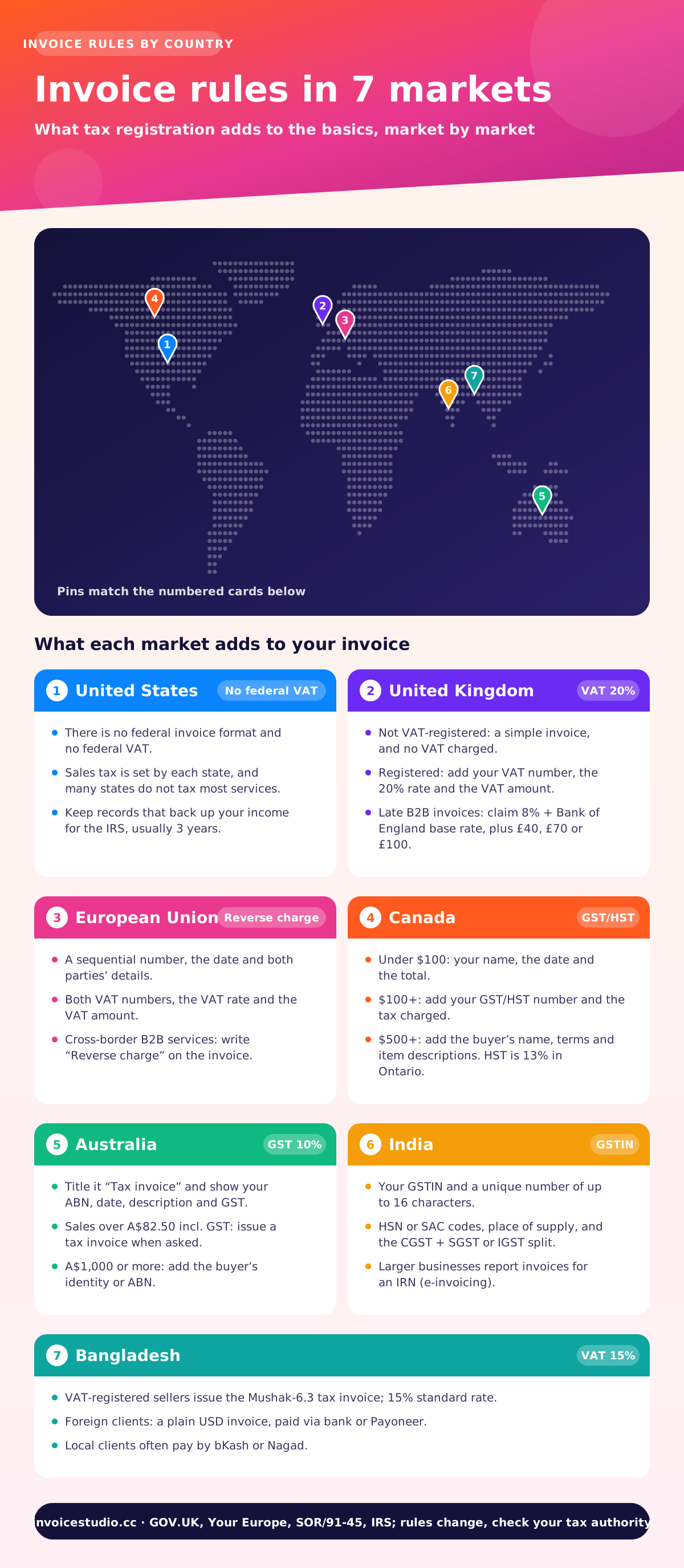
The basics of an invoice are the same everywhere, but tax registration changes what you must show. Here is a short summary of each market. Rules change, so check the official page before you rely on any of them.
There is no federal invoice format and no federal VAT. Sales tax is set by each state, and many states do not tax most services, so freelancers often charge none. What the IRS does care about is that you keep records that back up your income. Its recordkeeping guidance covers what to keep, and its page on how long to keep records explains the usual three-year period and the longer exceptions.
If you are not VAT-registered, a simple invoice with the fields listed earlier is enough, and you must not charge VAT. Once you are registered, the invoice needs your VAT number, the VAT rate and the VAT amount. Check the current registration threshold on GOV.UK, because it has changed in recent years.
EU VAT invoices need a sequential number, the date, both parties' details, VAT numbers, a description, the VAT rate and the VAT amount. For cross-border business-to-business services, the customer usually accounts for the VAT under the reverse charge, and your invoice should say "Reverse charge". The European Commission's VAT invoicing rules page lists the required details. Member states can add their own rules, and several are rolling out mandatory e-invoicing.
GST/HST-registered businesses must show more detail as the sale gets bigger. Under the federal Input Tax Credit Information Regulations, sales under $100 need your name, date and total. From $100 your GST/HST number and the tax charged are added. From $500 you also need the buyer's name, payment terms and a description of each item. HST rates vary by province, such as 13% in Ontario.
If you are registered for GST, sales of more than A$82.50 including GST need a tax invoice when the buyer asks for one. It must be titled "Tax invoice" and show your ABN, the date, a description and the GST. For sales of A$1,000 or more, add the buyer's identity or ABN. Check the latest wording on ato.gov.au.
A GST invoice needs your GSTIN, a unique number of up to 16 characters, HSN or SAC codes, the place of supply and the CGST, SGST or IGST split. Larger businesses above the turnover limit must also report invoices to the government's portal for an IRN. Invoice Studio prints a clear GST invoice, but it does not generate IRNs or connect to that portal. My GST invoice format guide walks through each field.
VAT-registered businesses issue the Mushak-6.3 tax invoice under the VAT and Supplementary Duty Act 2012, and the standard VAT rate is 15%. Freelancers billing foreign clients usually send a plain invoice in USD and receive payment through a bank, Payoneer or a similar service. Invoice Studio supports BDT and prints bKash and Nagad details under "How to pay". Check current rules with the National Board of Revenue.
If you bill clients abroad, the international invoice generator page covers currency, exchange rates and reverse-charge wording in more depth.
An invoice asks for payment, a receipt confirms payment was received, and an estimate or quote says what the work will cost before it starts. Sending the wrong one is a common cause of confusion with new clients.
| Document | When you send it | What it says |
|---|---|---|
| Estimate or quote | Before the work | "This is what it will cost, valid until [date]." |
| Invoice | After delivery, or at an agreed milestone | "Please pay this amount by [date]." |
| Receipt | After you are paid | "Paid in full on [date], thank you." |
| Credit note | When an invoice was wrong or a refund is due | "We owe you this amount against invoice [number]." |
The free generator makes invoices. Quotes, estimates, credit notes, purchase orders and delivery notes come with the Pro plan, using the same designs, so a quote turns into a matching invoice without retyping. For the basics, see what is an invoice.
Most late payments I have chased came down to a fixable problem on the invoice itself, not a client who refused to pay. These are the ones I see most often.
The generator above handles the maths and the layout. The other seven are habits, and they are worth building early.
This page is the general-purpose invoice generator: a simple invoice generator online for any job, from a one-off repair to a monthly retainer. If you have a specific need, one of these may suit you better, and they all use the same editor:
Stay on the free generator while you send a handful of invoices a month and keep track of payments yourself. Create a free Invoice Studio account when you want an invoice generator with logo support, saved clients and a record of what has been paid. Move to a paid plan when you want to email invoices from the app, repeat them every month or use voice invoicing with AI.
Here is what changes at each step:
A note on what Invoice Studio does not do, so you are not surprised later: there is no online card checkout, no client portal and no accounting ledger. Your client pays using the methods printed on the invoice, such as bank transfer, PayPal, Wise, Stripe, Payoneer, bKash, Nagad or crypto, and you mark the payment as received. If you run a business with payroll and inventory, pair it with your accountant's bookkeeping software. For a wider look at your options, the free invoice app guide compares what to look for, and the Invoice Studio blog has more on getting paid.
Wherever you work and whatever you bill, the habit that matters most is the simplest one: send a clear invoice on the day the work is done.

Monjur builds Invoice Studio and incorporated MotionTrust Digital in September 2022, where he leads Amazon strategy across the client base. Eight years in e-commerce and marketplace marketing taught him how much time invoices and late payments eat, so every guide here is tested against the real product and current tax rules before it goes live.
InvoiceStudio: create invoices by voice, automate billing, and get paid faster. Start with the free generator, then save it to a free account when you want to keep your clients and track payments.