Never miss a follow-up
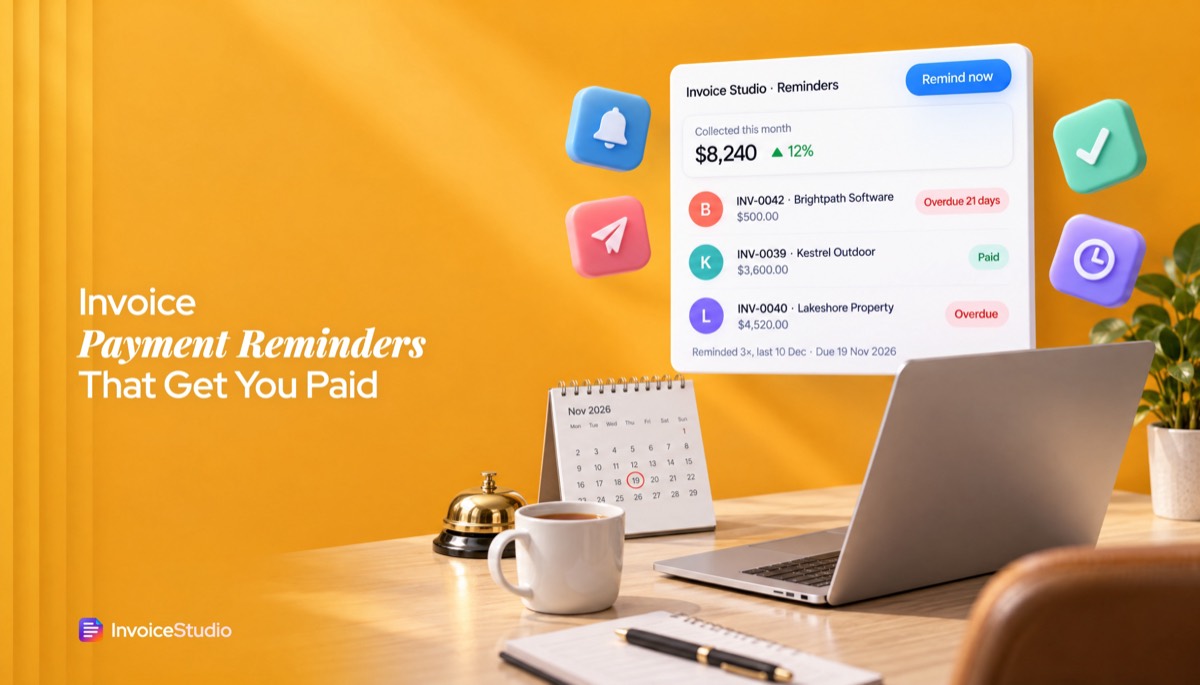
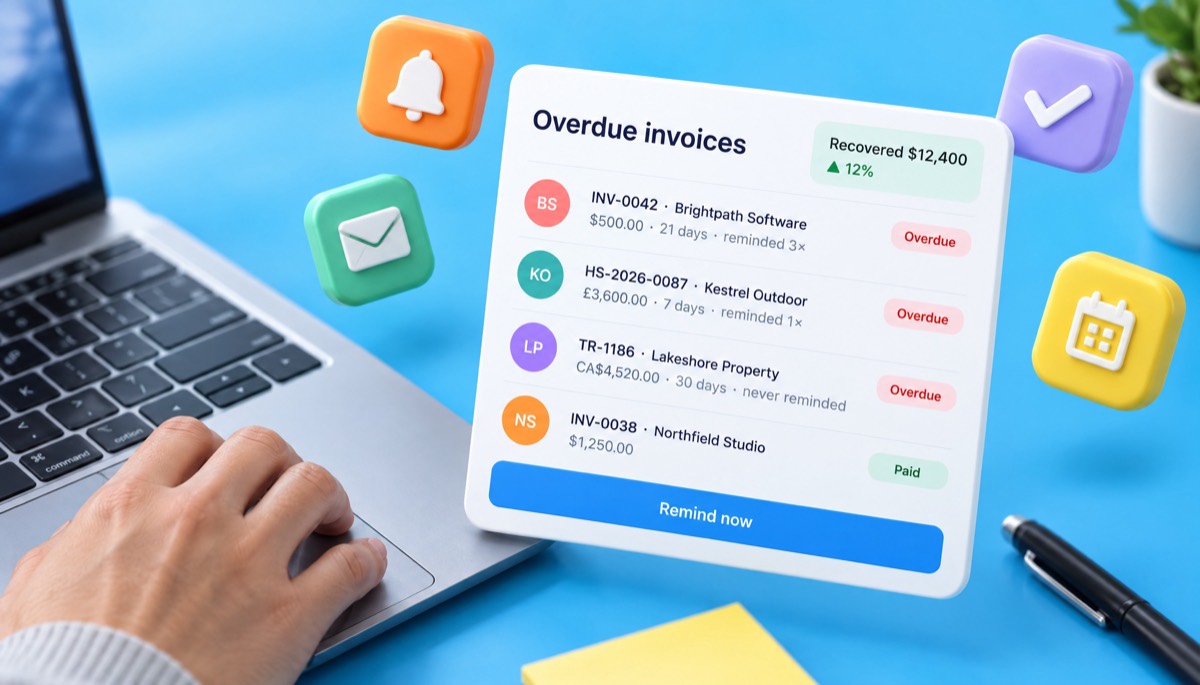
Every unpaid invoice past its due date is marked overdue and listed on your dashboard. You see who to chase today without opening a spreadsheet.
Invoice reminder software that writes the right email for each stage, from a friendly heads-up to a final notice, naming the invoice, amount and date. InvoiceStudio: create invoices by voice, automate billing, and get paid faster.
Fill in the invoice details, choose how late it is, and copy the email. The invoice below loads each example so you can resend the PDF too.
Every unpaid invoice past its due date is marked overdue and listed on your dashboard. You see who to chase today without opening a spreadsheet.
Press Remind now, check the message and send. The invoice PDF goes with it, so the client never has to ask for another copy.
From a friendly heads-up 3 days before the due date to a final notice, each stage has wording that names the invoice, amount and date. Edit anything before it goes.
Each invoice shows how many reminders went out and when the last one was sent. That history settles arguments and backs up a formal demand if you ever need one.
Record full or partial payments as they arrive. Reminders then ask for what is actually outstanding, not the original total.
Bank, PayPal, Wise, Stripe payment links, Payoneer, bKash and Nagad print under How to pay on the invoice. Clear payment details remove the most common reason for paying late.
Enter the client's name, invoice number, amount and due date, then choose how late the invoice is. The writer drafts the subject line and email.
Load the invoice below, fix the balance if part has been paid, and download the PDF so you can attach it again.
Copy the email into your inbox, or press Remind now in Invoice Studio to send it with the PDF and log the reminder.
Pick one to load it into the tool above, then change anything.
A $1,250 Net 14 invoice with $750 paid. The firm reminder asks for the $500 balance and repeats the 1.5% monthly fee from the terms.
A £3,000 retainer plus 20% VAT. The invoice notes the Late Payment Act, so the firm reminder can mention interest and £70 compensation.
A cross-border campaign billed to Milan with the reverse charge note. A day −3 reminder checks that accounts has the invoice and VAT numbers.
Labour and materials with 13% Ontario HST, 30 days overdue. The final notice sets a 7-day deadline and quotes interest as an annual rate.
A ₹1,00,000 website build plus 18% GST from a registered micro enterprise. The reminder points to the MSMED Act 45-day limit and the Udyam number.
Plain answers, worked examples and the rules that apply, all checked against the live product.
Invoice reminder software tracks which invoices are overdue and helps you send a payment reminder with the invoice attached. Send the first reminder 3 days before the due date, then on the due date, at 7 and 21 days late, and a final notice near day 30. Invoice Studio writes each email free; paid plans send it in one click.
Invoice reminder software is a tool that tells you which invoices are unpaid or overdue and lets you send the client a polite invoice reminder email, ideally with the PDF attached, without digging through your inbox. Good tools also handle overdue status tracking and keep a record of every reminder you sent, so you always know whether a client has been chased once or five times.
That record matters more than it sounds. Over hundreds of invoices, the payments I lost were rarely refused. They slipped. Nobody followed up on day 7, and by day 60 the invoice felt awkward to mention. A reminder system fixes the slipping part by making the next reminder obvious and quick. In accounts receivable terms, a steady follow-up habit lowers your DSO (days sales outstanding), the average number of days it takes you to get paid.
Here is what that looks like on this page and in Invoice Studio today:
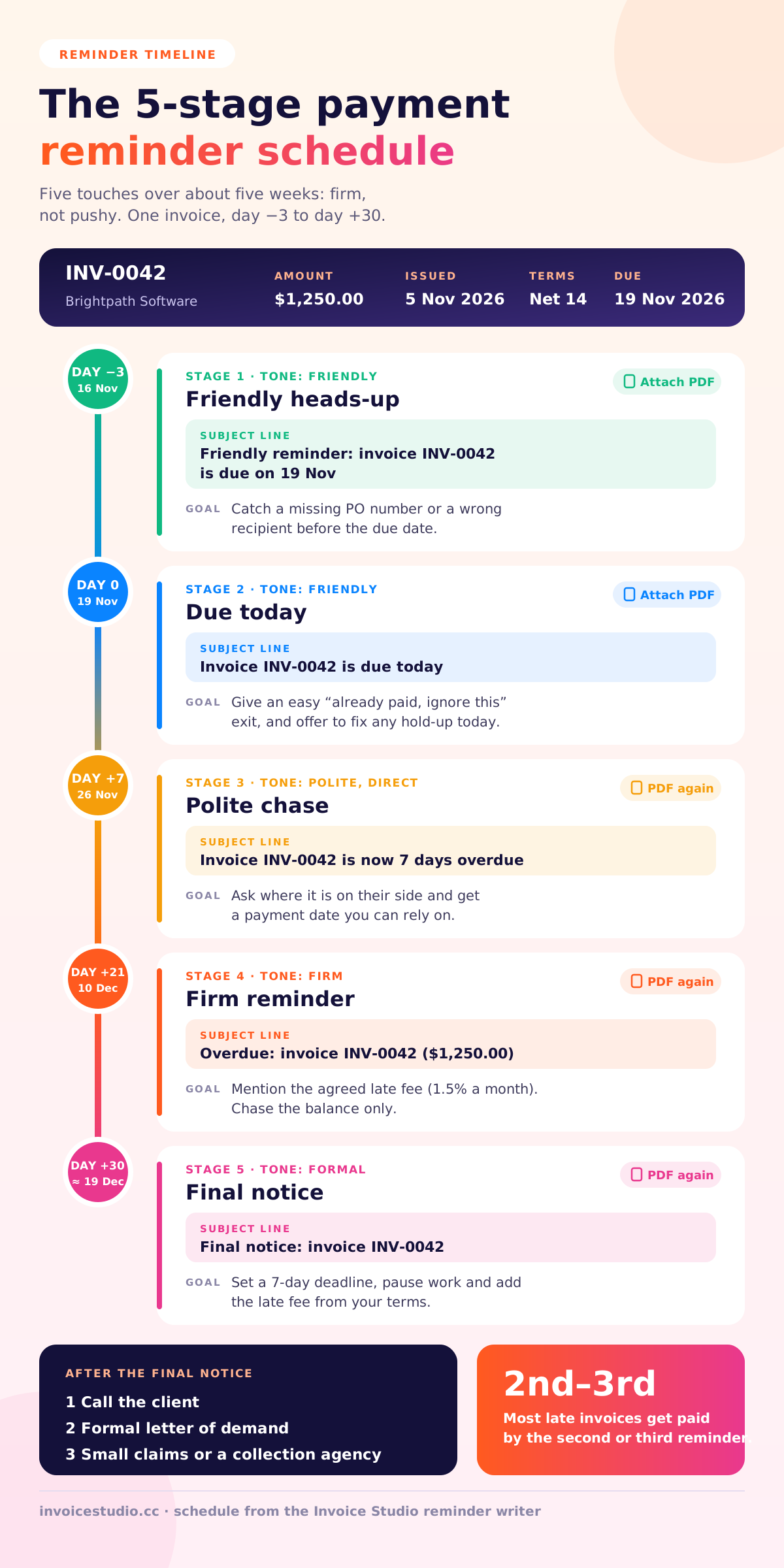
Send the first payment reminder 3 days before the due date, a second on the due date, then follow up at 7 days, 21 days and around 30 days overdue with a final notice. Five touches over about five weeks is firm without being pushy, and most late invoices get paid by the second or third one.
The reminder before the due date is the one most people skip, and it is the one I would keep if I could only send one. It catches the boring problems early: the PDF went to someone on holiday, the PO number is missing, the bank details were copied wrong. Fixing those on day −3 costs you nothing. Finding out on day +21 costs you three weeks.
| Stage | When | Tone | Subject line | Goal |
|---|---|---|---|---|
| 1. Heads-up | 3 days before due | Friendly | Friendly reminder: invoice INV-0042 is due on 19 Nov | Catch admin problems before the date |
| 2. Due today | Due date | Friendly | Invoice INV-0042 is due today | Give an easy "already paid" exit |
| 3. First chase | 7 days late | Polite, direct | Invoice INV-0042 is now 7 days overdue | Get a payment date |
| 4. Firm | 21 days late | Firm | Overdue: invoice INV-0042 ($1,250.00) | Mention agreed late fees |
| 5. Final notice | About 30 days late | Formal | Final notice: invoice INV-0042 | Set a deadline and a consequence |
Adjust the gaps to your terms. On net 30 terms with a large company, the 7-day chase often lands while the invoice is still in approval. An invoice that is net 30 overdue by a week usually needs a question about where it is, not a demand.
A good payment reminder email names the invoice number, the amount and the due date in the first two lines, attaches the invoice again, and asks one clear question. Everything below follows that rule. Swap in your details, or use the writer at the top of the page to fill them in for you.
Subject: Friendly reminder: invoice INV-0042 is due on 19 November
Hi Maya,
Just a quick heads-up that invoice INV-0042 for $1,250.00 is due on 19 November. The payment details are on the invoice, and I'm happy to resend it if that helps.
Thanks,
Sam
Subject: Invoice INV-0042 is due today
Hi Maya,
Invoice INV-0042 for $1,250.00 is due today. If it's already on its way, thank you and please ignore this note.
If anything is holding it up, a missing PO number or a wrong address, tell me and I'll fix it today.
Best,
Sam
Subject: Invoice INV-0042 is now 7 days overdue
Hi Maya,
I haven't seen payment for invoice INV-0042 ($1,250.00), which was due on 19 November. Could you check where it is on your side and let me know when I can expect it?
I've attached a copy in case the first one went astray.
Thanks,
Sam
Subject: Overdue: invoice INV-0042 ($1,250.00)
Hi Maya,
Invoice INV-0042 for $1,250.00 is now three weeks past its due date of 19 November. Please arrange payment this week, or reply with a date I can rely on.
Under our agreed terms, late payment fees may apply from the next reminder.
Regards,
Sam
Subject: Final notice: invoice INV-0042
Hi Maya,
This is a final notice for invoice INV-0042 ($1,250.00), due on 19 November. If payment is not received within 7 days I will pause further work and add the late fee set out in our terms.
I'd much rather sort this out together, so please call or reply today.
Sam
Only mention a late fee if it was in your contract or printed on the original invoice. Adding a surprise fee on day 21 starts an argument you will usually lose. If you didn't agree one, drop that line and replace it with the date you need payment by.
A few extra subject lines that work when you need variety for repeat clients:
Questions get replies, and the easiest reply to the last one is a date. For softer wording with long-term clients, see how to ask for payment politely.
In Invoice Studio, every unpaid invoice past its due date is marked overdue and listed on your dashboard with its balance, its due date and how many times you have reminded the client. Press Remind now, review the email, and it is sent from your account with the invoice PDF attached. The count and the "last reminded" date update straight away.
Step by step:
Emailing invoices and reminders from Invoice Studio is part of the paid plans, starting with Starter at $3 a month. The free reminder writer on this page and the free PDF generator need no account.
| Feature | Status |
|---|---|
| Reminder email writer for 5 stages (this page) | Live, free, no signup |
| Overdue status and dashboard list | Live |
| One-click reminder email with the PDF attached | Live on paid plans from $3 a month |
| Reminder count and last-reminded date per invoice | Live |
| Partial and full payment tracking | Live |
| Automatic reminder schedules (send on day −3, 0, +7 without you) | Coming, not live yet |
| Online card checkout inside the reminder | Not offered. Clients pay using the methods on your invoice |
Is pressing a button really worse than automation? For a freelancer with 5 to 30 open invoices, not by much. A one-click reminder takes about ten seconds, and you get to look at the invoice before it goes. I have held back plenty of reminders because the client had emailed the day before to say payment was in their next run. Automation is great at volume. Judgement is great at relationships. When schedules arrive in Invoice Studio, you will still be able to step in.
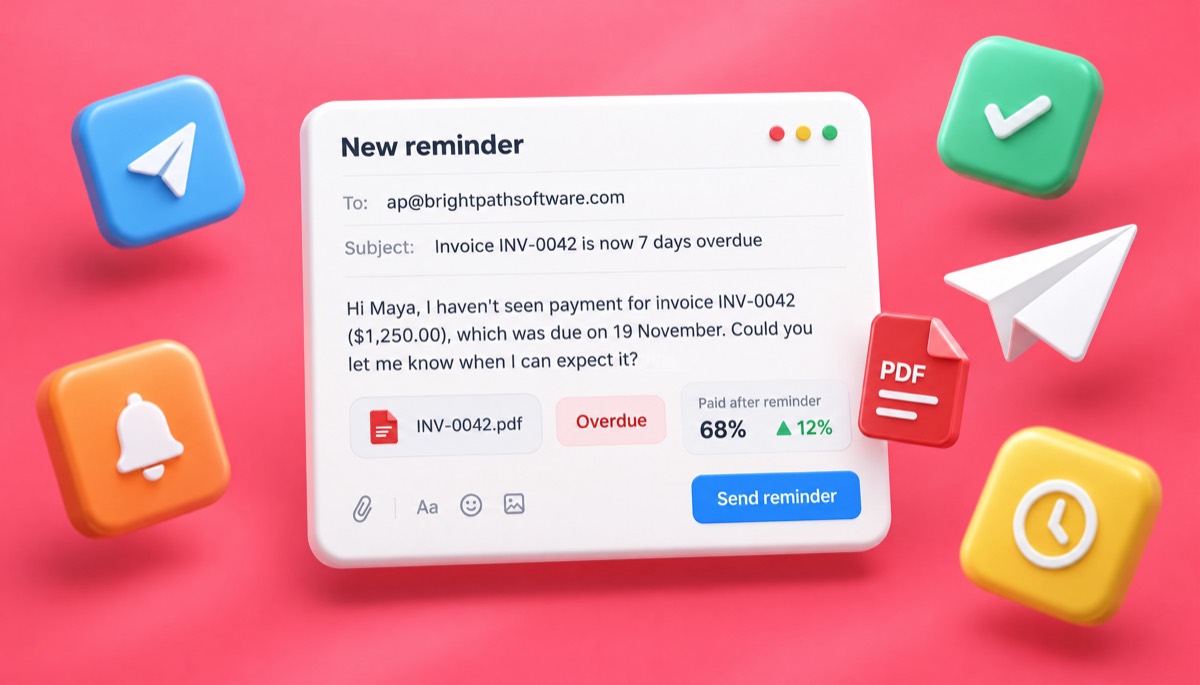
Here is a typical reminder sequence. Most late invoices resolve by the third touch.
Sam is a freelance copywriter. On 5 November Sam invoices Maya at a small software company for website copy: five pages at $200 and meta descriptions for $250, total $1,250, Net 14, due 19 November. The invoice says "Late payments incur a fee of 1.5% per month on the outstanding balance" and lists bank transfer and PayPal under How to pay.
| Date | Day | What Sam sends | What happens |
|---|---|---|---|
| 16 Nov | −3 | Heads-up with the PDF | Maya replies: accounts needs a PO number |
| 16 Nov | −3 | Corrected invoice with PO-2291 | Invoice enters the approval queue |
| 19 Nov | 0 | Due-today note | No reply |
| 26 Nov | +7 | First chase, asking for a date | Maya: "Paying in Friday's run" |
| 29 Nov | +10 | Nothing; Sam waits for Friday | $750 arrives, $500 still open |
| 10 Dec | +21 | Firm reminder for the $500 balance | Balance paid on 12 Dec |
Three lessons from that sequence. First, the day −3 reminder found the missing PO number, which would otherwise have surfaced on day 7 and pushed payment back a full cycle. Second, the firm reminder was for the balance, $500, not the original $1,250. Always chase the amount actually outstanding, or the client will rightly point out you got it wrong. Third, Sam didn't charge the 1.5% fee. On $500 for under a month it is $7.50, and keeping a client who pays within weeks is worth more. Fees are a lever, not a rule.
Had the balance still been open on day 30, the final notice would set a 7-day deadline, pause further work, and apply the fee as written in the terms. After that, you move from reminders to collection, which I cover below.
Yes, in most countries, provided the fee was agreed in your contract or shown on the invoice before the work was done, and in some places the law adds interest even if you never mentioned it. The rules vary a lot by country, so check the official source for your country before quoting a number in a reminder.
| Country | Is there a statutory right? | What it says |
|---|---|---|
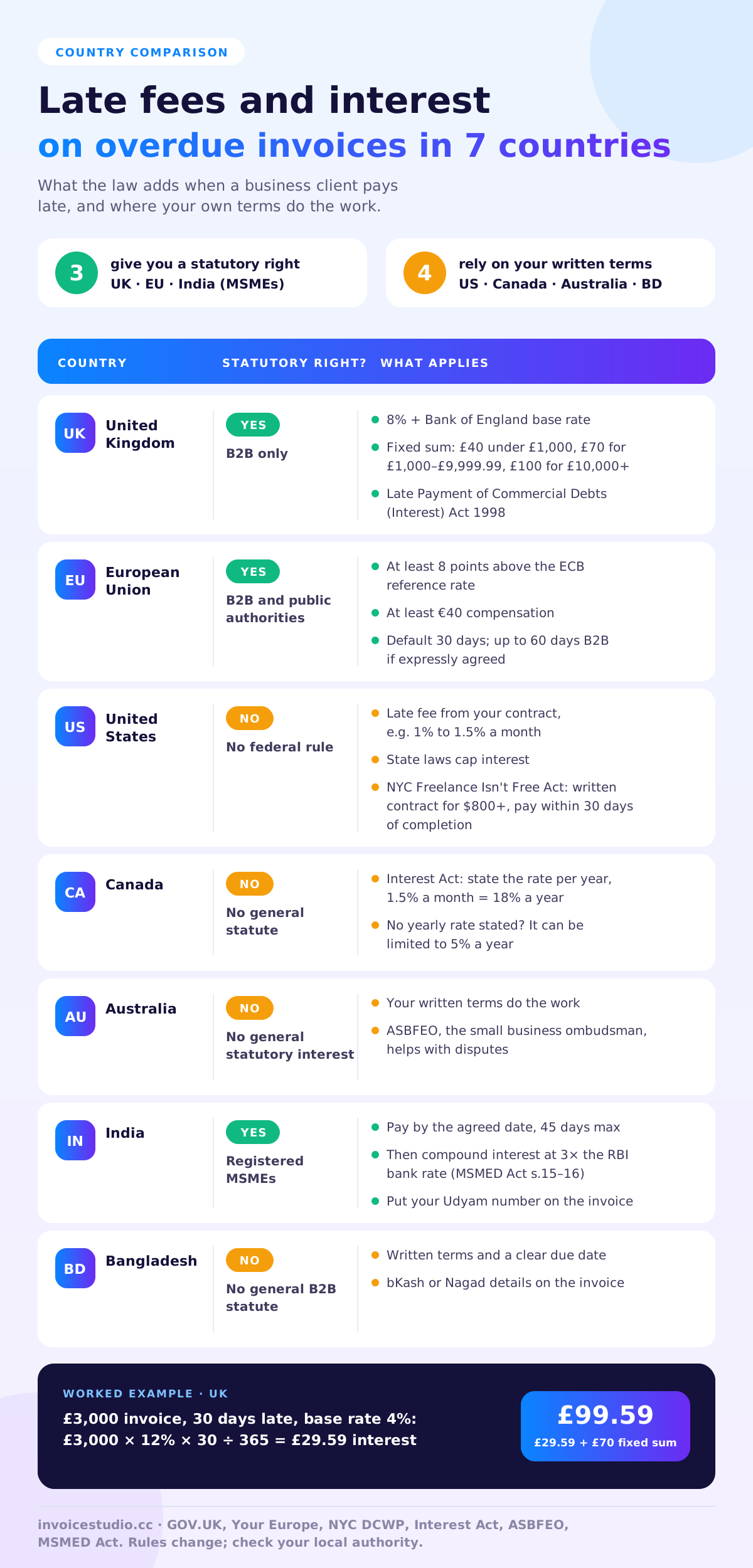
| United Kingdom | Yes, for business-to-business debts | Interest at 8% plus the Bank of England base rate, plus fixed compensation of £40, £70 or £100 depending on the debt size |
| European Union | Yes, for B2B and public authorities | Interest of at least 8 percentage points above the ECB reference rate, plus at least €40 compensation |
| United States | No general federal rule | Late fees come from your contract; state laws cap interest. Some cities and states protect freelancers |
| Canada | No general late-payment statute | Under the federal Interest Act, state interest as an annual rate (1.5% a month is 18% a year) |
| Australia | No general statutory interest for B2B | Rely on your terms; the small business ombudsman can help with disputes |
| India | Yes, when the supplier is a registered MSME | Payment within the agreed date, at most 45 days; compound interest at three times the RBI bank rate after that |
| Bangladesh | No general statute for B2B late interest | Rely on written terms and a clear due date on the invoice |
The Late Payment of Commercial Debts (Interest) Act lets you claim interest and a fixed sum from another business that pays late. GOV.UK explains how to calculate statutory interest: 8% plus the base rate that applied on 30 June or 31 December before the debt became overdue. On a £3,000 invoice that is 30 days late, with a base rate of 4%, interest is about £3,000 × 12% × 30 ÷ 365 = £29.59, plus £70 compensation. It doesn't apply to consumers, and if your contract sets its own substantial late-payment remedy, that usually applies instead.
The EU Late Payment Directive sets a default of 30 days, with up to 60 days between businesses if expressly agreed and not grossly unfair to the supplier. Your Europe's late payments page sums up the interest and the €40 compensation. Each country writes it into its own law, and an EU replacement regulation has been proposed, so check your national rules too.
There is no federal late-payment rule for private business invoices, so put your late fee in the contract and on the invoice. Keep it modest, such as 1% to 1.5% a month, and check your state's interest cap. Freelancers in New York City have extra protection: the Freelance Isn't Free Act requires a written contract for work worth $800 or more and payment by the agreed date or within 30 days of completion. New York State has a similar law.
No general statute adds interest to late B2B invoices. If you charge interest, the federal Interest Act means a rate that isn't stated as a yearly figure can be limited to 5% a year. So write "1.5% per month (18% per annum)", not just "1.5% per month". Construction has its own prompt payment rules in some provinces, including Ontario.
Australia has no general statutory interest on overdue B2B invoices, so your terms do the work. If a larger customer keeps paying late, the Australian Small Business and Family Enterprise Ombudsman offers dispute help and guidance for small businesses.
In India, if you are registered as a micro or small enterprise under the MSMED Act, buyers must pay by the agreed date and within 45 days at most, after which compound interest at three times the RBI bank rate applies. Mention your Udyam registration number on the invoice and in the firm reminder. Buyers also lose the income tax deduction for late payments to micro and small suppliers, which makes a polite mention of the 45-day rule very effective. In Bangladesh there is no general late-interest law for business invoices, so a clear due date, written terms and bKash or Nagad details on the invoice are your best tools.
Accounts receivable follow-up by hand works until you have more than a handful of open invoices; after that, the problem is not writing the email, it is knowing who to chase today. Reminder software gives you the list, the history and the PDF in one place. Here is how the options compare.
| Task | Inbox and spreadsheet | Invoice Studio today | Automatic schedules |
|---|---|---|---|
| See which invoices are overdue | Manual check | Automatic overdue list | Automatic |
| Write the reminder | From scratch | Pre-filled message, editable | Pre-written |
| Attach the PDF again | Find and attach | Attached for you | Attached |
| Know how often you chased | Search sent mail | Reminder count and last date | Logged |
| Who decides to send | You | You, in one click | The schedule |
| Time per reminder | 3 to 5 minutes | About 10 seconds | None |
| Availability in Invoice Studio | Not needed | Live | Coming |
If you send over 100 invoices a month, automation becomes worth chasing, and full accounting suites already offer it, usually at a higher monthly price. If you are a freelancer, consultant or small team, a clean overdue list and one-click sending cover nearly all of the value at a fraction of the price, and the same dashboard doubles as simple invoice software for small businesses. See how it fits with invoicing for freelancers or invoicing software for agencies if you manage many clients.
The most common mistakes are waiting too long to send the first reminder, chasing the wrong amount, and sounding angry before you have the facts. Each one makes the client slower, not faster. Here is the full list I see most often:
Most late payments are prevented by the invoice itself: a real due date, the right recipient, clear payment methods and terms agreed before the work starts. Get those four right and you get paid faster, with reminders that are rare and short.
If you bill clients abroad, show the currency and who pays transfer fees. The international invoice generator covers currencies and payment methods for foreign clients. For a full checklist of what goes on the invoice, read how to make an invoice, and pick a clear layout from the free invoice templates.
If five reminders over 30 days get no payment, stop emailing and change channel: phone the client, send a formal letter, pause work, and then consider a collection agency or small claims court. The reminders have already built the paper trail you need for any of those steps.
Keep your reminder history. Invoice Studio's reminder count and dates, plus the emails in your sent folder, show that you gave fair warning. The SBA's guide to managing your finances is a good next read on cash flow if late payers are a pattern, and once money does arrive, a short remittance advice from the client helps you match it to the right invoice.
For more on billing, payment terms and getting paid, browse the Invoice Studio blog or compare plans and pricing.

Monjur builds Invoice Studio and incorporated MotionTrust Digital in September 2022, where he leads Amazon strategy across the client base. Eight years in e-commerce and marketplace marketing taught him how much time invoices and late payments eat, so every guide here is tested against the real product and current tax rules before it goes live.
InvoiceStudio: create invoices by voice, automate billing, and get paid faster. See every overdue invoice in one list and send the right reminder with the PDF in one click.