Only your brand on the invoice
No "Powered by" footer from anyone else. Your logo, brand colour and font, on A4 or Letter.
Need a Zoho Invoice alternative without the 500-invoice cap or the "Powered by Zoho Invoice" footer? See where each tool wins, then make an invoice with only your logo on it.
Read the side-by-side table, then build a real invoice below and put it next to your last Zoho one.
| What you get | InvoiceStudio | Zoho Invoice |
|---|---|---|
| Price | Free; paid from $3/month | Free; no paid Invoice tier listed |
| No third-party branding on invoices | ||
| Invoice limit | 10 a month on Free; unlimited from $3 | 500 a year (free) |
| Logins per account | 1 | Up to 2 (free) |
| Make a PDF invoice without signing up | Account needed | |
| Invoice designs | 16, incl. 10 gradients | Customisable gallery |
| Create invoices by voice | 20 languages incl. Bangla | |
| Client self-service portal | Early access list | |
| Online card checkout on the invoice | Yes, 9 gateways listed | |
| bKash and Nagad printed as payment methods | ||
| Recurring invoices | Pro plan ($7) and up | |
| Payment reminders | One-click emails | Automated schedules |
| Time tracking and expenses | ||
| Quotes, credit notes, POs, delivery notes | Pro plan ($7) and up | Quotes, estimates, credit notes |
| Native mobile and desktop apps | Web app, works on phones | iOS, Android, Windows, Mac |
Zoho column checked against zoho.com/us/invoice pricing, features, integrations and customer-portal pages on 2026-11-05. InvoiceStudio limits are its current plan defaults. Plans change, so verify on zoho.com before you decide.
No "Powered by" footer from anyone else. Your logo, brand colour and font, on A4 or Letter.
Classic, Minimal, Corporate, Creative, Modern and Elegant, plus 10 gradient designs. Switch designs without retyping a single line.
The free tool understands English and Bangla in the browser. Signed-in AI plans use Claude plus ElevenLabs in 20 languages.
Print Stripe, PayPal, Wise, Payoneer, bank, bKash, Nagad or cash under How to pay. Clients pay faster when they don't have to ask.
Quotes, estimates, credit notes, purchase orders and delivery notes use the same designs on Pro and above. Track partial and full payments on one dashboard.
Start free. Starter is $3 a month, Pro $7, Business $10 and Enterprise $29, with yearly and lifetime options.
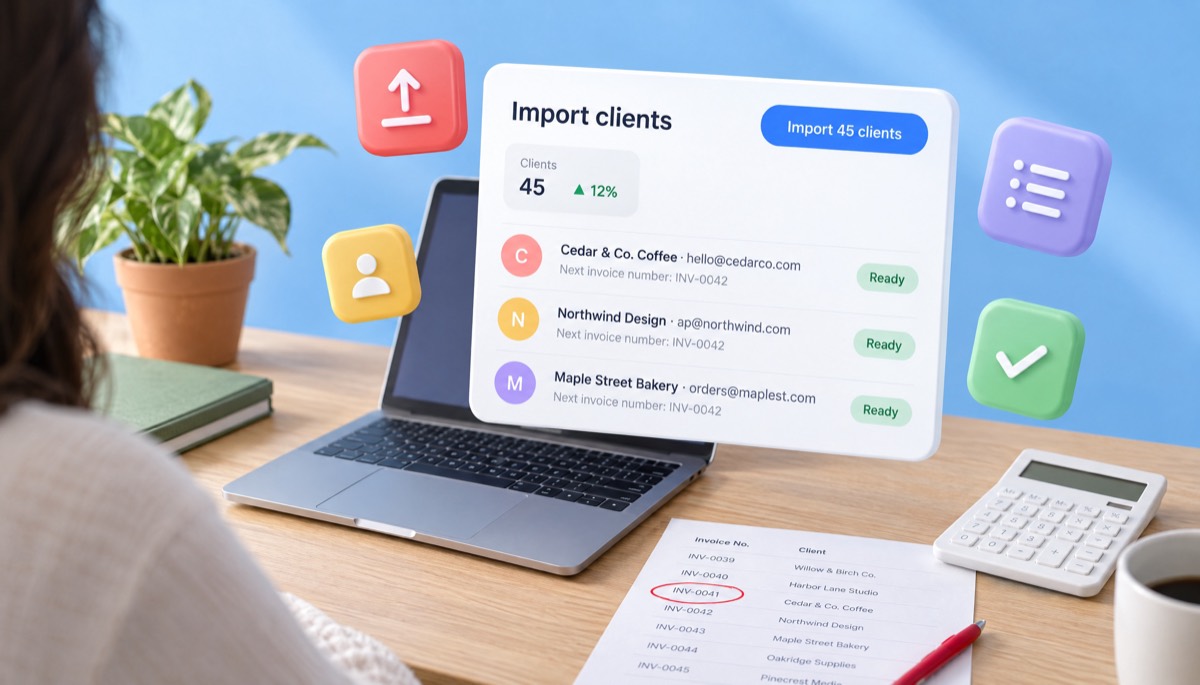
Download your customers and invoices as CSV, plus PDFs of this tax year's invoices. Note your last invoice number, for example INV-000487.
Import the client CSV (Pro plan) or add clients by hand, continue numbering at INV-000488, then add your logo, colour and payment methods once.
Let open Zoho invoices get paid where they are. Create new invoices in InvoiceStudio, set up recurring ones on Pro, and tell clients a week ahead.
Pick one to load it into the tool above, then change anything.
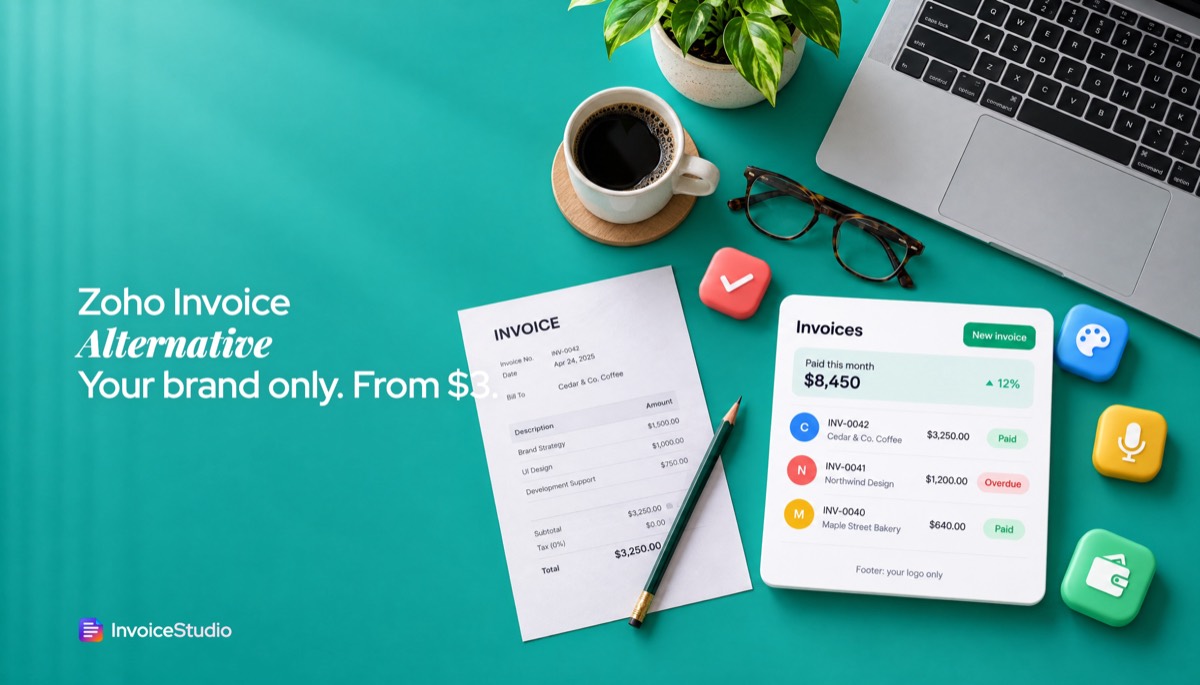
A $2,800 identity package plus 3 revision hours at $150. Modern design, numbering continued from Zoho, ACH or Wise.
6 days of year-end work at £800 plus 20% VAT, VAT number shown, Net 30 and the statutory late-payment line.
Accommodation ৳45,000, transport ৳12,000 and 4 guided days at ৳7,000, due on receipt by bKash or bank.
₹80,000 retainer plus 4 articles at ₹10,000, GST 18% split as CGST and SGST, both GSTINs shown.
A$2,100 labour plus A$500 materials, 10% GST, the words "Tax invoice" and bank details with BSB.
Plain answers, worked examples and the rules that apply, all checked against the live product.
The best Zoho Invoice alternative depends on why you're leaving. Zoho Invoice is free but limits you to 500 invoices a year and 2 users, with Zoho branding on invoices. InvoiceStudio has no third-party branding, 28 designs, voice invoicing and plans from $3. Zoho is stronger if you need a client portal or card checkout.
A Zoho Invoice alternative is worth a look when the free plan's limits start to pinch: 500 invoices a year, two users, three projects and "Powered by Zoho Invoice" branding on every invoice you send. InvoiceStudio is a lighter option. It builds branded PDF invoices in 28 designs, prints your payment methods on the invoice, takes invoices by voice, and has paid plans from $3 a month. Zoho is still the better pick if you need a client portal, online card checkout or automatic reminder schedules today.
I've used both kinds of tool: the big suite that does everything and the small one that does one thing fast. This guide is the comparison I wanted when I was deciding. It covers the dated facts from Zoho's own pages, where each tool wins, three worked examples, a step-by-step switch, wording you can send clients, and notes for the US, UK, EU, Canada, Australia, India and Bangladesh.
The best Zoho Invoice alternative depends on why you're leaving. If you want invoices without third-party branding, more design choice and a cheap upgrade path, InvoiceStudio fits as a free Zoho Invoice alternative with paid plans from $3. If you want a free tool with a customer portal and card payments, staying on Zoho Invoice is usually the smarter move.
Most people who search for an alternative fall into one of four groups:
Know which group you're in before you compare anything. A portal is no help if your problem is the footer branding, and a nicer template won't fix a team that needs five logins.
Yes, Zoho Invoice is free, and Zoho calls it a "forever-free" invoicing solution. It does have hard limits, though. I checked these on Zoho's US pricing page on 5 November 2026:
None of these is unreasonable for a free product. The inactivity rule is the one that catches people out. A seasonal business, say a wedding photographer who invoices from April to September, can easily go six months without logging in. If you use Zoho that way, set a calendar reminder to log in every quarter, or export a backup before the off season.
Zoho changes its plans from time to time. Check the pricing page yourself before you decide, because a number on this page could be out of date by the time you read it.
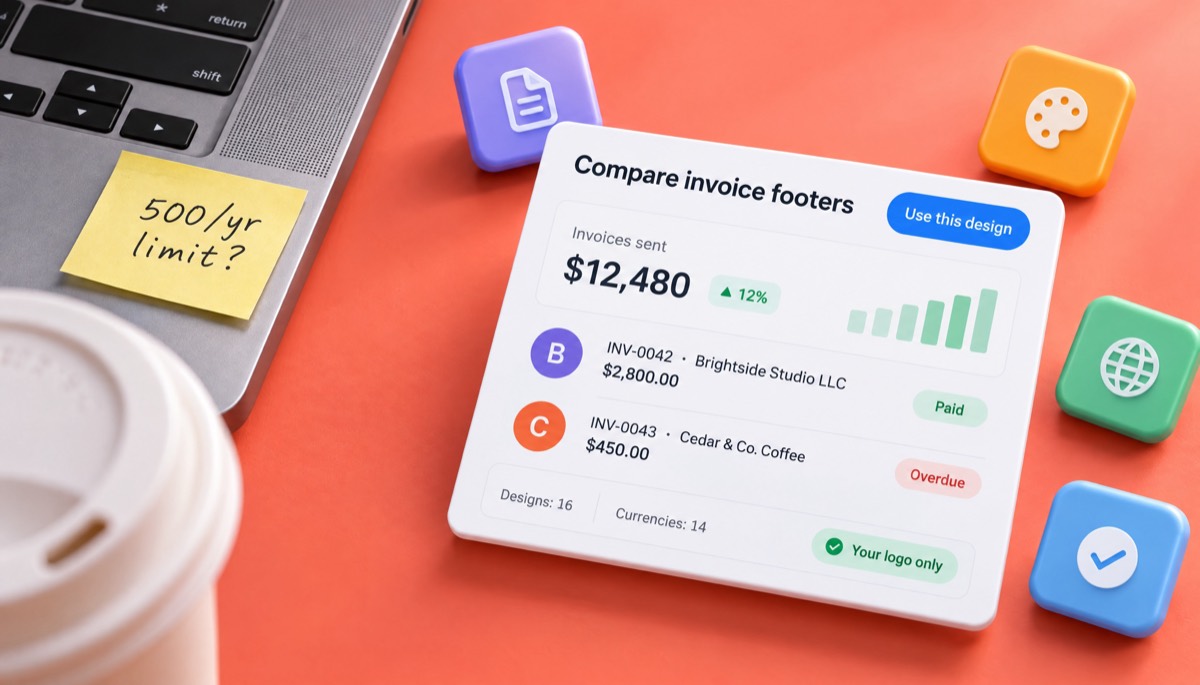
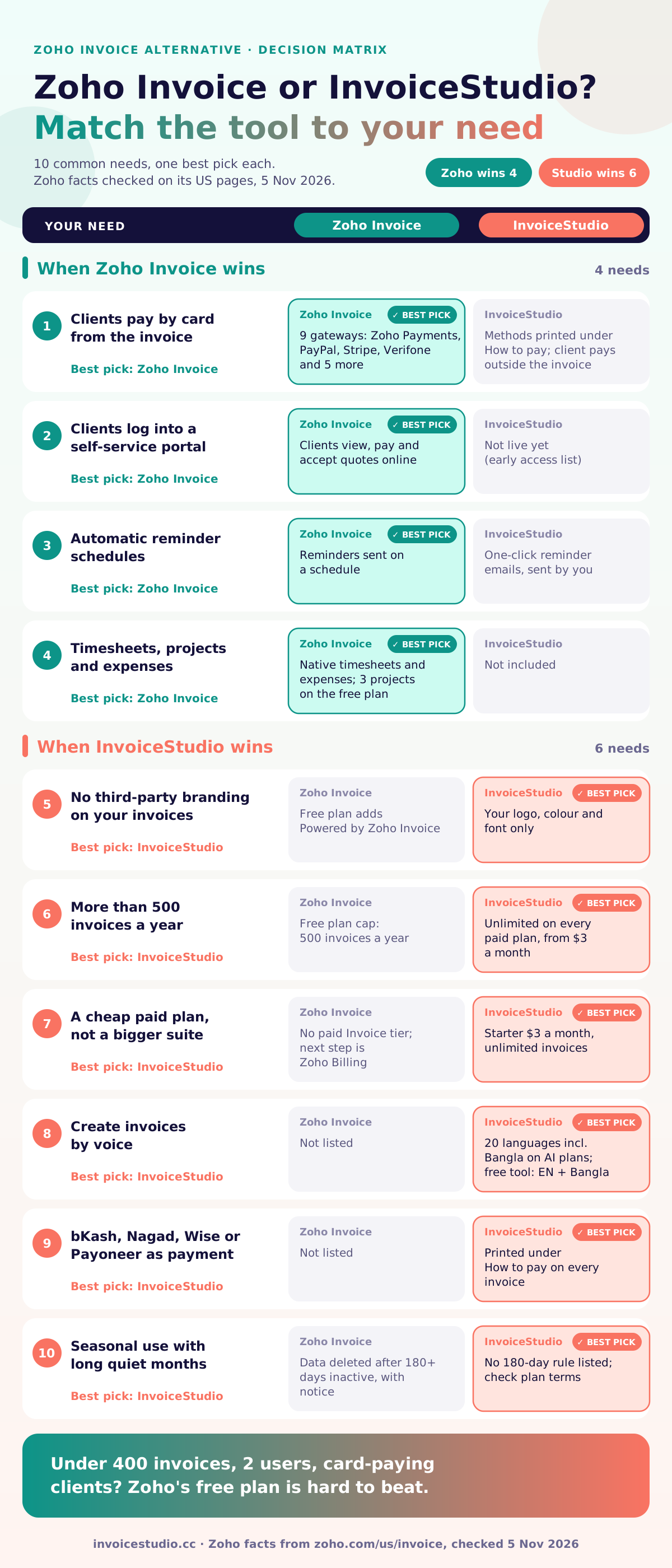
Zoho Invoice is a free, full-featured invoicing app that sits inside a bigger business suite. InvoiceStudio is a focused invoice maker with low-cost paid plans. The table puts the facts side by side. The Zoho column comes from Zoho's public pages, checked on 5 November 2026.
| What you get | InvoiceStudio | Zoho Invoice |
|---|---|---|
| Price | Free; paid plans $3, $7, $10 or $29 a month | Free; no paid Invoice tier listed |
| Third-party branding on invoices | None | "Powered by Zoho Invoice" |
| Invoice limit | 10 documents a month and 10 saved clients on Free; unlimited from Starter ($3) | 500 a year |
| Logins per account | 1 | Up to 2 |
| Make an invoice without signing up | Yes, in the browser, PDF download | Requires a Zoho account |
| Invoice designs | 16, including 10 gradient designs | Customisable template gallery (no count given) |
| Create invoices by voice | Yes, 20 languages including Bangla | Not listed |
| Client self-service portal | No (early access list) | Yes |
| Online card payments on the invoice | No; payment methods printed under "How to pay" | Yes, through gateways including Zoho Payments, PayPal, Stripe and Authorize.Net |
| bKash and Nagad as payment methods | Yes, printed on the invoice | Not listed |
| Recurring invoices | Yes, on Pro ($7) and above | Yes |
| Payment reminders | One-click reminder emails | Automated reminders |
| Time tracking and projects | No | Yes (3 projects on free) |
| Expenses and mileage | No | Yes |
| Reports | Payment dashboard on every plan; reports and CSV export or import on Pro and above | Around 30 reports |
| Quotes, estimates, credit notes, purchase orders, delivery notes | Yes, on Pro ($7) and above | Quotes, estimates and credit notes |
| Mobile and desktop apps | Web app that works on a phone browser | iOS, Android, Windows and Mac apps |
| Inactive free accounts | See plan terms | Data deleted after 180+ days of inactivity, with notice |
Here's how I read it. Zoho has more rows ticked for workflow: portal, card payments, timesheets, expenses, native apps and a second login. Its free plan is also more generous on volume, at 500 invoices a year against InvoiceStudio's 10 a month. InvoiceStudio wins on the invoice itself: no third-party branding, more designs, voice input, and payment methods used in South Asia. Neither is "better" overall. They solve different problems.
Zoho Invoice is stronger whenever your client needs to do something online: pay by card, look up old invoices, accept a quote. I'd rather say that here than have you find out after switching.
Pick Zoho Invoice if clients need to pay by card from the invoice or log into a portal. Pick InvoiceStudio if you care most about how the invoice looks, how fast you can make one, and keeping it free of someone else's logo. If several people need their own login, stay with Zoho.
Zoho's limits only matter at certain volumes and team sizes. Here are three businesses I've seen hit them, with real numbers.
Priya runs a bookkeeping service in Leeds with 45 small-business clients. Each client gets one monthly invoice, which is 540 a year. She also sends about 20 one-off invoices for year-end accounts. That's 560 invoices, 60 over Zoho's 500 cap by November. Her options are to upgrade inside the Zoho family or move. On InvoiceStudio's Pro plan ($7 a month) she sets up 45 recurring invoices once, and each month's copy gets the next number and fresh dates. Invoice volume is unlimited on every paid plan.
A design studio in Austin has two partners and a project manager who chases payments. Zoho's free plan allows two users, so one person ends up sharing a login. That breaks the audit trail and usually breaks a security policy too. InvoiceStudio won't fix this, because it has one login per account, so if logins are the main problem, a paid Zoho plan is the honest answer. This studio switched for a different reason. Its average invoice is a $3,250 brand identity project: a $2,800 fixed fee plus 3 revision hours at $150. What they actually care about is that the invoice looks like their studio, with nobody else's name in the footer.
A tour operator in Cox's Bazar invoices hotels and travel agents from October to March, then goes quiet. If nobody logs in for more than 180 days, Zoho deletes the account's data after notice. You can avoid this by logging in or taking a backup, but people miss emails. Their clients pay by bKash and bank transfer, which InvoiceStudio prints under "How to pay" in BDT. A typical invoice: a 3-night group package at ৳85,000, made up of ৳45,000 accommodation, ৳12,000 transport and 4 guided days at ৳7,000.
Do the maths before you switch. Count last year's invoices, add 20% for growth, and count everyone who needs a login. If you're under 400 invoices with 2 users and clients pay by card, Zoho's free plan is hard to beat.
You switch in five steps: export your data from Zoho, import your clients, continue your invoice numbering, rebuild open invoices, and tell clients. Plan on about an hour for 50 clients. Pick a quiet day, not the last day of the month.
Keep your Zoho account until the last open invoice is paid and you've downloaded everything you need for your records. If it then goes inactive, that's fine, because you already have your files.
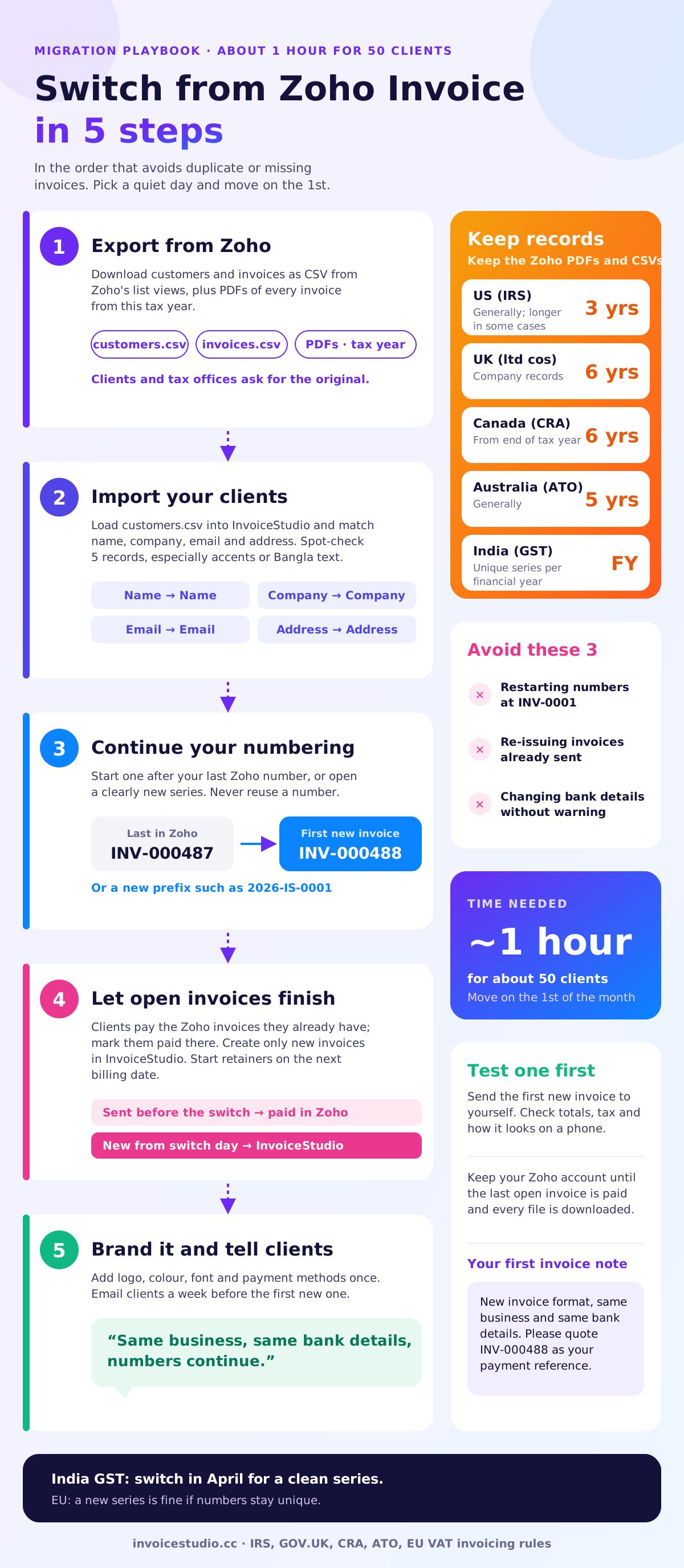
Tell clients three things: invoices will look different, the payment details have or haven't changed, and the invoice number sequence continues. Send it a week before the first new invoice so their accounts team doesn't flag the new layout as fraud.
Copy and adapt this email:
Subject: New invoice format from [Your Business], starting [date]
Hi [Name],
A quick heads-up: from [date] our invoices will come from a new system and will look a little different. Our bank details are unchanged, and invoice numbers continue from INV-000487, so your next one will be INV-000488.
Any invoices you already have from us can be paid as normal. If your team keeps a supplier record, nothing else needs to change.
Thanks,
[Your name]
If your payment details are changing, say so plainly and ask the client to confirm by phone. Changed bank details are the classic invoice fraud trick, and careful accounts teams will check. That helps you too.
For the invoice notes field on your first InvoiceStudio invoice, this line works:
New invoice format, same business and same bank details. Please quote INV-000488 as your payment reference. Payment due within 14 days.
If a client pays late after the switch, our guide on how to ask for payment politely has follow-up emails for day 1, day 7 and day 14. You can send them with InvoiceStudio's one-click invoice reminders.
Changing software doesn't change your record-keeping duty. Keep the original invoices from Zoho for as long as your tax authority requires, and make sure your new invoices still include every field your country expects.
Rules change and vary with your situation. Treat these as a checklist to confirm with your accountant or the local authority, not as tax advice.
The most common mistake is restarting invoice numbers at 001. Close behind are re-sending old invoices and changing bank details without warning. All three cause confusion, and the first can cause problems with the tax office.
Zoho Invoice is Zoho's free invoicing app. Zoho Books is its paid accounting software, with a ledger, bank feeds and tax returns. Zoho Billing is its subscription and recurring billing product, which the Invoice pricing page suggests for advanced needs.
This matters because the question changes. If you need an accounting ledger, compare Zoho Books with accounting tools such as QuickBooks or Xero, not with InvoiceStudio. InvoiceStudio has no ledger. It makes, sends and tracks invoices, and your accountant can work from the CSV export. If you only need invoices, quotes and payment tracking, Zoho Invoice and InvoiceStudio are the fair comparison.
Other common Zoho Invoice alternatives are FreshBooks, Wave, Invoice Ninja, Invoice Simple and QuickBooks. They suit different people. FreshBooks is strong on time tracking for service businesses. Wave pairs free invoicing with card processing fees. Invoice Ninja is popular with people who want to self-host. Invoice Simple is a mobile-first app that trades like. QuickBooks is a full accounting package. If you are really after a FreshBooks alternative, a Wave invoicing alternative or an Invoice Ninja alternative, the same test applies.
There is no single best free invoicing software. An honest invoice software comparison starts with your three must-haves, then one real invoice in each tool. Our guide to choosing a free invoice app has a scoring checklist. If you bill in several currencies, also check the multi-currency invoicing page.
Whatever you choose, the basics don't change: a unique number, clear dates, one line per piece of work, the right tax, and payment details the client can't miss. If you want a refresher on the fields, read how to make an invoice, then how to send it so it reaches the right inbox. You'll find more guides on the InvoiceStudio blog.
You can try InvoiceStudio without leaving Zoho. Build one real invoice in the generator on this page, download the PDF, and put it next to your last Zoho invoice. It takes about two minutes and costs nothing.
Start with the free invoice generator, or try the generator that needs no signup if you only want one PDF. Load one of the examples above, swap in your own client, pick a design from the invoice templates, and add your payment methods. If you like the result, a free account saves your clients and numbering. Paid plans from $3 a month on the pricing page add emailing with the PDF attached and reminders. Higher plans add recurring invoices and voice invoicing in 20 languages.
And if, after all this, Zoho still fits you better because you need the portal and card checkout, stay. Choosing the right tool is better than switching for its own sake.

Monjur builds Invoice Studio and incorporated MotionTrust Digital in September 2022, where he leads Amazon strategy across the client base. Eight years in e-commerce and marketplace marketing taught him how much time invoices and late payments eat, so every guide here is tested against the real product and current tax rules before it goes live.
InvoiceStudio: create invoices by voice, automate billing, and get paid faster. Build one real invoice free, compare it with your last Zoho invoice, and switch only if it's better for you.