28 designs, one click apart
Go from black-ink Minimal to a gold-accented Royal without retyping a word. Your client, items and totals stay exactly where they are.
Free invoice templates that preview with your own client, items and totals, not a sample. Switch designs in one click and download a print-ready PDF with no watermark. InvoiceStudio: create invoices by voice, automate billing, and get paid faster.
Click any design to load it into the generator. Your details stay put when you switch designs.
Go from black-ink Minimal to a gold-accented Royal without retyping a word. Your client, items and totals stay exactly where they are.
Every card previews a real invoice, and clicking it loads your own details into that layout. No more downloading five files to find one you like.
Quantity times rate, discounts, tax and the balance due are calculated as you type. A typed-in total in a Word file is how $640 goes missing.
Set your brand colour once and every design picks it up. Add a logo, a font and your signature in the free account editor.
Add VAT, GST, HST or sales tax per line in 14 currencies, or leave tax off. Print your VAT number, GSTIN, ABN or BIN under your name.
Download a print-ready PDF on A4 or US Letter with no watermark and no signup. Create a free account to save and track it, or go Starter at $3 a month to email it.
Click any of the 28 cards. The generator loads that template with your current details, and you can switch again whenever you like.
Replace the sample text with your business, your client and one line per item. Set the currency, tax rate, due date and brand colour.
Check the total in the live preview, press Download PDF, and attach it to your own email. Or save it to a free account to track payment, and send it from InvoiceStudio on Starter or above.
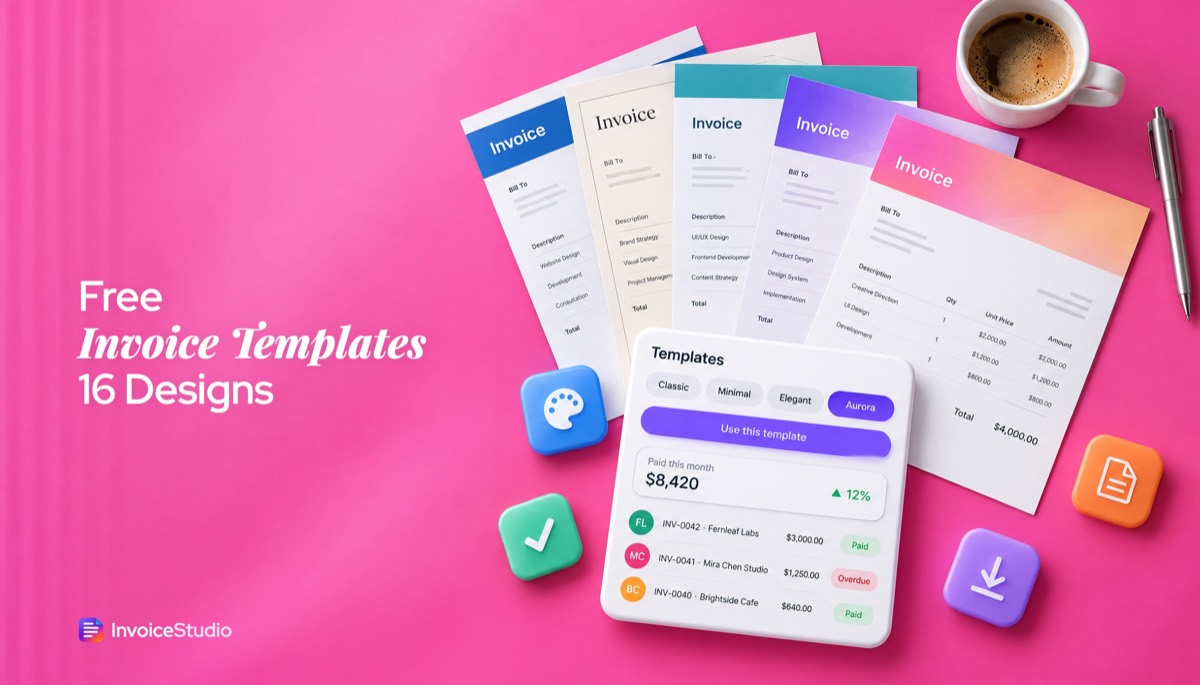
Pick one to load it into the tool above, then change anything.
A £1,200 strategy workshop and a £450 report, plus £330 VAT at 20%. Serif Elegant design on A4 with the VAT number under the business name.
₹45,000 social media and ₹25,000 ads management with 18% GST split into CGST and SGST. Both GSTINs and the place of supply printed.
70 hours at €95 billed to a Paris SaaS company. VAT at 0%, both VAT numbers and the Article 196 reverse-charge note on a dark Midnight sheet.
Eight hours of coverage at CA$300, an engagement shoot and an album, plus 13% HST. Warm Sunset gradient on US Letter, Interac e-Transfer details.
Six hours of labour at A$95 and A$180 of parts, plus 10% GST. Corporate colour band, ABN in the header and a client sign-off line.
Two custom cakes, 60 cupcakes and delivery for a Gulshan tech company. Pastel Candy design with bKash and Nagad numbers printed.
Plain answers, worked examples and the rules that apply, all checked against the live product.
An invoice template is a ready-made layout you fill in with your details and send as a bill. InvoiceStudio has 28 free designs, from Classic and Elegant to gradient Aurora and Midnight. Click one, see it with your own client and totals, add your logo and colour, and download a print-ready PDF with no signup or watermark.
An invoice template is a ready-made invoice layout you fill in with your business details, your client and your line items, then send as a finished bill. The good free invoice templates give you every field an invoice legally needs, do the maths for you and print cleanly on A4 or US Letter.
The gallery above has 28 of them: six classics (Classic, Minimal, Corporate, Creative, Modern and Elegant), 10 gradient designs called Aurora, Sunset, Midnight, Split, Candy, Poster, Wave, Glass, Prism and Royal, and 12 newer ones such as Pastel Panels, Scallop, Horizon, Noir Glow, Ledger and Ticket. Click any card and it loads into the generator below with your data, not a lorem-ipsum sample. Change the design and the same invoice redraws in the new layout. When it looks right, press Download PDF. It works as an invoice template PDF free download: no watermark, and no account needed for the file.
I've used static templates for years, the kind you download as a Word file and fill in by hand. They work until the day you type 14 hours instead of 41 and nobody notices, including you. An editable invoice template that calculates is the fix. If you want the background on what every invoice must say, our guide on how to make an invoice covers it field by field.
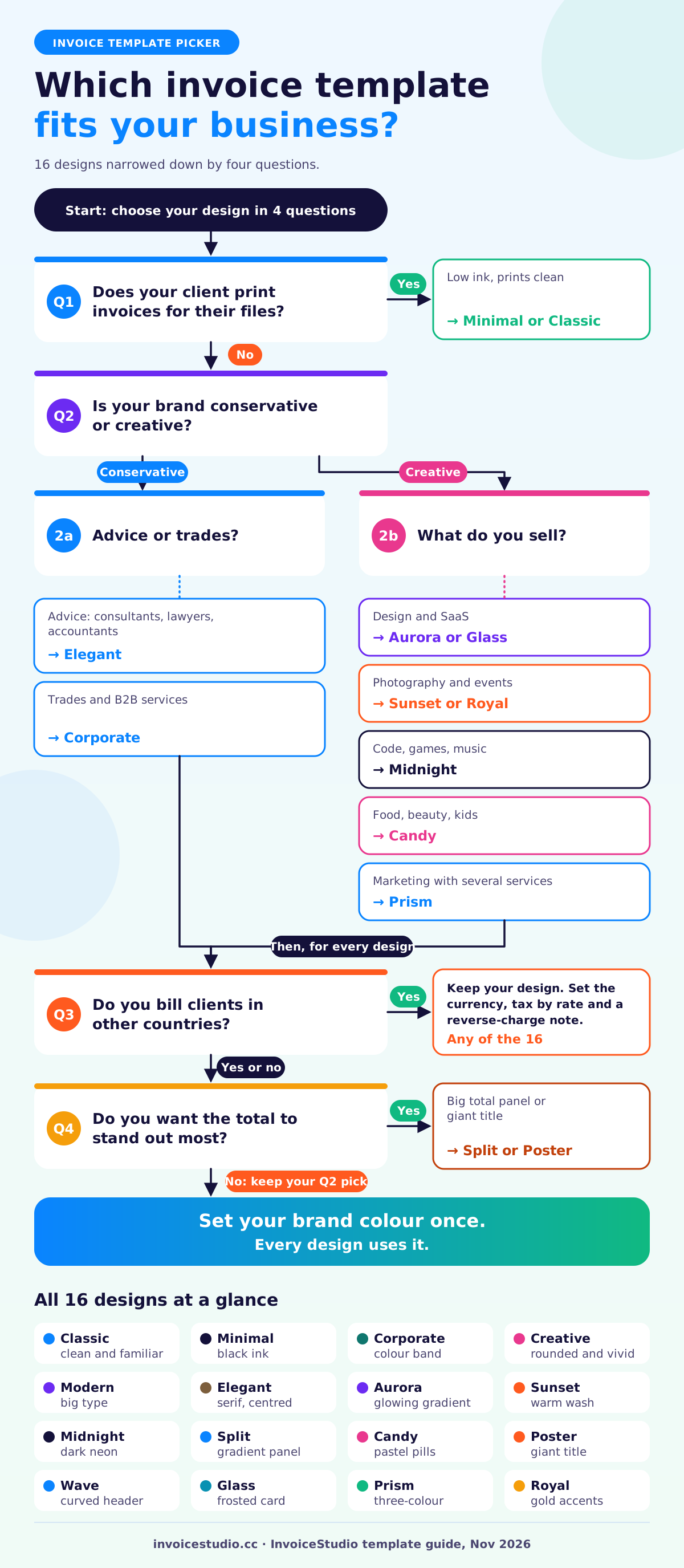
Pick the template that matches how your client expects you to look: conservative clients get Classic, Corporate or Elegant, and creative clients get a gradient design. The design never changes the numbers, so you can switch at any time without retyping.
Here's how I'd match each design to a business.
| Template | Look | Best for |
|---|---|---|
| Classic | Clean and familiar, blue accent | Anyone who wants a safe default, cleaners, tutors, small shops |
| Minimal | Black ink, lots of white space | Writers, developers, photographers, cheap to print |
| Corporate | Bold colour band across the top | Trades, contractors, B2B services that bill larger firms |
| Creative | Rounded shapes, vivid purple | Illustrators, social media managers, event planners |
| Modern | Big type, sharp orange accent | Studios and agencies that want a confident first line |
| Elegant | Serif type, centred header | Consultants, lawyers, accountants, architects |
| Aurora | Glowing violet gradient header | Brand designers and SaaS freelancers |
| Sunset | Warm pink-to-orange wash | Wedding and portrait photographers, florists |
| Midnight | Dark sheet with a neon glow | Developers, game studios, music producers |
| Split | Gradient side panel, big total | Anyone who wants the amount due to jump off the page |
| Candy | Pastel cards and pills | Bakeries, kids' classes, beauty and nail studios |
| Poster | Giant gradient title | Musicians, DJs, street food, pop-up events |
| Wave | Curved ocean-teal header | Travel, wellness, pool and garden services |
| Glass | Frosted card on colour | Tech consultants and product designers |
| Prism | Three-colour spectrum | Marketing agencies with several service lines |
| Royal | Deep purple with gold accents | Luxury services, jewellers, high-end venues |
If your client prints invoices for their files, a gradient header uses more ink, so Minimal or Classic is the kinder choice. And if you have a logo, pick the brand colour from it and every design picks that colour up. A Prism invoice in your own green looks very different from the default.
Good invoice design is mostly hierarchy: who it is from, what is owed and by when. If you want a simple invoice template, Classic does that job, and Minimal is the most minimalist invoice template of the 28. For a modern invoice template free of clutter, Modern and Split put the total first.
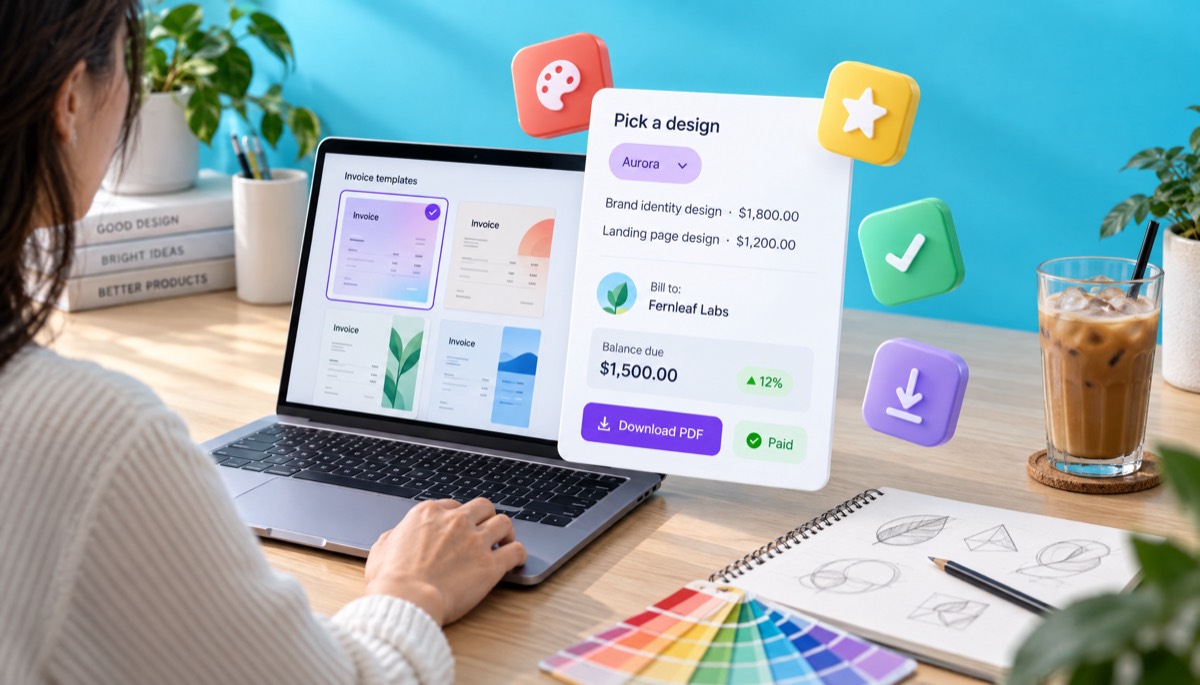
Most people get one thing wrong here: they pick a template once and then fiddle with it every month. Choose a design, set your colour and logo, and keep it. Clients recognise your invoice in a crowded inbox, and their accounts team learns where your bank details sit.
A professional invoice template includes the word "Invoice", a unique invoice number, the issue and due dates, your details and your client's, itemised charges, tax, the total due and how to pay. Miss any one of these and you invite a "can you resend this?" email that costs you a week.
The UK government's list of what an invoice must include is a good baseline for any country. Here's the full set I put on every invoice:
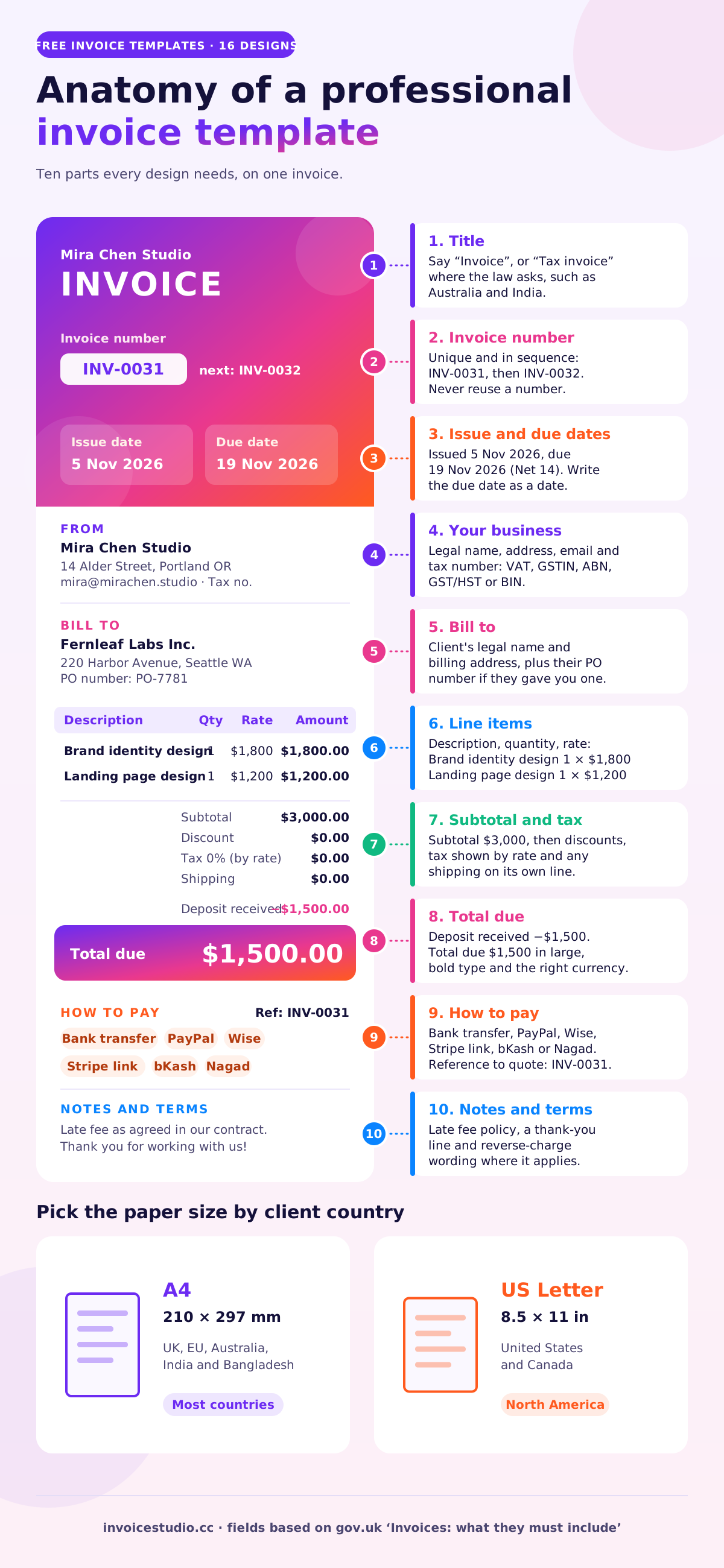
Every one of the 28 designs above has a place for all ten. The difference between them is purely how it looks. For printed samples of each part, see our page of invoice format samples.
You use a free invoice template by choosing a design, replacing the sample details with yours, adding one line per item, checking the total and exporting a PDF. With the gallery above it takes about five minutes the first time.
Here's a real run-through: a brand designer billing a startup for a logo and a landing page.
Save a free account if you'll bill this client again. Your design, colour, logo and client details are kept, so the next invoice takes about 60 seconds.
The quick generator on this page is also the free invoice generator in a design-first wrapper. If you only care about the PDF, the PDF invoice generator page explains paper sizes and file naming in more depth.
PDF is the best format to send, because it locks your layout and totals and looks the same on every device. Word, Excel and Google Docs are fine for drafting, but they let fonts shift, cells break and figures change by accident.
I'll be honest about what this page does: it exports PDF. It doesn't export Word or Excel files. If your bookkeeper insists on a spreadsheet, the Pro plan exports your invoices as CSV, or read our guide to invoice templates in Word, Excel and Google Docs, which compares them fairly.
| Format | Totals calculate | Looks the same everywhere | Hard to edit by accident | Best use |
|---|---|---|---|---|
| PDF from a template generator | Yes | Yes | Yes | Sending to clients |
| Word template | No | No, fonts shift | No | One-off letters with a price |
| Excel template | Yes, if formulas hold | No, print areas break | No | Internal drafts and lists |
| Google Docs or Sheets | Sheets only | Mostly | Depends on sharing | Shared drafts with a partner |
| Blank printable PDF | No, you write them | Yes | Yes once printed | Cash jobs and markets |
The worst case I've seen: a Word template where the Total cell was typed in, not calculated. The freelancer added a line, forgot to update the total, and undercharged by $640. A template that calculates makes that mistake impossible. If you do want a paper option for cash jobs, our blank printable invoice template guide has layouts that work with a pen.
Filled-in invoice templates look like the three below: one UK consultant with VAT, one Indian agency with GST and one German developer billing a French company under the reverse charge. Each one is also a card in the examples section, so you can load it into the tool and change it.
A strategy consultant in Bristol runs a one-day workshop and writes a follow-up report for a Leeds retailer.
Why Elegant: serif type and a centred header read as "advisor", which is exactly the impression a consultant wants. The VAT number sits under the business name. See our consulting invoice template page for hourly and retainer versions.
A Pune agency bills a Pune client for a month of social media and paid ads management.
Why Prism: three colours suit an agency with several service lines, and the header still looks professional. Because the supply is within one state, the note splits GST into CGST and SGST. A client in another state would get IGST at 18% instead. The marketing agency invoice template page has a retainer version.
A freelance backend developer in Berlin bills a Paris SaaS company for a month of work.
Why Midnight: a dark sheet with a neon accent suits a developer billing a tech company, and it stands out in their accounts inbox. If you bill across borders often, the international invoice generator page covers currencies and wording in detail.
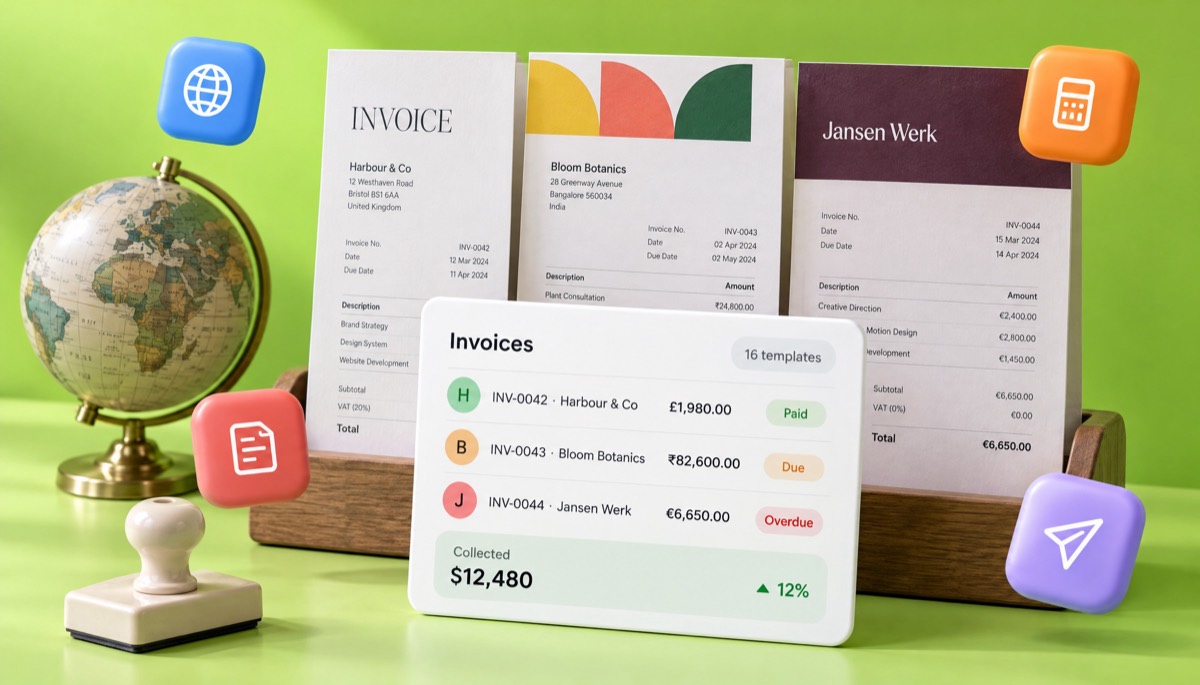
Invoice templates differ by country in the tax lines, the tax ID and the legal wording they must show, not in the layout. Any of the 28 designs works anywhere once you add the right fields, and each one is an invoice template with tax set per line, so mixed VAT or GST rates are handled. Rules change, so check with your local tax authority before you rely on any summary, including this one.
There's no federal VAT, so most service invoices show no tax at all. Sales tax is set by each state and applies mainly to goods and some services. US clients expect US Letter paper and Net 30 terms more often than anywhere else; our explainer on net 30 payment terms covers what that means in dates. The IRS says to keep business records for at least three years in most cases, so keep every PDF you send.
If you're VAT registered, your invoice must show your VAT number, the tax point, and the VAT rate and amount for each line. The standard rate is 20%. If you're not registered, don't add VAT and don't print a VAT number. For a full checklist, read our guide to UK VAT invoice requirements. UK law also lets you claim statutory interest on late B2B payments at 8% plus the Bank of England base rate, which is worth mentioning in your terms.
EU invoices follow the VAT Directive: a sequential number, both parties' VAT numbers for B2B cross-border sales, and the words "Reverse charge" when the customer accounts for the VAT. The European Commission's page on VAT invoicing rules lists the mandatory details. Some countries, including Belgium and Germany, are moving domestic B2B sales to structured e-invoices, which a PDF is not, so check your country's timeline.
Show your GST/HST registration number and the tax charged. GST is 5%, and HST is 13% in Ontario and 15% in the Atlantic provinces. Your client needs certain details to claim input tax credits, and the Input Tax Credit Information Regulations set three tiers: under $100, $100 to under $500, and $500 or more, where the buyer's name, payment terms and a description are needed too.
If you're registered for GST, title the document "Tax invoice", show your ABN and say whether the price includes 10% GST. A registered buyer can ask for a tax invoice for any sale of A$82.50 or more including GST, and from A$1,000 the invoice must also show the buyer's identity or ABN.
A GST tax invoice shows your GSTIN, the client's GSTIN for B2B sales, a serial number of up to 16 characters, the HSN or SAC code, the place of supply, and either CGST plus SGST or IGST. The rules sit in the CGST Act and Rules, which the CBIC publishes on its GST Acts page. Our GST invoice format guide walks through a full example.
VAT-registered businesses issue the VAT invoice known as Mushak-6.3 and show their BIN, with the standard VAT rate at 15%. Freelancers billing overseas clients in USD usually show no VAT. Bangladeshi clients often pay by bKash, Nagad or bank transfer, so print those numbers under How to pay.
Put a clear payment instruction, a due date, a late-fee line and a short thank-you on every invoice template. Plain, polite wording gets paid faster than clever wording. An invoice template with payment terms already filled in saves retyping them each month. Copy any of these into the Notes box and edit the details.
Standard payment terms
Payment is due within 14 days, by 19 November 2026. Please quote INV-0031 as the payment reference so we can match it quickly.
Deposit and balance
A 50% deposit of $1,500 was received on 20 October 2026. The balance of $1,500 is due on delivery of the final files.
Late payment (UK B2B)
We may charge statutory interest and compensation on late payment under the Late Payment of Commercial Debts (Interest) Act 1998.
Late fee (US and elsewhere)
Invoices unpaid 15 days after the due date incur a late fee of 1.5% per month on the outstanding balance, as agreed in our contract.
EU reverse charge
Reverse charge: VAT to be accounted for by the recipient under Article 196 of Council Directive 2006/112/EC.
Australian tax invoice
Tax invoice. All prices include GST at 10%.
Thank-you line
Thank you for working with us. If anything on this invoice looks wrong, reply to this email and I'll fix it the same day.
One warning on late fees: only add one you agreed in writing first. A surprise fee on the invoice tends to start an argument rather than end one. If the payment is already late, our guide on how to ask for payment politely has emails for day 1, day 7 and day 21.
You brand an invoice template by uploading your logo, setting your brand colour and choosing a font, then using that same setup on every invoice. In InvoiceStudio the colour, logo, font and paper size apply to all 28 designs at once.
What I've learned from sending branded invoices:
The most common invoice template mistakes are a missing due date, a reused invoice number, a typed-in total that doesn't match the lines, and missing payment details. Each one gives a client's accounts team a reason to park your invoice.
Switch from a free invoice template to invoicing software when you send more than about five invoices a month, bill the same clients on repeat, or lose track of who has paid. Before that point, a good template and a folder of PDFs is enough.
A template gives you a document. Software gives you the work around it. In InvoiceStudio the same 28 designs sit inside a full account. A free account saves up to 10 documents a month with your clients and payment status; the rest depends on the plan:
What it doesn't do: there's no online card checkout and no accounting ledger. Clients pay using the methods you print on the invoice, such as bank transfer, PayPal, Wise or a Stripe payment link you already have. If you need a full ledger, keep your accounting tool and use this for the invoices. Our free invoice app guide explains how to tell which kind of tool you need.
The free plan covers all 28 templates, the PDF download and up to 10 saved documents a month. Paid plans start at $3 a month for Starter, then $7 for Pro, $10 for Business and $29 for Enterprise, with yearly and lifetime options; compare them on the pricing page. You can jump straight into the generator that needs no signup or save PDFs with the PDF invoice generator. Freelancers can also start from the freelancer invoice generator, and trades from the contractor invoice generator.
More guides on invoicing, tax and getting paid are on the InvoiceStudio blog. Start with a template you like, fill it with a real client, and send it today. InvoiceStudio: create invoices by voice, automate billing, and get paid faster.

Monjur builds Invoice Studio and incorporated MotionTrust Digital in September 2022, where he leads Amazon strategy across the client base. Eight years in e-commerce and marketplace marketing taught him how much time invoices and late payments eat, so every guide here is tested against the real product and current tax rules before it goes live.
Pick one of 28 designs, fill it with a real client and download a print-ready PDF in a few minutes. InvoiceStudio: create invoices by voice, automate billing, and get paid faster.