14 currencies built in
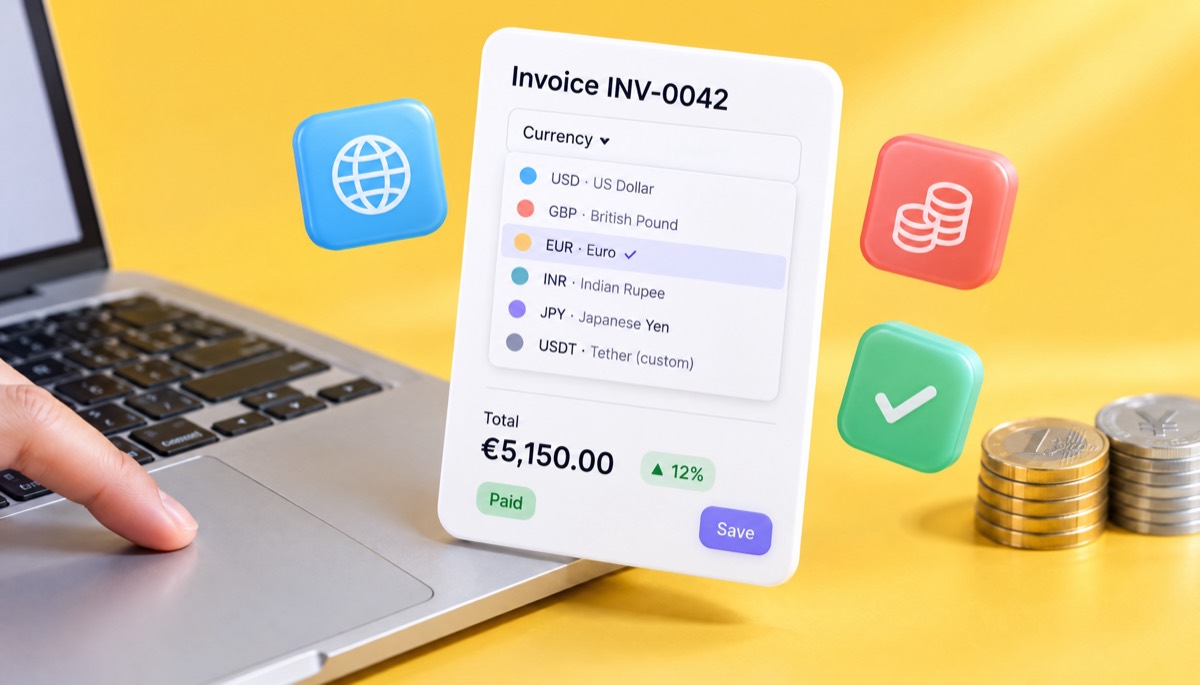
USD, GBP, EUR, BDT, INR, CAD, AUD, AED, SAR, SGD, MYR, PKR, JPY and CHF are ready on every plan. Pick one per invoice in a single click.
Multi currency invoice software that lets you choose the currency on each invoice, while the symbol, decimals, tax and total follow. Dollars, euros, yen and taka each keep their own totals. InvoiceStudio: create invoices by voice, automate billing, and get paid faster.
Use this free multi currency invoice generator: choose any of the 14 currencies, add your items, tax and payment details, and download the PDF. There is no live exchange-rate converter, so check today's rate with your bank or Wise if you need one.
USD, GBP, EUR, BDT, INR, CAD, AUD, AED, SAR, SGD, MYR, PKR, JPY and CHF are ready on every plan. Pick one per invoice in a single click.
On Pro and above, add up to 20 custom currencies with your own code, symbol and 0 to 3 decimals. Naira, krona or a stablecoin like USDT all work.
The symbol, thousands separator and decimals are set for you. The yen shows ¥480,000, never ¥480,000.00.
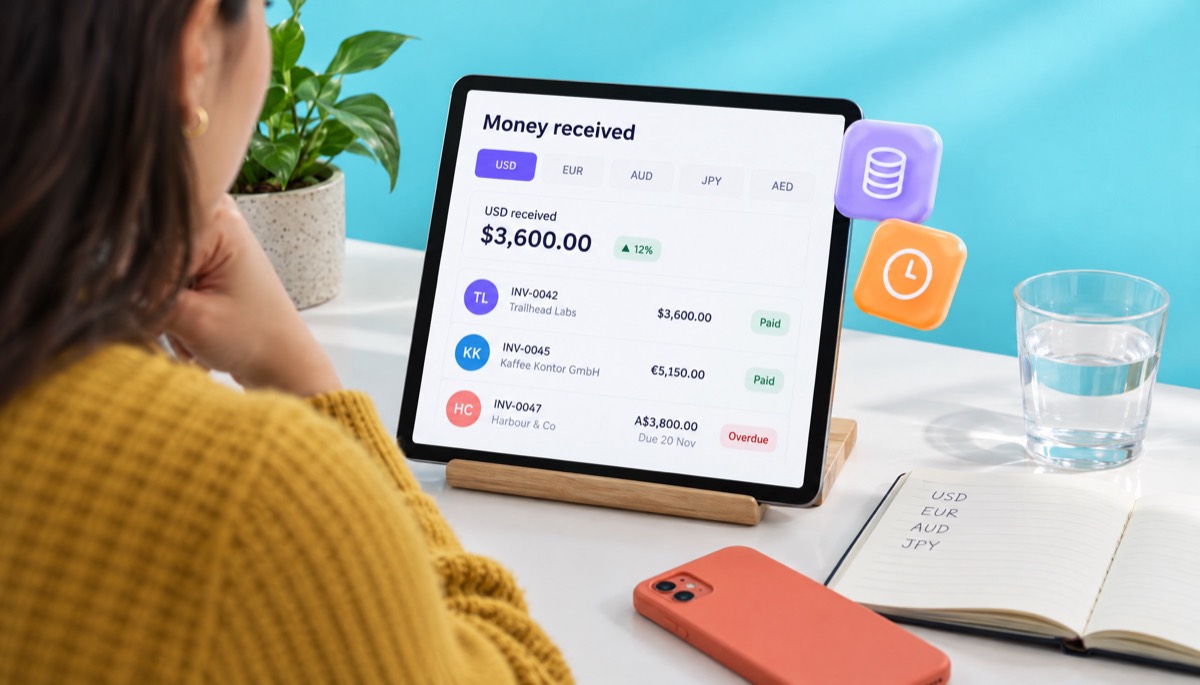
The dashboard has a currency switch, so dollars received and euros received sit in separate totals. Nothing is added together by mistake.
Per-line tax, VAT or GST rows, discounts and shipping all calculate in the invoice currency. Add the local-currency VAT figure in the notes when the law asks for it.
Print a Wise euro IBAN on euro invoices, Payoneer on dollar invoices and bKash on taka invoices. Clients see exactly how to pay in their currency.
Pick the currency your client pays in from the 14 built-in options, or a custom currency you have added. Every amount on the invoice follows it.
Type prices in that currency, add VAT, GST or a 0% line with the reason, and a note naming the currency and who pays transfer fees.
List a payment method that accepts the currency, such as Wise, Payoneer, PayPal or a local bank account. Download the PDF or email it to the client.
Pick one to load it into the tool above, then change anything.
Two sprints at $1,800 for an Austin startup, paid into a USD balance on Payoneer or Wise so nothing converts until Rafi chooses.
A €3,800 identity plus three €450 packaging designs, 0% UK VAT with a reverse charge note and a Wise euro IBAN for SEPA payment.
40 hours at A$95 with GSTIN, SAC code, 0% IGST under a Letter of Undertaking and both Wise AUD and SWIFT details.
Two shoot days at ¥180,000 plus a ¥120,000 image licence, formatted the way a Tokyo finance team expects.
A AED 9,500 Shopify build plus AED 1,200 of support, net 7, with the client asked to cover transfer fees.
Plain answers, worked examples and the rules that apply, all checked against the live product.
Multi currency invoice software creates invoices in different currencies from one account, with the right symbol, decimals and totals for each. Invoice Studio has 14 built-in currencies, custom currencies on Pro, and keeps money received separate per currency. It does not convert rates live, so check your bank or Wise for today's rate.
Multi currency invoice software lets you bill each client in the currency they actually pay in, such as US dollars for a client in Austin, euros for one in Berlin and yen for one in Tokyo, with the right symbol, decimals and totals on every PDF. Invoice Studio has 14 built-in currencies, and paid plans can add any custom currency you need. You pick the currency per invoice, so one account can bill five countries in five currencies without mixing up a single total.
I have invoiced clients in dollars, pounds, euros and taka for years, and my most expensive mistakes were currency mistakes: a wrong symbol, a fee I forgot to pass on, a VAT figure HMRC wanted in sterling. Below: how the tool works, which currency to pick, how exchange rates and tax interact, wording you can paste, and notes for seven countries.
Multi-currency invoicing software is a tool that creates invoices in more than one currency from the same account, showing each invoice's prices, tax and total in the currency you choose for it. It keeps the invoices separate by currency, so you never add dollars to euros by accident.
Forget the enterprise talk of "currency mapping". A freelancer, agency or small business needs four things:
One thing to know up front: this multi currency invoice generator does not convert currencies or pull live exchange rates, so it is not an invoice generator with a currency converter built in. You choose the currency and type the prices in it. If you need a rate, check your bank's rate or Wise on the day you invoice, and I explain below where tax authorities want you to get it.
You choose a currency on each invoice, enter your prices in that currency, and the PDF, the totals and the dashboard all use it. Here is the full flow.
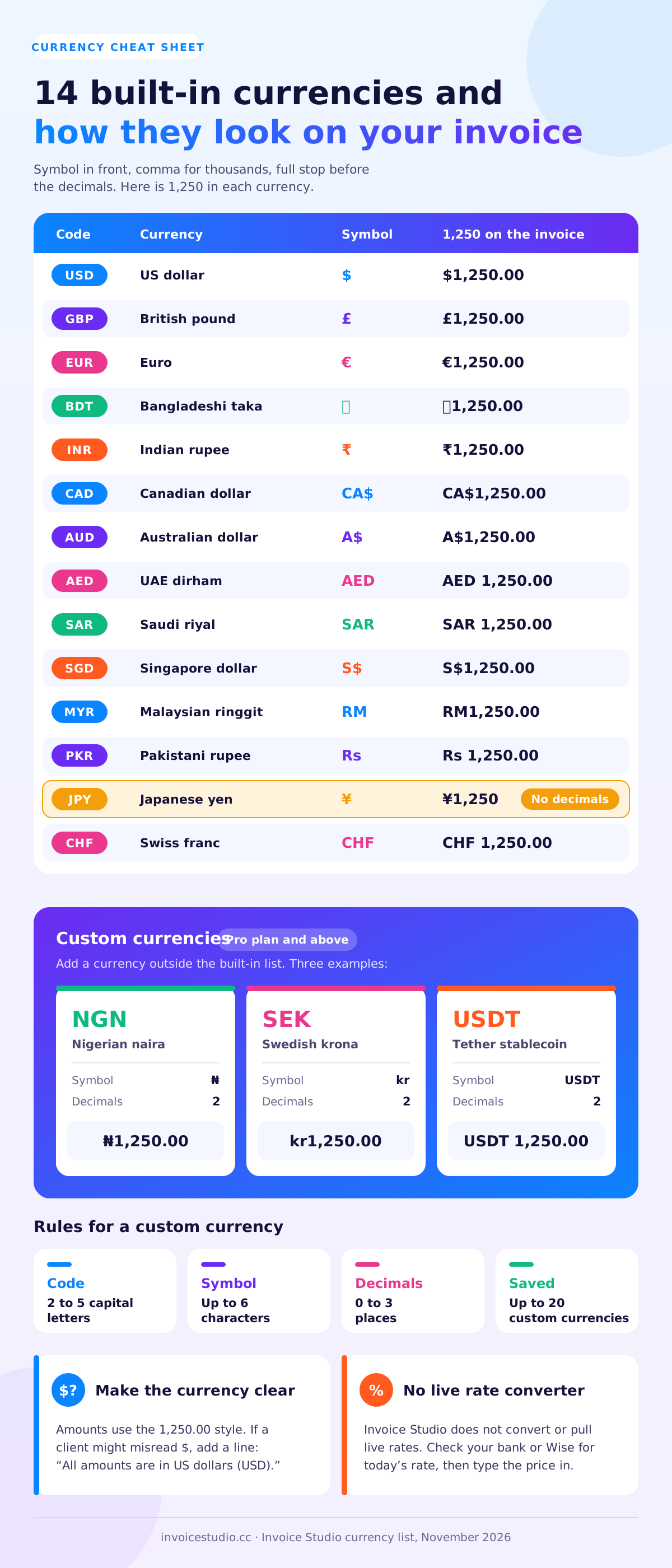
Custom currencies are on the Pro plan ($7 a month) and above. You give each one a code of 2 to 5 capital letters, a symbol of up to 6 characters, a name and 0 to 3 decimal places, and you can save up to 20. That covers currencies outside the built-in list, such as the Nigerian naira (NGN, ₦), the Mexican peso (MXN, MX$) or the Swedish krona (SEK, kr), and stablecoins such as USDT. Because decimals stop at 3, I would invoice crypto in a stablecoin rather than in bitcoin, which needs 8 decimals.
The free tool on this page, the Free plan and Starter ($3 a month) all include the 14 built-in currencies. See pricing for what each plan adds.
Invoice Studio has 14 built-in currencies. Every amount is shown with the symbol in front, a comma between thousands and a full stop before the decimals. The yen has no decimals. Here is how 1,250 looks in each one.
| Code | Currency | Symbol | 1,250 on the invoice |
|---|---|---|---|
| USD | US dollar | $ | $1,250.00 |
| GBP | British pound | £ | £1,250.00 |
| EUR | Euro | € | €1,250.00 |
| BDT | Bangladeshi taka | ৳ | ৳1,250.00 |
| INR | Indian rupee | ₹ | ₹1,250.00 |
| CAD | Canadian dollar | CA$ | CA$1,250.00 |
| AUD | Australian dollar | A$ | A$1,250.00 |
| AED | UAE dirham | AED | AED 1,250.00 |
| SAR | Saudi riyal | SAR | SAR 1,250.00 |
| SGD | Singapore dollar | S$ | S$1,250.00 |
| MYR | Malaysian ringgit | RM | RM1,250.00 |
| PKR | Pakistani rupee | Rs | Rs 1,250.00 |
| JPY | Japanese yen | ¥ | ¥1,250 |
| CHF | Swiss franc | CHF | CHF 1,250.00 |
Two notes. Amounts always use the 1,250.00 style, not the 1.250,00 style common in Germany or France. Also, "$" alone means US dollars here, while Canadian and Australian dollars get CA$ and A$. If your client is in a country that also uses a "$" sign, such as Mexico or Singapore, add a line in the notes: "All amounts are in US dollars (USD)."
Invoice in the currency your contract names. If there is no contract, invoice in the client's currency when you want to win and keep the client, and in your own currency when you cannot afford exchange-rate risk. Whoever's currency is on the invoice, the other side carries the rate risk.
| Situation | Invoice in | Why |
|---|---|---|
| Client's procurement team only pays in their currency | Client's currency | Their system may reject anything else, and your invoice sits unpaid. |
| Small client, one-off job, you set the price | Your currency, or USD/EUR | You know exactly what you will receive. |
| Long retainer with a client abroad | Client's currency, with a review clause | They budget in their currency; you protect yourself with a yearly price review. |
| You hold a USD, EUR or GBP account with Wise or Payoneer | That account's currency | No conversion until you choose to convert. |
| Your local currency moves a lot against the dollar | USD | Clients abroad rarely want to pay in a currency they can't easily buy. |
Worked example. Rafi is a developer in Dhaka billing a startup in Austin. He quotes $1,800 per two-week sprint and bills two sprints: $3,600. He invoices in USD because the client pays in dollars and Rafi receives into a USD balance on Payoneer. Invoicing ৳430,200 instead would force the client to buy taka, which most US banks can't do cheaply. Load it from the use cases above.
For a deeper look at billing overseas clients, read the international invoice generator guide. It covers bank details such as IBAN and SWIFT in detail.
On a foreign currency invoice, the price is fixed in the invoice currency, and the exchange rate only matters when someone converts the money. You record the rate for your own books and for tax, but the client owes exactly the amount on the invoice, in that currency.
Invoice Studio has no live currency converter, so here is how I handle rates:
Worked example of rate risk. Back to Rafi's $3,600. The rates below are made up to show the maths. On invoice day his bank would pay ৳119.50 per dollar, so he expects ৳430,200. The client pays on day 30, when the rate is ৳118.00. He receives ৳424,800, which is ৳5,400 less, before any transfer fee. If the rate had gone to ৳121.00, he would have made ৳5,400 more. That swing is the exchange-rate risk, and it lands on whoever's currency is not on the invoice.
Three ways to shrink it:
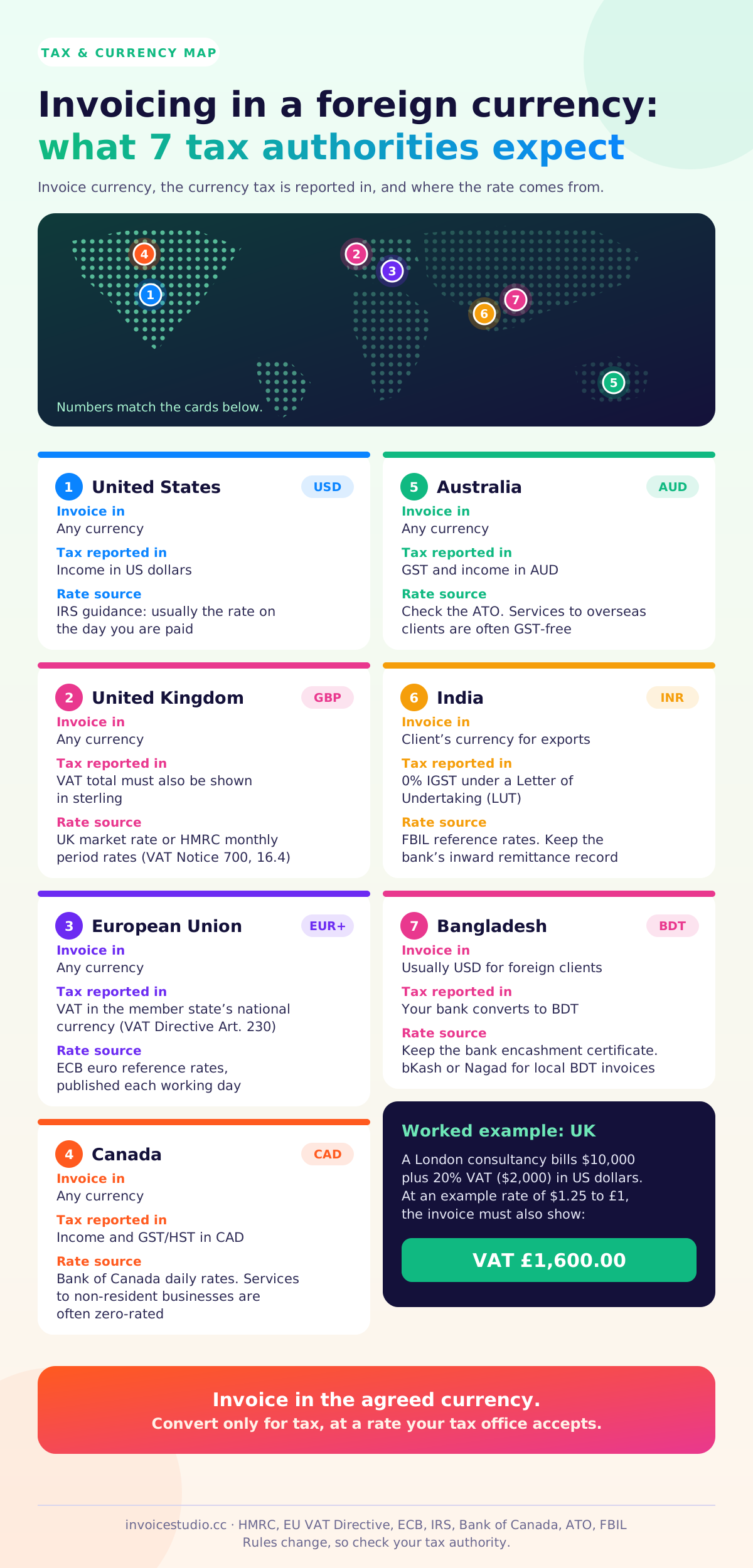
Most tax authorities let the invoice be in any currency, but they want the tax amount shown, or at least reported, in their own currency. In the UK, the total VAT on a VAT invoice in a foreign currency must also be stated in sterling.
HMRC's VAT guide says it directly: if you issue VAT invoices in a foreign currency for supplies that take place in the UK, you must convert the total VAT payable into sterling. You can use the UK market selling rate at the time of supply, or HMRC's published period rates. If you choose the period rates, you must stick with them for those supplies unless HMRC agrees to a change.
Worked example (UK). A London consultancy bills the UK office of a US company in dollars: $10,000 of strategy work plus 20% VAT of $2,000, so $12,000 in total. Using an example rate of $1.25 to £1, the invoice must also show "VAT £1,600.00". In Invoice Studio, set the invoice to USD, add the 20% VAT, then put the sterling line in the notes:
VAT at 20%: $2,000.00, which is £1,600.00 at HMRC's period rate of 1.2500 USD/GBP for this month.
The EU works the same way. Under Article 230 of the EU VAT Directive, amounts on an invoice can be in any currency as long as the VAT payable is expressed in the national currency of the member state. Many countries accept the ECB reference rate for the conversion. The EU's VAT invoicing rules page lists what else every EU invoice needs. If you are UK-based, my VAT invoice requirements guide goes through each field.
Cross-border business-to-business services often carry no VAT at all from the seller, because the customer accounts for it under the reverse charge. In that case you show 0% and a reverse charge note, and there is no VAT amount to convert. Rules differ by service and country.
Invoice in whatever currency you agree with the client, then convert to your home currency for tax at a rate your tax authority accepts. Rules change, so check these seven notes with your tax office or accountant.
You can invoice in any currency, but you report income on your US tax return in US dollars. The IRS explains how to translate foreign currency; for most freelancers and small businesses that means the rate on the day you are paid. Keep the invoice, bank record and rate together. Sales tax is set by each state.
Any invoice currency is fine, but VAT figures must be in sterling, as above. For services to business clients outside the UK, the supply is often outside the scope of UK VAT, so you charge 0% and say why on the invoice. Keep the rate you used for each invoice.
The VAT due must be shown in the member state's national currency, which is the euro in 21 countries (Bulgaria joined in 2026) but not in, for example, Sweden, Poland, Denmark or Hungary. Business-to-business services across EU borders usually fall under the reverse charge, and the invoice needs both VAT numbers.
Report income and GST/HST in Canadian dollars. The Bank of Canada publishes daily exchange rates that are widely used for the conversion. Services supplied to non-resident business clients are often zero-rated, but the rules have conditions, so confirm with the CRA.
You can issue invoices in a foreign currency, but GST and your income are worked out in Australian dollars. Services to overseas clients are often GST-free. Check the ATO's guidance on foreign currency tax invoices and GST-free exports before you leave GST off.
Export of services is usually invoiced in the client's currency, such as USD or AUD. To count as an export, payment generally has to arrive in convertible foreign currency (or in rupees where the RBI permits it), and many exporters file a Letter of Undertaking (LUT) so they can invoice with 0% IGST. Your bank issues a foreign inward remittance record, which you keep with the invoice. For reference rates, see FBIL, which publishes the benchmark rupee rates. My GST invoice format guide covers GSTIN, SAC codes and the export invoice fields.
Most Bangladeshi freelancers invoice foreign clients in US dollars and receive through Payoneer, Wise or a bank, which converts into taka at its own rate. Ask your bank for the encashment certificate or remittance record for each payment and keep it with the invoice; banks and the tax office may ask for it. For local clients, invoice in BDT and list bKash or Nagad under How to pay. Rules on remittance incentives and tax change often, so check with your bank.
Each of these matches a use case card on this page, so you can load it into the tool and change the details. All exchange rates mentioned are examples, not live rates.
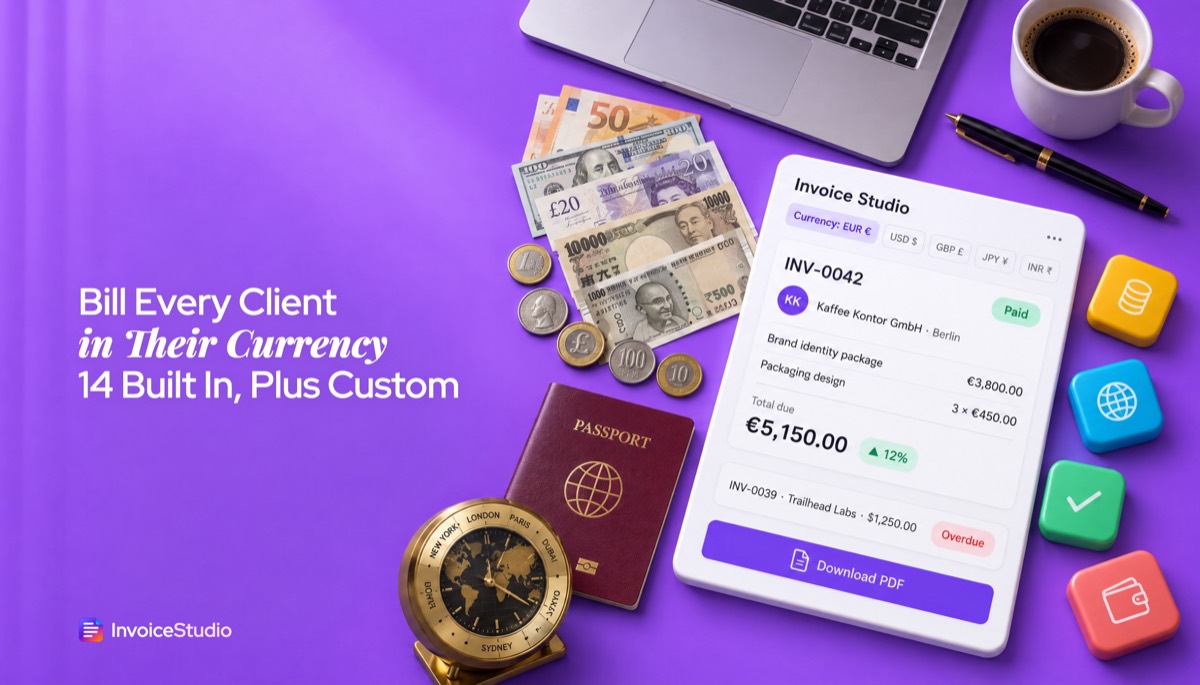
A Manchester studio bills a Berlin coffee brand for a brand identity (€3,800) and three packaging designs at €450 each (€1,350). Total: €5,150. No UK VAT is charged on this B2B service; the note cites the reverse charge. The studio prints its Wise euro IBAN under How to pay, so the client pays by SEPA transfer and nothing is converted until the studio chooses.
A Pune data engineer bills 40 hours at A$95 an hour: A$3,800. The invoice says "Export of services under LUT, IGST 0%" and gives her GSTIN and LUT reference. Billing in AUD lets her Sydney client approve it against a budget in dollars.
Two shoot days at ¥180,000 plus an image licence at ¥120,000 comes to ¥480,000. Notice there are no decimals: ¥480,000, never ¥480,000.00. A yen invoice with cents looks careless, and spreadsheets get this wrong all the time.
A Shopify store build at AED 9,500 plus a month of support at AED 1,200: AED 10,700, paid through Payoneer, with a note asking the client to cover transfer fees.
The best multi-currency invoice notes state the currency, who pays the fees and, where needed, the tax amount in local currency. Paste these into the notes field and change the details.
Currency statement
All amounts on this invoice are in euros (EUR). Please pay the total shown in EUR.
Transfer fees
Please choose "OUR" for bank charges, or add the transfer fee to your payment, so that the full EUR 5,150.00 reaches our account.
Exchange-rate review on a retainer
Fees are fixed in AUD for 12 months from the contract date. If the AUD/INR rate moves by more than 5% from the rate on the contract date, either party may ask to review the fee for future invoices.
VAT in sterling (UK VAT invoice in a foreign currency)
VAT at 20%: $2,000.00, equal to £1,600.00 at HMRC's period rate of 1.2500 USD/GBP.
Reverse charge (B2B service to an EU client)
Reverse charge: the customer is liable to account for VAT. Customer VAT number: DE123456789.
Export of services from India
Supply meant for export under Letter of Undertaking without payment of IGST. LUT ARN: AD270326001234X.
For chasing late payers, my guide on how to ask for payment politely has follow-up emails that work across time zones.
A spreadsheet can show any currency symbol, but it won't stop you mixing currencies in your totals, and every formatting rule is yours to remember. Software sets the format per invoice and keeps the money separate.
| What you need | Invoice Studio | Spreadsheet or Word template |
|---|---|---|
| Currency chosen per invoice | Yes, from 14 built-in currencies | Yes, by editing the cells by hand |
| Correct decimals (yen with none) | Automatic | Manual format per cell |
| Custom currency (NGN, SEK, USDT) | Yes, on Pro and above | Yes, typed by hand |
| Tax and fee rows in the invoice currency | Yes | Formulas you build |
| Money received shown per currency | Yes, with a currency switch | Only if you build it |
| Live exchange-rate conversion | No, check your bank or Wise | No, unless you add a rates feed |
| CSV report per currency | Yes, one currency per file, on Pro and above | It is already a spreadsheet |
| Price | Free; paid plans from $3 a month | Free, plus your time |
If you are still deciding between templates and software, compare the free invoice templates with the editor, or read my free invoice app guide. Agencies billing retainers abroad can use recurring invoices, which keep each client's currency on every copy.
The most common mistake is not naming the currency clearly, followed closely by forgetting who pays the transfer fees. I have made most of these myself.
Tip: put the currency code in the invoice number for clients you bill in several currencies, for example EUR-2026-014 and USD-2026-031. It makes bank reconciliation much faster. See our invoice number format guide for more patterns.
Open the editor, choose the currency, type your prices in it, add tax or a 0% line with the reason, and list a payment method that takes that currency. Then say who pays the transfer fees and keep the terms short, net 7 or net 14 for new clients abroad.
Start with the free invoice generator and the currency menu, or try the tool at the top of this page with one of the examples loaded. Freelancers billing their first overseas client can also start from the invoice generator for freelancers, and you will find more guides on the Invoice Studio blog.
InvoiceStudio: create invoices by voice, automate billing, and get paid faster. Pick the currency your client pays in, print the details they need, and keep every currency's money in its own column, without a spreadsheet formula in sight.

Monjur builds Invoice Studio and incorporated MotionTrust Digital in September 2022, where he leads Amazon strategy across the client base. Eight years in e-commerce and marketplace marketing taught him how much time invoices and late payments eat, so every guide here is tested against the real product and current tax rules before it goes live.
InvoiceStudio: create invoices by voice, automate billing, and get paid faster. Pick the currency your client pays in, add the right tax and payment details, and send a PDF that is clear in any country.