Your brand on every PDF
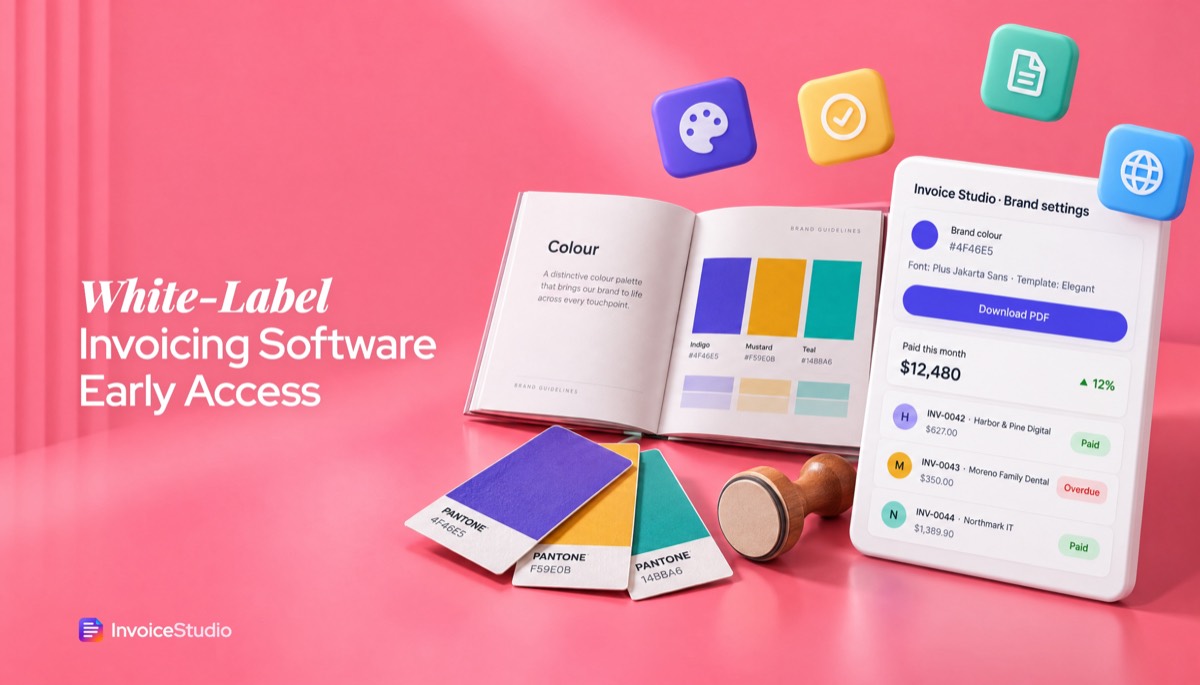
Upload your logo, set your brand colour and pick your font. The client sees your studio, not ours.
White label invoicing software that puts only your brand in front of clients: every PDF already carries your logo, colours and font, with no InvoiceStudio watermark. Sending from your own domain and a reseller option are in development, so join early access to try them first.
Leave your email for the custom-domain and reseller white label. The branded generator below works right now.
Upload your logo, set your brand colour and pick your font. The client sees your studio, not ours.
There is no "Powered by" line on your invoices. That matters when you resell work under your own name.
Six classic layouts and 10 gradient designs, on A4 or US Letter. Pick one that sits next to your proposals without clashing.
14 currencies plus custom ones, reverse-charge and export notes, and payment methods like Wise and Payoneer. White-label partners in other countries get paid without confusion.
Set a monthly retainer or care plan once and it repeats. Payment tracking shows who has paid and who is overdue.
Join the list for custom-domain sending and reseller white label. You get invited before public launch, at no cost.
Add your logo, brand colour and font, and choose A4 or Letter. Use your legal business name next to any trading name.
Add the client, the line items and the tax. For subcontracted work, describe the deliverable, not who did it.
Download the watermark-free PDF and email it yourself, or send it from InvoiceStudio. Join the list for sending from your own domain.
Pick one to load it into the tool above, then change anything.
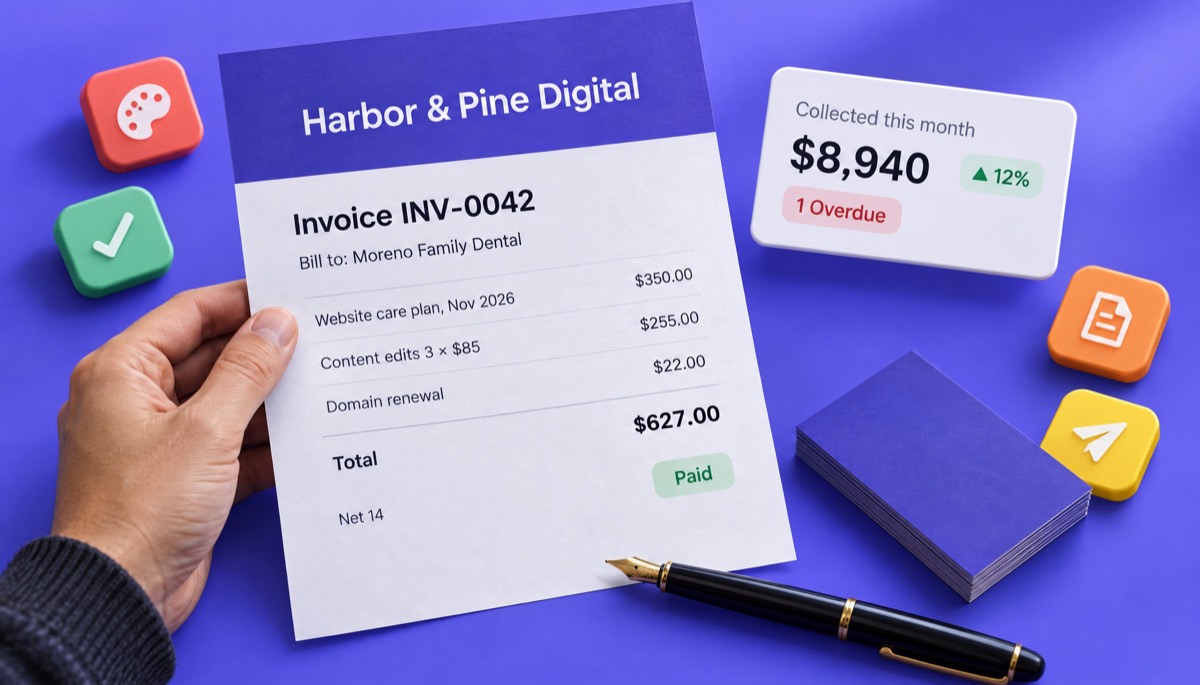
A $350 hosting and care plan, 3 edit hours at $85 and a $22 domain renewal at cost, on an Elegant invoice with the agency's logo.
3 white-label SEO accounts at A$1,100 plus unbranded reports, exported under LUT with no IGST.
£480 bookkeeping, 2 payroll runs and a VAT return, with 20% VAT and the company number printed.
12 devices at CA$65, 12 Microsoft 365 seats resold at CA$17.50 and 2 on-site hours, plus 13% Ontario HST.
A $2,400 WordPress build delivered under the agency's brand plus 16 QA hours, paid by Payoneer or Wise.
Plain answers, worked examples and the rules that apply, all checked against the live product.
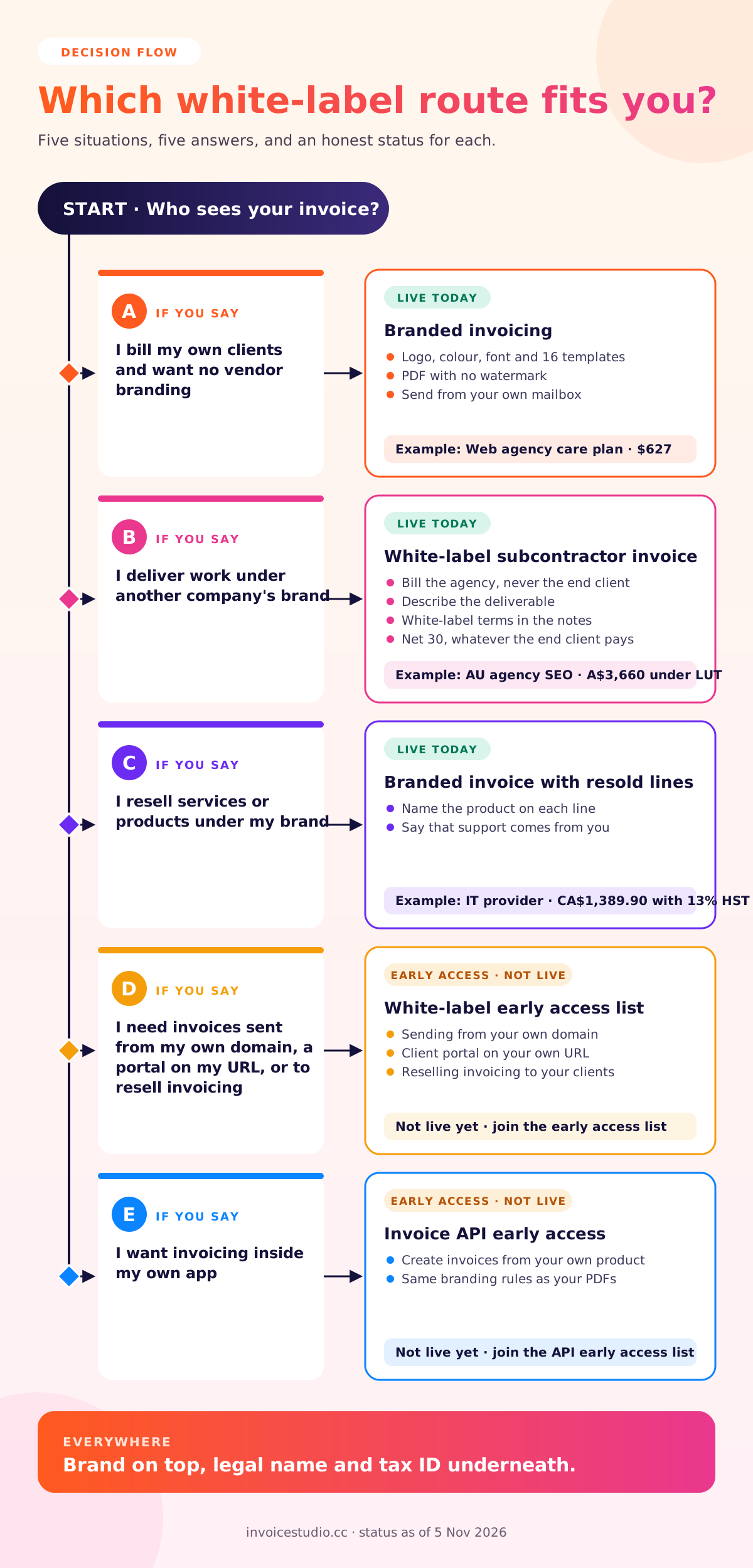
White label invoicing software lets you send invoices that carry only your brand, with no vendor logo or "powered by" footer. Full white label also sends from your own domain and can be resold. InvoiceStudio gives you your logo, colours, font and watermark-free PDFs today. Custom-domain sending and reseller white label are on an early access list.
White label invoicing software lets you send invoices that show only your brand: your logo, your colours, your name, and no "powered by" line from the software vendor. That is the short answer. The longer one is that the phrase covers two quite different needs, and most pages that rank for it only talk about one of them. This guide separates the two, says plainly what InvoiceStudio does today and what is still on the early access list, and gives you worked examples, wording you can paste and the country rules that still apply when your brand is the only one on the page.
First, the honest status. Branded, watermark-free PDF invoices work today, on the free generator and on every paid plan. Sending invoices from your own email domain, a client portal on your own URL and a reseller programme are not live yet. They are in development, and the form above puts you on the list to try them first.
White label invoicing software, also called white label invoice software or white label billing software, is an invoicing tool that removes the vendor's branding so every document and message your client sees appears to come from your business. At the lighter end, that means your logo and colours on a PDF with no third-party footer. At the full end, it means invoices sent from your own domain, a payment page on your URL, and sometimes the right to resell the software to your own clients under your name.
When I first went looking for "white label" billing for a small studio, I wasted an afternoon on sales pages built for banks and payment companies. They wanted a demo call and quoted nothing. What I actually needed was much simpler: unbranded invoices that did not advertise someone else's product to my clients. So before you compare tools, work out which of these two jobs you have.
Most small businesses only have the first need. If that is you, you can stop paying for "white label" tiers and enterprise demos, because a good branded invoice generator already does the job.
Today InvoiceStudio covers branded invoicing completely: your logo, your brand colour, your font, 28 templates, A4 or US Letter, and branded PDF invoices with no InvoiceStudio watermark. Custom domain invoicing, a branded client portal and reselling are on the early access list. Here is the split, feature by feature, so you know exactly what you are signing up for.
| Feature | Status | What it means for you |
|---|---|---|
| Your logo on every invoice | Live | Upload once, appears on invoices, quotes and estimates |
| Brand colour and font | Live | Set a hex colour and pick a font to match your proposals |
| No watermark or "powered by" footer | Live | Free generator and all paid plans |
| 28 templates, A4 or US Letter | Live | 6 classic layouts plus 10 gradient designs |
| Email the PDF from InvoiceStudio, with reminders | Live | Sent through InvoiceStudio, not from your domain yet |
| Send from your own domain | Early access | Invoices from billing@yourstudio.com |
| Client portal on your URL | Early access | Clients view and download invoices on your site |
| Reseller white label | Early access | Offer invoicing to your own clients under your brand |
Until custom-domain sending is live, the cleanest fully white-label route is simple: download the branded PDF and send it from your own mailbox. Your client then only ever sees your address, your logo and your name.
Most businesses need branded invoicing, not a full white-label platform or a custom build. Full white label makes sense once you resell billing to clients or need invoices on your own domain at volume, and custom development only makes sense when invoicing is part of a product you sell. This table is how I would decide.
| Branded invoicing | Full white-label platform | Custom-built billing | |
|---|---|---|---|
| Who it suits | Freelancers, agencies, small firms | Resellers, accounting firms, platforms | SaaS products, fintechs, banks |
| Your logo and colours | Yes | Yes | Yes |
| Vendor branding hidden | On the PDF | Everywhere | Everywhere |
| Your own sending domain | Send from your mailbox | Built in | Built in |
| Set-up time | 10 minutes | Days to weeks | Months |
| Typical cost | Free to $10 a month | Usually quote-based | Developer salaries |
| Who maintains tax and template logic | The vendor | The vendor | You |
Most people get this wrong in the expensive direction. They see the words "white label" and assume they need the middle column, then sign a contract for features they never switch on. If your only complaint about your current tool is a logo in the footer, change tools rather than tiers. If you are building software and want invoices inside your own app, look at the invoice API early access instead, which is the developer route.
You send an invoice with your logo and colours today by setting them, plus your font, once, choosing a template that matches your brand, and sending the PDF from your own email. It takes about ten minutes the first time and nothing after that. Here are the steps I follow for every new client account.
If you have never set up an invoice from scratch, the walkthrough in how to make an invoice covers every field, and how to send an invoice covers subject lines and follow-ups.
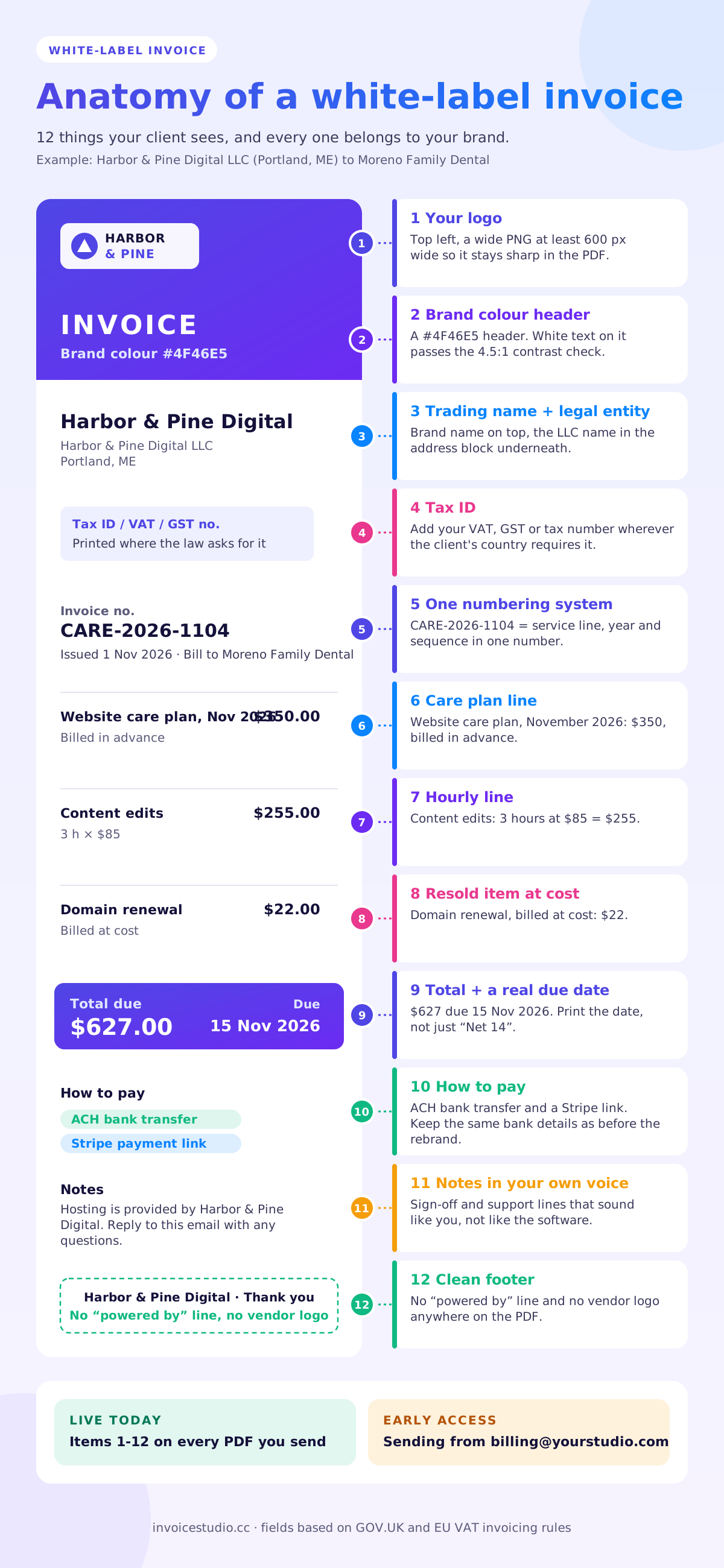
White-label billing usually takes one of three shapes: you resell services under your brand, you deliver work under someone else's brand, or you resell third-party products alongside your own. Each one needs a slightly different invoice. All three examples below load into the generator from the use case cards.
Harbor & Pine Digital in Portland, Maine, hosts and maintains websites for 30 local businesses. Hosting sits on a third-party server, but clients never hear its name. The November invoice to a dental practice reads:
The hosting company is not mentioned anywhere. The line says "managed hosting", and the note says "Hosting is provided by Harbor & Pine Digital", which is true because the agency is the one contracting with the host. That is white label in its most common form, and it needs nothing more than a branded invoice. Save it as a recurring invoice and it goes out on the 1st of each month.
Rankshift Labs in Bengaluru does SEO for Bluegum Creative, an agency in Melbourne. Bluegum's clients think the work is done in-house. Rankshift's invoice goes to Bluegum, never to the end clients:
Two details matter. The invoice is in Australian dollars because that is what the agency budgets in. And because this is an export of services from India, the note carries the LUT wording, so no IGST is charged. The subcontractor's own invoice can carry its own logo, because only the agency sees it. What must stay unbranded are the deliverables: the reports carry Bluegum's logo.
Northmark IT in Toronto manages 12 devices for a physio clinic and resells Microsoft 365 seats as part of its support package:
Resold products are where white label gets slightly awkward, because the product has its own famous name. I would not hide it. Name the product so the client knows what they are paying for, but make it clear in the notes that support comes from you. That is honest, and it keeps the relationship with you rather than the vendor.
As a white-label subcontractor, you invoice the agency or partner that hired you, describe the deliverable and period, and keep your brand out of anything their client will see. Your invoice itself is a normal business-to-business invoice. The white-label part is about the work, not the paperwork.
The rules I follow, after a few awkward moments early on:
Pixelnest Studio in Dhaka is a good example. It builds WordPress sites for a London agency, invoices $2,400 for the build plus 16 QA hours at $25, for $2,800, and gets paid by Payoneer or Wise in USD. The agency's client never hears the name Pixelnest. For more invoice layouts for this kind of work, see services invoice template examples.
The right wording keeps your brand front and centre, stays honest about who does what, and gives the client one person to contact. These are the lines I reuse. Change the names and paste them into the notes field.
Care plan or resold service, under your brand:
Care plan billed in advance for November 2026. Hosting, updates and support are provided by [Your Studio]. Questions about this invoice? Reply to this email and our team will help.
Subcontractor to agency:
Work delivered white-label under [Agency]'s brand. [Your Company] does not contact [Agency]'s clients. Payment is due within 30 days of this invoice, independent of end-client payment.
Resold third-party product:
Licences are resold under our support agreement. For help, contact our support desk at [email], not the software vendor.
Trading name with legal entity:
[Brand] is a trading name of [Legal Name Ltd], registered in England and Wales, company number [number].
Email to a client when you switch to fully branded invoices:
Hi [Name], from this month our invoices will come from [Your Studio] with our new layout. Nothing changes on your side: same bank details, same payment terms. Your November invoice for $627 is attached.
Keep the bank details unchanged when you rebrand an invoice. A new design plus new bank details looks like invoice fraud to a careful accounts team, and they will rightly call you to check.
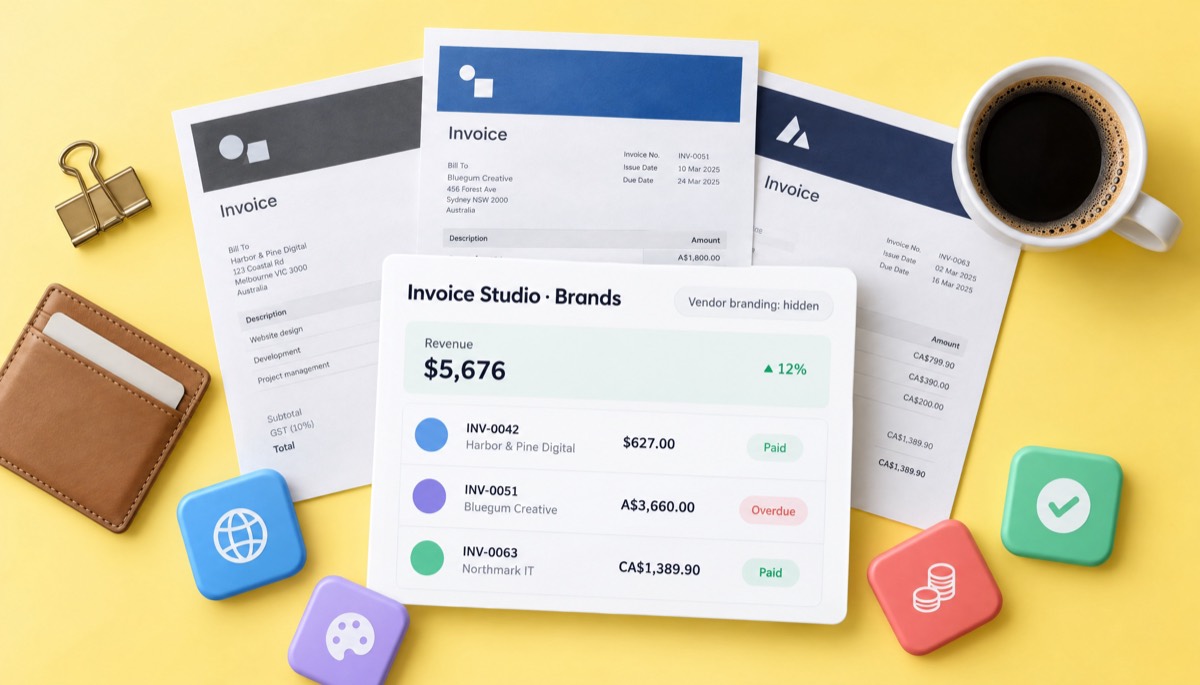
Yes, in most countries. You can lead with a brand or trading name, but tax and company rules usually require your legal business name, address and tax ID somewhere on the invoice. White label hides the software vendor, not you. Here is how it works in the main markets.
Rules change and vary by business type, so treat this as a starting point and check with your local tax authority. The practical point stands everywhere: a brand on top and the legal entity underneath satisfies both your client and the tax office. Our guide to invoice format and samples shows where each field usually goes.
The most common mistakes are hiding your legal entity, letting the vendor's branding leak through emails, and changing payment details at the same time as the design. Every one of them slows down payment. These are the ones I see most.
For branded invoicing, yes. InvoiceStudio's free generator creates watermark-free PDFs with your logo and colours, with no signup. That is less common than it sounds: some free plans from big vendors print their own branding on your invoices, and the simplest way to remove the watermark from an invoice is a tool that never adds one. Zoho's pricing page lists "Powered by Zoho Invoice" branding on its free product, checked on 5 November 2026; our Zoho Invoice alternative page compares the two in detail. To be fair to Zoho, it is stronger on a customer portal, online payments and automated reminders.
Full white label, with custom domains and reselling, is rarely free anywhere, because someone has to run your domain and support your clients. Paid InvoiceStudio plans start at $3 a month and go up to $29 for Enterprise; see pricing for what each plan includes. If you are weighing up apps more broadly, our free invoice app guide compares the options.
The early access list is for the parts of white label that are not live: sending invoices and reminders from your own domain, a client portal on your URL and a reseller option. We are building them with the people on the list, so what you tell us in the form shapes what ships first.
What we can promise is this: you will be invited before public launch, the list is free, and we only email you about this feature. What we will not do is put a date on it before it is ready. Meanwhile, agencies already use the live tools for retainers and care plans; the invoicing software for agencies page and the marketing agency invoice template show how. If a branded portal is what you need most, join the client portal early access list too.
For everything else on invoicing, from payment terms to reminders, browse the InvoiceStudio blog, or open the free invoice generator and send your first branded invoice in the next ten minutes.

Monjur builds Invoice Studio and incorporated MotionTrust Digital in September 2022, where he leads Amazon strategy across the client base. Eight years in e-commerce and marketplace marketing taught him how much time invoices and late payments eat, so every guide here is tested against the real product and current tax rules before it goes live.
InvoiceStudio: create invoices by voice, automate billing, and get paid faster. Load a branded example, add your logo and colour, and download a PDF with no watermark. Join the list above for custom-domain white label.