Invoice in about two minutes
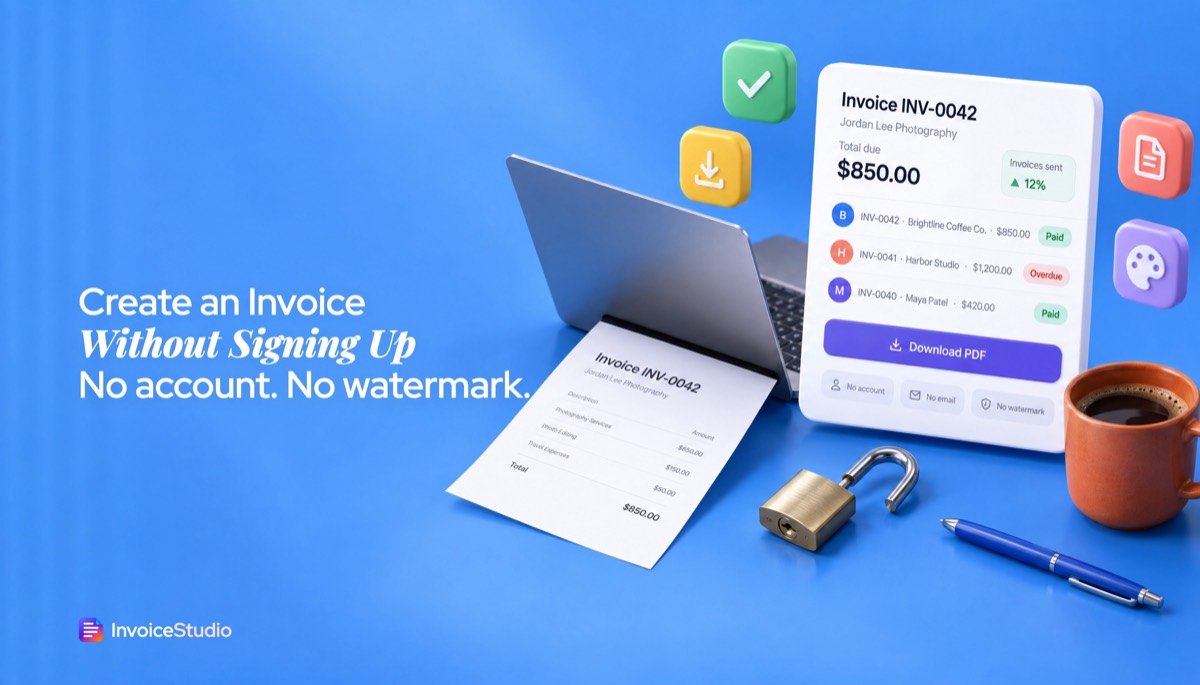
No registration form, no inbox to check, no password to invent. Open the page, fill in the form and you are done.
Use this invoice generator no signup, no email, no card: fill in one form, watch the invoice build as you type and download a clean PDF. Nothing to register, nothing stored, nothing stamped on the page.
Type your details, check the live preview, press Download PDF. Close the tab and it's gone.
No registration form, no inbox to check, no password to invent. Open the page, fill in the form and you are done.
The download has no stamp, no 'made with' footer and no paywall to remove one. It looks like you paid for software.
The PDF is built from what you send and returned straight away. Your invoice is not saved to a database, and closing the tab clears it.
Pick Classic, Minimal, Corporate, Elegant or one of 10 gradient designs, then set your brand colour. The PDF is A4, and the full editor adds US Letter.
Add VAT, GST or sales tax, a discount and as many lines as you need. Bill in USD, GBP, EUR, AUD, CAD, INR, BDT and more.
Press Save and the invoice you built moves into a free account, so you never type it twice. No account until you choose one.
Add your details, the client's, an invoice number, dates and one line per item with quantity and rate.
Set the currency, tax and discount, choose one of 28 designs and your colour. The preview updates as you type.
Press Download PDF and save the file. Attach it to your email, print it, or keep it for your records.
Pick one to load it into the tool above, then change anything.
Four hours at $175 plus a $150 edited gallery for a first-time client. Modern design, Net 14, PayPal details in the notes.
Twelve GCSE maths sessions at £30, marked 'Not VAT registered', with bank details and due on receipt.
Five hours of labour at A$85 plus A$190 of materials, 10% GST, ABN shown, Net 7 by bank transfer.
3,200 words at €0.20 for a Hamburg agency, PO number on the invoice, reverse charge note, paid by Wise.
Plain answers, worked examples and the rules that apply, all checked against the live product.
Yes, you can create an invoice without signing up. Invoice Studio's free generator lets you enter your details, line items, tax and currency, pick one of 28 designs and download a PDF with no account, no email and no watermark. The invoice is not saved, so keep the PDF. A free account adds history, numbering and payment tracking.
An invoice generator no signup tool lets you fill in one form, check a live preview and download a finished PDF without creating an account, confirming an email or typing a card number. The tool above works that way. You type your details, pick one of 28 designs and press Download PDF. The file has no watermark and no "made with" footer, and nobody asks you for an email first.
I've sent hundreds of invoices, and many were quick invoices for one-offs: a weekend photo job, a favour for a friend's shop, a translation for an agency I never heard from again. This guide covers what a no-signup invoice can and can't do, what has to be on it to be valid in your country, four worked examples you can load into the tool, and the point at which a free account starts to save you time.
Yes. Invoice Studio works as an invoice generator without login: you can create, preview and download a complete invoice PDF with no account, no email and no watermark. An account only matters if you want to keep a copy online, send it from the app or track whether the client paid.
Here is exactly what happens, because most "no signup" pages are vague about it:
In privacy terms, that means your client's name, address and amounts never sit in our database unless you choose to save them to an account.
Because nothing is stored, keep the PDF you download. That file is your copy for your records and for the tax office. If you lose it, you will have to rebuild the invoice from scratch.
Used as a free invoice maker with no registration, the tool gives you the full invoice: your details, the client's, line items, tax, discount, 14 currencies, 28 designs, your brand colour and a print-ready PDF. A free account adds memory: saved invoices, saved clients, automatic numbering and a record of who has paid.
| What you need | No signup (this page) | Free account | Paid plans (from $3/month) |
|---|---|---|---|
| Invoice PDF, no watermark | Yes | Yes | Yes |
| 28 designs and your brand colour | Yes | Yes | Yes |
| 14 currencies | Yes | Yes | Yes, plus custom currencies on Pro and above |
| Logo, signatures, "How to pay" methods | No (full editor only) | Yes | Yes |
| Invoice history and saved clients | No | Yes (10 invoices a month, 10 saved clients) | Unlimited |
| Automatic invoice numbering | No, you type the number | Yes | Yes |
| Payment tracking and overdue status | No | Yes | Yes |
| Email the PDF and send reminders from the app | No, you attach it yourself | No | Yes, from Starter |
| Recurring invoices, reports, CSV | No | No | Pro and above |
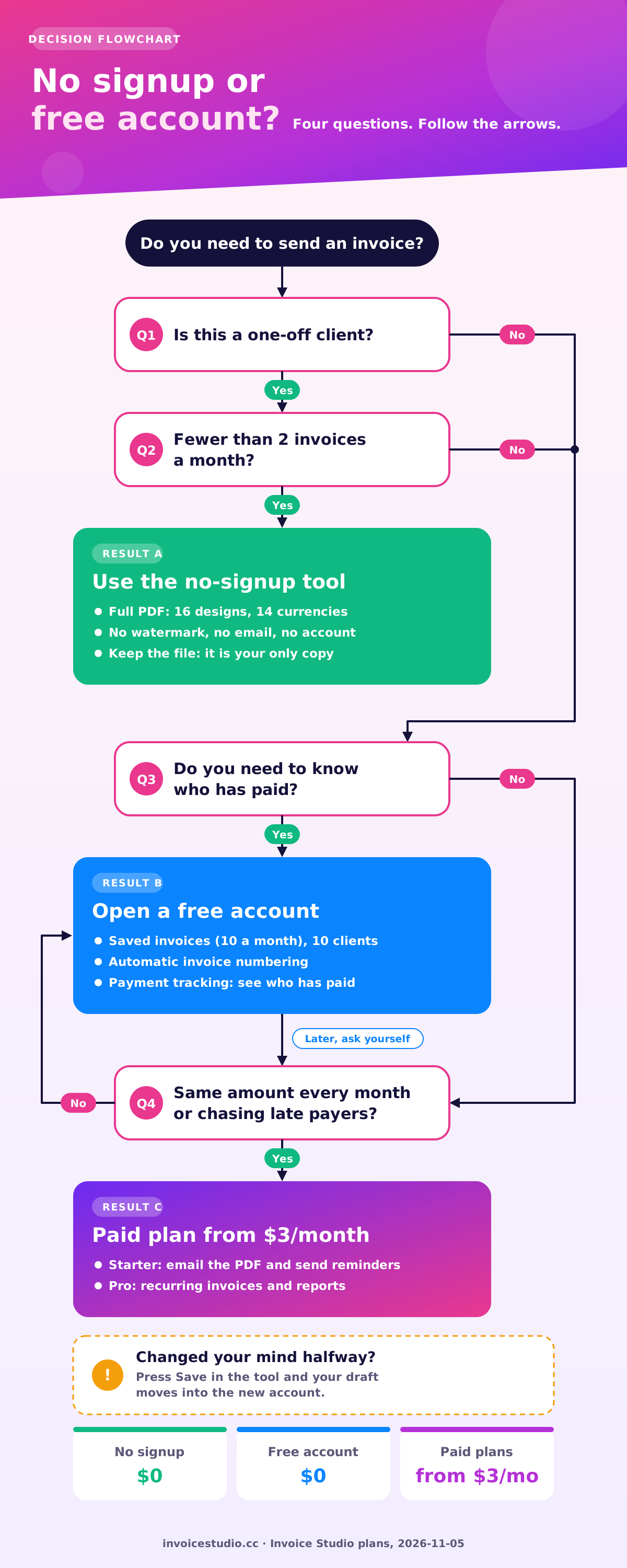
My honest advice: if you send fewer than two invoices a month and each client is a one-off, the no-signup tool is enough. If the same client pays you every month, or you've ever had to dig through your downloads folder to work out which invoice number comes next, a free account will save you more than the minute it takes to register. Plans and limits are on the pricing page.
To make an invoice with no account, fill in who it's from and who it's to, add a number and dates, list your work, set tax and currency, pick a design and download the PDF. It takes about two minutes once you have the client's details to hand.
If you'd rather speak the invoice than type it, the voice invoice generator builds the same invoice from a sentence like "Invoice Maya Chen 1,200 dollars for website design, due in 14 days".
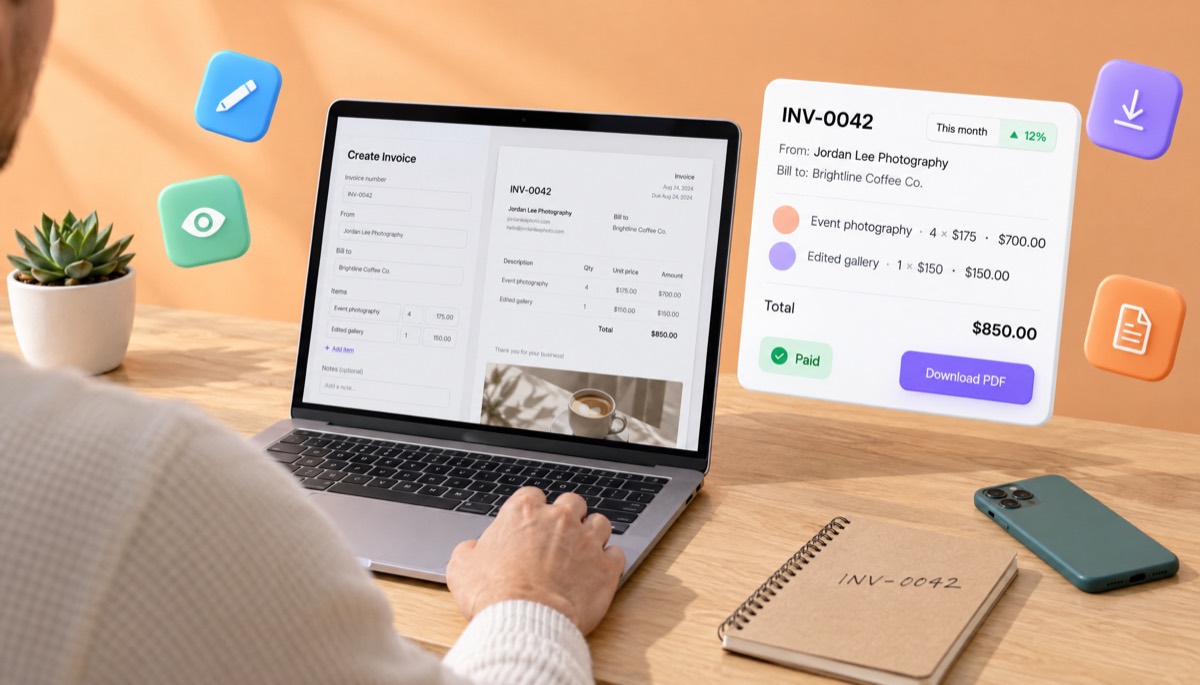
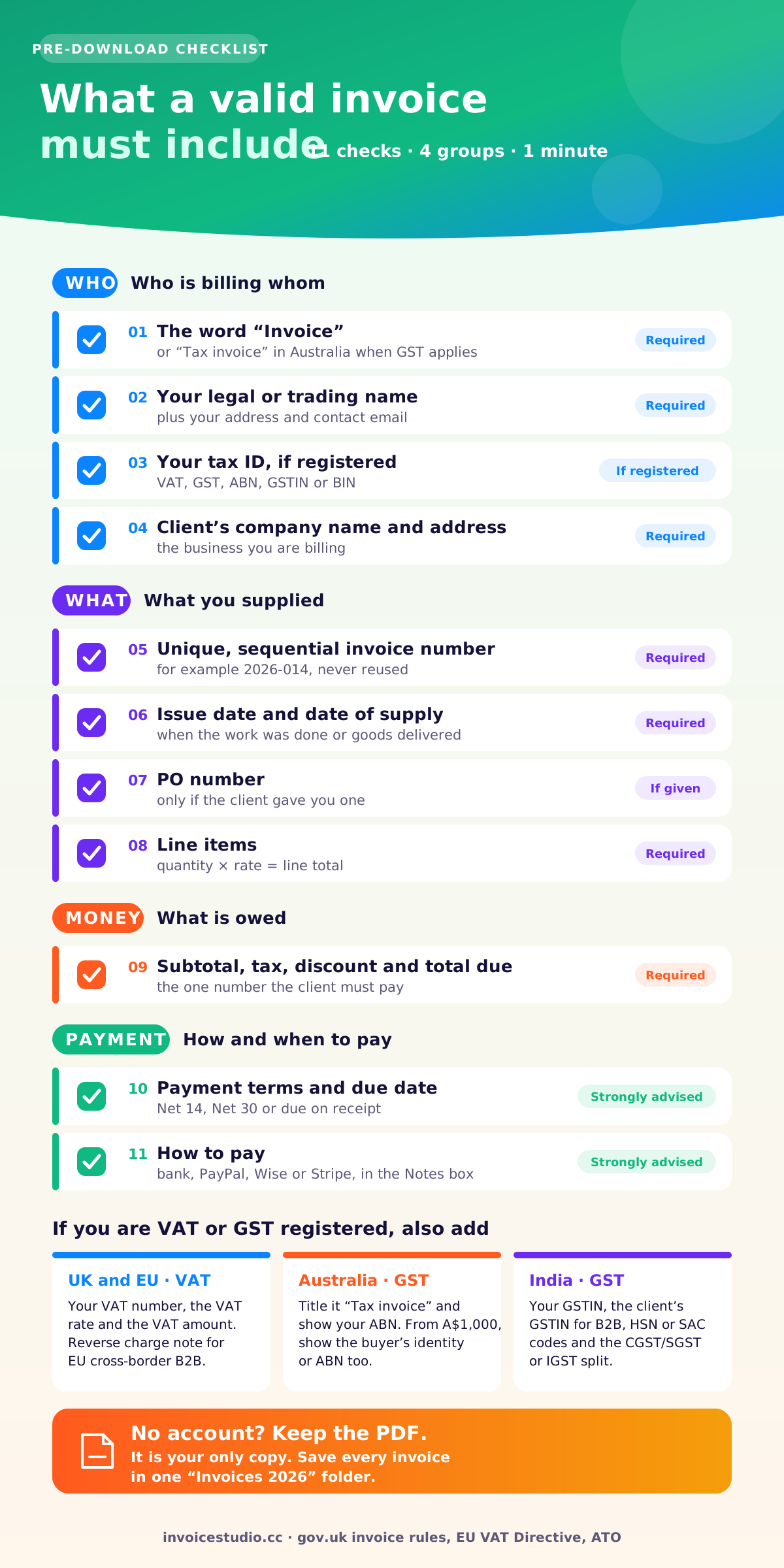
A valid invoice needs a unique invoice number, the date, your name and address, the client's name and address, a description of what you supplied, the amount for each item and the total due. If you're registered for VAT or GST, you also need your tax number, the tax rate and the tax amount.
That's the short list. Here is the full checklist I run through before I hit send:
The UK government lists the legal minimum on its invoices: what they must include page, and most other countries ask for a similar core set. For a longer walk through each field, see our guide on how to make an invoice.
The no-signup tool has no separate payment-method fields, so put your bank or PayPal details in the Notes box. The full editor in a free account prints them in a tidy "How to pay" block instead, with options for Stripe, PayPal, Wise, bank, card, Payoneer, bKash, Nagad, crypto and cash.
The quickest way to see what a no-signup invoice looks like is to load one. Each one was made in the invoice maker without an account, and each is in the "Examples" section of this page, so press "Load this example" and it fills the tool with real numbers you can edit.
Jordan shot a four-hour product launch for a client he'd never worked with before. No retainer, no second job in sight, so no reason to sign up for anything.
Design: Modern, because the big type and orange accent suit a creative portfolio.
Priya tutors GCSE maths in the evenings. She earns well below the £90,000 VAT registration threshold, so she charges no VAT and says so on the invoice.
Design: Elegant, calm and traditional for parents.
Dave is GST registered, so his invoice has to say "Tax invoice", show his ABN and list GST.
Design: Corporate, whose solid colour band reads as "established business".
Rafi translates for agencies across Europe. Each job is a new purchase order, so he puts the PO number on every invoice.
Design: Split, with the big total panel that agency finance teams can scan in a second. For more on cross-border billing, see the international invoice generator.
Use a simple scheme you can continue by hand, such as the year plus a three-digit count (2026-001, 2026-002), and write the last number you used somewhere you'll find it. Tax offices in the UK, EU and elsewhere expect invoice numbers to be unique and sequential, and a no-signup tool can't remember the sequence for you.
This is the biggest trade-off of not having an account. Two schemes that work:
Most people get this wrong by starting at 0001 on every one-off invoice. Two invoices with the same number confuse your client's accounts payable system and look sloppy to an auditor. If you're starting from zero, our invoice number format guide has more schemes and the rules behind them. Once you have a free account, numbering is automatic.
The Notes box is where payment instructions and terms go when you use the no-signup tool. Here is wording I've used for years. Copy it, swap in your details, and paste.
Payment due within 14 days of the invoice date (Net 14). Please quote invoice number 2026-014 as the payment reference.
Bank transfer: Jordan Lee Photography, Account 12345678, Routing 021000021. PayPal: pay@jordanlee.photo. Wise: jordan@jordanlee.photo.
Invoices unpaid after the due date may incur a late fee of 1.5% per month on the outstanding balance, as set out in our agreement.
Only include a late fee you have actually agreed with the client, or one the law gives you. In the UK and EU you have a statutory right to interest and fixed compensation (more on that below), so you can write "Statutory interest and compensation apply to late payments under the Late Payment of Commercial Debts (Interest) Act 1998" instead.
Not VAT registered. No VAT has been charged.
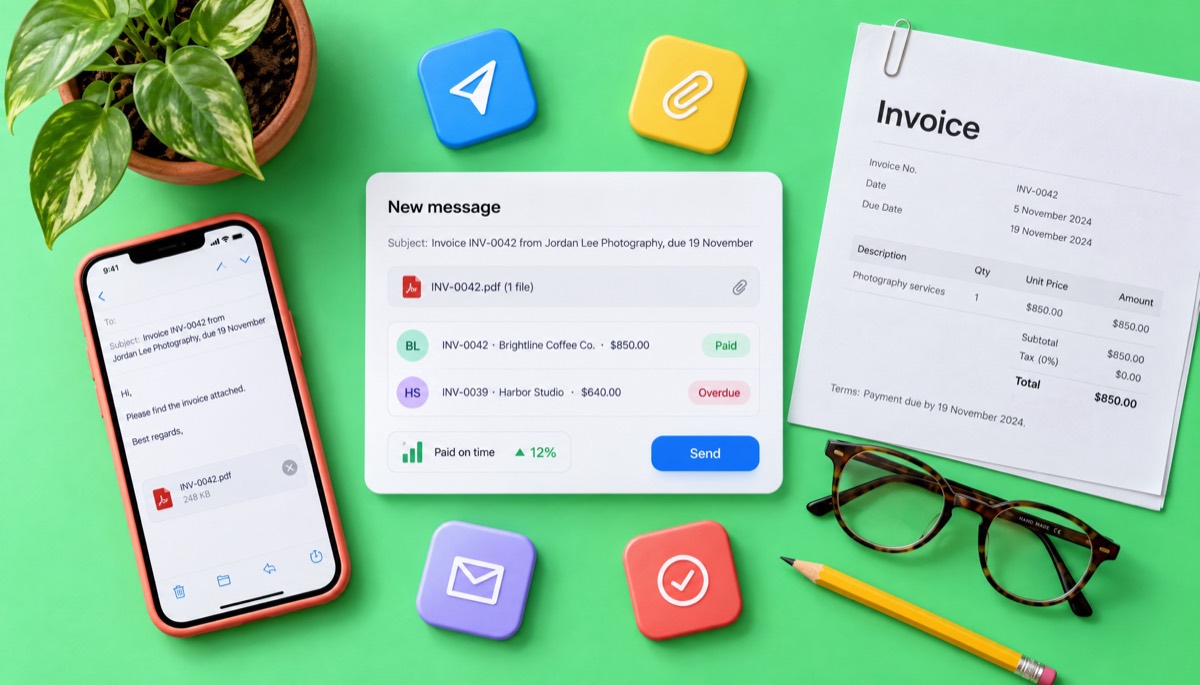
Subject: Invoice 2026-014 from Jordan Lee Photography, due 19 November
Hi Sam,
Thanks again for having me at the launch. Invoice 2026-014 for $850.00 is attached, covering the four-hour shoot and the edited gallery. It's due on 19 November, and the payment details are at the bottom of the invoice.
Let me know if your finance team needs a PO number or a W-9 from me.
Best, Jordan
Put the invoice number and amount in the subject line. It's the single change that most reduced "which invoice was this?" emails for me. For the full sending routine, see how to send an invoice, and if the payment date passes, how to ask for payment politely has follow-up emails for each stage.
The core invoice is the same everywhere, but tax registration changes what you must add. If you're not registered for VAT, GST or sales tax, a basic invoice from the no-signup tool is usually enough. If you are registered, add your tax number and show the tax separately. Rules change, so check with your local tax authority before relying on any threshold below.
A fake no-signup tool lets you fill in the form, then asks for your email, a login or a payment at the moment you try to download. The giveaway is any step between "Download PDF" and the file landing on your device.
The common tricks are:
Here's how to test any tool in 60 seconds: fill in a dummy invoice, press download, and see whether a file appears without another screen. Then open the PDF and check the footer and the corners. The tool on this page passes both checks. If you want to compare it against the main generator, the free invoice generator and the PDF invoice generator use the same engine with different starting examples.
A free account is worth it when you invoice the same client more than once, when you need to know who hasn't paid, or when you'd otherwise lose track of invoice numbers. For a single one-off job, staying signed out is fine.
These are the signs I'd watch for:
Your draft carries over too. Press "Save" in the tool and the invoice you just built opens in your new account, so you don't type it twice. If you're still weighing up apps, our free invoice app guide compares what to look for, and the Invoice Studio blog has guides on everything from net 30 terms to credit notes.
The most common mistakes are reusing invoice numbers, leaving out payment details, and charging tax you aren't registered to collect. Each one delays payment or causes trouble later.
Pick a design from the template gallery if you want to see all 16 side by side, or print one from the blank printable invoice template guide. Then scroll back up, fill in the form and download your invoice. No account, no email, no watermark.
InvoiceStudio: create invoices by voice, automate billing, and get paid faster. Start with one free PDF today, and come back for an account when one invoice turns into ten.

Monjur builds Invoice Studio and incorporated MotionTrust Digital in September 2022, where he leads Amazon strategy across the client base. Eight years in e-commerce and marketplace marketing taught him how much time invoices and late payments eat, so every guide here is tested against the real product and current tax rules before it goes live.
InvoiceStudio: create invoices by voice, automate billing, and get paid faster. Start with a free PDF and no account. When one invoice turns into ten, save them in a free account.