How to Make an Invoice: Step-by-Step Guide With Examples
Nine clear steps, a real $1,850 invoice worked out with UK VAT and Texas sales tax, numbering schemes, payment-term dates and the legal minimums for seven countries.
- Written by
- Monjur Hossain
- Published
- Last updated
- Reading time
- 22 min read

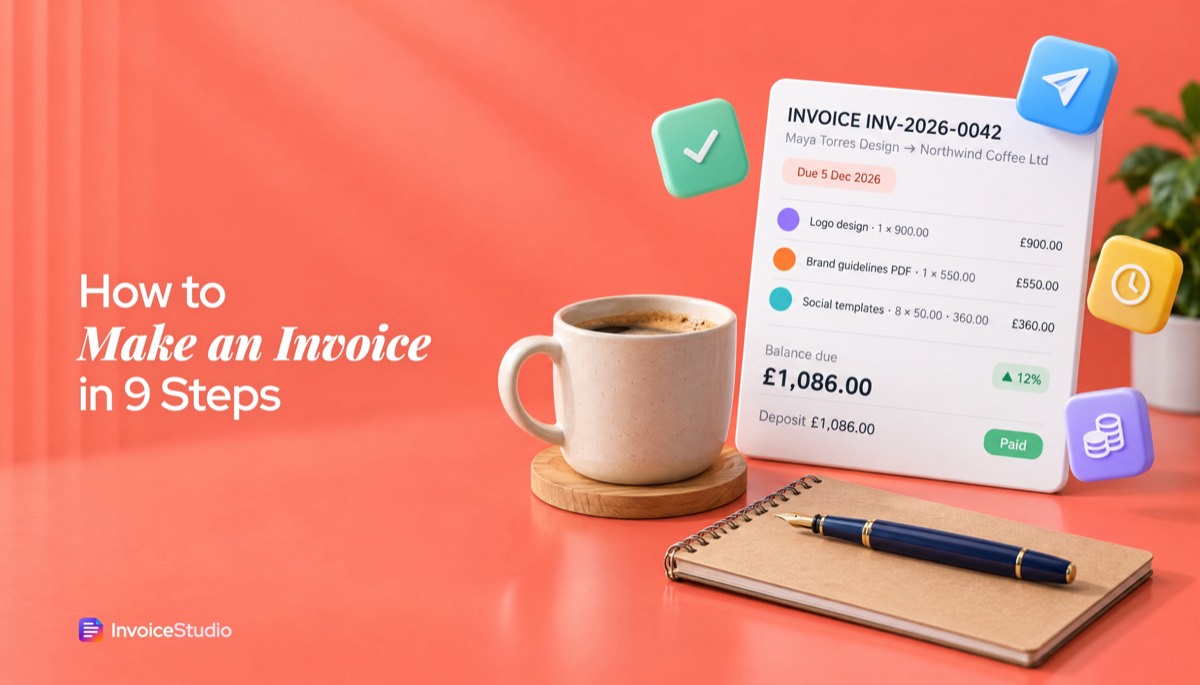
To make an invoice, add your business and client details, give it a unique invoice number and date, list each item with quantity and price, apply discounts and tax, show the total and due date, and add payment instructions. Save it as a PDF and send it. Word, Excel, Google Docs or a free invoice generator all work.
On this page 13 sections
- What is an invoice and when do you need to make one?
- What should an invoice include? (the 12-field checklist)
- How to make an invoice in 9 steps
- What does a finished invoice look like? (worked example with real numbers)
- How to calculate tax, discounts and deposits on an invoice
- How to number invoices so they never clash
- What payment terms should you put on an invoice?
- How to make an invoice in Word, Excel or Google Docs
- How to make an invoice with a free invoice generator
- What are the legal invoice requirements by country?
- How to send an invoice and follow up
- What are the most common invoicing mistakes?
- FAQs
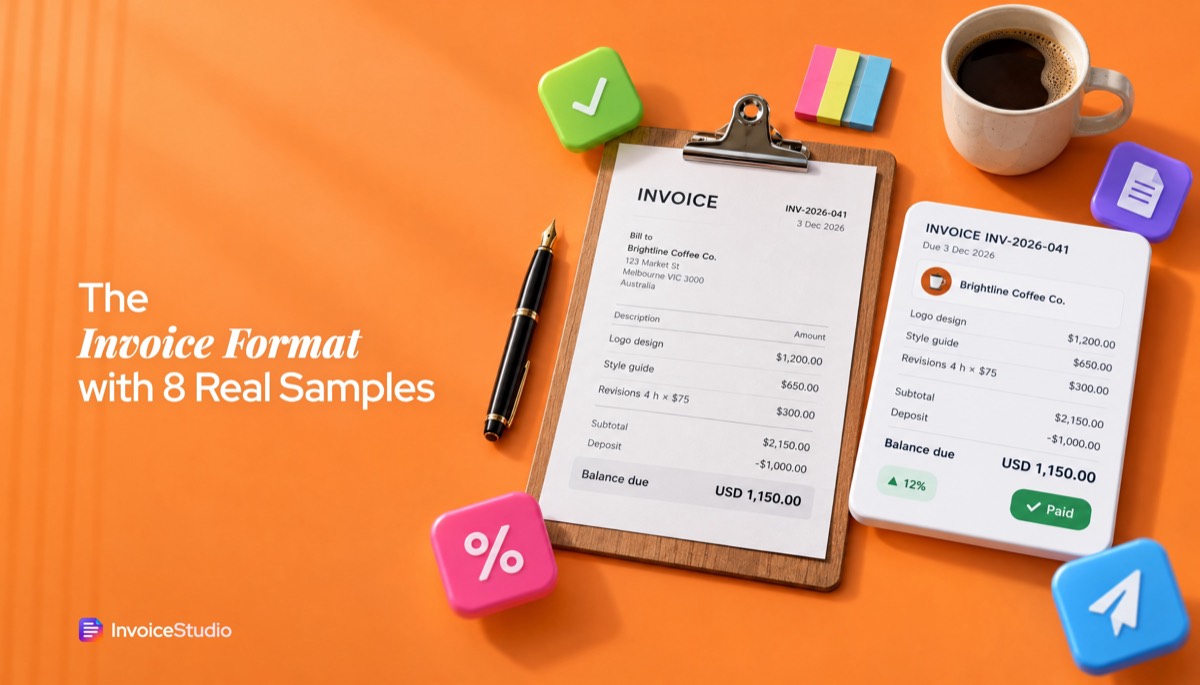
Here is how to make an invoice: you put your business details and the client's details on one page, give it a unique invoice number and a date, list what you sold line by line, add any tax, show the total and the due date, and explain how to pay. Then you save it as a PDF and send it. That is the whole job, and you can do it in Word, Excel, Google Docs or a free invoice generator in about ten minutes, or start from one of our free invoice templates.
I have written hundreds of invoices as a freelancer, from $80 logo tweaks to five-figure retainers. The steps are simple. The parts people get wrong are the arithmetic (discounts, tax and deposits), the numbering, the payment terms and the legal fields that change from country to country. Most guides on how to create an invoice or how to write an invoice skip those and give you a list of boxes to fill in. This one walks through a real $1,850 design invoice with every number worked out, shows it with UK VAT and with Texas sales tax, and ends with the legal minimums for seven countries.
What is an invoice and when do you need to make one?
An invoice is a dated document a seller sends a buyer that lists what was supplied, what it costs and when payment is due. You make one whenever you have delivered work or goods (or reached an agreed milestone) and want to be paid.
It does three jobs at once. For your client, it is a request for payment their accounts payable team can approve. For you, it is income sitting in accounts receivable until it is paid. For the tax office, it is evidence: the IRS, HMRC and the CRA all treat invoices as supporting records for the income you report.
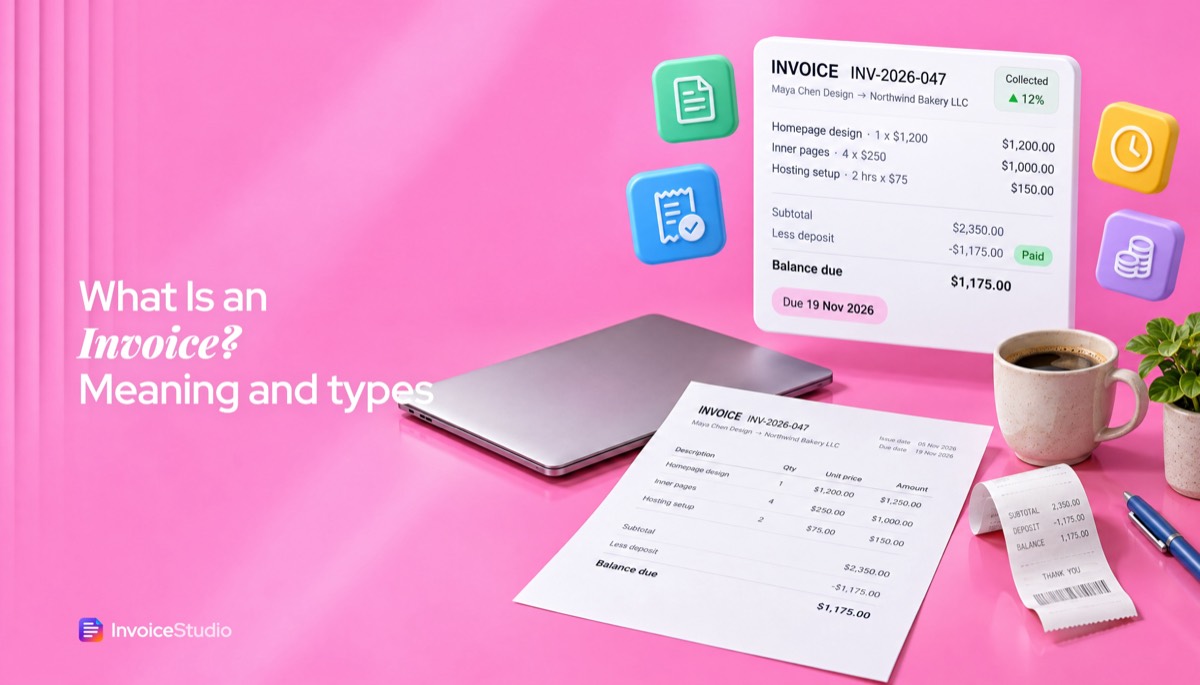
If you are still unsure where an invoice ends and a receipt, bill or quote begins, the short version is this: a quote comes before the work, an invoice asks for payment after it, and a receipt confirms that payment arrived. There is a full comparison in our guide to what an invoice is and how it differs from a receipt.
When should you send it? Here is what I do:
- One-off project: invoice the day you deliver the final files, not a week later. The clock on your payment terms only starts when the invoice lands.
- Bigger project: invoice a deposit before you start (25% to 50% is normal), then the balance on delivery.
- Ongoing work: invoice on the same date every month, ideally with a recurring invoice so you never forget.
What should an invoice include? (the 12-field checklist)
An invoice should include the word "Invoice", a unique number, the issue date, your details, the client's details, a clear description of each item with quantity and price, the subtotal, any discount and tax, the total due, the due date and how to pay. Those twelve fields cover what clients, accountants and most tax authorities expect.
If you are wondering what to include in an invoice, this is the checklist I use before every invoice goes out. If a field is marked "if relevant", leave it off when it does not apply rather than filling it with "N/A".
| # | Field | What to write | Example |
|---|---|---|---|
| 1 | Document title | "Invoice", or "VAT invoice" / "Tax invoice" if your country requires it | INVOICE |
| 2 | Invoice number | Unique, never reused, ideally sequential | INV-2026-0042 |
| 3 | Invoice date | The day you issue it | 5 November 2026 |
| 4 | Supply date or period | When the work was done or goods delivered, if different | Work completed 4 November 2026 |
| 5 | Your details | Business or trading name, address, email, phone | Maya Torres Design, 14 Mill Lane, Leeds |
| 6 | Your tax ID (if relevant) | VAT, GST, ABN or GSTIN number | VAT reg. GB 123 4567 89 |
| 7 | Client details ("Bill to") | Company name, contact person, billing address, PO number if they gave one | Northwind Coffee Ltd, PO 7781 |
| 8 | Line items | Description, quantity, unit price and line total for each item | Logo design, 1 x £900 |
| 9 | Subtotal and discounts | Sum of lines, with any discount shown as its own figure | Subtotal £1,810.00 |
| 10 | Tax (if relevant) | Rate and amount, by rate if you charge more than one | VAT 20%: £362.00 |
| 11 | Total and balance due | Grand total, currency, minus any deposit already paid | Balance due £1,086.00 |
| 12 | Payment terms and how to pay | Due date, accepted methods, bank or PayPal details, late fee note | Due 5 December 2026 (net 30) |
The one most people forget is number 4. In the UK and EU, the supply date (the "tax point") matters for VAT, and many businesses leave it off. The one most people get wrong is number 8. "Design work: £1,850" is not a line item. "Logo design, three concepts and two rounds of revisions" is.
How to make an invoice in 9 steps
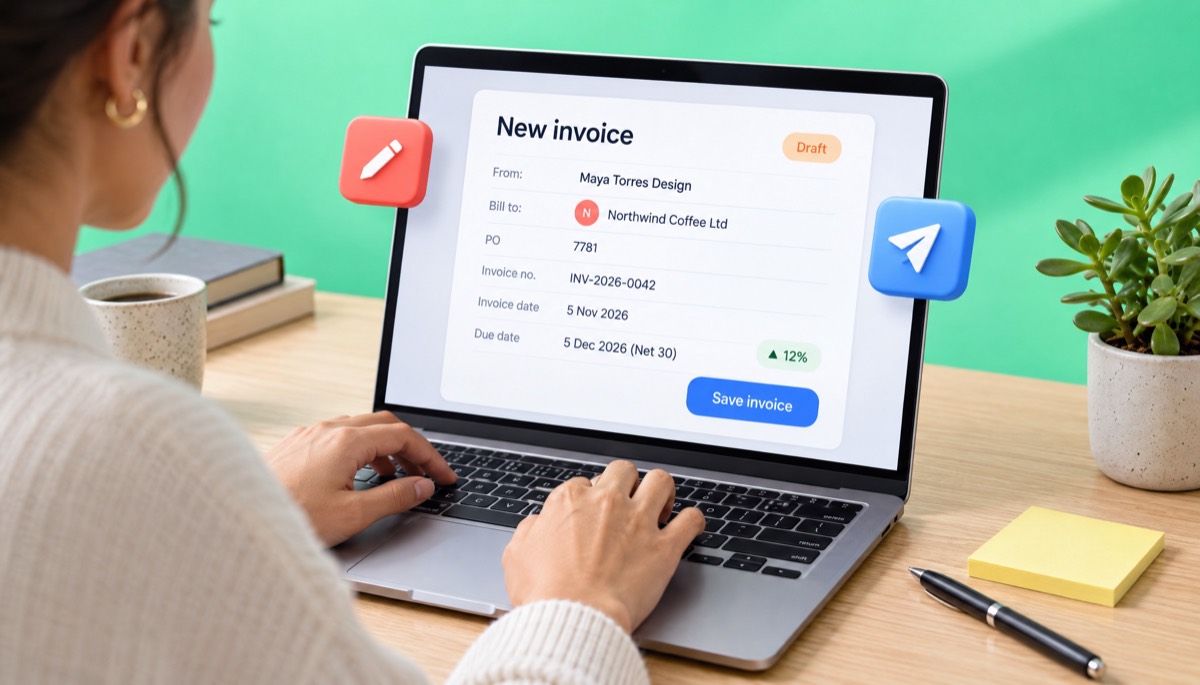
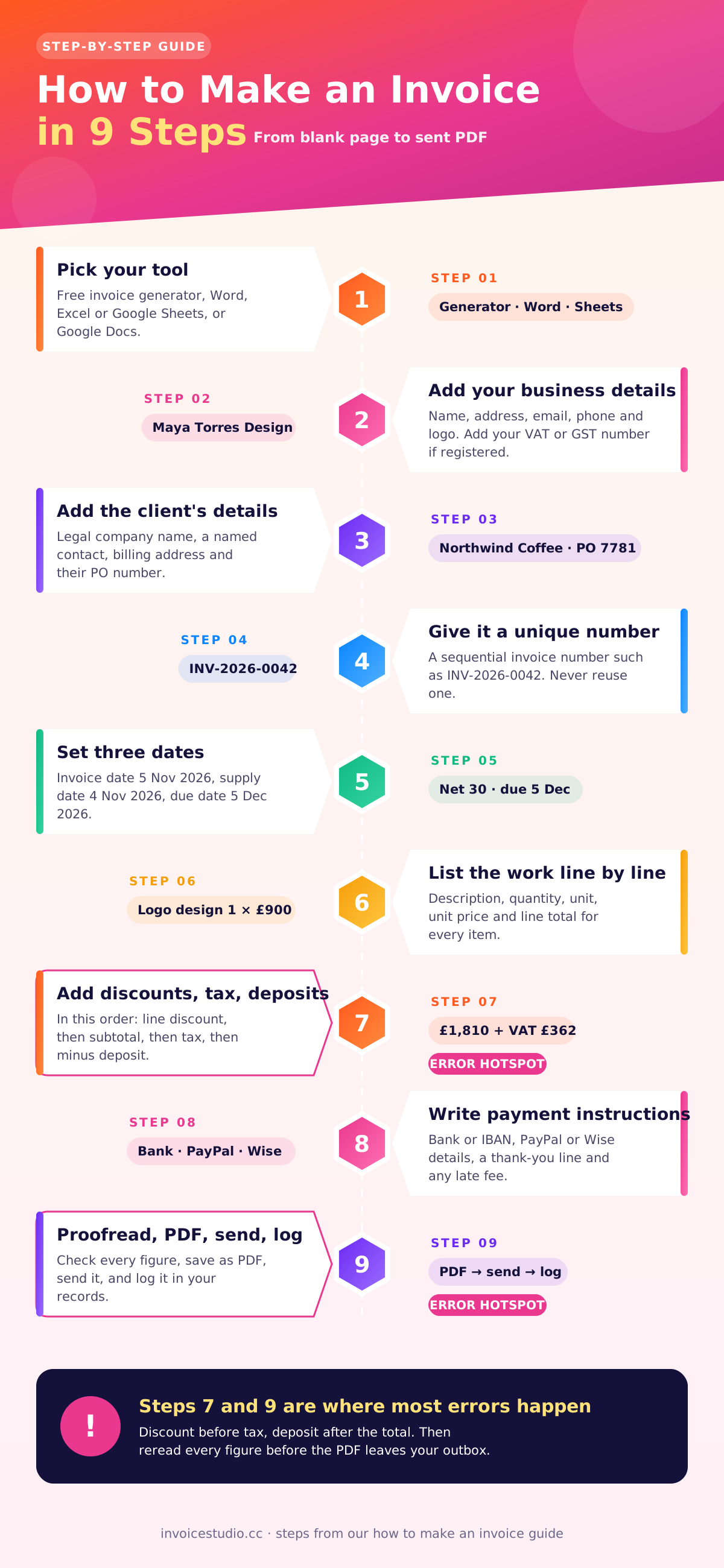
To make an invoice, pick a tool, add your details and the client's, assign a unique number, set the dates, list the work, calculate the totals, add payment instructions, then proofread and send it as a PDF. Whether you call it how to write up an invoice or how to do an invoice, it is the same nine steps, and each takes a minute or two once you have done it a few times.
Step 1: Pick your tool
You have four realistic options: a free invoice generator, Word, Excel or Google Sheets, and Google Docs. A generator does the maths and numbering for you. Word and Docs are fine for one invoice a month. A spreadsheet is good if you like formulas. Accounting software such as QuickBooks also makes invoices, but it is more than most people need at the start. You can even describe the job in a sentence and let an AI invoice generator draft it. I compare the options properly further down, but if you are writing your first invoice tonight, a generator is the fastest way to get it right.
Step 2: Put your business details and logo at the top
Top left or top centre: your business name (or your own name if you trade under it), address, email and phone. Add your logo if you have one. A logo is not legally required anywhere, but it helps a busy client recognise your invoice in a pile of fifty. If you are VAT or GST registered, your registration number goes here too.
Step 3: Add the client's details
This is the "Bill to" block. Write the legal company name, not the nickname you use in Slack. Add the contact person, their billing address and the email of whoever pays invoices. If the client sent you a purchase order, copy the PO number exactly. Large companies reject invoices without one, and you will not hear about it until you chase payment.
Step 4: Give it a unique invoice number
Every invoice needs its own number that you never reuse. INV-0001, INV-0002 and so on is fine. Some countries, including all EU member states, require the numbers to run in sequence. More on schemes below.
Step 5: Set the invoice date, supply date and due date
The invoice date is the day you send it. The supply date is when the work was done. The due date is the invoice date plus your payment terms. Write the due date as an actual date ("Due 5 December 2026"), not just "Net 30". Clients pay against dates.
Step 6: List the work line by line
One row per deliverable or per type of work. Each row gets a description, a quantity, a unit (hours, days, items), a unit price and a line total. Hourly work: "Website copy edits, 6.5 hours at $60" is better than "Edits, $390". Specific lines get approved faster and cause fewer queries.
Step 7: Add discounts, tax and deposits, then the total
Apply line discounts first, then sum to the subtotal, then add tax on the discounted amount, then subtract any deposit already paid. The order matters, and the next sections show the exact numbers.
Step 8: Write payment instructions and a short note
Tell the client exactly how to pay: bank account name, number and sort code or routing number, IBAN for international clients, a PayPal email or Wise details. Add a one-line thank you and, if you charge one, your late fee.
Step 9: Proofread, save as a PDF, send and log it
Check the client name, the maths and the due date. Save it as a PDF so the layout cannot shift and nobody can edit it. Name the file sensibly ("INV-2026-0042 Maya Torres Design.pdf"). Send it, then log it somewhere so you know when to follow up. If you only take one habit from this guide, take this one.
What does a finished invoice look like? (worked example with real numbers)
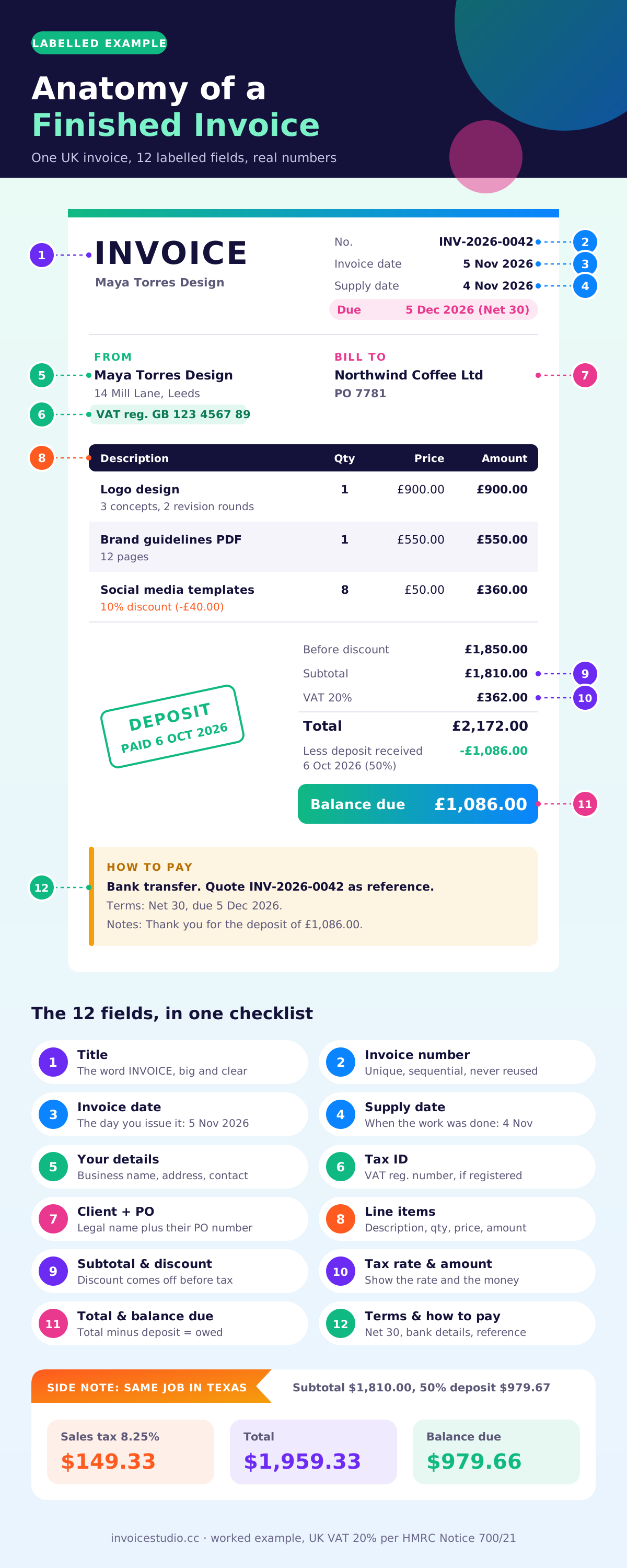
A finished invoice shows your details, the client's details, a numbered and dated header, itemised lines with a total for each, then a subtotal, discount, tax, deposit and balance due, followed by payment terms. Here is a real-world example of a small branding job, worked through to the last penny.
The job: Maya, a freelance designer, has delivered a logo, a brand guidelines PDF and a set of social media templates for a coffee shop. She quoted 1,850 in the client's currency. She agreed to take 10% off the templates because the client ordered eight at once, and the client paid a 50% deposit when they signed.
The line items
| Description | Qty | Unit price | Discount | Line total |
|---|---|---|---|---|
| Logo design: 3 concepts, 2 revision rounds, final files | 1 | 900.00 | none | 900.00 |
| Brand guidelines PDF, 12 pages | 1 | 550.00 | none | 550.00 |
| Social media templates (Instagram, editable) | 8 | 50.00 | 10% (40.00) | 360.00 |
| Before discount | 1,850.00 | |||
| Subtotal after discount | 1,810.00 | |||
The 10% applies to the templates line only: 8 x 50 = 400, and 10% of 400 is 40, so that line drops to 360. The subtotal is 900 + 550 + 360 = 1,810. Show the discount openly. A client who sees "10% (40.00)" knows you kept your word.
Version A: UK client, 20% VAT, in pounds
Maya is VAT registered, and the client is in Leeds. The standard UK VAT rate is 20%. VAT is charged on the discounted subtotal, never on the pre-discount figure.
| Line | Calculation | Amount |
|---|---|---|
| Subtotal (after 10% template discount) | 900 + 550 + 360 | £1,810.00 |
| VAT at 20% | 1,810 x 0.20 | £362.00 |
| Total including VAT | 1,810 + 362 | £2,172.00 |
| Less deposit received 6 October 2026 (50%) | 2,172 x 0.50 | -£1,086.00 |
| Balance due | 2,172 - 1,086 | £1,086.00 |
One UK wrinkle: when a VAT-registered business receives a deposit, that payment creates a tax point for the VAT inside it. So Maya should have issued a VAT invoice for the deposit back in October. The deposit of £1,086.00 contained £905.00 net plus £181.00 VAT. Her final invoice can either show the full job and deduct the deposit (as above, with a note "VAT on the deposit was invoiced on INV-2026-0031") or bill only the balance as £905.00 plus £181.00 VAT. Both reach £1,086.00. HMRC's VAT Notice 700/21 sets out what a valid VAT invoice must show.
Version B: Texas client, 8.25% sales tax, in dollars
Now the same job for a client in Austin. US sales tax is set by states and local areas, not nationally. Texas charges 6.25% at state level, and local taxes can add up to 2%, so many Texas cities sit at 8.25% combined. The Texas Comptroller publishes the rates and rules.
| Line | Calculation | Amount |
|---|---|---|
| Subtotal (after 10% template discount) | 900 + 550 + 360 | $1,810.00 |
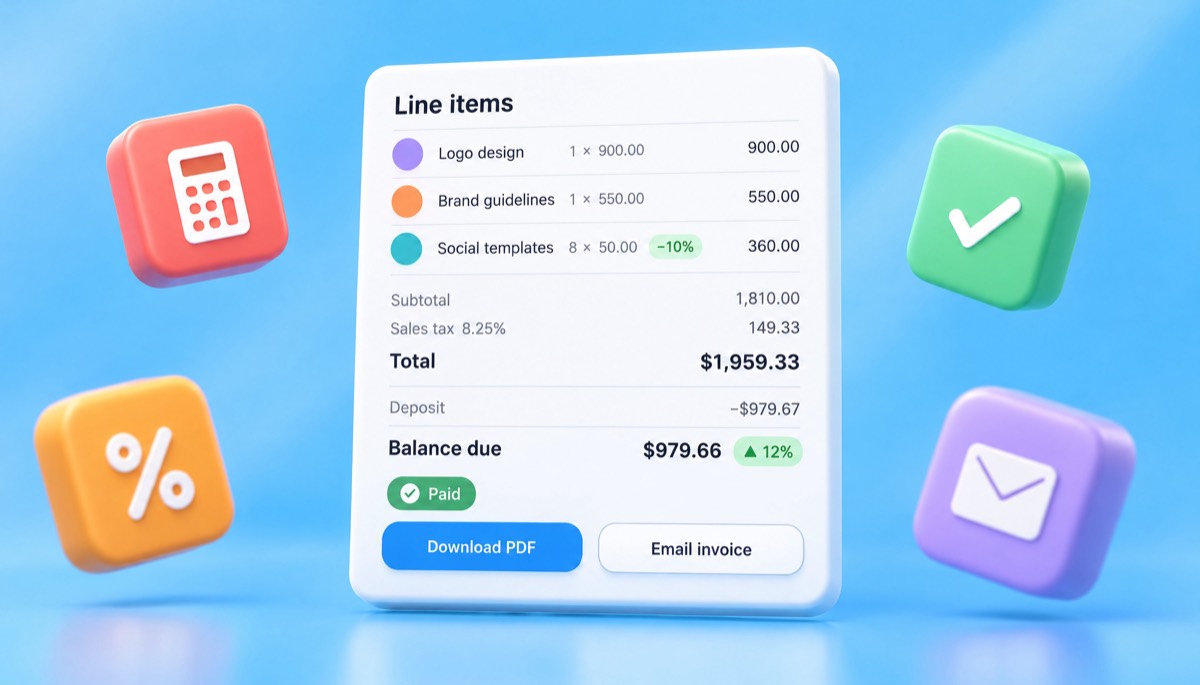
| Sales tax at 8.25% | 1,810 x 0.0825 = 149.325 | $149.33 |
| Total including tax | 1,810 + 149.33 | $1,959.33 |
| Less deposit received (50%) | 1,959.33 / 2 = 979.665 | -$979.67 |
| Balance due | 1,959.33 - 979.67 | $979.66 |
Notice the rounding. Half of $1,959.33 is not a clean number, so the deposit rounded up to $979.67 and the balance is a cent less. Just make sure the two halves add back to the total.
Whether design work is taxable at all depends on the state and on what you deliver. Some states tax digital products, others do not, and many leave pure services untaxed. This example taxes the whole job to show the arithmetic. Check your own state's rules before you add sales tax to a service invoice.
If you want to see these numbers laid out as a real page, there are more layouts in our invoice format and samples guide, and the labelled diagram below maps every field on Maya's UK invoice.
How to calculate tax, discounts and deposits on an invoice
Calculate in this order: line totals, then line discounts, then the subtotal, then any invoice-wide discount, then tax on the discounted amount, then add shipping or fees, then subtract deposits. Getting the order wrong is the most common reason an invoice total does not match what the client expected.
Here are the rules I follow, with the formula for each:
- Line total = quantity x unit price. 8 templates x 50 = 400.
- Line discount = line total x discount %. 400 x 10% = 40.
- Subtotal = sum of discounted line totals. 1,810.
- Invoice discount (if any) comes off the subtotal before tax. A 5% loyalty discount on 1,810 would be 90.50, leaving 1,719.50.
- Tax = taxable amount x tax rate. Round each tax figure to two decimals, once, at the end.
- Deposit is subtracted last, after tax, because the client paid real money that already included tax.
Mixed tax rates. If some lines are taxed and some are not (say, labour is exempt but materials are taxable), tax each group separately and show the tax "by rate". EU rules require exactly that. A UK example: £600 of children's clothing at 0% and £400 of adult clothing at 20% gives VAT of £80, not £200.
Early-payment discounts. Terms like "2/10 net 30" mean the client can take 2% off if they pay within 10 days. On a £2,172 invoice that is £43.44. Write the discounted figure on the invoice so nobody has to work it out: "Pay £2,128.56 by 15 November 2026, or £2,172.00 by 5 December 2026."
Cross-border work adds one more layer. When you bill a VAT-registered business in another EU country, you usually do not charge VAT. Instead you add the client's VAT number and a line saying "Reverse charge: VAT to be accounted for by the recipient". The European Commission's VAT invoicing page lists when that wording is required.
How to number invoices so they never clash
Number invoices with a fixed prefix and a running count that never repeats, such as INV-0001, INV-0002, INV-0003. If you want more information in the number, add the year or a client code, but keep one sequence you never break or reuse.
Here are the four schemes I have seen work, with who they suit:
| Scheme | Example | Good for | Watch out for |
|---|---|---|---|
| Simple sequence | INV-0042 | Most freelancers and small businesses | Use four digits so the files sort properly |
| Year plus sequence | INV-2026-0042 | Anyone filing taxes by year; EU and India | Reset to 0001 only on 1 January (or 1 April in India), never mid-year |
| Client code plus sequence | NWC-2026-007 | Agencies with a few big clients | You still need one master sequence behind it for tax purposes |
| Date based | 20261105-01 | Shops issuing several invoices a day | Long, and easy to mistype when a client quotes it back |
A few rules that save headaches. Do not start at 0001 if you are worried about looking new; starting at 1001 is perfectly legal as long as you continue in order from there. Never delete an invoice to reuse its number. If one is wrong, cancel it with a credit note and issue a new one. In India, a GST invoice number can be at most 16 characters and must be unique for the financial year, so INV-2026-0042 (13 characters) fits. The full set of examples is in our invoice number format guide.
What payment terms should you put on an invoice?
Put a specific due date and the terms behind it on every invoice, such as "Net 30, due 5 December 2026". For freelancers and small businesses, net 14 or net 15 is a sensible default; net 30 is standard for larger companies, and "due on receipt" works for small one-off jobs.
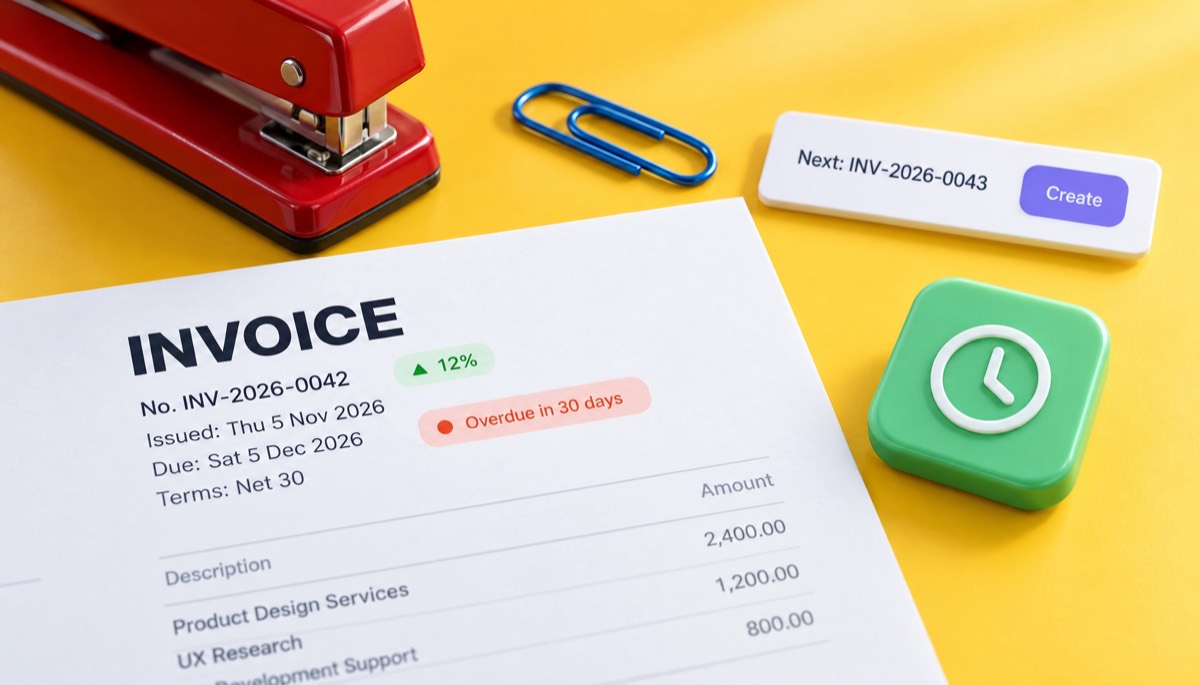
The maths is simple, but people still get it wrong. Count calendar days from the invoice date, not from the day the client opens it. Here is the date maths for an invoice dated Thursday 5 November 2026:
| Term | What it means | Due date |
|---|---|---|
| Due on receipt | Pay now | Thursday 5 November 2026 |
| Net 7 | 7 days after invoice date | Thursday 12 November 2026 |
| Net 15 | 15 days after invoice date | Friday 20 November 2026 |
| Net 30 | 30 days after invoice date | Saturday 5 December 2026 |
| EOM | End of the month the invoice is dated | Monday 30 November 2026 |
| Net 30 EOM | 30 days after the end of the invoice month | Wednesday 30 December 2026 |
| Net 60 | 60 days after invoice date | Monday 4 January 2027 |
| 2/10 net 30 | 2% off if paid within 10 days, otherwise full amount at 30 | Sunday 15 November 2026 (discount) / 5 December 2026 |
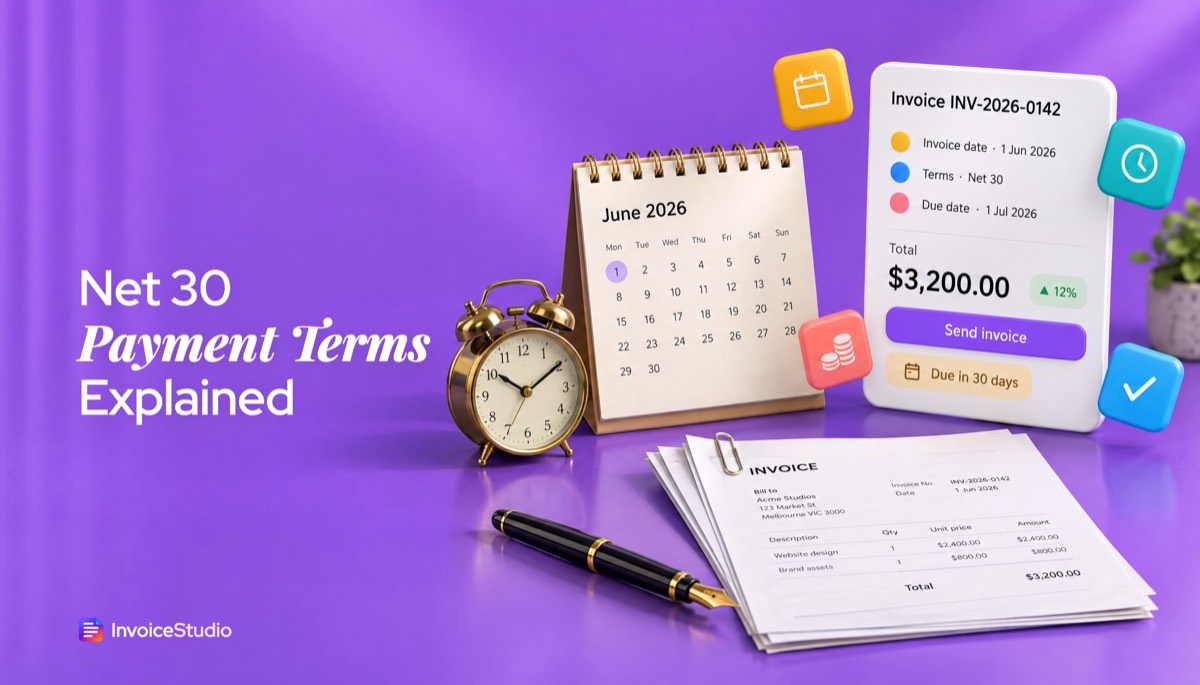
Net 30 lands on a Saturday here. I would not chase it until Tuesday 8 December. If you want a weekday, write that date instead. There is a fuller explanation in our guide to net 30 payment terms.
Know the defaults where you work. In the UK, if no date is agreed, a business payment is late 30 days after the client gets the invoice or the goods, whichever is later, and you can then claim statutory interest at 8% plus the Bank of England base rate, plus a fixed sum of £40, £70 or £100 depending on the debt. Details are on gov.uk's late payment page. In the US, late fees are a matter of contract and state law, so put the fee in your agreement before the work starts.
Copy-paste invoice notes
These are the notes I actually use. Change the numbers and paste them into the notes field.
Payment is due within 14 days, by 19 November 2026. Please quote invoice INV-2026-0042 as the payment reference.
Thank you for the deposit of £1,086.00 received on 6 October 2026. The balance of £1,086.00 is due by 5 December 2026.
Invoices unpaid after 30 days incur a late fee of 1.5% per month on the outstanding balance, as agreed in our contract dated 1 October 2026.
Reverse charge: VAT to be accounted for by the recipient under Article 196 of Council Directive 2006/112/EC.
Early payment: deduct 2% (£43.44) if paid by 15 November 2026.
Be careful with the late fee line. In the US, 1.5% a month is common, but some states cap interest rates, and you should only charge a fee the client agreed to in writing.
How to make an invoice in Word, Excel or Google Docs
You can make an invoice in Word, Excel or Google Docs by opening a built-in invoice template, replacing the sample details with yours, entering your line items and saving or downloading the result as a PDF. Excel and Google Sheets can calculate totals for you; Word and Google Docs cannot do that reliably, so you check the maths by hand.
Word: the quick version
- Open Word, choose New and search "invoice" in the template search.
- Pick a simple layout with a line-item table. Skip the decorative ones; they waste ink and hide the total.
- Replace the placeholder company, address and logo with yours. Save this version as your master template.
- For each new invoice, open the master, use Save As with the new invoice number in the file name, and fill in the client and lines.
- Work out totals on a calculator. Word tables can hold a formula field, but it does not update on its own, which is how wrong totals slip through.
- Go to File, Save As, and choose PDF.
Excel: let formulas do the totals
- Open Excel, go to New and search "invoice", or start with a blank sheet.
- Set up columns: Description, Qty, Unit price, Discount %, Line total.
- In the line total cell, use a formula such as =B5*C5*(1-D5).
- Below the lines, add Subtotal =SUM(E5:E12), Tax =ROUND(E13*0.2,2) and Total =E13+E14.
- Lock the formula cells so you do not type over them.
- Set the print area to one page, then use File, Export, PDF.
Google Docs: one copy per invoice
- Open Google Docs and look in the template gallery, or make a two-column table yourself: your details on the left, invoice number and dates on the right.
- Add a table for line items. Google Docs tables do not calculate, so if you want automatic totals, build the invoice in Google Sheets instead.
- Make a copy for each invoice and rename it with the invoice number.
- Download it with File, Download, PDF document.
All three work. All three also leave the numbering, the due-date maths and the follow-up to you. We have a step-by-step version with screenshots and free files in the invoice template for Word, Excel and Google Docs guide, and printable layouts in the blank invoice template collection.
| Tool | Calculates totals | Numbers invoices | Tracks payment | Best for |
|---|---|---|---|---|
| Word | No (manual) | No | No | One or two invoices a month, simple jobs |
| Excel / Google Sheets | Yes, with formulas | Only if you build it | Only if you build it | People who like spreadsheets |
| Google Docs | No (manual) | No | No | Quick invoices from any device |
| Invoice generator | Yes, including tax and deposits | Yes | Yes, in an app | Anyone invoicing more than a few times a month |
How to make an invoice with a free invoice generator
To make an invoice with a free invoice generator, open the generator, type your business and client details, add line items, choose a currency and tax rate, and download the finished PDF. The generator handles the arithmetic, the layout and the numbering, so you only supply the facts.
Here is how Maya's invoice comes together in the free invoice generator on Invoice Studio:
- Pick a template. There are 28, from Classic and Minimal to Corporate, Creative, Modern and Elegant, plus ten gradient designs and twelve newer styles. Set your brand colour, logo, font and A4 or Letter paper.
- Add your details and the client's. Use the client's legal company name and copy in their PO number if they sent one.
- Add the three lines. Enter qty, unit and price. Put 10% in the discount box on the templates line only. Each line can carry its own discount and tax.
- Add tax. Use a "Tax & fees" row for VAT at 20% or sales tax at 8.25%. You can also add shipping or a processing fee here.
- Choose the currency. Pick from 14 currencies or add your own.
- Add "How to pay". Choose the methods you accept, such as bank transfer, PayPal, Wise, Stripe, Payoneer, bKash, Nagad, card, crypto or cash, and the details print under the total.
- Sign it if you need to, then download the PDF, print it or email it with the PDF attached.
After that, you can record the deposit as a partial payment, so the invoice shows the balance and the dashboard shows what has come in. If it is not paid by the due date, it is marked overdue and you can send a reminder. You can browse all the designs in the invoice templates gallery.
How to make an invoice on your phone
A web generator works in Safari or Chrome on an iPhone or Android, so you can invoice on your phone from the job site. The slow part is thumb-typing, so save clients and common line items, or use a voice invoice generator and just say the job. I tested how well that works, and whether ChatGPT can make an invoice, in a separate guide.
What a generator will not do is decide your tax for you. You still need to know whether you charge VAT, GST or sales tax, and at what rate.
What are the legal invoice requirements by country?
The legal requirements depend on where you are registered and whether you charge VAT, GST or sales tax. The US sets no federal invoice format, while the UK, EU, Canada, Australia, India and Bangladesh all list required fields, especially for tax invoices. The table below shows the minimums as of 2026.
| Country | Basic invoice must show | Extra for tax invoices | Key thresholds or timing | Official source |
|---|---|---|---|---|
| United States | No federal format; invoices are business records supporting income and expenses | State sales tax shown where you collect it | Sales tax rates set by state and locality | IRS recordkeeping |
| United Kingdom | Unique ID number, your name and address, client's name and address, description, supply date, invoice date, amounts, total | VAT number, tax point, unit price excluding VAT, VAT rate, VAT total in sterling | Issue VAT invoice normally within 30 days; simplified invoice allowed at £250 or less including VAT | gov.uk |
| European Union | Issue date, sequential number, supplier and customer names and addresses | Supplier VAT ID, customer VAT ID where relevant, quantity and description, unit price excluding VAT, VAT by rate, "reverse charge" where it applies | E-invoices count only if the customer accepts them, unless national law makes them mandatory | European Commission (linked above) |
| Canada | Your name, invoice date, total amount | Under $100: basics. $100 to $499.99: add GST/HST number and tax amount. $500+: add buyer's name, terms and a description of each supply | Tiers raised from $30 and $150 in 2021; many guides still show the old ones | SOR/91-45 |
| Australia | Your identity and ABN, date, description | Words "Tax invoice", GST amount; for sales of $1,000 or more, the buyer's identity or ABN too | Must be provided on request for taxable sales over $82.50 including GST | Australian Taxation Office |
| India | Supplier name, address and GSTIN, serial number, date | Buyer GSTIN if registered, HSN or SAC code, taxable value, CGST and SGST or IGST rate and amount, place of supply | Number up to 16 characters, unique per financial year | CBIC, CGST Rules (Rule 46) |
| Bangladesh | Seller name, address, date, description, price | VAT-registered sellers issue a Mushak 6.3 tax invoice showing the BIN and VAT amount | Rules are set by the National Board of Revenue | NBR |
A few practical notes from billing clients in several of these places:
- UK sole traders must show their own name and any business name they use, plus an address where legal documents can be served. Limited companies must show their full registered name, and if they list any director's name on the invoice, they must list all of them. Our UK VAT invoice guide goes field by field.
- EU countries are moving to mandatory e-invoicing at different speeds. Belgium made structured e-invoices compulsory for most domestic B2B sales from 1 January 2026. If you bill EU clients, ask whether they need a structured format and not just a PDF.
- India has detailed rules, including e-invoicing for larger businesses and different tax lines for sales within a state and between states. See our GST invoice format guide.
- US freelancers billing US companies often get asked for a W-9 before the first invoice is paid. That is normal. It lets the client issue you a 1099-NEC.
Tax rules change. These are correct to the best of our checking in November 2026, but always confirm with your local tax authority or an accountant before you rely on them.
How to send an invoice and follow up
Send the invoice as a PDF attached to a short email addressed to the person who pays, with the invoice number, amount and due date in the subject line. Then set a reminder for the day before it is due, and follow up politely on the due date and again a week later.
A subject line that works: Invoice INV-2026-0042 from Maya Torres Design: £1,086.00 due 5 December 2026. Everything accounts payable needs is in the subject. The email itself can be three lines:
Hi Sam, please find attached invoice INV-2026-0042 for the Northwind brand project. The balance of £1,086.00 is due by 5 December 2026, and bank details are on the invoice. Thanks again, it was a pleasure working on this.
Here is the follow-up rhythm I have settled on after years of chasing:
- 3 days before the due date: a friendly heads-up with the invoice attached again.
- On the due date: "Just checking this is on track for today."
- 7 days late: a direct reminder that the invoice is overdue, with the amount and a request for a payment date.
- 14 to 30 days late: a phone call, then a formal notice mentioning late fees or statutory interest if your contract allows them.
Most late payments are not bad faith. The invoice went to the wrong person or sat in an approval queue, and a polite nudge fixes it. For more detail on email wording, PDF attachments and PayPal, read how to send an invoice, and when it gets awkward, use the templates in how to ask for payment politely.
What are the most common invoicing mistakes?
The most common invoicing mistakes are vague line items, missing or duplicate invoice numbers, no due date, the wrong client name or address, taxing the pre-discount amount, and sending the invoice weeks after the work is done. Each one delays payment, and some make the invoice invalid for tax.
Most of learning how to write invoices is learning to avoid these. Here are the ones I made myself or have seen most often:
- Writing "Net 30" without a date. Clients then argue about when the 30 days started. Write the date.
- Billing the wrong entity. Your contact works for "Northwind", but the paying company is "Northwind Coffee Holdings Ltd". Their accounts team will bounce the invoice.
- Skipping the PO number. Big companies match invoices to POs automatically. No match, no payment.
- Calculating tax before the discount. On Maya's job, taxing £1,850 instead of £1,810 overcharges £8 of VAT. Small, but it means a corrected invoice.
- Charging VAT or GST when you are not registered. If you are below the threshold and not registered, you cannot add VAT. Doing so is a real problem with HMRC.
- Editing a sent invoice. Once an invoice is sent, do not change it and resend it with the same number. Issue a credit note and a new invoice.
- Sending an editable Word file. Always send a PDF.
- Forgetting the deposit. The client paid 50% upfront and your final invoice asks for the full amount again. It happens more than you would think, and it kills trust fast.
- Not keeping copies. In the US, the IRS generally expects you to keep records for at least three years, and longer in some cases. UK limited companies keep records for six years.
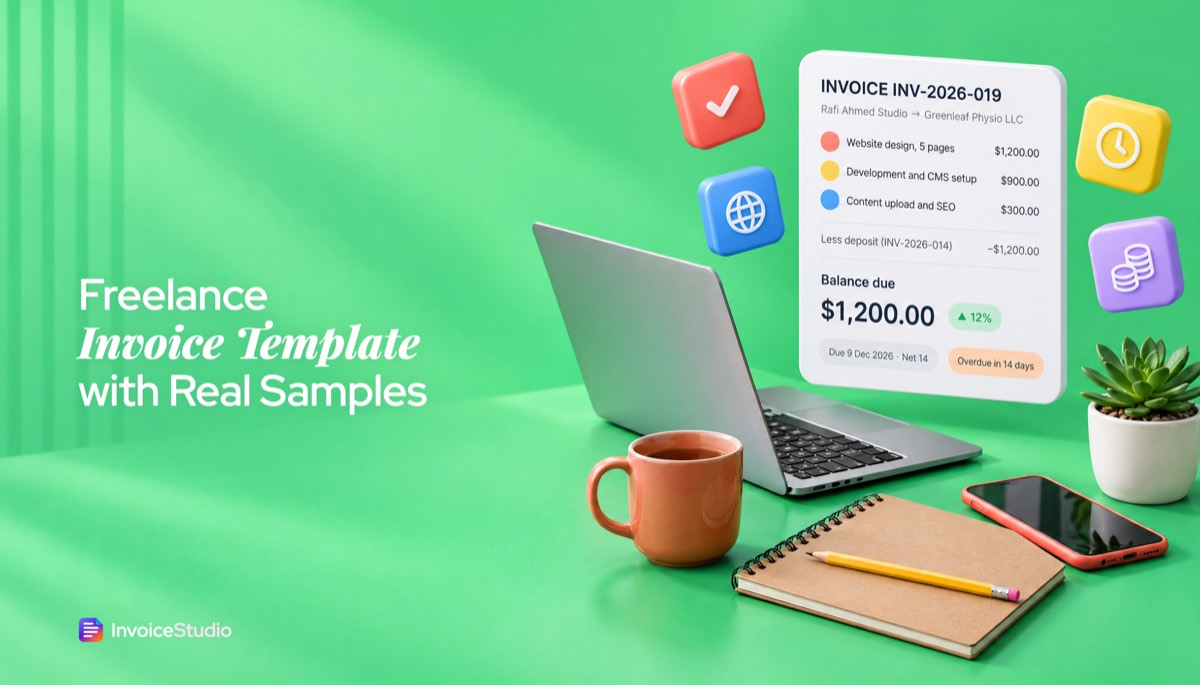
If you are a freelancer writing an invoice for the first time, our freelance invoice template guide has layouts set up for hourly and project work, so most of these mistakes are designed out from the first invoice.
Making an invoice is not hard. Making it correctly every time is what gets you paid on time. Set up your template once, follow the nine steps, and use the worked example above as your check.
Frequently asked questions
How do I make an invoice for free?
What should an invoice look like?
Should I send an invoice as a PDF?
Can I send an invoice without a registered business?
How do I write my first invoice as a freelancer?
Can I handwrite an invoice?
How long should I keep invoices?
Monjur builds Invoice Studio and incorporated MotionTrust Digital in September 2022, where he leads Amazon strategy across the client base. Eight years in e-commerce and marketplace marketing taught him how much time invoices and late payments eat, so every guide here is tested against the real product and current tax rules before it goes live.
More guides by Monjur