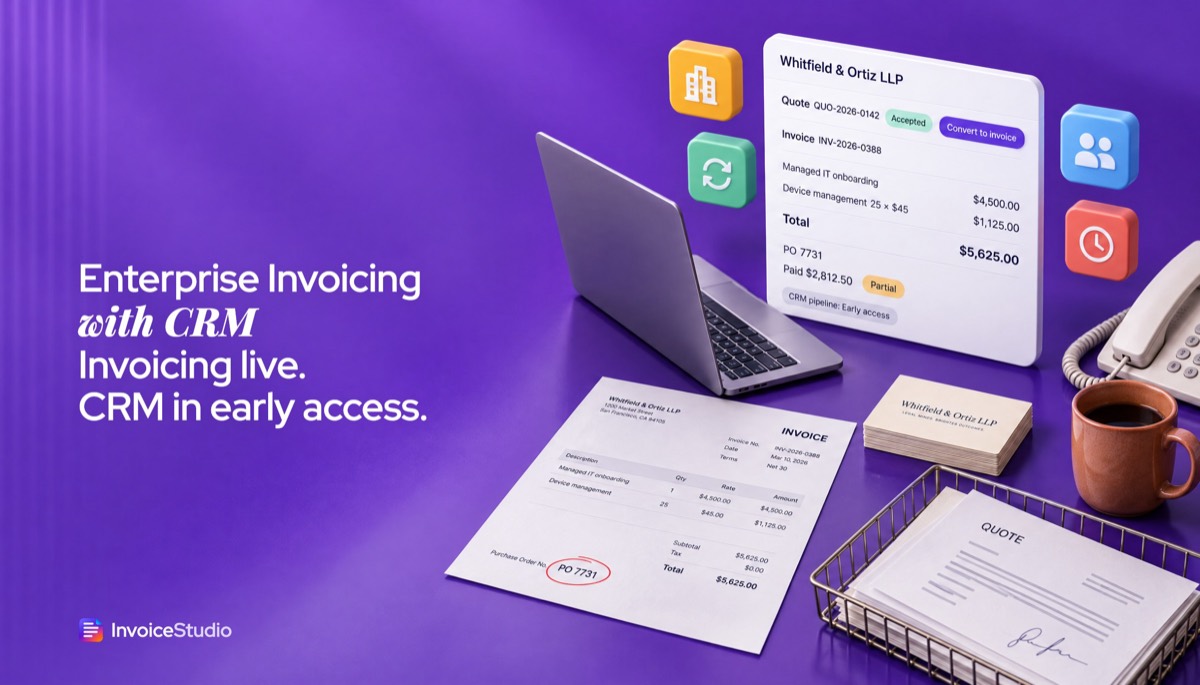
Quote to invoice in one click
Build the quote, get the yes, and convert it without retyping items, client or terms. Quotes, estimates, credit notes, POs and delivery notes each keep their own numbering.
Run company invoicing today: unlimited invoices and customers, quotes that become invoices in one click, ageing reports and AI voice in 20 languages. The built-in CRM pipeline and team seats are in early access, so join the list to try them first.
Leave your email for the CRM pipeline and team seats. The invoice editor below works right now, so load a company example and try it.
Build the quote, get the yes, and convert it without retyping items, client or terms. Quotes, estimates, credit notes, POs and delivery notes each keep their own numbering.
Save every client with billing contact, AP email and tax ID. Import an existing list by CSV and reuse it on every quote and invoice.
Ageing, average days to get paid and top customers show account health at a glance. The dashboard lists invoices that need a reminder.
Say the quote or invoice and it is drafted for you to check. Claude AI and ElevenLabs understand 20 languages, including Arabic, Hindi and Bangla.
Enterprise is $29 a month, $290 a year or $499 once, per company, not per user. Checkout runs on Stripe and the plan is set up automatically.
The deals pipeline and team seats are in early access, not live. Join the list free and tell us how your team sells, so the first version fits.
Add your logo, brand colour, font, tax ID and payment methods. Import clients from a CSV or add them by hand, with a separate accounts payable email.
Price every deal as a quote, add the client's PO number, and convert the accepted quote into an invoice in one click. Put monthly clients on recurring invoices.
Record full or partial payments, send one-click reminders on overdue invoices, and join the early access list for the deals pipeline and team seats.
Pick one to load it into the tool above, then change anything.
$4,500 onboarding plus 25 devices at $45, PO 7731 carried over, 50% on signing and 50% on completion.
£8,500 concept stage plus a £1,200 site survey, 20% VAT, VAT number and the statutory late-payment line.
AED 42,000 production, AED 9,500 AV and 12 staff at AED 650, plus 5% UAE VAT, TRN and PO shown.
10 licences at ৳18,000 plus ৳95,000 implementation, converted from a quote, payable by bank or bKash.
5,000 printed bags at CA$1.80 plus CA$1,250 tooling, 13% Ontario HST and the GST/HST number printed.
Plain answers, worked examples and the rules that apply, all checked against the live product.
Invoicing software with CRM keeps clients, deals and invoices in one place, so an accepted quote becomes an invoice without retyping. InvoiceStudio Enterprise ($29 a month per company) runs the invoicing side today: unlimited invoices, quote-to-invoice, payment tracking, ageing reports and voice. Its CRM pipeline and team seats are in early access, not live yet.
Invoicing software with CRM keeps your clients, your deals and your invoices in one system, so the quote you won last week turns into an invoice without anyone retyping it. InvoiceStudio Enterprise is built for that. The invoicing half is live today: unlimited invoices and customers, quotes that turn into invoices in one click, 28 designs, payment tracking, ageing reports and voice invoicing in 20 languages. The CRM half, a deals pipeline with leads, contacts and follow-ups, plus team seats, is in early access and not switched on yet.
I'm going to be plain about that split all the way through this guide, because you're probably comparing tools for a company and you need to know what you can use on Monday. You'll get a clear list of what works now and what is coming, the quote-to-cash flow step by step, a worked example with real numbers, a way to run a light CRM with today's features, plan and pricing maths, country notes and copy-paste wording.
Invoicing software with CRM is one app that holds your customer relationships and your billing together. CRM stands for customer relationship management: the list of leads, the deals you're working, the contacts at each company and the next follow-up. Invoicing is the other end: quotes, invoices, payments and what is still owed.
Most companies start with two tools. Sales lives in a CRM or a spreadsheet, and finance lives in an invoicing app. That works until the two drift apart. A rep agrees a 10% discount on a call, the invoice goes out at full price, and the client emails to complain. Or finance chases a client who already paid, because nobody told them about the bank transfer.
A combined CRM and invoicing tool fixes the handoff. The deal record carries the agreed price, the quote is built from it, the invoice is built from the quote, and the payment status flows back to the person who owns the account. People call this the quote-to-cash process. You don't need a big suite to run it well, but you do need the steps connected.
Here's the honest test I use when I look at any tool in this category. Can I see, on one screen, who the client is, what we quoted, what we invoiced, what they paid and what is overdue? If the answer needs two logins and an export, it isn't really CRM with invoicing. It's two apps sitting next to each other.
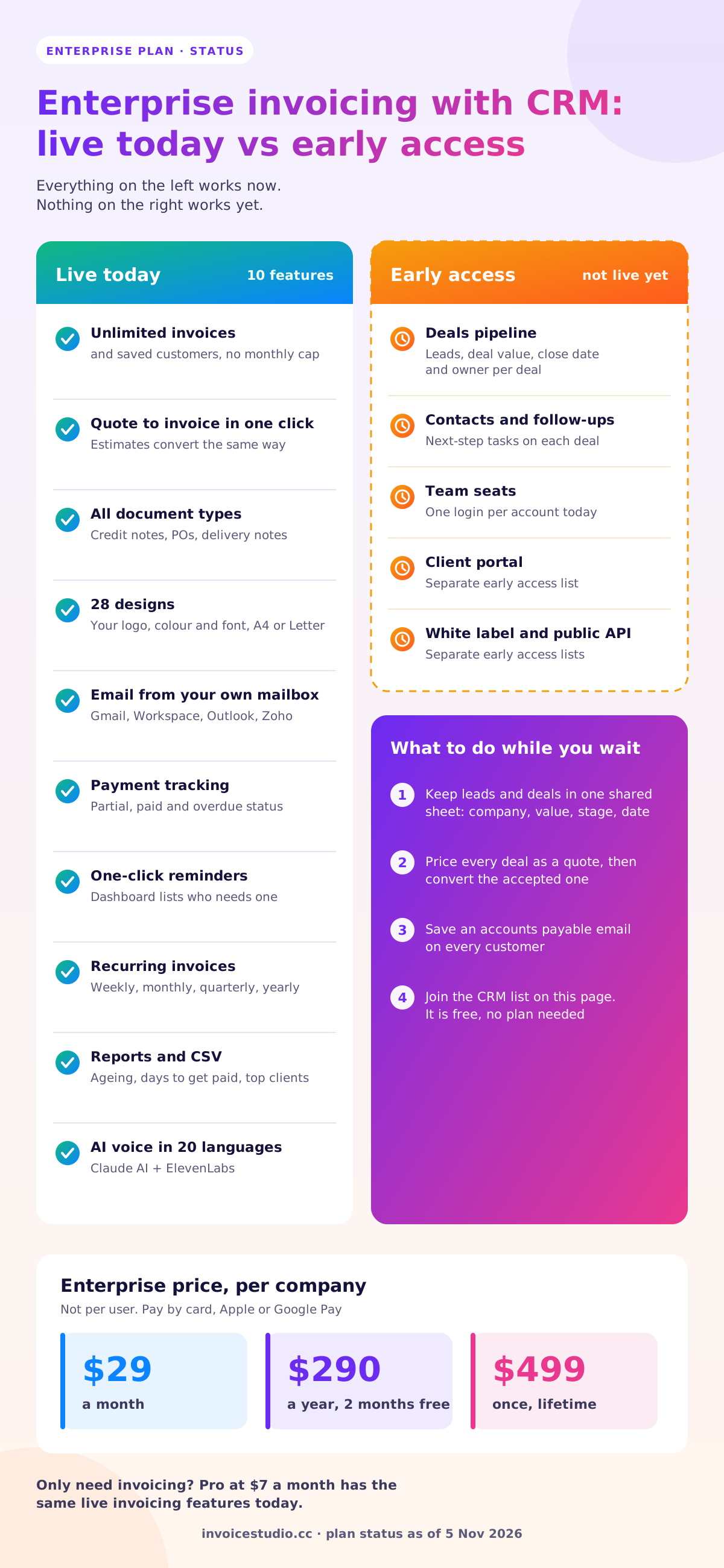
Every invoicing feature in InvoiceStudio works today on the Enterprise plan. The built-in CRM pipeline and team seats are in early access: you can join the list, but you can't use them yet. Here's the full split.
| Feature | Status | What it means for you |
|---|---|---|
| Unlimited invoices and saved customers | Live | No monthly document cap, no client limit |
| Quotes, estimates, credit notes, purchase orders, delivery notes | Live | Each with its own numbering; a quote or estimate becomes an invoice in one click |
| 28 invoice designs, your logo, colour and font | Live | A4 or US Letter, PDF download with no watermark |
| Email invoices from your own mailbox | Live | SMTP for Gmail, Google Workspace, Outlook or Zoho, PDF attached |
| One-click payment reminders | Live | The dashboard lists invoices that need a reminder |
| Payment tracking | Live | Full or partial payments; draft, sent, partial, paid and overdue status |
| Recurring invoices | Live | Weekly, monthly, quarterly or yearly, with optional automatic email |
| Reports and CSV export or import | Live | Ageing, average days to get paid, top customers, tax, client heatmap |
| Voice invoicing with Claude AI and ElevenLabs | Live | 20 languages, including English, Bangla, Hindi, Arabic and Spanish |
| 14 currencies plus custom currencies | Live | USD, GBP, EUR, AED, INR, BDT, CAD, AUD and more |
| Deals pipeline: leads, deals, contacts, follow-ups | Early access | Join the list on this page; not usable yet |
| Team seats | Early access | Accounts have one login today |
| Client portal, white label on your own domain, public API | Early access | Separate lists; not usable yet |
| Automatic reminder schedules and online card checkout | Not live | Print a Stripe payment link or PayPal under "How to pay" instead |
Our pricing card lists CRM, team members, API and white label under Enterprise. Those are the plan's roadmap. Today they are early access only, and this page will be updated when each one goes live.
Why tell you this so bluntly? Because I've bought software from a feature list and found half of it was "coming in Q3". It wastes a week of setup and a lot of goodwill. If you need a working deals pipeline for ten salespeople this month, InvoiceStudio isn't that tool yet. If you need solid invoicing now and want the CRM to land in the same place later, it fits.
Putting CRM and invoicing in one place removes the handoff where most billing mistakes happen. When the deal, the quote and the invoice share one customer record, the price, the tax ID, the billing email and the purchase order number only get typed once.
Think about what a single handoff costs. Say your team closes 30 deals a month and each one needs the client details, the line items and the PO number copied from the CRM into the invoicing app. At 6 minutes a deal, that's 3 hours a month of copying. The real cost is the errors: one wrong billing email, one missing PO, and the invoice sits in the wrong inbox for two weeks. Big companies often won't pay an invoice that doesn't quote their purchase order number. If you haven't dealt with those before, read what a purchase order is before you invoice a larger client.
The second reason is visibility. Sales wants to know whether the client paid before they pitch the next project. Finance wants to know a big invoice is coming so they can plan cash. When both work from the same customer list, the account owner can see the overdue balance before they promise anything new.
The third reason is cost. A separate CRM and a separate invoicing app are two subscriptions, two sets of logins and usually a third tool to sync them. One plan per company is simpler to budget, which is why we price Enterprise per company rather than per user.
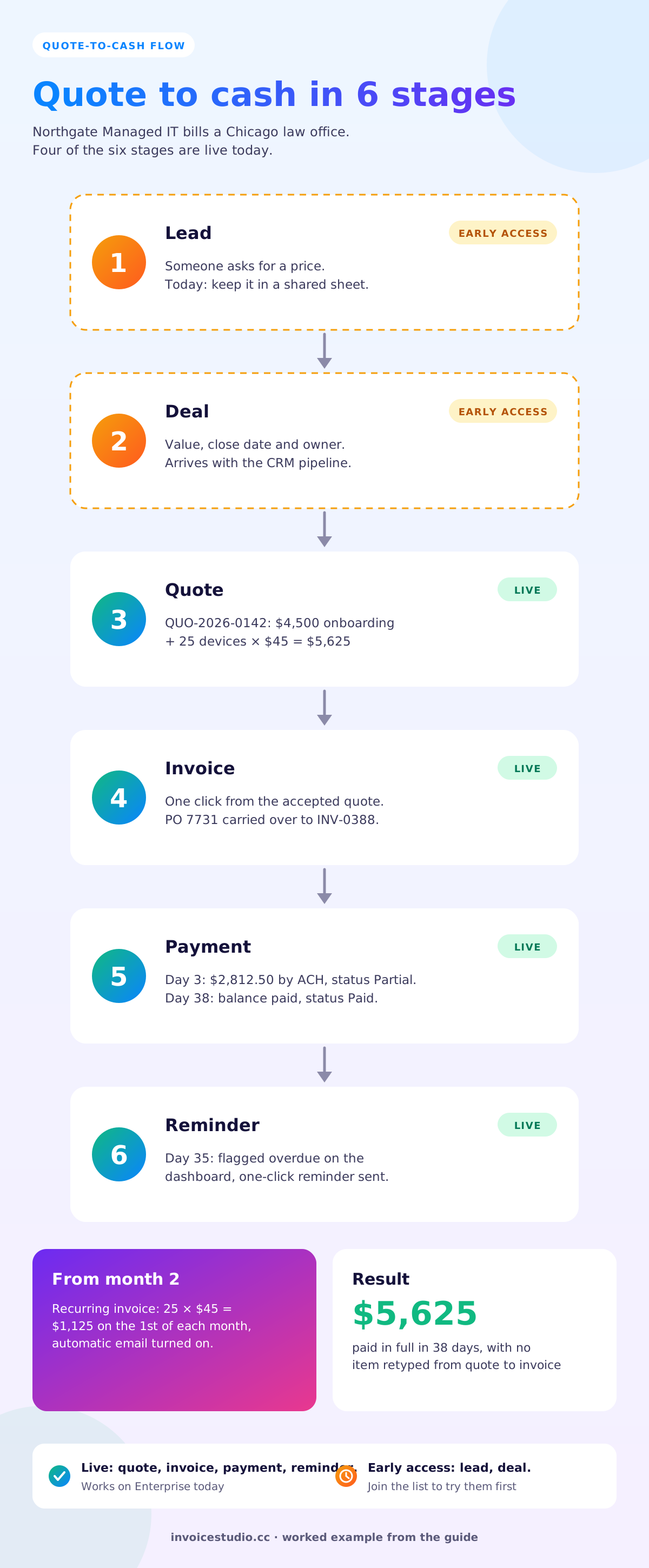
A deal becomes a paid invoice in six stages: lead, deal, quote, invoice, payment and follow-up. In InvoiceStudio today, the last four stages are live. The first two, lead and deal tracking, arrive with the CRM pipeline.
Most people get stage 3 wrong. They skip the quote and invoice straight from an email thread. That works for a $300 job. For a $12,000 project, send a quote first, get a written yes, then convert it. The quote is your proof of what was agreed if the client disputes the invoice later.
Here's how a real quote-to-cash cycle looks with today's features. Northgate Managed IT in Chicago has six staff and sells a one-off onboarding fee plus monthly device management.
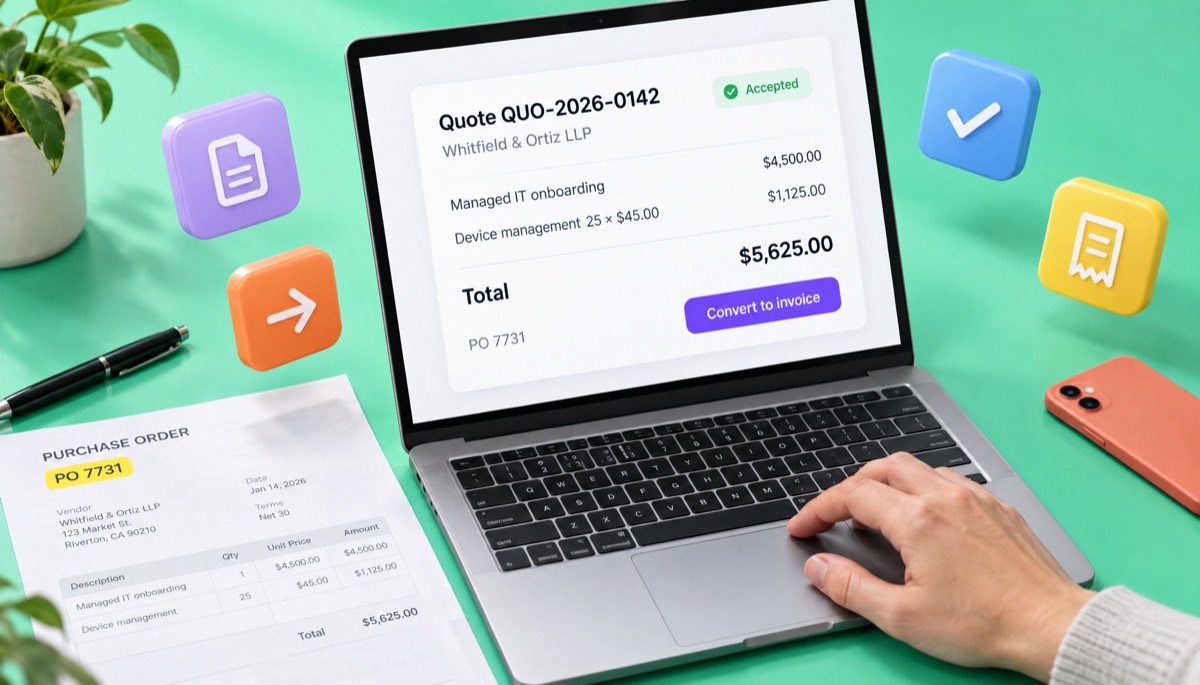
The client, a 25-person law office, asks for a price. Northgate builds a quote in the Ledger design:
The office manager signs it and sends PO 7731. Northgate converts the quote into an invoice in one click, adds "PO 7731" to the line details, and sets terms to 50% on signing and 50% on completion. The invoice goes out from Northgate's own Google Workspace mailbox with the PDF attached.
The first $2,812.50 arrives by ACH on day 3, so Northgate records a partial payment and the status moves to partial. Onboarding finishes on day 21. The second half isn't paid by day 35, the dashboard flags it as overdue, and the account owner sends a one-click reminder. It's paid on day 38.
From month two, Northgate sets up a recurring invoice for 25 × $45 = $1,125 on the 1st of each month, with automatic email turned on. The reports page now shows this client in top customers, and average days to get paid tells Northgate whether the law office is getting slower.
What's missing? The lead and deal stages. Northgate tracks those in a shared sheet until the CRM pipeline opens. That's the trade-off you accept today.
You can run a simple CRM today by treating saved customers as your contact list, open quotes as your pipeline and the reports as your account health check. It's not a full deals board, but for a team sending under 100 quotes a month it covers most of what you need.
Enterprise has no limit on saved customers. Store the legal company name, the billing contact, the accounts payable email, the address and the tax ID (VAT, GST, GSTIN or ABN) on each one. If you're moving from a spreadsheet or another CRM, export a CSV and import it, then spot-check five records before you trust the rest.
Every quote that hasn't been converted is, in effect, a deal in progress. Give quotes a clear numbering prefix, such as QUO-2026-0142, and put the expected close date in the notes. Review open quotes every Monday. A quote older than 30 days with no reply needs a follow-up call, not another email.
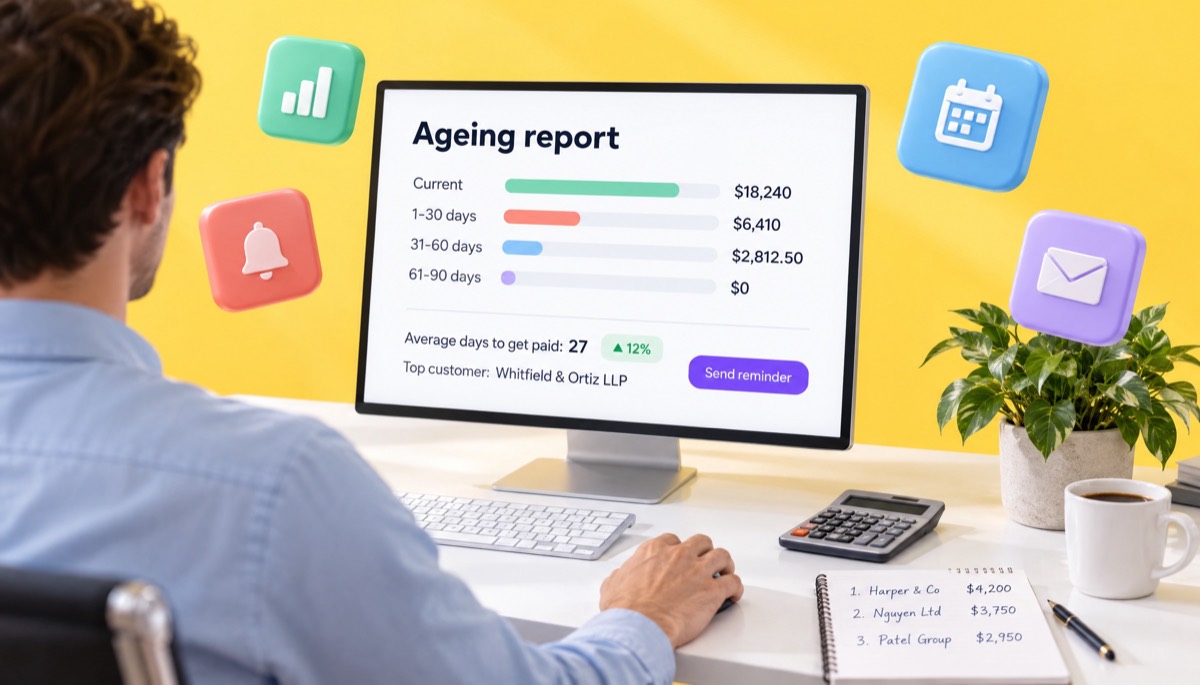
The ageing report shows who owes money and how late it is. Average days to get paid shows which clients are slipping. Top customers shows where your revenue really comes from. I look at these three before any renewal conversation. If a client is your second-biggest account but pays 45 days late, that's the first thing to fix in the next contract, and clear Net 30 terms help.
Sales people hate data entry. Voice helps. Tap the mic and say "Quote Harbour Logistics 8,500 pounds for the concept design stage, add 20% VAT" and the quote is drafted for you to check. On Enterprise it uses Claude AI and ElevenLabs in 20 languages, which matters if your team works in Arabic, Hindi or Bangla as well as English. The voice invoice generator shows how it works without signing in.
Until team seats arrive, keep one shared billing login and use the notes field to record who owns each quote, for example "Owner: Sam". It means anyone can pick up a client conversation when a colleague is away.
Pro, Business and Enterprise include the same live invoicing features today: unlimited invoices and customers, recurring invoices, all document types, reports, CSV, custom currencies and Claude AI plus ElevenLabs voice. The difference today is price and what you're lining up for: Enterprise is the plan that the CRM pipeline and team seats are being built into.
| Plan | Monthly | Yearly | Lifetime | Best for |
|---|---|---|---|---|
| Starter | $3 | $30 | $49 | One person, unlimited invoices, email sending |
| Pro | $7 | $70 | $99 | Recurring billing, quotes, reports, AI voice |
| Business | $10 | $100 | $149 | Small studios and agencies |
| Enterprise | $29 | $290 | $499 | Companies that want invoicing now and the CRM when it lands; priced per company |
My honest advice: if you only need invoicing and you don't care about the CRM, Pro at $7 a month does the same invoicing work today. Pick Enterprise if you want one plan for the company that grows into CRM and team seats, or if the $499 lifetime price makes sense for you. You can also join the CRM early access list for free on this page without buying anything.
Enterprise costs $29 a month, $290 a year or $499 once, per company. Yearly billing gives you two months free. The lifetime plan is a single payment.
Here's the maths over three years:
Lifetime beats monthly after 18 months ($29 × 18 = $522) and beats yearly early in year two ($290 × 2 = $580). If you're confident you'll still be invoicing in two years, lifetime is the cheapest option. If you're testing whether the tool fits, start monthly and switch later. Subscriptions can be cancelled at any time; the account goes back to Free and keeps its data.
Checkout runs on Stripe, so you can pay by card, Apple Pay or Google Pay, and the plan is set up on your account automatically. The pricing section shows every plan side by side.
The rules for invoices and for storing customer data differ by country. A combined CRM and invoicing tool holds both, so here are the points I'd check in each market. Rules change, so confirm with your tax authority or adviser.
InvoiceStudio prints the tax rows and IDs you enter. It doesn't decide which tax applies, and it isn't an accounting ledger. Export your invoices by CSV to your accountant or accounting software.
The most common mistake is treating the CRM as the source of truth for money. It isn't. The invoice and the recorded payment are the source of truth, and the CRM should read from them, not the other way round.
Use these as they are, or edit them to fit. They work in the notes field of a quote or invoice, or in the email you send with the PDF.
This quote is valid for 30 days. To accept, reply "approved" or send your purchase order number. We'll convert it into an invoice and start work within 5 working days.
PO 7731. 50% due on signing, 50% on completion. Pay by ACH or Wise and quote the invoice number as your reference. Questions about this invoice? Reply to this email and your account manager will help.
Hi Dana, just checking you received quote QUO-2026-0142 for the onboarding project. Happy to adjust the scope or timing if that helps. If it's approved, send the PO number and we'll book the start date.
Hi Dana, a quick reminder that invoice INV-2026-0388 for $2,812.50 was due on 4 November. I've attached the PDF again. If it's already been paid, thank you, and please ignore this message.
For firmer wording later in the cycle, see how to ask for payment politely, and for the email itself, how to send an invoice.
Join the early access list in the tool section of this page. Leave your work email and, if you like, a line about how your team sells, for example "8 salespeople, 60 quotes a month, deals in a spreadsheet today". We only email you about the CRM, and joining is free whether or not you're on a paid plan.
While you wait, here's how I'd set up so the switch is easy when the pipeline opens:
If you want to see the invoicing side before you decide, load one of the examples above into the editor, or open the free invoice generator and make a real PDF in a couple of minutes. You can also compare designs in the invoice templates gallery. For agency-style billing, the agency invoicing page has examples that fit retainers and projects.
InvoiceStudio: create invoices by voice, automate billing, and get paid faster. Start with the invoicing that works today, and join the list for the CRM so you're among the first to try it.

Monjur builds Invoice Studio and incorporated MotionTrust Digital in September 2022, where he leads Amazon strategy across the client base. Eight years in e-commerce and marketplace marketing taught him how much time invoices and late payments eat, so every guide here is tested against the real product and current tax rules before it goes live.
InvoiceStudio: create invoices by voice, automate billing, and get paid faster. Enterprise gives your company every live invoicing feature now for $29 a month, $290 a year or $499 once. The CRM pipeline and team seats are early access and not live yet.